Let's Talk

Author: Orthoplex Solutions

  • Why Mobile-Friendly, Engaging Educational Websites Matter: A Complete Guide

    Why Mobile-Friendly, Engaging Educational Websites Matter: A Complete Guide

    As traditional methodologies continue to evolve, the new standard is engaging educational websites. Technology-driven environments and interactive tools have made the learning atmosphere far more dynamic than conventional education. In such an environment, educators are fully involved in engaging their learners in hands-on. Immersive activities that would lay a deeper understanding of the material and sharpen critical thinking ability. This article will therefore go in-depth into why engaging educational websites are important. It will give some tips on how to design an interactive learning experience. And thereby focus on the benefits interactivity has for the classroom.

    Before going deep into how one can create an educational website, let’s define what it is and then delve into some of the different types that are around today.

    What are the Educational Websites?

    Engaging educational websites are complex, interactive tools that are intended to deliver a rich volume of information to prospective students. As well as for enrolled students, parents, educators, and people changing careers. These must be well-organized and easy to navigate. So that users can quickly access any information about programs, staff, or services.

    In fact, most of the students and their parents get to know about institutions offering education through these engaging educational websites, sometimes even knowing how the institutions are managed and what facilities they have, as well as the courses offered and generally what they have to offer. This will help them decide on whether the particular school, college, or university will be appropriate for them academically.

    But more importantly, engaging educational websites are very significant tools for educators, professors, and staff. In this direction, they offer features such as personalized user accounts-including schedules and performance tracking and provide teaching resources. A fully functional educational website will be able to meet the needs of students and faculty alike.

    More broadly, these sites allow people to find new trajectories-whether it is high school graduates moving into college, businesspeople looking to add to their portfolios of skills, or people desiring to change careers altogether. Similar to religious sites, educational sites need to build trust and offer some sense of community shared space in which students and teachers can have confidence as they begin their journeys.

    Common Types of Engaging Educational Websites

    Educational websites come in two general flavors:

    1. Institutional Websites

    An official website from schools, colleges, universities, and other educational institutions. These are the information portals for prospective and current students, parents, and staff.

    1. Online Course Marketplaces

    Engaging educational websites like Coursera, Udemy, Skillshare, and edX offer access to their courses provided by a wide variety of providers; learners can take classes in everything from academic subjects to professional skills. These sites appeal to lifelong learners looking for knowledge and certification in many different arenas.

    So, do you think that engaging educational websites matter for your education business? Let’s find out.

    Benefits of Having a Website for Your Educational Institution

    A website today is an absolute necessity, bringing credibility, and not only that, but it also contains all the critical information under one single handy umbrella, and that in itself can serve as a reason for better levels of trust and ultimately, admissions into that very institute. The online presence needs to be strong; a good website is the first contact that would-be students and parents would navigate. It underlines what your institution can offer in values and points of strength. Meanwhile, it should ease admission, keep the school community updated in time, and provide engagements with ease.

    It helps educational institutions reach out to the masses, builds reputation, and engages all stakeholders with the application of digital tools. The investment in a functional and professional website is now a necessity rather than an option for those who need to keep the competitive edge in these digital times.

    Importance of Online Presence

    An updated, professional website adds enormous credibility to your institution. But more importantly, when your school is showcased online, it increases in visibility and, in turn, you can attract prospective students with much greater efficiency. A website can easily be the most important tool to communicate information to create that strong, long-lasting first impression.

    Expand on How to Get That Wider Audience.

    Great facilities and faculties of your institution notwithstanding, without a created online presence you are limiting your reach to the local audience only. A website helps expand your reach across different regions for students and parents, creating more enrollment opportunities, and thereby extending the community of education.

    Building Credibility

    The more well-kept the website, the more credible your institution will seem. As the modern world extracts information from the internet, they will believe in an organization with a strong presence on the internet.

    Making Communications Effective

    Smooth communication is the backbone of success for any educational institution. The website enables smooth communication between the institution and all its stakeholders. Contact forms, live chat options, and email newsletters will keep the students, parents, and staff updated on the important announcements, events, and achievements within the institution. This brings transparency and a sense of community within the school.

    Showcase Achievements and Resources

    Your website introduces the public to your successes and available resources. From academic excellence to extracurricular programs to staff achievements, a website may feature these aspects in attempting to interest prospective students and their parents into participating in a more complete learning experience. From online learning materials and study tools to access to educational materials for your students, this further adds to the value of the website to your enrolled students.

    Marketing and Branding of an Engaging Educational Website

    A website is one of the most critical tools for marketing and branding an educational institution. An educational website generally highlights the academic and extra-curricular programs in a quite detailed way and it also tries to reflect the culture of the institution through appealing content, multicolored images, and videos. By revealing the strengths and strong points of the institution, new students and your staff will be attracted to your school since the website reflects an excellent first impression and overstates the commitment to excellence.

    24/7 Information Availability

    A website ensures information about your courses, admissions, faculty, and whatever else needs to be known about your institution is available 24*7. This level of access builds trust and credibility since the prospective students and their parents can view the institution at a time most convenient for them.

    Engagement and Interaction

    A properly developed education portal will foster interaction and participation to such an extent that possibilities of interaction among students, parents, and teachers in a very healthy manner can be afforded easily. Online discussion forums, options to provide feedback, and the usage of interactive learning tools could make the whole learning process quite interactive and shared.

    Cost-Effective Solution

    A website is an inexpensive way to help educational institutions lower perint costs and effectively facilitate smooth communication. Savings on printing and distribution, together with the long-term financial benefits accruing from the wider digital reach of your message, constitute a reason valuable enough for investing in a website.xper

    Data Analytics and Performance Tracking of Your Engaging Educational Website

    Furthermore, through a website, any educational institute may be able to record user behavior, monitor traffic that reaches the website, and analyze its performance with the support of tools like data analytics. This will give enormous scope for informed decision-making about outreach improvement, optimization of content, and enhancement of user experience. Data analysis will help the institution ascertain what programs are in demand, enhance decision-making processes, and keep it ahead of competitors.

    Here are some widely used data analytics tools that educational institutions can utilize:

    Google Analytics

    A comprehensive tool for tracking website traffic, user behavior, and conversion rates. It helps institutions understand visitor demographics, page performance, and content effectiveness.

    Mixpanel

    Specializes in tracking user interactions with applications and engaging educational websites, offering insights into engagement metrics, user retention, and conversion funnels.

    Hotjar

    Provides heatmaps, session recordings, and feedback tools to understand how users interact with a website, allowing for improved user experience optimization.

    Adobe Analytics

    A robust tool that enables deep analysis of website traffic, user behavior, and marketing performance, with advanced segmentation and forecasting features.

    Tableau

    A powerful data visualization tool that helps educational institutions create insightful reports and dashboards from their website data, making complex data easier to interpret.

    SEMrush

    An analytics tool focused on SEO and online visibility, providing insights into website performance, keyword rankings, and competitor analysis.

    Crazy Egg

    Offers heatmaps and A/B testing tools to visualize how users navigate a website and optimize design and content placement for better engagement.

    A/B Testing-also referred to as split testing-is a methodology in marketing and web design where two varieties of a webpage, email, or any other content are made to run in live environments to establish which of the two better yields a specified objective, whether higher conversion rates, increased click-through rates, or improved user engagement.

    Stay Ahead of Competition

    Also, having a website keeps your institution abreast with contemporary education and promotes it within the virtual space. Your institution should be able to give some evidence of innovative teaching methods, unique academic offerings, and success stories that distinguish it from other institutions.

    Or, in other words, having a website for your educational institution isn’t about an issue of need but one of great significance in building credibility and expanding reach to be competitive in this fast-evolving world of education. But how about having a mobile application?

    Unleash Mobile Learning: Best Practices to Optimize eLearning Content for Smartphones and Tablets

    By designing eLearning content that fits perfectly on smartphones and tablets, you can unlock the power of mobile learning through engaging educational websites. With mobile devices becoming the go-to choice for accessing information, creating optimized learning experiences is more important than ever. Go mobile by optimizing eLearning content for smartphones and tablets. Learn how to take full advantage of tips and best practices to develop engaging, accessible, and user-friendly learning experiences that maximize on-the-go learning.

    Pocket-Sized Learning for a Mobile-First World

    With the trends in today’s digital world, mobiles are everywhere, and that changed the way we used to look at or interact with information. The eLearning industry is catching up with the trend, and responsive designs enough for mobile devices have just turned out to be a must for modern learners. In that way, optimization of the eLearning courses on mobile devices should contribute to making education content more accessible, flexible, and efficient anytime and anywhere for learners.

    The following text describes a series of best practices and strategies that an Instructional Designer can apply during the development of eLearning content for mobile devices to make sure that the content is smoothly and interactively delivered.

    Understanding the Mobile Learner

    The traits of mobile learners are unique; they want to learn on the go. That means chunk-sized content, shorter lengths of sessions, and intuitive interfaces allowing the application of habits on the mobile; they want to navigate through the content quickly and smoothly with experiences that maximize the use of their device.

    Top Tips for Designing Mobile-Friendly eLearning

    Responsive Design

    Responsive design means that through eLearning, the content automatically fits onto different screen sizes and orientations. Whether it is on a smartphone or a tablet, the flow of layout on-screen and automatic optimization occurs. You can achieve this using responsive frameworks to make sure complete consistency in learning on any device is guaranteed.

    Simplified Navigation

    Mobile learners love simplicity. Simplify navigation by using clear menus, icons, and collapsible sections. Avoid unnecessary scrolling or complicated interactions that might hinder user usability. Content that is easy to follow and logically flows makes more sense on a small screen.

    Chunking Content

    Break down content into smaller, easily digestible chunks. Design a single learning objective, per module, so that learners can complete them in shorter intervals of time. This aligns with the preferences of the mobile learner, thereby allowing for better engagement and retention.

    Optimization of Multimedia

    Ensure the multimedia tools, CallCheck videos, and images, among others, are mobile-friendly. Compress media to ensure faster loading without loss of quality. If bandwidth is an issue, use animation graphics or audio files to bring up a flawless learning experience.

    Mobile-Friendly Assessments

    Accordingly, assessments are optimized for mobile using a responsive design. Mobile-friendly question types, such as multiple-choice or drag-and-drop questions can use immediate feedback, and show results in a way that makes it easy to view on small screens.

    Device Compatibility

    Compatibility testing in eLearning content for layout, navigation, and multimedia performance across a range of devices and operating systems. Testing frequently will solve compatibility problems that might be at odds when going live, allowing one to guarantee a smooth user experience.

    Mobile-Friendly Interactions

    Integrate the feature of mobile devices about touch-based interactions, swipe gestures, and gamification elements like badges and leaderboards for driving an interactive learning experience. Make it social through the use of discussion forums or peer collaboration for an experience full of depth and brilliance.

    Offline Access

    Most of your mobile learners are more than likely to encounter issues with connectivity from time to time. Offline access will guarantee that they achieve an unbroken flow of learning. Avail yourself of mobile learning platforms that can enable downloads of content for an immersive learning experience even offline.

    User Testing and Feedback

    Conduct user tests that offer insight into mobile usability and user experience. Always solicit feedback from learners that will be helpful for iterative refinement and enhancement of the eLearning content for it to keep pace with changing learners’ needs.

    Therefore, the ‘mobile-friendly’ design of eLearning has become imperative for the modern learner. The main issues the Instructional Designer should consider to offer efficient and effective learning on mobiles are responsive design, optimization of multimedia, simplification in navigation, and leveraging interactions specific to mobile. Go forward with mobile learning and thus facilitate your learners to have knowledge and skill acquisition anywhere, anytime.

    Whether it is mobile or websites, SEO is the trump card for all! Below are some fantastic SEO practices that will help your engaging educational websites boost organic traffic in 2024.

    Tips To Boost Organic Traffic for Engaging Educational Websites In 2024

    Today, more businesses than ever use the same platforms to attract the same sets of people. This surely applies to educational institutions trying to generate leads. SEO makes it easier to increase online visibility, drive prospective students to your website, capture leads, and increase enrollment.

    According to a study from The Princeton Review, known as the “College Hopes & Worries Survey”, several reports indicate that students and parents start looking for schools and colleges anywhere between six months to two years before getting admitted into them. The need is, to make sense of the search intent of the user and come up with content. Therefore this content should offer value relevant to such searchers. There are loads of best practices that ensure SEO success; most of them will see an increase in website traffic with quality leads being generated.

    Optimize your content for people, not search engines

    The biggest mistake, even enterprise brands make, is creating content for search engines. While algorithms deliver the results, paying too much attention to them invites keyword stuffing. And clickbait, and lowers the quality of the content. You should, instead, center your attention on user engagement. Also on page visits, time on site, and bounce rate metrics that measure the value of content. The more users enjoy your site, the more relevant it will become to search engines.

    Hyperlocal and Local SEO

    Your institution’s geographic location often seems to be one of the major reasons why students consider your institution. Whether apply to or avoid your institution. Local SEO can make your college or university appear more on the page. This happens when prospective students are searching for you within a specific radius. You will want to claim and update your Google Business Profile. Which allows your institution to populate the map section with vital information. Such as your contact information, website, and user reviews.

    Publish Helpful and Relevant Content consistently

    Launching a website is just the first step—content refresh is what matters. An updated content calendar stimulates organic traffic and classifies your institution as a true authority. Providing regular visits makes visitors believe your page is alive and establishes a reason for coming back.

    Optimize your content for the featured snippet of the search engine

    Try to rank for those featured snippets in Google—that is, the answer boxes at the top of a search result. Users often click on these more than they do on search results. So content written to provide a clear, concise answer to common questions. It can help create a traffic cascade to your website.

    Competitor analysis: provide more value

    Analyze the content and keywords of competitors and strive to develop more valuable content. For example, if the competition provides information based on placement rates to help one choose the best college. You could extend the content with more specific information about emerging career opportunities related to certain degrees.

    Degree- and course-specific keywords must be included

    Keywords are the backbone of SEO. Target course-specific keywords that might be of interest to your target market. In this scenario, assume that you have a business degree that integrates AI modules; in this case, you should target terms relating to AI modules in conjunction with general business terms. So you reach a more diverse audience with varied needs.

    Optimize for mobile use

    According to Statista, 58.67% of online traffic comes from mobile devices. So, your website must also be mobile-friendly, with quick-loading pages and responsive forms. Failure in this sector guarantees only increased bounce rates, which can affect your rank.

    Get High-Quality Backlinks by Using Authority Sources

    Backlinks from authority sites make your site look much more credible, increasing the ranking in search results. If you have many high-quality backlinks, the chances of passing SERPs are higher.

    Add ‘People also ask’ or FAQ sections to long-form content

    It’s a nice opportunity to use more keywords organically with FAQ pages, which answer frequently asked questions. Also, good content attracts better pieces of search engine snippets, and therefore, the traffic could go up to your site.

    Create E-E-A-T compliant content

    Google elaborated on its search quality guidelines in such a way that it introduced E-E-A-T: Expertise, Authoritativeness, Trustworthiness, and Experience. When your content is E-E-A-T compliant, the chances may be more of getting credibility and, therefore, a better result through search engines.

    Organize Your Website Architecture

    A poor UX (User Experience) can hurt your SEO (search engine optimization). The most crucial factors are those dealing with page load time, internal linking, quality of the content, and visuals. Website architecture design improves user experience and SEO results by minimizing bounces and increasing your rankings.

    While SEO is key, high security is equally important in the integrity of engaging educational websites. Good SEO drives traffic, but if strong security is not put in place, all the gains achieved through optimized content are rapidly lost through data breaches or cyber-attacks. The challenges and strategies to be employed for a safe and secure online education space are discussed next.

    Cybersecurity in Online Learning: Ensuring Safety for Remote Engaging Educational Websites

    Online learning revolutionized education by introducing flexibility, personalized content, and access to learning anywhere, anytime. The flip side of the coin brought with it some serious cybersecurity risks. The growth of cyber threats against online education platforms is real. This is indicated through numerous incidents that point to the need to ring in more safety.

    Each one of them pertains in particular to online learning platforms:

    • Two-factor authentication adds another layer of protection.
    • Encryption-protects data moving across it.
    • Frequent updates and patches-protecting against newly found vulnerabilities.
    • Strict password policies allow users to generate more complex and unique passwords.
    • Secure third-party partnerships-vet external partners to keep high standards of security.

    Additionally, training workers and users in safe practices, such as recognizing phishing attempts or the timely reporting of security incidents, contributes to increased overall security.

    By following these cybersecurity practices, online learning platforms are set to securely continue with accessible education for users while helping protect them against potential cyber threats.

    Now that you’re equipped with the do’s of creating an engaging educational website, it’s crucial to understand what not to do.

    Common Mistakes Educational Websites Make (And How to Fix Them)

    Content problems in higher education engaging educational websites are more than just aesthetically unpleasing; poor content can seriously harm user engagement and even dent the budget of your department or university. Intelligent, well-meaning people often create unusable content for no other reason than misguided practice. The following are the most common mistakes:

    An Unrelenting Internal Focus

    The problem with most higher education engaging educational websites is that they are decidedly inwardly focused, constructing a framework that makes sense to the university personnel but is a complete anathema to users, like students and their parents. Most times, the top levels of navigation reflect the internal department structure, while content on the landing pages focuses more on the institutional mission than the user needs.

    This produces an environment where the visitor cannot obtain fundamental information or achieve what they came for efficiently. They will then become frustrated and disengage. The universities should shift that narrow focus to the needs of their audience, positioning the most relevant content in an accessible manner so users can achieve their goals with ease.

    Writing Content Like an Academic Paper

    One grievous error higher education engaging educational websites commit is presenting content as if it were an academic paper. Hence, paragraphs become thick and long, grammatically unfit for online reading, especially when users go to get a task done, like submitting forms or paying fees. Most people visiting a university website are not looking for detailed academic prose; rather, they want fast and actionable information. Universities should focus on writing concise, scannable content with clear calls to action so users will find what they need without being overwhelmed by information that isn’t needed. 

    Nonsensical Navigation and Labels

    But another frequent mistake on university engaging educational websites is the undistinguished names of links. From a logical point of view, expressions like “Quick Links” or “Resources” might seem handy, embracing all the rest, but in the real case, they leave users guessing where exactly they should click to proceed to their desired destination, which evokes tangles of frustration and confusions. In such a context, clarity will not hurt in a content-intensive environment like the university website. Specific, descriptive labels help users find what they need sooner, enhancing overall usability and engagement. Efficient navigation is needed to guide the visitor through a website and ensure that they can complete their tasks without becoming lost in a sea of ambiguous links.

    Supportive tools to help apply all the above? Here it is, Orthoplex has compiled it into one list for you:

    Core Tools and Software to Create Engaging Educational Websites

    Engaging educational websites are much more than great content. They are effective communication, secure interaction, and integrated functionality. The team at Orthoplex has put together for both teachers and students the best educational experiences with a complete suite of necessary applications and software. Each one contributes valuable and much-needed support for interaction, collaboration, and information management that will make such tools invaluable for any educational website.

    WordPress and LearnDash

    In the case of WordPress clients, specialists provide a comprehensive solution by integrating one of the most popular learning management systems, LearnDash. With LearnDash, everything is contained inside the website for a cohesive and seamless experience. This will enable you to easily create, manage, and track courses, quizzes, and your students’ progress directly on your site, thus making it a versatile tool for educators who are looking to build a full-featured e-learning platform. The focus of Orthoplex is delivering this combination solution to make sure you get the most from WordPress and LearnDash.

    Moodle

    It is an open-source learning environment and is quite popular among academicians due to its flexibility and scalability. It allows educators to create special learning environments that are offered with features such as forums, quizzes, and grading systems. At Orthoplex, while we don’t build Moodle sites directly, we integrate it seamlessly with WordPress engaging educational websites by offering a button or portal link that takes the student to their Moodle environment for easy access and smooth user navigation.

    Google Classroom

    This is a free, cloud-based solution for educators, easy and simple to use. It seamlessly connects with other Google apps, like Google Docs and Drive. With it, it is pretty simple to assign and manage coursework without any stress. For customers who take a liking to using Google Classroom, Orthoplex has made sure there will be an easy link from their WordPress website to the Google Classroom portal, which will let their students move from one site to another with ease.

    Canvas

    A fully capable LMS, Canvas is an extremely popular choice among universities and K-12 institutions with its feature set ranging from course management, video integration, and performance tracking one-stop solution for large-scale learning environments. We do not develop on Canvas ourselves; however, we do provide integration services by adding a portal button on your website. This will let your students easily reach their Canvas courses.

    Schoology

    Schoology provides an intense learning experience through interactions, engaging K-12 students. Further features involve attendance tracking, access for parents, and collaboration tools. On behalf of the clients who use Schoology, we carry out easy yet productive integration where we add a button on the client’s WordPress site to redirect students and educators to their Schoology platform, hence providing them with seamless transitions between systems.

    These tools represent the very foundation that can be used to provide a secure, engagingly interactive educational website. Be it communication facilitation, compliance with standards for data privacy, or enabling seamless real-time interactions specific needs of users will be met and increase the learning experience.

    Conclusion

    The engaging educational websites altogether did change the learning experience in a whole different way by giving interactive environments for learners. Today, an academic website is one of the most important tools that help institutions inform effectively, reach wider audiences, and build lasting credibility. A well-structured educational website will be able to service a range of needs, from the accessibility of key information to prospective students and parents to personalized experiences for enrolled students and staff alike, including but not limited to performance tracking, scheduling, and teaching materials.

    And, of course, one should not pass by the significance of mobile-friendly, responsive design in today’s world, where learners need flexibility and accessibility. By optimizing the content for mobile devices, seamless learning experiences are possible on the go, keeping the institutions competitive in the changing needs of the modern learner. Data analytics tools further heighten effectiveness, whereby institutions can track user behavior, refine outreach, and base decisions on real data.

    Finally, organic traffic flow shall be ensured to increase online visibility and enhance the attraction of prospects with the best practices in SEO. An institution can remain competitive in the digital arena by providing user-oriented content, consistency in update cycles, and optimization concerning search engine features. In the modern era of digitization, engaging educational websites are no longer a luxury; they have come as a compulsion in shaping the future of education by making learning easily accessible, interactive, and engaging for all the stakeholders involved.

  • Essential Website Accessibility Best Practices: Transform Your Site for an Inclusive User Experience Now!

    Essential Website Accessibility Best Practices: Transform Your Site for an Inclusive User Experience Now!

    According to the WHO’s Disability Review, 1.3 billion of the world’s population, live with a disability. Yet some businesses are still not considering their website accessibility for everyone. In this blog, we will discuss the accessibility of the website accessibility best practices. Besides, the development of barrier-free websites, tools, and technologies will also be involved. Meeting accessibility standards supports the needs of all users, regardless of ability, device, or environment. Therefore, let’s start by:

    What is Web Accessibility?

    Website accessibility involves the design of the web, tools, and technologies in a manner to enable access to it by people with disabilities of all types. For example, disabilities can include: auditory, cognitive or neurological, physical, speech or visual

    When the developer is properly implementing web accessibility, it allows users to perceive, understand, navigate, and interact with the web. Thereby allowing everyone, including those with disabilities, to contribute to the Web.

    Why Accessibility is Important

    Accessibility is important because it removes most of the barriers that many people face in the physical world in regards to communication and interaction. When websites are not designed with accessibility in mind, they create barriers that shut out people and prevent them from acquiring essential services or information. And this can cost businesses the loss of many potential clients and users.

    On the other hand, website accessibility help everyone including:

    • People using mobile devices or small screens
    • Older adults with changing abilities
    • Those with temporary disabilities resulting from, for example, loosing one’s arm.
    • Users in very bright sunlight or over slow network connections.

    To develop an accessible web, the guidelines developed by international organizations, such as WCAG, identify specific steps that will be taken to ensure that the web remains accessible.

    For more information about standards and guidelines on web accessibility, visit the W3C Web Accessibility Initiative. The best practices below will give you deeper insights about integrating website accessibility with the right guidelines.

    Key Website Accessibility Best Practices

    In this dynamic world of web development, for all users, including those with disabilities, is not simply a best practice, but an imperative. Web accessibility refers to allowing the perception, understanding, navigation, and interaction with the web by the engagement of individuals with any kind of disability in such a way that one can be assured of the comprehensive dissemination of his message. By catering to such groups, one is widening his audience, a reflection of social responsibility, and an adherence to sets of legal standards.

    These web accessibility tips are to be used by web designers, developers, and content authors in creating or deploying web-based resources that will be fully accessible to all users. Please note that the list is in no way meant to replace formal standards such as the World Wide Web Consortium’s, W3C’s; but rather here to support them.

    Images and Media

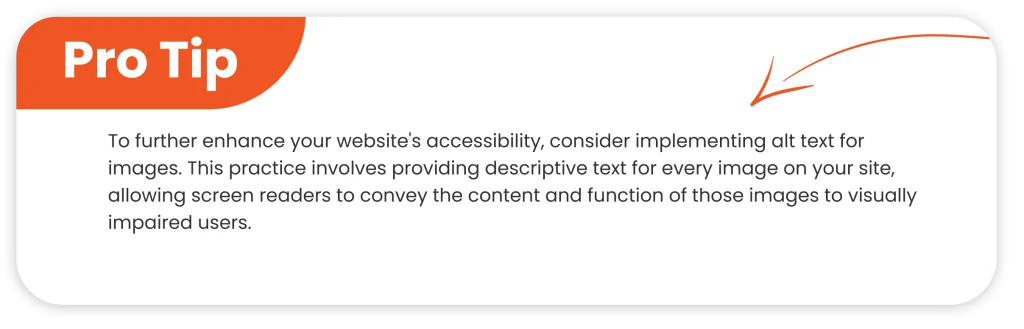
    Apply relevant alt text to images.

    Use alt text to describe the image content to the reader when they cannot view the image. Examples of readers who cannot view images include poor-sighted users who are using screen readers or Braille output devices.
    Example: Instead of “image1.jpg,” include descriptive alt text such as “Woman working on a laptop in a coffee shop.”

    Video caption

    Captions help all users and are particularly important for viewers who are deaf or hard of hearing. There are free tools for doing video transcription and captioning that are relatively easy to use. Some of these tools are: OTranscribe, Express Scribe, Descript, Happy Scribe, and Restream.

    Describe video

    If the video cannot be viewed, write a script of the video including descriptions of key visual elements such as setting, facial expressions, and actions taken (described audio). This may be delivered, for example, as timed text or voice-over recording.

    Provide a transcript

    Providing a transcript helps ensure access for people who are deaf-blind, have low internet bandwidth, and prefer to read. Pro Tip: Transcripts make your content more findable and accessible to all.

    Media player selection

    Choose media players that are accessible. Ensure media players support closed captions and descriptions, and can be used without a mouse.
    Recommended Tool: Able Player, created by the University of Washington.

    Headings and Navigation

    Use headings correctly

    Headings are in a hierarchical structure and never skip a level. It helps screen reader users and search engines to understand the structure of your page.

    ARIA landmarks

    ARIA roles are attributes that extend the Accessible Rich Internet Applications specification, better providing assistive technologies (like screen readers) with semantic information on elements within a web page. The idea is to help people with disabilities understand the structure and purpose of content, indicating what types of user interface elements are present, for example, whether items are navigation menus, a main content area, or a complementary section.

    Important to note that while ARIA roles will help in making the element more accessible, generally, native HTML elements, including but not limited to
    or should be used when possible because they provide semantic meaning out of the box and better supported across browsers and assistive technologies.

    Give ARIA roles like role=”navigation” or role=”main” on HTML elements to provide users a keyboard-only way to jump directly to that part of the page. Better yet, use native semantic HTML elements like
    or . Tip: Try the WAI-ARIA Authoring Practices.

    Accessible website navigation menu for all users

    Ensure your menu can be operated using a keyboard alone. If you need more than five keystrokes to reach items, rethink the design.

    Test web pages using a keyboard alone

    Try the #NoMouse challenge! Only use the tab key to navigate your site. This simple test will expose many accessibility issues quickly. Learn more at nomouse.org.

    Forms and Widgets

    Label form fields

    Using the HTML element tells screen reader users which prompt goes with which form field.

    HTML Accessibility of the element When one desires to associate descriptive text with an input element, be it a text field, a checkbox, or a radio button. You can do this in one of two ways: wrapping the text and input within the same element or using the for attribute, which states the id of the related input.

    This will automatically focus or activate the associated input field when activated through a click by users, thereby making forms much easier to navigate for end users and-most importantly readers.

    Group-related form fields

    Use element with a group of check boxes or radio buttons and wrap the question in a .

    To effectively use the element with either a group of checkboxes or radio buttons, you should wrap the related input elements within the tag and provide a descriptive question or title using the tag. Not only does this visually group the inputs, but it also semantically associates them – a big plus in terms of accessibility.

    Provide ARIA support for JavaScript widgets

    Widgets should be operable via a keyboard, utilize ARIA attributes to communicate name and state with AT, and gracefully degrade for those without modern AT. Pro Tip For examples of accessible widgets see WAI-ARIA Authoring Practices.

    Select Accessible JavaScript Widgets

    Review documentation and test widgets with assistive technologies for accessibility. Ensure they are keyboard operable.

    Testing and Validation

    Test Pages with Assistive Technologies

    Test your site using free screen readers like NVDA or VoiceOver. Amazingly often, simple testing reveals barriers no one knew existed. Learn more about Testing with Screen Readers from WebAIM.

    Test pages using high-contrast color schemes

    Ensure all crucial content is still accessible when you turn on high contrast modes. Free Tool: Color Contrast Analyzers will show you contrast ratios.

    Provide sufficient color contrast

    Ensure there is enough contrast between foreground and background values so that a user is able to read text. Tip: The recommended minimum contrast ratio for common text is 4.5:1.

    Avoid Casual fonts

    The default font sizing for most text at 1em allows for user preferences. Pro Tip: The best way to ensure text is readable on various devices and screen resolutions is to increase font size.

    Respect white space

    Provide ample spacing between lines and blocks of text to allow for readability.

    Documents and File Formats

    Create accessible PDFs

    Tagged PDFs ensure they support headings, alt text, and accessibility features. Utilize the PDF Accessibility Checker in Adobe Acrobat.

    Know when to use PDF

    PDFs maintain a document’s appearance but are not always the most accessible format. Whenever possible use HTML for better accessibility.

    Identify the language of the text

    Use the lang attribute in HTML to declare your document or page language. This enables multi-lingual screen readers to pronounce text in the correct language.

    Procurement and Policies

    Request specific accessibility information about the product from vendors

    Plan regarding product accessibility when buying third-party products. If you want to make a large purchase, you should formalize the process for dealing with the need for accessibility.

    Having learned what the best practices in general web accessibility are, it is important to tailor them for mobile users.

    Key Strategies to Improve Mobile Accessibility

    The most important strategies that could provide an accessible and inclusive experience for mobile users include:

    Responsive Design

    Responsive design means making your design inclusive of a mobile experience. Fluid grids uplift your website accessibility to a new level. The layout of your website should cascade smoothly to any of your screen sizes, maintaining usability and consistency in design across devices.

    Pictures should resize properly inside of their containers, and you can set the maximum width using CSS to avoid distorted layouts. CSS media queries enhance this very aspect of accessibility by applying different styles according to the characteristics of the device, which include screen width height, and orientation.

    Easy Navigation

    Navigation should be simplified for mobile users. Utilizing hamburger menus can screen space and provide intuitive navigation. Breadcrumbs enable the user to trace their way through greater website accessibility, allowing them to get back with greater ease. You can easily tap visible call-to-action buttons and links if there is enough spacing around them to prevent unwanted clicks.

    Readable Text

    Readable means accessible in large part. Have a minimum font size for the body text of 16px; keep your line height high enough to make the text more readable. Try making the contrast ratio between text color and background color as big as possible to ensure the readability of content under different lighting conditions. Besides, left-aligned text instead of justified text also avoids uneven spacing and is thus more readable.

    Accessible Forms

    Accessible forms mean accessible user interaction. Position labels above the form field, so it’s more readable and can give access to small screens easily. Also, the form fields should be large enough to enable easy taping, yet small enough to fit the auto-fill feature. Similarly, providing clear and descriptive validation messages is going to help users correct errors hence improving the overall user experience.

    Optimized Images and Media

    Optimizing images and media creates a more accessible atmosphere. Image alt text, when written descriptively, supports screen reader users, while video captioning and audio transcripts create accessibility in multimedia for all users. srcset will let you serve different image sizes depending on the screen size and resolution of someone’s device.

    Keyboard Accessibility

    Keyboard accessibility entails the fact that users can navigate to all interactive elements by keyboard, while visible focus indicators are important for those users who might not use a mouse. Similarly, providing skip links will allow users to bypass repetitive content to get directly to the main content, hence making their experience smoother.

    Testing and Validation

    Finally, remember to perform careful testing and validation to make sure it remains accessible. Tools like AllAccessible can help identify and fix accessibility issues in your mobile site. User testing with people with disabilities is extremely valuable for feedback in order to improve. Therefore, always perform regular audits to verify the follow-through of standards and guidelines in matters of accessibility to make sure your commitment to the web will truly be inclusive.

    Now, let’s talk about the financial reward to your business by your website accessibility.

    Financial Benefits of Website Accessibility Best Practices for Business

    Increased Utilization of the Website

    Digital accessibility can increase both kinds of financial benefits, direct and indirect, by increasing website utilization. When you integrate website accessibility, locating and navigating it becomes easier, hence the audience has grown.

    Eliminating the barriers that stand in the way of people with disabilities from accessing online content opens enterprises to a significant section of the population. According to the CDC, Centers for Desease Control, approximately 27% of all adults in the United States live with some form of disability, representing a huge market potential.

    Prioritizing digital accessibility besides attracting all these potential customers tends to mean higher sales. Hence it is set to become an inseparable aspect of the digital strategy of a business.

    Increased Market Exposure

    Business adoption of digital accessibility can multiply the customer’s manifold by incorporating diversified demography. An accessible website means that millions of potential customers who earlier struggled to interact with online content can participate fully.

    This inclusivity not only favors people with disabilities but also speaks volumes about corporate commitments to ethical business dealings and social responsibility. Business companies that can serve this demographic well stand to gain greater engagement and loyalty from their customers, coupled with improved reputational benefits in the marketplace.

    Greater SEO

    SEO and digital accessibility relate to one another in the sense that webs with higher website accessibility often rank higher on search results. Search engines also favor sites with clear navigation and a good user experience whose content is adapted to index-ability.

    Following accessibility best practices, such as ALT text on images and proper site structure will help improve your business search rankings. When the popular podcast This American Life began adding transcripts of its episodes, search traffic went through the roof – a great example of how making something more accessible directly increases its online discover-ability.

    Greater Usability

    An integrated website accessibility caters not only to people with disabilities but also to improving the overall user experience for all kinds of visitors. Accessibility does not help any particular group; rather, research proves that features like inclusive design-easy navigation and intuitively designed layouts improve usability for everyone.

    As reported by Forrester, companies that focused on inclusive software development received improved customer satisfaction and a better experience. This will also help create a friendly environment for them so that customer retention increases, coupled with positive word-of-mouth referrals.

    Improved Brand Reputation

    In the modern marketplace, the reputation of a company is greatly linked with an inclusive and accessible culture. Companies that are at the helm of the implementation of digital accessibility can be related to a positive brand image that is appealing to consumers, especially those who consider social justice and ethics to be significant.

    This reputation extends beyond customers with disabilities, as increasingly consumers look to brands that reflect values of equality and inclusivity. In turn, this positioning in accessibility provides companies with the opportunity to differentiate themselves in the competitive landscape and forge long-term relationships with their customer base.

    Direct Cost Savings

    Businesses can save money directly from investment in digital accessibility. Companies ensure that they are in adherence to the standards set by the Americans with Disabilities Act (ADA) to avoid expensive challenges to litigation, as filing lawsuits on website accessibility is on the rise. Accessible websites may also require less maintenance because of cleaner and more efficient code, ensuring lower operating costs. Accessibility also minimizes demands on additional server resources and eliminates the multiple version development costs. In so doing, it future-proofs companies while reducing ongoing costs.

    Now, let’s begin to see how AI helps reach those benefits mentioned before.

    The Role of AI in Digital Accessibility Improvement

    The OpenAI chatbot, ChatGPT, has been creating ripples in the technology world due to its amazing capabilities relating to language. However, aside from its linguistic prowess, GPT-3 and other varieties of artificial intelligence play a very important role in enhancing digital accessibility.

    AI is going to bring a whole revolution in digitally connecting people with disabilities.

    Visual Disability

    AI-based screen readers and image recognition software increase the accessibility of visually disabled people. Using natural language processing, the text is read out loud, and images are described to the users for better navigation and comprehension of the web content. Integration of such AI tools assists businesses in providing full accessibility to their online platform for people with visual disabilities.

    Hearing Impairment

    AI has significantly made it easier to consume audio-visual content with closed captioning or live transcription for individuals with a variety of hearing-related disabilities. Applications like these can automatically caption videos, and even conversations, in real time, thereby enabling persons with such impairments to comprehend the message without having to lip-read. This allows them to feel much more included in social and professional settings.

    Speech Impairment

    Artificial intelligence technologies help those people who cannot speak well to communicate better. Advanced software can convert their speech into clearer audio or text, improving the flow of a conversation and making things better understood. This capacity allows people with speech impairments to communicate confidently with others and improves their interaction with society.

    Mobility Impairment

    AI-powered assistive technologies include Google Voice Access and Siri, which support people with mobility impairments by making such devices controllable by voice commands through these tools for independence in daily tasks. AI allows users to personalize their experience with every functionality involved in sending messages or accessing applications.

    Improvement of Website Accessibility

    AI has enhanced web accessibility since it can identify and fix, on its own, usability barriers on the Internet. Accessibility AI tools scan websites to find potential problems with inadequate color contrast and missing alt text on images. Automatically adjust the site and bring it in conformity with digital accessibility standards. It is their proactive approach that’s so considerate for an inclusive online environment for everyone.

    And yes, general website accessibility is important, but for a Non-profit organization or Non-Governmental Organization, it cannot be avoided. Why?

    Why Website Accessibility Best Practices Are Important for Nonprofits and NGOs

    Here’s why accessible and well-designed websites matter most in increasing donor engagement and maximizing the impact of nonprofits:

    The Impact of Accessible Websites on Donor Engagement

    Most of the local NGOs do not invest in their website, hence ultimately diminishing the possibility of outreach and fundraising. According to Nonprofit Source, over 54% of donors in the world would prefer to donate online using a credit or debit card while 14% would use an online service, including but not limited to, PayPal. With no modern, responsive website, NGOs run the very real risk of being bypassed by this expanding pool of digital donors.

    This is not to say most donations will directly result from the use of a website. However, a website that is accessible and interactive can build credibility and visibility even when it cannot process the transaction on its behalf. Many potential donors do their research on new causes they want to give to online. A well-designed, engaging website might capture the attention of a potential donor, inspiring them to contact the group, learn more about its work, and support the mission.

    The Special Digital Challenges of Nonprofits

    Nonprofits face unique challenges compared to other for-profit companies when it comes to building their presence online. Their operations are heavily reliant on the charity and support of donors. A well-optimized, responsive website is the front digital door of the organization where nonprofits can connect with stakeholders, share stories of impact, communicate their mission and goals, and secure the resources to keep doing what they do in social impact.

    A well-developed website is so much more than a donation platform, it’s a key means of community engagement. The website is one venue where NGOs can share not only their accomplishments but also foster and maintain their relationships with supporters through easy access to information, updates, and opportunities for becoming involved.

    Case Study: Zoryan Institute

    The Zoryan Institute, on the other hand, is a registered nonprofit dedicated to scholarship and raising awareness on human rights, genocide, and diaspora-homeland relations. It partnered with Orthoplex Solutions in the building of a web forum for its community where members can share insights, discuss topics, and generally engage with other people with similar ideas. Besides that, Orthoplex continues to update the website of the Zoryan Institute for full functionality and provides technical support. A partnership that serves to illustrate how an accessible, community-centric website can advance an NGO’s mission.

    Don’t get overwhelmed, Orthoplex has gathered for you some of the most effective website accessibility testing for your business to be able to apply the website accessibility best practices without any complications.

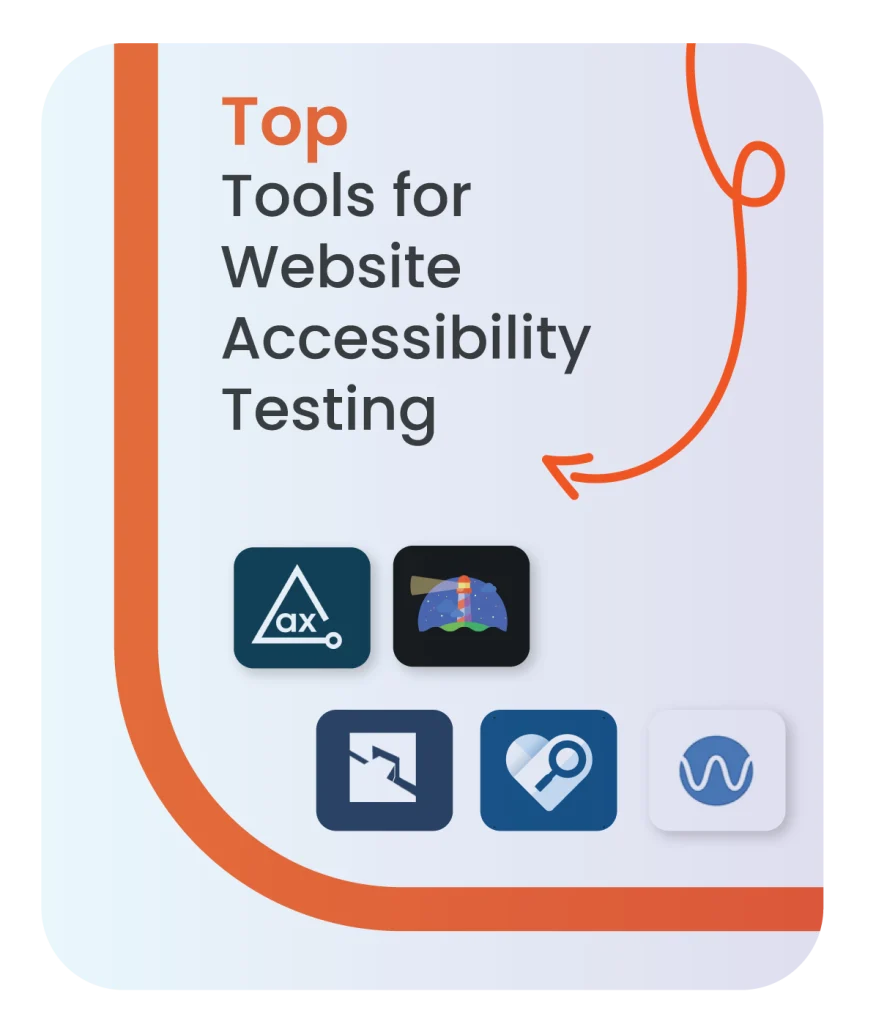
    Top Tools Website Accessibility Testing for NGOs

    Having an accessible website means inclusion and greater reach for NGOs. Accessibility testing tools help organizations ensure that their sites are easily usable by people with disabilities. Some of the best accessibility testing tools that can be put to good use by NGOs are listed below.

    1. WAVE – Web Accessibility Evaluation Tool

    WAVE is a free, publicly available tool that checks the web accessibility directly in the browser. It visually highlights accessibility errors on the website to show where improvements may need to be made. It is a very good tool for NGOs seeking a shallow learning curve/easy-to-use solution.

    2. Axe

    Axe is a robust open-source accessibility tool integrated directly into browsers and helps developers find and then fix accessibility issues. Its in-depth reporting makes it ideal for technical teams within NGOs working on large or complex websites.

    3. Lighthouse

    Lighthouse is an automated tool that is a part of Chrome’s developer tools. The tool provides reports on accessibility, performance, search engine optimization, and more. It is an all-in-one solution where NGOs will quickly identify the accessibility gaps and have better overall quality for their sites with just a few clicks.

    4. Tenon

    Tenon is a for-profit testing accessibility service offering comprehensive reporting of issues and solutions that are easy to act upon. Ideal for NGOs who need to test consistently on more than one page, or large websites.

    5. Accessibility Insights

    It is designed for rapid accessibility checks and fitted with an automatic testing mode, with the ability to go deeper by manual inspection mode. Because of this, it’s ideal for NGOs that want to balance between automation and hands-on analysis.

    How NGOs Can Leverage These Tools

    NGOs can use these tools to ensure their website meets the standards for accessibility, such as the WCAG. With regular testing, NGOs will strive towards their website being as accessible as possible for people of varied disabilities to access the content, donate, or participate in community events. For example, WAVE and Lighthouse can immediately provide feedback on simple issues, such as color contrast, whereas Axe and Tenon can help find more complex problems in the codebase for developers.

    These tools also contribute to aligning the online presence of NGOs with their mission of inclusivity by ensuring that no person is accidentally excluded from participating in any of their initiatives.

    Even though some developers use these tools, yet they fall victims to accessibility errors. You likely have been on or created a website that had a few things wrong with its accessibility. Here’s how to spot those errors and avoid them in the future.

    7 Website Accessibility Mistakes and How Orthoplex Helps Businesses Avoid Them

    1. Low Contrast Text

    Poor contrast of the text to its background makes the text hard to read, especially by visually disabled people. This can be improved with an effective design when developing websites, keeping in mind the WCAG 2.2 guidelines on the minimum required contrast ratio, which is 4.5:1 for normal text. There are several tools available that do this, including contrast checkers, which you can use to make sure text is readable and clear.

    2. Missing Alt Text for Images

    This is important because, when screen readers land on a page that has an image on it, they require alt text to describe what’s on the page. If nothing or unhelpful alt text is provided, then that information may get lost on screen reader users. Clear and concise alt text allows every user to perceive the intent of visual material, low vision and blind alike.

    3. Empty Links / Missing Link Text

    Links without descriptive text can confuse users of screen readers and other assistive technologies. Good link labeling, such as icons and social media provides some context to a user as to where the link will take them. Adding an aria attribute or using clear descriptive text will ensure that the links are accessible.

    4. Unclear Link Language

    Some generic phrases such as “Click here” and “Read more”, are confusing, particularly when links are read out of context by a screen reader. When possible, links should use specific phrases that indicate their destination such as, “Learn more about our programs” or “Read our latest research”.

    5. Empty Buttons

    Buttons without proper labels cannot be understood by screen readers as users will not be able to fathom their function. This is because screen readers cannot denote the function of a button if it does not have a label text part of the button element or via the proper use of HTML.

    6. Missing Form Input Labels

    There are forms in plenty of sites; however, they tend to be inaccessible because the input fields have no labels. If there isn’t any visible label, users might not know what information is being asked of them. Each form field should define what it is expected of the user to enter in it.

    7. Missing Document Language

    By not giving the language on a website, the screen readers generally tend to mispronounce the text. Adding an HTML attribute like will provide a guarantee that screen readers present your content in the proper language and accurately portray what the user is navigating. Orthoplex assists such organizations and NGOs with the implementation of accessibility standards through regular testing via website assistance using some of the tools mentioned earlier like WAVE for the inclusion of all users in every respect. These enhancements go a long way in improving user experiences, ensuring legal compliance, and making digital spaces accessible for any organization that may adopt them.

    Final Thoughts

    In the modern digital space, website accessibility is more than a legal duty; rather, it’s one of the basic ingredients for going live on the web. By following website accessibility best practices, it would be easy for all users to access your website irrespective of their ableness or disability and browse well through it. By offering clear navigation, alt text applied to every image, color contrast suitable, and keyboard navigation, a business can be effectively supportive in enhancing user experience and escalating audience reach.

    In the field of many advantages, accessibility is where investment in these practices pays off in a form other than social responsibility in the form of search engine rankings and user retention rates. Be it the healthcare sector or any other, it is an important step toward fostering inclusivity and expanding your impact.

    If you desire personalized assistance to make your website more accessible, contact Orthoplex Solutions today for a user-friendly platform that is built per accessibility standards, making it usable by everybody.

  • E-commerce UX and UI Design Guide for Best Practices: Get Started Now!

    E-commerce UX and UI Design Guide for Best Practices: Get Started Now!

    With rapid technological changes and advancement playing a greater role in everyday life, how commerce has been conducted has changed over the past decade with many new avenues of reaching customers. The proliferation of online shopping today is pushing sellers to continue seeking new channels and strategies that allow them to keep pace. This means, E-commerce UX and UI Design Guide is going to be critical in helping create smoother, positive user experiences that directly influence business success. Today we are going to discuss e-commerce UX and UI design guide for e-commerce.

    Let’s first start by introducing these two abbreviations:

    What Is E-commerce UX and UI Design Guide?

    UI/UX Design is the latest trend in web and mobile applications. UX (User Experience), refers to the art of creating a non-stop, intuitive, smooth journey for users in an app or website. The reason behind this is that it should be effortless, enjoyable, and effective. Meanwhile, UI (User Interface) is the look and feel of the visual presentation: how the application should look, its layout, and how the user will interact with it visually.

    UX and UI both play a very important role in the e-commerce world. A well-implemented UX ensures customers will be able to navigate your app or website easily, and thus have better chances of finding what they are looking for. The design of UI ensures that your application is visually attractive and portrays your brand image in a way that creates a strong first impression.

    More specifically, with the growth of competition in the market, every business is supposed to create a compelling value proposition for the customers. It is then that UI/UX design becomes so crucial. Every successful e-commerce application happens as a result of thoughtful design principles put into action, and that places the user first.

    Okay, now that you are familiar with the idea, let’s get into their roles for e-commerce.

    E-commerce UX and UI Design Role

    This underscores the critical role of user experience in e-commerce. The success of e-commerce activities hinges on several factors, including:

    • The quality of the product or service offered
    • The quality of the content presenting the offer to customers
    • The quality of design for the electronic platform, website and/or mobile application, through which sales are delivered.

    And we will tackle in details the best practices for mobile-optimized UI/UX later in the blog.

    Clearly, UI/UX design is vital. Thoughtful logic and transitions, intuitive micro-interactions, fast system feedback, attractive product presentation, and smooth payment flows all directly impact a business’s profitability in the competitive e-commerce landscape. Designers and business experts must work collaboratively to enhance user experiences, ultimately benefiting the target audience.

    Below are the different impacts of E-commerce UX and UI Design Guide:

    Business Perspective

    Branding and Promotion E-commerce websites and applications should align with specific business goals and strategies from the outset. Key considerations include:

    • Unique Selling Proposition (USP): Identify the core benefits that differentiate your offering.
    • Defined Target Audience: Understand your potential buyers, including their demographics, preferences, and shopping habits.
    • Brand Positioning, Tone, and Voice: Establish how you want your brand to be perceived, friendly, serious, exclusive, etc.
    • Marketing and Sales Channels: Consider potential sales avenues early on to ensure a cohesive customer experience.
    • Type of Business Relationships: Define whether your business model is B2C, B2B, or C2C to inform UX design.
    • Typical Environment of Use: Understand the context in which users will interact with your platform, influencing design choices.

    UX Perspective

    Retaining users for repeat purchases is essential for profitability in e-commerce. A positive user experience is critical for user retention, characterized by:

    • Utility: Helping users select and purchase the items they need.
    • Usability: Ensuring the customer journey is intuitive, with minimal clicks and loading times.
    • Accessibility: Designing for users of all abilities, including those with disabilities or low tech literacy.
    • Desirability: Creating an appealing design that encourages users to return.
    • Key aspects of UX design include intuitive navigation, which allows users to easily understand their location on the site and access essential features like search, filtering, and payment options.

    UI Perspective

    UI design focuses on the visual appeal and emotional response of users. Important considerations include:

    • Color Choice: Select colors that align with your brand identity and evoke the desired emotional response.
    • Visual Hierarchy: Make critical interactive areas easily noticeable.
    • Aesthetic Harmony: Strive for a visually pleasing design that supports a positive user experience.

    These roles bring real benefits to your business, as outlined in the following key points:

    Why is UX/UI Design Important for your e-commerce business?

    In this competitive world of electronic commerce, there is going to be much need for UX/UI design to attract and retain customers. Here are several reasons why investing in effective UX/UI design will help you elevate your e-commerce platform.

    Improves User Experience

    A seamless and intuitive user experience makes them want to spend a little bit more time on your site. A neat layout, ease of navigation, and speed ensure a friendly atmosphere that sets up the likelihood of conversion.

    Improves Product Discoverability

    Good UX/UI design ensures that the visibility of the product is high. Placing the product images, descriptions, and prices at strategic points in the platform enhances visibility and leads customers to make informed decisions.

    Gains Customer Trust

    A well-structured and professional website builds trust in customers. And when customers find a brand credible and reliable, they are most likely to finish what they came for on a website and come back for more.

    Improves Conversion Rate

    The ultimate UX/UI design minimizes friction along the buying cycle, improving conversion rates. Optimizing checkout and having crystal clear calls-to-action alone have huge sales potential.

    Example: Amazon outstood UX/UI design with its recommendations and option to purchase anything with just one click. That way, they make it easy for the users. Find out more about Amazon’s design tactics.

    Strengthens Brand Loyalty

    Good user experience brings brand loyalty. If customers keep having good experiences on your website, they will surely come back and refer others to your website.

    Competitive Advantage

    Great UX/UI design will mark your online store in a cluttered e-commerce environment. Outstanding and customer-oriented design will attract more customers to your website and keep their interaction going hence ensuring a competitive advantage.

    Ensures Responsiveness

    More users these days are purchasing through mobile devices, and for that to be effective, the site needs to be responsive. UX/UI principles ensure your website is accessible and functional across a set of different screen sizes serving mobile users effectively.

    Helps SEO Endeavors

    A well-structured website improves not only user experience but also SEO. Factors such as site speed, mobile responsiveness, and user’ engagement directly affect the ranking of your site in search engines.

    Example: Zalando uses a clean, intuitive interface that allows users to find the products fast, but it also serves its SEO strategy and keeps it high in search engines. See Zalando’s design principles.

    Saves Development Costs

    Long-term development costs are saved when quality UX/UI design is done at the very beginning. Well-designed means it will decrease changes and updates to the minimum, thus saving time and resources.

    When you bring together your UI/UX design efforts and align them with brand guidelines, everything clicks into place for the best results. Here’s why keeping them consistent is key:

    How and Why UI/UX Should Align with Your Brand Guidelines, Theme, and Tone

    Why Guidelines Matter So Much in UX Design

    Brand guidelines are an important part of any well-rounded and robust brand development. More than defining color and typography for a brand, the guidelines define the tone of voice of a brand, what it stands for, and its user experience. A few of the key advantages of good guidelines include:

    Ensure Consistency and Recognition

    It helps maintain the same consistency across all UIs and experiences via typography, color palettes, layouts, and logos to enable users to recognize a brand better.

    Build Trust and Credibility

    A consistent look and feel will go a long way toward building trust between brands and their audience. When messaging is uniform at every touch point, users are much more likely to consider it professional and trustworthy too.

    Smoothen Design Processes

    Brand guidelines just make everything so much easier on the UX/UI designer when it comes to designing and communicating on both aesthetic and functional aspects. This clarity will hasten the design process and reduce discrepancies among team members because everyone’s on the same page. If you want to learn more about this, here is Canva’s guide on how to create brand guidelines.

    Maintaining Brand Integrity

    The designers provide a nice thread of consistency, so if adhered to, the brand will not be diluted via incongruent applications. It will also be important internally in communicating core values and maintaining brand equity via every user touch point. Check out Canva if you want more information on why brand guidelines matter:

    What do designers consider best practices regarding brand guidelines?

    Designers consider using established guidelines that are tried and tested. They might also find themselves creating new style guides as part of startups, or they could even find themselves working on re-branding projects. Whichever the case, here are some best practices that designers should consider:

    Ensure Consistency Across All Platforms

    Brand guidelines make sure that the brand looks consistent, both in digital and physical format, and such consistency breeds confidence in the brand. It’s best practice for designers to either help build or make use of a shared, extensive brand style guide on all the specifications of verbal, written, and visual communication with all team members. Regular updating of such a guide will keep it fresh with what the brand identity is all about to ensure smooth transitions between platforms, including a seamless multi-channel experience.

    Keep Heavy Documentation

    Well-documented brand guidelines can serve as a blueprint for representation, from specifying how the logo is used, color palette, typography, imagery, and even tone of voice. A summarized brand style guide will be shared with clients and collaborators to avoid confusion and misunderstanding in making sure consistency is maintained. This needs to stipulate explicit adaptation rules of brand elements for various platform-specific requirements, including responsive design considerations.

    Engage Stakeholders in Collaboration

    Creating effective brand guidelines takes the involvement of everyone in representation-from internal teams down to external partners-involvement in the creation and management of guidelines. It allows designers to provide a single source of truth for making sure whatever is produced by the teams is on-brand. Involvement of the stakeholder in creation assures practicality and comprehensiveness, while continuous communication keeps it relevant and effective.

    Regular Review and Updates

    Brand guidelines need to move with the brand; therefore, reviews should be done regularly concerning market trends, customer feedback, and insight from within. The involvement of relevant stakeholders in reviewing such guidelines is indispensable to updating such guidelines in time, reflecting shifts in branding strategies, messaging, visual identity, and channels of communication. By establishing metrics and feedback loops, it will be possible to assess the workings of guidelines more effectively and to continually improve those guidelines.

    These same practices align designers to a more cohesive, on-target brand presence.

    What distinguishes designers in competitive landscapes, other than the roles and importance of UILUX design as noted above, is generally the framework that leads them through the design process. Are you curious as to what a design framework is? Well, let’s find out:

    Exploring the Most Effective UX Design Frameworks

    What is a UX Design Framework?

    A design framework is a flexible structure used in creating user-centered, consistent, and efficient digital experiences. This is a structured process whereby guidance is provided to teams through the stages a project may follow. This ensures smooth collaboration and effective problem-solving.

    Why Do We Need Design Frameworks?

    Consistency

    This is the reason why frameworks make designs consistent and cohesive; it’s very important in terms of brand recognition. For example, companies like Google and Apple have a coherent feel in every user interaction because their design elements are used consistently across all platforms.

    Efficiency

    Having a framework saves time by resorting to processes known to work already, hence there is no need to invent the wheel all over again for a different project. For instance, a familiar structure will have the designer pay more attention to refining the product at hand rather than starting over every time from scratch.

    User-centricity

    Any great design framework is user-centered; the core bedrock is that it truly pays attention to user research and feedback loops. Thus, the product will ultimately answer the needs of real users. For example, Amazon and Netflix are successful because they design around the customer journey; they’re highly intuitive to use.

    Collaboration

    With this common framework, communication becomes easier across all levels: designers developers, and even stakeholders involved. This keeps everyone on the same page to minimize misunderstandings.

    Productivity

    A framework keeps your team on track, ensuring timely delivery of projects and consistency. In the case of growing teams, or startups for that matter, the structure would maintain momentum and, upon hiring, the new members adapt to the way things are done.

    Top 5 UX Design Frameworks You Should Know

    1. User-Centered Design (UCD)

    UCD is a cyclical process in which, during design and product development, the users and their needs stay at the heart of the process. With UCD, a lot of research is conducted by design teams among users with the help of various methods to create very usable, accessible products. UCD aims to make sure that the interaction of the user with the product works seamlessly and smoothly, gather the feedback of the users, and execute responses to the business objectives. It follows a four-stage process: research, design, testing, and implementation. By doing so, the produced results will without question be very interesting to the targeted clients.

    2. Design Thinking

    The nonlinear process empathizes with the users in redefining problems and creating innovative solutions. It consists of five phases, namely empathize, define, ideate, prototype, and testing. Design thinking, therefore, lets teams deeply understand user needs for creative problem-solving and rapid prototyping. It provides collaboration, iterative testing, and hence is indispensable to creating user-centered designs.

    3. Agile UX

    Agile UX is tied to agile software development, thereby allowing flexibility and continuous communication. This concept is all about attempting to make functional designs at each stage of the process. It highly underscores continuous user feedback and rapid adaptation to the changing circumstances. In other words, it has to be based on realistic timing, effective team communication, and ongoing ensuring that products are successfully worked out to meet users’ needs.

    4. Lean UX

    Lean UX is not about perfect designs but more about learning through iterations and the experiences a user has. It enables teams to make hypotheses on features, instead and gets immediate feedback for attainment of business objectives. Lean UX also fosters cross-functional teams in Agile to evolve and adjust the design direction based on key metrics and user results.

    5. Information Architecture

    Information architecture serves as the backbone for the overall structuring and organization of the content within a digital product. That is very important because it ensures that users will be able to find specific information and understand it with ease. The salient features are logical organization, intuitive design of navigation, robust searching, and accessible wireframes and sitemaps. IA enables the user experience by making it easy for users to find information; all users should have equal facility in finding information without impedance.

    Each of these frameworks offers a valuable, different way to enhance user experience. The process is both structured and adaptive. Each of them offers various benefits in enabling teams to create successful, user-centered products.

    These frameworks, you can of course apply it to your e-commerce UI and UX design whether it’s on the website or mobile application. However, when it comes to mobile applications, some considerations should be taken in mind. In the next few minutes let’s go through the mobile UX best practices.

    The Best Practices for Mobile-Optimized UI/UX

    In the rapid world of mobile application design, there is an urgent need for the creation of user-centered and engaging applications. With the end of 2024 in sight, designers of mobile applications must adopt certain best practices that give more importance to UX to meet today’s demands. This part outlines a number of the key strategies that can bring about an improvement in mobile UX design.

    Put Wireframing and Prototyping First

    Wireframing is an essential step in mobile UX design. It provides designers with an overview of how the user flows will work; thus, they can quickly identify any potential usability design issues early on. Such issues can be worked upon and fixed before the final design is presented. Early problem identification saves time and resources later in the process. In this manner, pro-activity aids in enhancing usability.

    Simplify Navigation

    Intuitive navigation is important from a user experience perspective. Navigation can also be made easier when designers use concise and understandable labels in menus to help users quickly find what they need. Tab bars and hamburger menus are some of the features that allow users to navigate other parts of an app with ease. Also, transitions and animations may be used to guide users through their actions; this, in turn, delights users by making the experience quite interactive.

    Embrace Minimalism

    Minimalism is still a leading trend in the design of mobile applications. A minimalistic interface reduces the burden on cognitive load, and as such, users can access their desired information more quickly. Generous use of whitespace boosts readability for a better user experience. A mix of minimalistic design principles with singular functionality enables the app to be more interactive and user-friendly.

    Prioritize Accessibility

    According to the World Health Organization (Who) Research, with approximately 15% of the world’s population having some form of disability, accessible mobile app design remains paramount. Design elements to be implemented include alternative text for images and voice-guided navigation that will enable users to successfully navigate and use the app. High-contrast design elements are really important for different elements to be perceivable under a wide variety of lighting conditions. Following the Web Content Accessibility Guidelines (WCAG) guidelines will substantially improve the accessibility of mobile apps.

    Optimize Button Design

    Touchscreen targets should be well-sized to be easily interacted with. The designers should create a minimum touch target size of 44×44 pixels with enough spacing between the touch elements to avoid mistakes. These will provide extra feedback in terms of color changes or an acknowledgment note that goes a long way in enhancing the usability and, hence user satisfaction.

    Improve User Interaction and Engagement

    Effective UX design enables customer loyalty, increasing the conversion rate. Designers should enforce smart gestures that upgrade user interaction, considering animation and micro-interactions. Such would increase the dynamism of the interaction, thus increasing user satisfaction and retention.

    Maintain Consistency

    Consistency across all devices builds trust and allows the user to use the system without stress. A consistent design in UI design enables users to pick up the app faster since there is a reduced learning curve. Presenting design elements consistently, for example, color schemes or using familiar icons, enables users to learn how to use the application.

    Make It Speedy and Responsive

    Speed and responsiveness are two of the most vital reasons that make users happy. Monitoring the consumption of resources, such as CPU and memory, has been considered relevant because this helps in optimal performance of the devices. Techniques that can significantly further improve loading speed include minimizing unnecessary animations, reducing file sizes, and making use of a Content Delivery Network.

    Onboarding Quality Experience

    A frictionless onboarding process promotes long-term user retention. Clear messaging and quick wins are integral parts of effective onboarding, while progressives introduce advanced features when the need arises. Personalization in onboarding will make the user feel more in control and, hence more satisfied.

    Leverage Analytics to Improve Continuously

    Analytics integration helps designers comprehend how users behave and continually iterate to achieve a better mobile experience. Firebase and Mixpanel are examples of tools that would offer insight into how users interact with the designed app and areas that need amelioration.

    Applying these best practices puts the designer in a good position to come up with an exceptional user experience in a mobile application, which users will love and increase their usage.


    When people love your mobile platform or application, your sales tend to increase. Here is how UI/UX can significantly affect the sales volume of your e-commerce site:

    How UI/UX Impact Sales on E-commerce Platforms

    An online store is organized much the way a supermarket is. It would not be very workable to put toilet paper next to cucumbers. Thus, the UI/UX designers will have to create seamless usability for shoppers, no matter what they may be looking for. For example, Amazon’s innovative recommendation feature increases sales and revenues, but in any case, whether it is supermarket planners or e-commerce designers, one has to build a layout that creates an easy way to enable finding what one needs while assuring maximum profit.

    The UI/UX team is responsible for ensuring customer satisfaction and thus strives to win and retain the loyalty of consumers through better services. An e-store with an excellent user interface will see several positive results in their respective marketplace, which includes:

    More Screen Time

    A thoughtful, organized, and user-friendly UI/UX strategy will always engage the shopper to stay on the screen for more time. More time on the screen generally leads to more sales and increased ROI. According to a Forrester study, effective UI can increase website conversions by up to 200%, while excellent UX has the potential to increase conversions up to 400%.

    Better SEO Performance

    The longer the users interact with your website, the higher it inadvertently pushes up your SEO ranking. Second, the architecture of an e-commerce site is another basis on which Google ranks your website. If your store looks like some sort of older website, Google will rank it lower to make room for more modern ones that are shop-friendly.

    Increasing Mobile and Social Commerce Revenue

    Revenue generation does not rely solely on desktop visitors. A robust UI/UX strategy means your e-store is responsive, mobile-friendly, and attracts visitors from all aspects of platforms, including Instagram Shop. With social commerce expected to reach €1.1 trillion by 2025, according to Accenture study, it becomes quite relevant that e-commerce sites be versatile and optimized for mobile in order not to miss out on this rapid growth.

    These tips can easily be converted into reality with the help of an elite gathering of some of the most productive UX/UI design tools by Orthoplex so that you don’t have to search for them here and there:

    5 Most Effective E-commerce UI/UX Design Tools

    1. Miro

    Miro is an online whiteboard solution with multifaceted features that make collaboration and designing a lot easier. Popular for its ease and fully equipped functionality, Miro lets teams imagine, create, and bring ideas together in one place easily. It boasts an endless canvas for creating really extensive work areas, accommodating complex projects, and detailed design- something no UI/UX designer can do without when brainstorming on user flows and interactions. Miro also has prebuilt templates for tasks like wireframing and mind mapping, along with a host of widgets and integrations to facilitate interactive prototype and mockup creation.

    2. Figma

    Figma is a cloud design platform great for crafting interactive prototypes, defining how users will be interacting with products, and setting up design transitions. Content management, team libraries, audio conversations, overlays, version history, A/B testing, arc design with a pen tool, and online whiteboard FigJam let users simplify collaboration by adding notes, pin files, tracking contributors, and collaborating in real-time.

    3. Balsamiq

    Balsamiq is a tool that lets designers create detailed wireframes quickly, but it maintains the simplicity of paper sketches. The best tool for creating sketch-style mockups, it has collaboration capabilities to get feedback from other members of your team. Utilizing drag-and-drop graphic design elements provides users with ease regarding resizing and moving components around. It allows working on up to 200 active projects at once, has both Windows and MacOS versions. Windows and cloud-based versions offer revision history, software prototyping, survey, presentation, and data linking tools.

    4. Mockplus

    Mockplus keeps UX designers equipped with the best way to design a quick sketch, wireframe, or high-fidelity prototype in the shortest possible time. An intuitive drag-and-drop editor simplifies even the most complicated layouts for design. Besides, Mockplus is outstanding with its collaboration feature, which enables members of the UX design team to work together more effectively. With Mockplus, designers will be able to collect feedback from teammates, stakeholders, and real users with just one link; syncing designs to the cloud allows instant reviews and comments.

    5. Adobe XD

    Adobe XD is one of the most proficient UI design tools for high-end development tasks. This tool will let users make original designs, configure layouts, and add special effects. It allows users to save all their assets in a cloud repository that can easily be shared with any stakeholder. Some of the key features include navigation menus, animations, audio, user flows, and custom passwords. Adobe XD does support several input devices on prototypes, including keyboards and game controllers. In addition to that, it provides preview options both for iOS and Android devices. Drawing lines, shapes, and paths can be done with ease in Adobe XD.

    While good e-commerce tools can provide a good foundation, they by themselves are not good enough. Here are some common mistakes in e-commerce UX/UI design and how Orthoplex can help you overcome them:

    3 Common E-commerce UX/UI Design Mistakes and How to Avoid Them

    1. Failing to Clearly Communicate the Product’s Value Right Away

    When designing your homepage, communicate the product value at a glance without complicated jargons. Explain how your solutions would help customers solve problems. Now, take something as simple as a messaging framework like “Information Architecture”, mentioned earlier, put it together, and keep your copy concise, supporting product visualization illustrating the benefits of the product. This will indeed give clarity to the customers, who will then be less likely to leave disappointed with your site.

    2. Using Confusing Product Names

    Naming products descriptively and using clear, user-centered names helps customers fully understand what they are buying and exactly where the usefulness lies. Avoid using internal acronyms or any weird naming convention for your products or services, as this is what results in the alienation of prospective customers. Relate to shoppers with naming that’s relatable and easily understood, and you’ll help them become informed decision-makers, elevating their shopping experience even further.

    3. Hiding the Deal or Promotion

    Create maximum visibility for promotions by making the deal on the home page outstanding and not get drowned. Bright colors, bold text, and imaginative graphics announce deep deals that could be a reason for customer attraction. Secondary deals also need to stand out enough without taking away from the primary value proposition of your offerings. This surely will ensure that shoppers are aware of the discounts available with which they can buy.

    By being able to identify these typical mistakes and use the solution, Orthoplex can provide an e-commerce UX and UI design guide that is user-friendly, engaging, and yet powerful enough to drive more sales. Therefore, you are welcome to contact them anytime and:

    Let Orthoplex Help You: Customer Success Stories

    If you are looking for bespoke website solutions, then look nowhere else. Orthoplex will adopt a unique approach to suit your business needs. Here are some of our top e-commerce clients and how we have helped them achieve just incredible results:

    First Case Study: Endoch Medical – B2B E-commerce

    For Endoch Medical, we made a design in UX and UI that fit not only their requirements but also delved deep into analyzing their business model as a medical equipment supplier based in Canada. We implemented an (SQU) Stock Keeping Unit feature, a particular option implemented to assist in product inventory management for business customers on their site whose minimum order requirement was 1,000 items. That enhanced user experience for both the customers and the business.

    We also integrated geolocation that switches currencies with location. For example, in cases when a customer in Canada changes the shipping address to the USA, the currency automatically displays changes to U.S. dollars. This will dynamically change according to price variants, which may relate to different locations, and it gives the business more management and control.

    We provided them with several shipping options, namely apartment delivery and general shipment, while geolocation restriction has also been allowed. This will enable a business to state the areas they can cover or not when shipping, thus minimizing their logistical headache.

    In other words, an effective e-commerce UX and UI design can bring major business sales growth through micro-services at an enhanced checkout process. At Orthoplex, we’re committed to making our clients successful, as evidenced by the results themselves.

    Second Case Study: BEMMA Vanities – E-commerce Custom Development

    BEMMA Vanities prides itself on creating classic bathroom sophistication with a breathtaking line of bathroom furniture, designer vanities, and other intelligent storage options. Orthoplex took it upon themselves to craft a custom e-commerce site for the business using WooCommerce, with features that cater specifically to the needs of BEMMA.

    Since BEMMA operates three different warehouses across the USA, each with different shipping zones, we employed dynamic multi-currency and multi-location inventory management. This would enable BEMMA to manage inventories at multiple locations effectively and assure its customers of accurate shipping cost and currency conversions at their geographical locations.

    All these advanced features had to be incorporated into the design to ensure an overall improved user experience, making it easy for customers to navigate through the products, thereby understanding the pricing based on their specific location. Thus, the multi-location inventory system smooths out most of the operations and also helps BEMMA maintain greater control over its logistics to improve customer satisfaction.

    Conclusion

    UX and UI design have immense significance in today’s competitive digital space of e-commerce. A smartly designed user experience will attract prospects and smoothly guide them through the conversion tunnel so that the website can make more sales and build loyalty. Equipped with intuitive navigation, dynamic currency adjustments, and solid inventory management, this will noticeably develop the operational efficiency and customer satisfaction of the service.

    As further evidence of this, our case studies with both Endoch Medical and BEMMA Vanities show just how strategic design decisions yield exemplary returns from streamlined logistics to bespoke customer experiences. At Orthoplex, we know exactly how tailored e-commerce solutions support the success of any enterprise. Let’s work together to re-envision your online presence and unlock the full potential of your business. Keeping that in mind, we then may work on a solution together, which would cater to your needs and bring your customers’ experience to the next level.

  • E-commerce in the Pharmaceutical Industry: Overcoming Challenges and Building Trust with Secure Solutions—Discover How to Innovate Your Approach!

    E-commerce in the Pharmaceutical Industry: Overcoming Challenges and Building Trust with Secure Solutions—Discover How to Innovate Your Approach!

    E-commerce in the pharmaceutical industry has been one of the most transformative developments for businesses in the last few years. It has shaped whole industries and how customers shop. In turn, such a situation is likely to bring profound impacts on the traditional pharmacy retail sector too. Thus making brick-and-mortar stores turn further to digital platforms to meet the emerging trends in customer requirements.

    E-commerce is reshaping the pharmaceutical industry and creating new opportunities for both pharmacies and patients.

    Let’s see why the pharmaceutical industry is embracing eCommerce. And how this shift in business operation benefits both the pharmacies and their customers.

    Why Pharmacies Are Embracing eCommerce

    The Shift to Digital Platforms

    Today’s consumers are all about convenience, and eCommerce platforms enable pharmacies to answer these needs. According to Statista, the global online pharmacy market projects to surge by 79.4% from 2023 to 2028.

    Digital pharmacies enable the convenience of ordering over-the-counter products, personal care items, and health supplies. All through the comfort zones of people. This increases customer reach and raises annual revenues manifold. Stores adopting e-commerce report revenues that have increased manifold times. Because customers access wider stores, and new markets open up beyond the local areas.

    Accessibility and Convenience Redefined

    Perhaps the single largest advantage of eCommerce to pharmacy retail is the possibility of offering access 24/7. Online platforms have no restrictions regarding store hours or physical locations. This makes it more convenient for customers to shop at a time that suits them. As retail pharmacy hours dwindle due to staffing challenges, an online platform extends sales potential to late-night shoppers. Or others on their lunch break in the middle of a busy day.

    In a nutshell, delivery services integrated with online pharmacy operations are no longer an option. It is becoming more of an expectation by the customer. The global retail delivery market estimates to reach US$0.60 trillion in revenues by 2024. This places the pharmacies offering delivery or contactless curbside pickup at a distinct competitive advantage. Particularly for customers with impaired mobility, chronic conditions, and those in areas without easy access to physical pharmacies.

    Personalized Care in the Digital Age

    While eCommerce offers convenience, some may worry it detracts from the personalized care associated with traditional pharmacies. However digital pharmacies can free up the time of pharmacists to concentrate more on the interactions with their patients. With the added workload that comes from pharmacies increasingly stepping in to fill gaps in health care-offering vaccinations, wellness programs, and drug consultations. Shifting over-the-counter purchases online enables staff to devote more attention to in-store customers and community programs.

    Adding eCommerce to a busy pharmacy could seem counterintuitive. But it can be just the way to go about smoothing operations and offering personalized care to those in need.

    Smoothening Operations, Enhancing Efficiency

    What about tuning online and in-store operations? The right Point of Sale (POS) system can unify inventory and customer experiences across all touch points. Automated tracking and stock replacement systems ensure products are in stock when needed.

    As many pharmacies are still experiencing labor shortages, this will free up more of your staff’s time. By automating their inventory with a POS system and processing shipping charges too. Systems such as Auto-Star will do so much more within the POS. More than just syncing inventory: it will include tipping and shipping fees. That makes it far more efficient. Moreover, it cuts down on errors, and ensures inventory is current, whether it is sold online or in person.

    Increased Revenue with Extended Market Reach

    One of the key dividends from the adoption of eCommerce is the way it drives growth in revenues. Traditional pharmacies are usually confined to the geographic location and hours of operation. An online platform opens the doorway to a worldwide audience. Where the potential to serve more customers greatly increases beyond one’s local vicinity.

    This increased reach equates to higher sales volume. As there is now more accessibility for any customer to reach a product they may want at any given time. Additionally, up-selling and cross-selling complementary products become easier by making personalized recommendations, running focused marketing campaigns, and performing customer analytics. The diversified offerings could also include items. Especially items that are not typically found in a physical store to meet a wide range of customer preferences.

    These will drive more sales and, therefore, very significant revenue growth. Indeed, pharmacies embracing eCommerce report not only volumes of higher transactions but also more repeat customers with a larger average order value, as the ease and accessibility of online shopping keep customers coming back for more.

    eCommerce: A Key to Success in Pharmacy Retail

    eCommerce is not a trend but a revolution-assisted principle that leads retail pharmacy to unparalleled horizons of access, efficiency, and customer satisfaction. The digital platforms in pharmacies will ensure more customer engagement, thereby increasing revenues manifold. It is now time for pharmacies to rise to new heights in the industry with this change.

    Key Challenges Faced by Pharmaceutical Companies to Sell Online

    For pharmaceutical companies, pharmacies, distributors, and third-party logistics, overcoming significant challenges is important if they have to take on the expelling online market as demand increases. It is by understanding these pain points that success can be achieved. Following are the key eCommerce challenges being faced by pharmaceutical businesses today:

    Improper Batch and Expiry Management

    Pharmaceutical products have tight timelines for expiration, and the manual management of batches can often be wrought with many inefficiencies. Without the proper system, products with shorter shelf lives may get overlooked. Which leads to wastage due to failures while accounting for expired items. Manual inventory management increases operational costs. It also lessens efficiency since the human factor, with all its attendant errors, may further spiral into lost revenues.

    Absence of Technology for Segregation in Storage

    This means that most medical products are under different conditions at storage, be it refrigeration or avoiding light. Without appropriate segregation technology in the warehouses, these might be compromised in cases of high employee turnover. Poor handling of temperature-sensitive products, fragile vials, or light-sensitive solutions leads to breakage. Sometimes even loss of potency, and increased wastage, thereby complicating the fulfillment processes.

    Human Resources Dependence

    Most pharmaceutical companies are usually heavily dependent on manual labor for inventory management and order management. Such dependence promises a high possibility of errors and inefficiencies, especially with business growth or the quitting of an employee. Human resource reliance further raises the occurrence costs and chances of mismanagement, reflecting negatively on the quality of the order fulfillment at the end.

    Inaccurate Inventory Estimates

    Hence, demand forecasting for pharmaceuticals is not an easy task. Diseases are not always predictable, seasonal. In most cases, brands and distributors have to make assumptions while re-inventory due to a lack of historical sales data. If there were a tiered distribution model, then communication between the brand and retailer may be poor, hence the demand predictions may fail, and fulfillment may be partial or delayed.

    Poor Inventory and Order Visibility Across the Distribution Network

    Most pharmaceutical products have several substitutes, each with different constituents and different price levels, which means that sales can vary greatly depending on the channel. Brands that are distributed through multi-level networks tend to experience a lack of transparency in knowing which stock-keeping units over perform and which ones underperform. In the absence of timely information, brands fail to monitor the quantity of product sold, consumer response for various items, or which channels offer the highest volume of sales. It is this invisibility that has made optimization of inventories and refining the sales strategy so much more difficult.

    Addressing these challenges will support pharmaceutical companies in better managing their eCommerce operations and smoothing the processes for fulfillment to attain higher efficiencies and profitability.

    Technology plays a crucial role in addressing these challenges, facilitating the adoption of more effective practices in the global pharmaceutical sector. Here are the greatest strategies of all times:

    Smart Strategies to Enhance Online Pharmaceutical Safety

    Serialization and Traceability

    Serialization involves assigning a unique number to each pharmaceutical product, allowing identification to its movement through the supply chain. This form of tracking will provide complete transparency and go a long way to fight against counterfeit drugs that pose severe risks to public health. Besides, the presence of barcodes, RFID tags, and IoT-enabled devices would avail tracking in real-time right from the manufacturers down to the end consumers. This level of traceability would enhance security and increase accountability along the value chain.

    Anti-Tampering Mechanisms

    Advanced anti-tampering technologies avoid unauthorized access to medications and provide evidence that products are still safe for consumption. Tamper-evident packaging solutions include seals and security tapes with special labels showing traces of interference. Besides, holograms and watermarks are new types of advanced packaging materials that can impede counterfeiting. Digital technologies, blockchain, and encryption add extra layers of protection to products by preventing unauthorized access and manipulation of data.

    Secure Distribution Channels

    Establishing secure channels of distribution is probably the most important way to keep pharmaceuticals from theft, tampering, or contamination. The proliferation of digital supply chain platforms drove up both efficiencies in and the security of pharmaceutical logistics by way of real-time monitoring and predictive analytics. These technologies would guarantee data integrity by using blockchain and smart contracts, inhibiting unauthorized access to manipulate records or introducing counterfeit products into the market.

    Pharmaceutical Industry Implications

    Regulatory Compliance

    Technology helps pharmaceutical companies follow the stringent regulations instituted by governments all over the world. AI and cloud-based data storage allow for the simplification of the operation of such companies and mitigate some of the risks associated with the business. Ensuring that standards concerning data privacy and security by companies are adhered to. Cybersecurity systems maintain sensitive data of patients and healthcare and ensure protection for companies in case of any breach or penalty against non-compliance.

    Protection of Brands

    Serialization, blockchain, and track-and-trace systems all will play a key part in pharmaceutical brand protection. Such technologies have become needed to make sure products are kept authentic but also to combat the strong threat of counterfeit drugs that keeps growing stronger and stronger. Close monitoring will help companies notice and handle events relating to fraud as quickly as possible and save their reputation and loss of market share.

    Consumer Confidence

    Stronger pharmaceutical security means improved consumer confidence. Advanced supply chain management practices and secure data handling mean that the patient can be certain their medicines are real, safe, and of the highest quality. Furthermore, AI and other innovations enable faster development of drugs; hence, healthcare needs could be met more promptly. Stronger trust thus leads to increased trust in product offerings and the pharmaceutical company itself.

    Because the pharmaceutical industry upheld these intelligent security strategies, it would be better positioned to deal with the newer threats and maintain product integrity in the digital era.

    To top the strategies above, you should also make sure to avoid the following mistakes:

    Common Mistakes in Pharma e-commerce: How to Solve Them

    Ignorance About Fierce Competition

    Many pharma e-commerce businesses make a mistake by underestimating competition and carving no distinctive position in the market. Orthoplex identifies what makes a brand different and takes advantage of it to make it stand out. We make sure the business communicates its strengths well and offers superior customer service so this competitive edge makes them hard to ignore amidst the noise.

    Losing Customers to Cart Abandonment

    Perhaps the greatest mistake of pharma e-commerce is not acting on abandoned cart rates, particularly at checkout. Orthoplex combats this by optimizing every step of the customer experience for a seamless and intuitive path to purchase. We make the checkout processes smooth, use user-friendly designs that engage customers, and decrease the likelihood of abandonment.

    Overlooking e-commerce & Payment Security

    One of the most crucial mistakes that occur in pharma e-commerce relates to negligence toward security measures, which may make customers distrust the website. Orthoplex integrates trusted payment gateways, enforces industry-standard encryption, and prominently displays all security certifications. It helps assure customers that their data and transaction information are safe and gives them confidence, ultimately converting them.

    Poor Inventory and Supply Chain Management

    Poor management of inventories and incorrect stocking of high volumes or low volume remain the most common operational challenges across pharma e-commerce. ORTHOPLEX utilizes state-of-the-art inventory management tools to track stock levels, project demand levels for a product, and automate the reordering process. We also apply AI in the operation to optimize supply chains so that operations are efficient and have minimal losses due to fluctuating inventory.

    Lack of fulfillment to Rising Customer Expectations

    Most e-commerce in the pharmaceutical industry make the mistake of trying to imitate the experience provided by large e-commerce giants rather than tailoring their approach to a very unique set of customers. Orthoplex helps businesses by offering solutions such as AI, augmented reality, and personalized shopping tools that help businesses build their very own experiences at the behest of specific customer needs without actually trying to emulate some of the large-scale operations like Amazon.

    Returns Management: Poor Approach

    Unmanaged product returns can be an expensive mistake in the pharma industry. This is lessened by Orthoplex through transparency in product descriptions, using high-definition images, and integrating AR that would show exactly how products would look in their environment. These tools help set realistic expectations, thus reducing dissatisfaction and limiting the number of returns.

    Neglecting Customer Retention

    Most of the e-commerce in the pharmaceutical industry overinvest in acquiring new customers rather than retaining their old ones. Orthoplex helps in shifting focus by building up strong customer loyalty programs. We develop personal content and an engagement strategy that will bond and tie the relationship with the existing customer, building trust and long-term retention without just up-selling.

    By addressing these common pain points within pharma e-commerce, Orthoplex ensures the smooth running of businesses and delivers a safe and seamless customer experience for growth and loyalty.

    The smooth running of the pharmaceutical business is also accomplished by the application of great compliance as well. Here’s how you can do it perfectly:

    Strategies for Effective Compliance Management

    Navigating regulatory compliance in the pharma tech industry is pretty challenging; however, with an appropriate approach, the task can be efficiently managed. Here are some of the key strategies that will ensure effective compliance management:

    1. Regulatory Intelligence

    Monitor the changes in regulations through regular surveillance of globally issued guidelines, rulings, and updates. Thus, by proactive keeping, they shall be able to change their compliance strategy in advance rather than hurry to fit into the new requirements.

    2. Integrated Compliance Framework

    Deploy an integrated compliance framework linking all parts of your business for your e-commerce in the pharmaceutical industry. Such a holistic approach enables you to identify potential risks early and ensures that every area of the organization aligns with the requirements of regulations.

    3. Automate Compliance Processes

    Avail the use of technology to automate the most important compliance processes. Using this, organizations can move toward higher levels of accuracy, consistency, and speed. RegTech solutions can support organizations dealing with data privacy, risk assessments, reporting, and other regulatory requirements that minimize occurrences of human errors.

    4. Training and Education

    The employees regularly need to be educated on regulatory standards and their updates so that everyone in the organization is informed of their role in compliance and its responsibility. Due to the complexity of its evolving nature, pharma-tech regulations require continuous training to keep up the compliance momentum at all levels in the organization.

    5. Establish a Compliance Culture

    The entire atmosphere should embrace compliance principles. The leadership at the top level of management should commit itself through transparency in practices, clear policies, and communication that dwells on the importance of adherence to regulations within the company’s limits.

    6. Collaborate with Experts

    Teaming up with experts in regulations, or outsourcing parts of compliance, offers expertise where the regulation may be too complex or unfamiliar. This will ensure your company is meeting all the relevant requirements effectively.

    By following these strategies, the e-commerce in the pharmaceutical industry will be in a position to manage ease of compliance, in other words, not being too burdensome, but altogether more strategic. Compliance is, therefore, not merely a duty, but it acts as a base for responsible and sustainable growth.

    This responsibility – over time – builds higher trust with consumers and therefore, ends up with higher profits for e-commerce in the pharmaceutical industry. Here’s how you can make this trust deeper by following the upcoming techniques:

    8 Ways Pharmacies can Boost Trust for their e-commerce Platforms

    Trust forms the bedrock of any successful relationship, and the case is no different with pharmaceuticals. Building trust is challenging but imperative for Big Pharma in a world increasingly set upon by digital fatigue and skepticism. Following are some effective strategies that will help pharmaceutical brands use e-commerce as a means to build trust and foster better engagement with HCPs and patients:

    1. Highlighting Safety Information

    Safety information should be prominently displayed on pharmaceutical websites. This may well be a necessity for legal purposes, but can also be leveraged positively to support gaining trust without necessarily damaging the user experience. If positioned correctly, safety notices will facilitate users in building trust in the safety and credibility of the product, thus building trust in the brand.

    2. User Experience, Navigation, Signposting & Patient Activation

    Patients expect the digital experience to be no less seamless and personalized than other industries, such as retail and banking. Given this fact, it is of the essence that these websites are user-friendly, clearly signposted, and intuitive in their design to keep patients engaged. A well-structured site will take users through successive stages of their journey-from disease information through to treatment options-and will create far greater patient activation and trust.

    3. Patient Resources & Relevant Content

    The poor engagement metrics for most pharma websites arise from the fact that they do not have engaging content strategies. By offering timely, relevant resources- symptom checkers, discussion guides, and health insurance – the website is better positioned as a source of health information patients can trust. Refreshing the website regularly with new information can turn passive visitors into active users, building trust and loyalty over time.

    4. Connecting Emotionally Rather Than Rationally

    Most Pharma websites are heavily focused on clinical data, which may give the feeling that they communicate coldly and impersonally. The brand should try to engage with patients on an emotional level, sharing physical and mental challenges. This way, a patient will feel understood by establishing elements of empathetic messaging, and relatable visuals, which helps raise their emotional connectivity to the brand.

    5. Social Proof

    Testimonials, patient stories, and before-and-after photos are powerful tools that can help to increase confidence in a brand and differentiate it from competitors. Building trust and assuring potential patients that they will be making the right choice by sharing real-life experiences or clinical results. It allows adding the patient’s voice to the narrative of the story and thus makes it more original and trustworthy.

    6. Community Support & Association Affiliation

    Building partnerships with online communities or health associations can be an added layer of emotional support for the patients. Pharmaceutical brands, through affiliation with recognized support networks, demonstrate commitment to holistic patient care beyond just medication. These attributes have the potential to deepen trust and foster enduring relationships with patients.

    7. Live Chat & Care Representatives

    Web-based live chat services or even appointed care representatives humanize the brand by offering real-time assistance to patients. The approachable, knowledgeable representatives, willing to engage the patients, can alleviate anxieties and allow the patients to create positive, trusting interactions. These features go a long way in enhancing the overall user experience and making the brand more reachable.

    8. Corporate Connection & Sponsorship

    Therefore, pharmaceutical brands can establish close relations with reputed organizations or sponsored events like sports tournaments. The strategic sponsorships will bring in more chances to win the hearts of the people and build up good relations with the customers.

    These strategies can have a deep influence on patient trust and engagement if implemented effectively. The measures are conceptually simple, but they do call for consistent long focus. Building trust is a continuous process; when properly achieved, it engenders a strong patient-physician relationship, loyalty, and value for all parties involved.

    The thing with trust is, that it is rather fragile; brands need to continually earn it through their actions, communications, and contributions to ensure such an experience for their patients is maintained. Checkout the pre-published blog by Orthoplex Solutions about how trust enhances patient care.

    Following are some of the best tools that will help you in implementing all the information we mentioned before:

    Best Tools for e-commerce in the Pharmaceutical Industry

    Tool selection is an important process in setting up e-commerce platforms since these must take into consideration the efficiency, security, and scalability of the processes. At Orthoplex Solutions, despite having a few famous options available, we find WooCommerce to meet our needs with satisfactory efficiency. The above-mentioned combination has worked amazingly well; their solutions perfectly fit to maintain the complexities of pharmaceutical e-commerce.

    WooCommerce

    It is the most powerful e-commerce plugin, built for WordPress, and is particularly fitted for the pharmaceutical sector. Since this is flexible, businesses can easily integrate listings, manage orders, and maintain secure payment systems while ensuring that both the patients and healthcare providers have a smooth experience.

    Consider, for example, Orthoplex, where WooCommerce gave us the functionality to build customized checkouts for customers purchasing prescription medications. We have integrated secure steps of identity verification in order to ensure that all strict regulations around pharmaceuticals are met. We also integrated tracking systems to allow patients to track their prescriptions in real-time.

    Its ease of use means a business can update the product information, add or remove items for sale, and adjust pricing lists due to market fluctuations. Simultaneously, WooCommerce has robust security measures that protect sensitive customer data, such as health and payment data.

    Shopify Plus

    Shopify Plus is an enterprise-level e-commerce platform, capable of handling high-volume sales that are highly scalable and have the most powerful features of customization. It’s best for large-scale pharmacies or health providers who want to provide an online shopping experience with absolutely no hiccups. With inbuilt automation of marketing, inventory management, and multi-channel selling, Shopify Plus will enable pharmaceutical businesses to manage their operations efficiently, right from ordering to complete end-customer delivery, maintaining Industry standards. API integrations further ensure secure connections with healthcare systems for regulatory compliance, providing security for patient data in transactions.

    Magento

    Magento offers a very flexible, fully featured, and highly customizable e-commerce platform, making it highly suitable for pharmaceutical businesses that demand high-end functionality and full control over the online store. It enables the creation of very personalized shopping experiences, maintaining huge inventories and multifaceted product listings, as is the case with prescription medication. An open-source framework allows for good integration with third-party systems such as ERP and CRM, hence suitable for pharmacies that might need specific workflows. Strong security protocols embedded into Magento are of utmost importance in the pharmaceutical business, given that regulatory compliance depends on the safety of sensitive customer and health data.

    BigCommerce

    BigCommerce offers versatility and scalability in its e-commerce platform, making it more suitable for those growing pharmaceutical businesses looking to expand online. It has native features for product listing management, payment processing, and maintaining compliance with industry rules and regulations, which is highly important in handling sensitive pharmaceutical products. BigCommerce is natively integrated with numerous apps and services that will also allow pharmacies to manage customer accounts easily, be able to track orders, and automate notifications via email. The platform placed a strong focus on security and PCI compliance, which makes it a trusted solution to securely protect patient information and make sure of transaction security.

    Square for Pharmacies

    Square for pharmacies is an integrated point-of-sale solution that will help to manage in-store and online transactions with much more ease. It easily integrates into the e-commerce platform, which will make it easy for pharmacies to deal with orders, manage inventory, and process payments. With features including customer profiles and tracking sales, Square helps a pharmacy maintain personal service toward patients while keeping operations effective and organized. This helps small pharmacies digitize their operation without bearing much cost, either at the expense of security or the related regulatory compliance in the process.

    Amazon Pharmacy

    Amazon Pharmacy is a dedicated e-commerce platform for the pharmaceutical industry. Including customers’ needs to access prescription medications online. By utilizing Amazon’s large logistical network, pharmacies can save on delivery time and offer greater price transparency to customers. Amazon Pharmacy follows HIPAA for complete security regarding sensitive information about patients. This ensures that the service is seamlessly integrated with health insurance providers for prescriptions. In particular, it’s well-suited for companies that need to scale quickly and offer highly accessible services to patients, with strong backing from Amazon’s reputation for reliability and customer satisfaction.

    Customized Secured Solutions Offered for Pharma E-commerce by Orthoplex

    Orthoplex is a company that develops secured solutions for the e-commerce in the Pharmaceutical Industry. The most sensitive interests that need to be looked after are patient safety and data privacy.

    Our solutions deploy advanced security features at set industry standards, including encryption of information, secure payment systems, and user authentication. These also come fully compliant with data protection regulations, such as HIPAA and PHIPA, to offer a robust framework that protects sensitive medical data and ensures secure transactions. Monitoring and support are provided to keep the e-commerce platforms updated and protected against vulnerabilities.

    Success Stories That You Can Follow Their Footsteps

    One of the successful cases is a collaboration with Glen Park Pharmacy, North York, Ontario. The services that the pharmacy will provide will range from prescription medications, medication counseling, free delivery, and management of medications to immunizations among others.

    Orthoplex was particularly cautious and gave extra attention to details when designing their website to pinpoint some of their special features, one of which is multilingual staff speaking both in English and Italian. This strategic approach was indispensable for Glen Park Pharmacy to better target their local audience, making this pharmacy more visible on Google while making it easier for the patients to find them. We created a custom solution that met unique market needs through advanced online exposure and deeper engagement with their patients.

    Final Thoughts

    That is to say, this exponential growth of eCommerce in the pharmaceutical industry has been able to change the game. And bring along unprecedented opportunities for both pharmacies and their customers alike. Although digital platforms have become indispensable in the operations of any pharmacy, they are also redefining customer engagement. This can come in the form of improved market reach, operational efficiency, and customer satisfaction. Thus opening new avenues for high single-digit topline revenue growth.

    However, online sale also presents a number of challenges. Efficient management of inventories to regulatory standards are some of the aspects pharmacies have to consider to realize complete benefits from eCommerce. Issues to be considered are batch management, implementation of technology for storage segregation, and minimum dependence on human resources.

    Core integration of smart technologies and approaches will allow pharmaceutical companies to act more productively in their electronic commerce. Digital tools allow pharmacies not only to smooth the processes but also to enhance online transaction security and treat the changing customer base with highly individualized care. Without doubt, digital is the future of pharmacy retailing, and those that move in faster will be poised for further success.

  • Unlock the Future of Healthcare: Explore the Best Tools and Practices for Secure Messaging Platforms. Get Started Now!

    Unlock the Future of Healthcare: Explore the Best Tools and Practices for Secure Messaging Platforms. Get Started Now!

    Secure messaging platforms hold immense potential in digital healthcare today. It lies at the heart of enhancing communication between patients and doctors. These platforms not only keep sensitive health information well-guarded but also guarantee effective exchange with others. This builds trust and assuring better collaboration among the patients and health providers. The important features regarding this are end-to-end encryption and secure user authentication. Which ensures that the communication is accessible only by persons who should have access. While the data of patients remains safe from breach.

    At Orthoplex Solutions, we develop fully compliant messaging platforms. Integrated with strict healthcare regulations such as PHIPA and HIPAA that ensure extreme data privacy and security measures. Such solutions will protect the patient’s information. And also build a trusting relationship between patients and service providers by further engaging patients.

    In the next few minutes, we will discuss what secure messaging in healthcare is. And how to implement it in your healthcare business.

    What is secure messaging in healthcare?

    Clinical messaging involves the use of encrypted digital platforms. As it facilitates the secure exchange of sensitive patient information among authorized health professionals.

    It ensures the transmission of messages with Protected Health Information or PHI in compliance with standards. Such as HIPAA among other regulatory standards that ensure confidentiality for the patient.

    It also enables seamless and confidential sharing of information among health organizations. Which facilitates the delivery of clinical documents and other major data. With the conventional modes of fax and email becoming less secure, secure messaging stands as a much safer route. Since it works to keep privacy and security concerning healthcare communication intact.

    The following are the advantages of secure messaging in healthcare:

    What are the advantages of secure messaging in healthcare?

    It is a challenge for healthcare providers to integrate efficient modes of communication into the health sector. Secure messaging in healthcare has emerged as an essential solution. As it can balance security with efficiency both at the hospital and clinical levels.

    Improved Patient Engagement and Satisfaction

    Health centers proved to improve the patient experience when they implemented secure messaging. This technology helps patients connect with providers more quickly, easily, and securely. About this, a timely response may be accorded to patients. Without them having to wait or visit healthcare facilities many times, they become satisfied and contribute to overall better care.

    Lower Administrative Costs

    This is because secure messaging reduces administrative costs simply by automating processes. Healthcare workers will manage and share patient records digitally. Hence reducing paper flow and freeing up time for quality patient care. It also allows for communication across departments to make operations lean and economical.

    Improved Patient Care

    You can use secure messages to share medical records, images, and other relevant health information. Only, between health professionals in support of coordinated care. Remote patient monitoring becomes available and reduces frequent face-to-face visits by patients. Especially those who have problems with mobility or those too affected by the pandemic.

    Increased Privacy and Data Security

    This includes most importantly fragile information regarding patients, medical records, and test results. Secure messaging encrypts the information with embedded two-factor authentication that only gives access to those with authority. This prevents encrypted access to patient information regarding cyberattacks or identity theft.

    Smoothening Scheduling in Hospitals and Clinics

    Secure messaging enables hospitals and clinics to arrange appointments with security, reduce waiting time, and make good use of the staff resources available. All while ensuring patient privacy and security of communications about them.

    Evidence that all five points above are true, is the fact that many hospitals are resorting to secure messaging applications. This is due to security and privacy concerns, according to a study published by the National Library of Medicine. The study measured 19 vendors and placed them into three tiers based on the functionalities of basic secure communication. All through integrated clinical application, and dedicated communication systems.

    Advanced functionalities were less important when you compare it to basic functionalities: such as advanced security and communication within an organization. The study highlights the importance of considering clinical workflows, mobile device management, and Wi-Fi architecture. During the selection process of a secure messaging platform. It remarks that such applications conform to HIPAA standards. Hence improving clinical collaboration and efficiency, showing the increasing usage of secure messaging in healthcare.

    If you want to understand how such a security messaging platform can benefit your healthcare business, keep reading!

    How Does Secure Messaging in Healthcare Impact Professional Communication?

    Real-time Collaboration

    Secure messaging platforms provide professionals with instant collaboration through chat, audio, and video calls internally and outside the organizational circles. Professionals can even invite and connect with third-party organizations. Even if it is irrespective of the used communication tool in those organizations while keeping sensitive data secure during external communication.

    Secure by Default

    It provides end-to-end encrypted communication for both direct messages and group chats. Built-in security protocols such as two-factor authentication (2FA), strong password policies, and automatic session timeouts help safeguard patient information and sensitive healthcare data, ensuring compliance with privacy regulations and minimizing potential security risks.

    Full Control Over Your Data

    Depending on the needs of their data sovereignty and industry regulations, organizations can deploy their secure messaging platforms either in the cloud or on-premise. With a self-hosted server, all messages, files, and data shared within an organization remain under that organization’s full control.

    Capability to Verify, Audit, and Comply

    It allows complete traceability through audit trails and reporting due to the need for assurances in meeting healthcare regulations such as HIPAA or PHIPA. Third-party encryption keys offer full control to identify the sender and receiver, thus providing data security.

    Interoperability and Integration

    The integration of various project management platforms, such as Trello, Asana, and Monday.com, into secure messaging systems significantly enhances workflow efficiency. These integrations allow for seamless task tracking, collaboration, and access to essential resources within healthcare environments, all while maintaining strict data security and compliance with privacy regulations.

    User-Friendly Experience

    Despite advanced features of safety, secure messaging platforms function and feel just like any other messaging application would. They do not require any extensive training to operate. The fully featured platforms offer file sharing, creating polls, sending stickers and emojis, and even voice messages, all of which help make the user experience of healthcare professionals smooth and efficient.

    By adding secure messaging into the mix, medical staff have made sure that communication flows effectively, securely, and in conformance with all requirements, hence improving both internal workflows and patient care.

    Having a better view of secure messaging platforms and how they can be a help for your healthcare business, let’s delineate below 5 key features of any secure messaging platform, brought by Orthoplex.

    5 Must-Know Features of Secure Messaging

    Most of the messaging applications claim themselves to be “secure.” There is more than just end-to-end encryption in place when it comes to choosing a secure messaging app. It’s a baseline for security, with an extra layer of protection that you should look for if it’s going to be truly secure. Here is a quick guide to five key features to look for when choosing the right service for yourself or your business.

    1. End-to-End Encryption

    The very foundation of any secure messaging over the internet has to be end-to-end encryption. This means that any data being transmitted between the two users is encrypted by the sender’s device, and can only be decrypted by the receiver’s device. The messaging platform itself then acts as the “blind messenger,” passing information along without actually having access to it. Since the company does not have access to the cryptographic keys, neither the company nor any third party can access the messages; hence, complete privacy.

    2. Server Storage Encryption

    While transport-level encryption secures messages in transit, server-side encryption protects data resting on the app’s servers. This allows a second layer of defense in case the server is ever compromised. It happens that some other unauthorized entity can often misplace devices loose or steam them. Therefore, servers are generally more secure to store data on. In that case, even if an attacker manages to successfully access the server, with server-side encryption, the attacker cannot read the data.

    3. Self-Destructing Messages

    One of the popular features of secure messaging applications is setting a timer on messages so that they self-delete after a certain period, thereby minimizing leakage of sensitive data once the data becomes no longer useful. But again, it may be worth noting whether the application deletes the message or keeps it on the server. Claims of immediate deletion, for example, motivated the action by the Federal Trade Commission against Snapchat in 2013, after it was proved that messages were retained for 30 days despite marketing to the contrary.

    4. Restricted Sharing

    Many of these secure messaging platforms operate on a limited-sharing policy wherein one is not able to forward, save, or screenshot the media or messages shared. It is one of those critical features for any enterprise business or an individual dealing with highly sensitive information, as it restricts any probable accidental or intentional leakage of data to a person outside the circle of the intended recipient. It also means controlling what the user does with the information, and hence the feature can make sure that it keeps the data confidential.

    5. Remote Lock & Data Wipe

    The ability of administrators to lock or wipe platform data remotely is one of the most extensive security features applied to messaging applications within business environments. If a device is either lost or stolen, the administrator may be able to lock the app remotely well in advance to avoid unauthorized access. Extremes come in the form of remote data wipes, which entails erasing all sensitive information off the device. This is particularly useful in maintaining security compliance and protecting sensitive data against a breach.

    While encryption from Silver to end is important, added layers include server storage encryption, self-destructing messages, restricted file sharing, and remote lock & wipe. Each of these features must be weighed in choosing a secure messaging platform where your data will have complete protection against unauthorized access. Safeguarding your communication might require an investment in a messaging platform with additional measures that are described herein for extra peace of mind.

    These features exist in more than one platform, and it is wise to get introduced to those platforms. The following are crucial for the context of the discussion:

    6 Crucial Platforms for Secure Messaging

    For secure messaging in healthcare, there are quite a few platforms that offer HIPAA-compliant solutions with some quality security features. Here are some of the key platforms for ensuring that sensitive patient data remains protected while still enabling seamless communication. Here are some top alternatives:

    1. Twilio

    Twilio is a leading platform for adding messaging, voice, and video capabilities to custom applications. With HIPAA compliance and end-to-end encryption, Twilio enables healthcare providers to develop secure, customizable communications solutions that can easily integrate with other systems. Highly versatile, it’s the go-to choice for many developers when secure messaging in healthcare is needed.

    2. SignalWire

    For such real-time communication, the choice would be the use of the SignalWire API-based platform, be it messaging, voice, or video. Like Twilio, it is also a HIPAA-compliant platform that does well in healthcare applications where secure messaging is practiced. It is flexible and scalable, thus very ideal for healthcare providers who intend to develop personalized communication systems.

    3. Vonage (formerly Nexmo)

    Vonage provides HIPAA-compliant messaging, which it offers through APIs within healthcare apps. It enables healthcare providers to improve communication and better connect with patients through secure messaging, video, and voice. Their focus on reliability and scalability makes them a perfect option for large healthcare organizations when approaching the topic of building secure messaging infrastructure.

    4. Bandwidth

    Bandwidth is a reliable company with strong security. The HIPAA-compliances messaging APIs for Voice, SMS, and Messaging from Bandwidth are flexible for various healthcare applications. Privacy and data protection are included to make it a trusted option to solve healthcare messaging solutions.

    5. Doxy.me

    Doxy.me is a telemedicine platform that’s integrated with secure messaging. It’s HIPAA-compliant, particularly for healthcare providers, and assures seamlessness in experiences between the patients and the doctors. Other than secure messaging, it also has video and voice calling, hence making it pretty ideal for virtual consults.

    6. OhMD

    OhMD is a healthcare-focused messaging platform offering HIPAA-compliant communication tools, including secure text messaging, patient reminders, and telehealth. It finds extensive applications in clinics and hospitals to advance the cycle of communication while adhering to compliance with healthcare privacy regulations.

    Each of these platforms provides an assured solution in health care to ensure that sensitive patient information is protected while supporting effective communication in medical settings.

    While it is important to know about the great features and adding that secure messaging platforms will add to your business, it is not less important to be aware of the risks that you might put your business through if you don’t adopt a secure messaging platform.

    Do You Risk Your Healthcare Business with Unauthorized Channels?

    Using personal messaging apps and unauthorized communications channels that are unsecured and untrackable may make your business prone to being non-compliant, thus leading to heavy fines.

    Violation of Regulatory Compliance

    Health organizations operate in the spotlight as far as information confidentiality is concerned, and the set laws by legislation like HIPAA demand that patient information be treated as private. Because these unauthorized channels are not specially designed to keep the data secure, it is impossible to avoid non-compliance with patient data privacy, hence attracting huge fines from authorities.

    With the perspective that Wall Street financial firms have been fined over $2 billion because of non-compliant messaging, financial ramifications have an impact beyond just the bottom line, regarding damaging the brand reputation.

    Data Breach and Cybersecurity Threats

    Sudden communication tools are generally less secure and more susceptible to cyber-attacks. Even popular business communication platforms, such as Microsoft and Slack, have been subject to growing attacks in recent years, putting sensitive data at risk. With these platforms becoming increasingly targeted, their usage without rigid security may mean that organizations expose themselves to high vulnerability and probable data breaches, which might result in identity theft, fraud, and loss of patient trust.

    Lack of Audit Trails

    Most unofficial channels are devoid of valuable tracking or auditing capabilities, which can make monitoring communications for compliance or investigations of possible breaches quite difficult. Such an absence of visibility may prevent your organization from taking the right action upon a security incident and further increase vulnerability.

    Compromised Patient Care

    More importantly, critical information could either not be passed on or miscommunicated with the unofficial messaging apps used by the health providers. These delays or misunderstandings due to insecure channels have been directly affecting patient care and outcomes, therefore having detrimental impacts on health services.

    Increased Liability

    This means liability can increase in case one’s organization suffers from data breach issues or non-compliance matters. In such a case, this results in expensive patient settlements about legal actions on compromised information, thus causing damage to the business reputation.

    Loss of Patient Confidence

    Patients expect that any healthcare professional will guard the confidential information they entrust to them. Sending unauthorized messages through other channels creates an impression of carelessness, leading to the erosion of trust, which is one of the main reasons why relationships with patients cannot be long-lasting.

    Giving top priority to secure, compliant messaging solutions is giving your organization protection from these aforementioned risks and upholding the trust of your patients.

    By now, you should be able to decide on a secure messaging platform for your healthcare business that will present no risk for you. Here is how you are able to apply the best practices to ensure an optimum result of the secure messaging platforms.

    Best Practices of Secure Messaging for Health Professionals

    Following are some of the best practices that a health professional should consider for maximum security in secure messaging. These practices range from protecting sensitive patient information to maintaining compliance with regulations such as HIPAA. In detail, here is what one should do:

    Understand HIPAA Compliance

    Significantly, healthcare providers familiarize themselves with the requirements and guidelines concerning HIPAA. Reading compliance updates regularly will help you understand what is expected of you regarding the information on patients’ privacy and security.

    Understanding HIPAA will further equip you with the capacity to make decisions about messaging practices and protocols in a manner that is secure. Being knowledgeable and informed about HIPAA will allow you to make competent decisions about such best practices and protocols that ensure the security of messages.

    Use Encryption

    Yes, again! Encryption goes hand in glove with patient information security.

    This way, even when data falls into the wrong hands, unauthorized users will not be able to access it. This, therefore, calls for investment in secure messaging platforms where developers treat encryption with the seriousness it deserves.

    Always Verify Recipients

    Because of this, verify information about the recipient before sending anything sensitive; secondly, use secure messaging where the system is set up so that recipient verification is inherent, to avoid accidentally letting something out. Taking that extra step toward verifying recipients goes a long way toward preventing access to patient data from reaching recipients that the information is not intended.

    Avoid Texting Protected health information (PHI)

    Healthcare providers should not send Protected health information (PHI) through SMS or via unsecured channels. Use designated messaging platforms for health communications that are secure. This will make the information provided have the required security to retain its privacy and accord with existing law on record.

    Use Strong Authentication

    Authentication to these messaging platforms should be strong. The introduction of Two-Factor Authentication (2FA) and Multi-Factor Authentication (MFA) will give an additional amount of security.
    Use strong and unique passwords, and whenever possible, use biometric authentication. Regular updates to authentication credentials could improve the security features against unauthorized access a little more.

    Provide Regular Training

    Continuous education indeed plays a major role in setting security awareness in healthcare. Regular training on identifying potential security risks, understanding best practices, and recognizing phishing attempts should be provided to the staff. In addition, the training must focus on cybersecurity and each member’s role in the protection of patient information.

    Establish Clear Policies and Procedures

    Accordingly, establish clear policies and procedures for using secure messaging within an organization. Guidelines on acceptable use, breach handling, and proper channels of communication should be provided. Since established protocols are in place, healthcare professionals are in a better position to comprehend the usage of secure messaging.

    Audit Messaging Activities

    It is also vital to perform regular auditing and monitoring of the messaging activities so that they are in line with security protocols. Logging should be implemented in these features to track who accessed what information and at what time, so detection and addressing security breaches can be proactive.

    The best practices in short will encompass the following:

    • HIPAA compliance.
    • Message encryption
    • Validation of the recipient’s identity.
    • Avoiding PHI in channels where security is not warranted.
    • Strong authentication.
    • Regular training.
    • Well-articulated policies, and monitoring messaging activities.

    Consequently, health professionals will significantly enhance the security of their messages and safeguard against unauthorized access to patient data. Secure messaging should be a priority for maintaining the integrity and confidentiality of sensitive health data.

    Secure messaging platforms represent an advancement in general patient care in the healthcare industry. Here is how:

    Advancing Patient Care through Secure Communications

    Introduction of the secure messaging platforms has advanced patient care in the healthcare industry. Such platforms enhance communications among providers and from providers to patients, making for better outcomes with more efficiency. Here is how secure messaging is changing patient care:

    Improved Collaboration

    Handling patients always involves lots of communication among doctors, nurses, and other professionals in the health arena. Secure messaging platforms offer real-time conversations without putting confidential information about patients at risk. Such collaboration makes sure that anyone involved in the care of a certain patient would be on the same page for better decision-making and continuity of care.

    Faster Response Times

    Seconds count in urgent medical conditions. Secure messaging allows the delivery of appropriate and critical information in the most timely manner possible, thus providing healthcare providers with a quick and effective response. Such timely communication may be lifesaving, as it leads to timely interventions and updates about the condition a patient is in without which necessary actions can get delayed.

    Improved Patient Engagement

    They also open more avenues for engagement, even for the patients. They may even contact the doctors themselves via messaging platforms regarding their queries about their disease or other symptoms, book an appointment, or ask for their test reports. This level of patient engagement would build a more active and much stronger relationship between the patient and his/her provider, improving adherence to treatment plans and cultivating better health knowledge.

    Increased Efficiency

    Secure messaging reduces reliance on more traditional methods of communication, such as telephone calls and face-to-face meetings. This can therefore make the practitioner more productive and have time to practice the care directly to patients rather than management duties, which facilitates an appropriate healthcare delivery system.

    Data Protection and Compliance

    Because security is placed first, secure messaging ensures that all communications are compliant with regulations such as HIPAA. The protection of sensitive health information instills confidence in the patients and providers that one’s data is safe while he or she engage with the healthcare team.

    This would, in short, mean that secure messaging for patient care revolutionized the approach, created better collaboration and faster response times, engaged more patients, allowed for efficiency, and ultimately protected data. In the future, evolving healthcare will find these platforms indispensable in their provision of quality, responsive care.

    While it all sounds great, execution might not be as simple. If you need support customizing your healthcare service messaging platform, feel free to read more about Orthoplex’s Approach to Ensuring Healthcare Data Security Apps.

    Being in the field for a lot of years, we can share with you some of the results we noticed for our clients who proceeded with a customized secure messaging platform.

    Orthoplex Experience with Secure Messaging: Results and Advantages

    Trust is the foundation of the physician-patient relationship. However, with the exponential growth in technology, protecting the confidentiality of patient information has been a hot-button topic. Secure messaging platforms not only offer an enabling environment but also help in gaining the trust and engaging the patient. The following are the three mainstays that depict the outcomes of secure messaging:

    Developing Trust through Secure Messaging

    At its very core, you should nurture trust. By making sure sensitive patient data is secure and never compromising it. The more effective you design secure messaging solutions with deep insight into the healthcare landscape and its many challenges. Utilizing a solution that’s within HIPAA’s strict guidelines will provide trusted assurances. These assurances do not allow breach of data in communications between providers and patients, enhancing patient trust greatly.

    In addition, encryption is the stronghold that shields sensitive information. A solution with end-to-end encryption implies that even encrypted messages cannot be accessed. Hence creating room for confidence and improvement in the patient experience. You should also safeguard the patient’s privacy. This happens when you adopt secure messaging features. In a manner that allows personal health information protection to keep all stakeholders responsible for doing so. And therefore, informed about the newest healthcare security and privacy practices.

    Safe Communication for Engaged Patients

    A well-functioning healthcare ecosystem provides an environment in which patients can seek and provide valuable engagement. Secure messaging makes crucial contributions to such improvements in engagement. Reliable channels of communication allow patients to become active players with healthcare providers, with their relations based on mutual trust and open lines of communication.

    Secure messaging also enhances the communication between patients and providers. Thus, patients are more likely to express their concerns, ask questions, and adhere more closely to medical instructions. In addition, secure messaging can help healthcare providers deliver a more personalized experience that leads to higher levels of patient activation and satisfaction.

    A Positive Impact on Revenue Cycle

    These advantages of increased trust and patient engagement have repercussions in the healthcare revenue cycle. With such open lines of communication, it ensures a smooth administration, reducing delays and decreasing operational costs, hence optimizing revenue.

    The patients, too, will stay in service much more with a health caregiver whom they know they can have trust in, thus ensuring a loyal patient population, very key in ensuring a regular stream of revenue. In addition, you can use secure messaging for preventive care encouragement, hence potentially reducing emergency visits plus their associated costs, which furthers the benefit to the revenue cycle.

    Secure messaging platforms make clients trust them and enjoy the process of engagement incredibly by protecting patient information and facilitating smooth communication. Improved patient outcomes, higher practice revenue, and, in the end, a healthier and more efficient healthcare ecosystem is the result.

    Final Thoughts

    Secure messaging platforms are the dawn of change to redefine better care for your patients and safeguard data security. Integrating such advanced solutions in the healthcare practices will help communicate with healthcare providers and between providers and patients. This builds trust, which thereby increases patient activation and satisfaction toward better health outcomes.

    We also know that every health organization is unique in needs and challenges. That is why we are committed to working with you side by side to build a secure messaging system that fits your unique operational needs. From compliance to ease of communication, to improving patient engagement-whatever your needs are-our seasoned experts take you through it.

    We can only imagine what a secure messaging platform could do for your organization by improving patient care and ensuring stronger data security. We’d love to show you how we can tailor secure solutions to meet your unique healthcare business needs. Let us hear from you today, and we will see just how we can work together to develop an ideal secure messaging system for your operation. The process is easier with our experts at your side each step of the way; that way, you can certainly reach your goals!

  • Healthcare Data Security: A Complete Guide for Businesses

    Healthcare Data Security: A Complete Guide for Businesses

    As you probably know, healthcare data security guide is very coherent. That’s why there should be a balance between patient data privacy and quality healthcare provision. Thus, considering the strict regulations involved in this field, such as HIPAA and PHIPA.

    Because PHI (Protected Health Information) is of great value to corrupted people, any organization dealing with patient data. It has to observe strict rules on protection. Failure to meet these minimum requirements leads to severe penalties and fines.

    Instead of enumerating specific technologies, HIPAA requires healthcare entities to make sure patient data is secure, accessible. In order to authorized persons only, and used appropriately. However, it leaves each organization to decide on what security measures will best meet these goals.
    Find out more about these measures throughout this article!

    What is Healthcare Data Security?

    Because of the sensitive nature of the information, healthcare data security guide is among the most heavily regulated industries. And this applies in both the US and Canada. Strict regulations in both regions clearly define who is responsible for protecting patient data. And what type of information falls under the authority of these regulations? And the exact steps that must be taken to secure it.

    Regulations That Govern Healthcare Data Security

    United States

    HIPAA is the backbone of health information protection in the United States. It defines what is considered a “covered entity” and enumerates certain healthcare providers, insurers, and business associates dealing with PHI. According to HIPAA, PHI is the information related to a patient’s medical history, treatment, diagnosis, or generating and receiving payment for health care services that identifies the individual.

    The Security Rule of HIPAA demands that covered entities provide physical, technical, and administrative security, control, and safeguard for protection of the PHI. While HIPAA, in this ruling, does not dictate the use of specific technologies, it addresses the entity to ensure data security, availability only to authorized persons, and their protection during storage, transmission, and use.

    Canada

    The cornerstone of health information protection in Canada takes several forms, including the Personal Health Information Protection Act or PHIPA, as applicable within the Province of Ontario, and among all other similar provincial legislation. PHIPA serves as a guide to how healthcare providers, organizations, and third-party associates collect, use, and disclose PHI. Ensuring that patient data is kept confidential and secure.

    What Information is Protected by HIPAA and PHIPA?

    Both HIPAA and PHIPA define Protected Health Information (PHI) as individually identifiable information relating to the following:

    • A person’s physical or mental health condition, including their medical history and treatment particulars.
    • The healthcare services provided to the individual.
    • Payment or eligibility for health care.
    • Organ donation information.
    • Any personal information collected in providing a health service, such as patient charts and medical records.

    This information, whether stored physically-e.g., paper-based records-or electronically-e.g., digital health records-needs protection to ensure privacy and security.

    A person’s health information would include any of his or her genetic and biometric data covered by both HIPAA and PHIPA when related to their healthcare. Newer forms of health data, such as information gathered through wearables or health apps, also would fall into the protection of PHI if handled by healthcare providers or covered entities.

    Both HIPAA and PHIPA require strict measures in terms of protection against unauthorized access to PHI so that sensitive information related to patients would be kept private and secure.

    After exploring what healthcare data security guide is and why it’s a priority for healthcare providers, let’s dive into its importance.

    What Is The Importance of Data Security in Healthcare?

    Information is one of the cornerstones of modern healthcare; information plays an indispensable role in both patient care and medical research. According to The HIPPA Journal, alone, major breaches in healthcare during February 2024 affected nearly 5 million individual records, of which 69.5% involved hacking.


    That is a striking statistic of how imperative it is to apply robust security measures to the health sector regarding data protection. The bigger the digitization of healthcare and the sharing of data that is taking place along with the development of newer health strategies, the bigger the need for security. Hence, protection of this information is of prime importance.

    Here’s why healthcare data security is crucial:

    1. Patient Privacy and Trust

    Best Practices and Latest Technologies for Online Healthcare Data Security

    One of the main reasons data security is defined as such an indispensable concept is the protection of the patient’s privacy and the maintenance of medical records. Besides the general loss of trust in any institutions that have to deal with healthcare and industry in general, data breaches come with a not-so-small impact on targeted individuals.

    Putting in place appropriate measures for data security will help mitigate these risks, in turn, and uphold confidentiality. Not only that, but data breaches have other consequences rather than individual-level ones. Data breach can be highly threatening for an organization with respect to loss of goodwill, apart from financial losses and legal consequences. The impact of a breach will also be felt in patient care and might even affect clinical outcomes, heightening the need for strong data protection.

    2. Evidence-Based Medicine

    Data is integral to evidence-based medicine. It varies from Electronic Health Records (EHRs) and medical imaging to genomic data, to say the least. Aggregated data no doubt supports clinical decisions and allows the progress of medical practices.

    3. Advancing Medical Innovation

    Data sharing and analysis of health information enable a key transition in medicine. With data analytics and AI, several major areas have seen considerable advances, including:

    1. AI Making Diagnostics More Accurate.
    2. Data Analytics Speeding up the Drugs Development Process.
    3. Advanced Data Analysis Enabling Personalized Care.
    4. Data-Driven Insights to Optimize Clinical Trials.
    5. Wearable Technology to Improve Patient Monitoring.
    6. Data-driven Improvement in Population Health Management.
    7. Analytics for Smoother Operations in Healthcare.

    4. Predictive Modeling:

    Data analytics and secularization allow predictive modeling, in which patient risks and events that are likely to occur in the future are predicted. Predictive models, with their employment of machine learning algorithms on historic data and trends, can forecast health problems even before they occur. In this light, early interventions and better chronic disease management may be given.

    5. Personalized Treatment:

    AI and analytics data create the potential for personalized treatment plans, each matched to specific patient needs.

    When you integrate different streams of data, from genetic to medical history and other lifestyle-related factors, caregivers would have the potential to build personal treatment strategies that are more effective and targeted, hence leading to better outcomes for the patients.

    6. Operational Efficiency Improvement

    Operational efficiency in the health care setting goes deeper with data-driven insight. With their analysis, the practitioners can come to fine-tune the entire cycle of caring for a patient and thus optimize resource use and enhance the workflow in general.

    This leads to effective healthcare delivery, proper resource utilization, and, in the end, improved patient outcomes.

    AI-integrated data analytics in health accelerates medical innovation, enhances predictive capability, and enables personalization of treatment approaches, early disease detection, and operational efficiency. Each such development adds to more efficiency and responsiveness in the healthcare system.

    Now moving to the part of which type of software exactly need high security of data and why.

    Which Types of Healthcare Software Require Data Security and Why?

    In the healthcare sector, various forms of software are for maintaining patient data. As well as other clinical activities. The security of those systems is not as a best practice in many places. But rather legally binding about the location concerned and the nature of data involved. What follows is an outline of the different forms of software within the context of healthcare that require appropriate security measures together with the reasons for each:
    1. Active Inpatient and Outpatient Charts and Medical Records

    These information systems possess comprehensive patient history, treatment details, and follow-up health management in EHRs and EMRs. Security of data will immensely affect safeguarding sensitive medical information against unauthorized access and breach for patient privacy regulated under the laws such as HIPAA in the U.S. or PHIPA in Canada.

    2. Medical Records Storage Systems

    Healthcare organizations deal with enormous quantities of medical data. There are specific storage systems in healthcare organizations for the storage of such a huge quantity of medical data.

    The storage systems must be secure against unauthorized access and losses of data. Data encryption, access controls, and regular backups would provide a guarantee of patient information security and compliance with laws related to the protection of healthcare data.

    3. Healthcare Institution Database Systems

    The database systems that health institutions follow to manage operations, patient data, and administrative functions need to be kept safe from cyber-attacks.

    Many databases house critical information related to patient care, billing, and institutional performance and, therefore, become an attractive target for attacks. The enforced security measures for data bar data breach incidents and ensure protection of the institutional data.

    4. Apps Providing Remote Clinical Assistance to Patients

    These include mobile and web applications that provide remote clinical consultations or telemedicine services and, therefore, have to handle sensitive patient information. Such applications demand a high level of data security to protect against unauthorized accesses and ensure confidentiality and security in communications between patients and healthcare providers.

    5. Healthcare Appointment Scheduling Apps and Website Forms

    Most of the appointment scheduling system features online forms for booking appointments that normally require personal information about the medical history and contact information.

    The security in these systems is very relevant to prevent data breaches and privacy concerns of patients. The security of these systems necessarily shall include data encryption and lines of communication with security.

    6. Telehealth Mobile Apps to Care for Patients

    The telehealth applications provide a platform for virtual consultation and remote patient health monitoring.

    Since the apps deal in real-time health information and personal data, there is a great need to ensure security for the protection of patients’ confidentiality and also assurance of compliance with the protection of data laws. Security of data transmission and authentication are critical in protecting such information.

    7. Patient Tracking Apps

    Apps that track metrics on patient health, medication plans, and progress have stringent data security to make sure personal health information is secure.

    Many of these would provide EHR integration or integrate into other healthcare systems, making them integral in an overall approach to patient care and data security.

    8. Apps or Networks for Practitioner Referrals and Consultations

    The software platforms employed for practitioner referrals, consultations, and interprofessional communications handle sensitive patient data. Security of such systems ensures that no one can have access to the patient’s information, and the details of referral or consultation are confidential.

    In a nutshell, healthcare software needs security in different forms because of the sensitivity of the information they handle. Be it active medical record management, storing data about the patients, or facilitating consultations remotely, all demand security to protect patient confidentiality, adhere to regulatory requirements and maintain trust in the system. For detailed requirements on compliance, refer to local laws and regulations related to healthcare data security.

    For practical tools that can help you do the above-mentioned roles, keep reading:

    8 Software Solutions for Streamlined and Secure Healthcare Operations

    1. Epic Systems

    Epic Systems is an Electronic Health Record vendor for inpatient and outpatient active charts, medical records, and patient information that hospitals and clinics are widely using.

    It will support a wide variety of clinical, administrative, and operational functions and offer an overall solution to healthcare data management.

    2. IBM Watson Health

    It provides advanced data management, along with secure storage of health records. The robust analytics that IBM Watson Health offers simply scale up the efficiency in handling healthcare data and maintaining huge volumes of data about patients in a very secure and effective manner.

    3. Meditech

    Meditech provides integrated database management systems for healthcare organizations.

    The company facilitates the management of various kinds of operational and clinical data, such as patient records or even billing, toward successful integration of data within healthcare institutions.

    4. Teladoc Health

    It operates a telehealth platform for remote consultations and virtual care, enabling secure, remote interactions between patients and providers, thereby making healthcare accessible from anywhere and improving patient care delivery.

    5. Zocdoc

    Zocdoc is an online medical appointment scheduling platform and a safe patient data management system. It makes booking an appointment easier for both the patient and the healthcare professional and manages/schedules a medical visit more effectively.

    6. Doxy.me

    Doxy.me is a telehealth application that provides safe video consultations for healthcare professionals and their patients. It makes the process of virtual consultation secure, thus helping to comply with the requirements regarding data protection and increasing access to medical care.

    7. MyChart

    It is a patient web portal via which patients will be able to obtain their health data, discuss this or that with the healthcare provider, and view their medical records securely. It will also contribute to the facilitation of patient engagement through easy management of health information for them and effective communication with the healthcare team.

    8. UpToDate

    This software is a clinical decision support tool that assists in medical referrals and consultations. It provides a secure connection to a detailed medical information resource that will assist healthcare professionals in making an informed decision in such a way that it will lead to secure, evidence-based referrals.

    Even with all these precautions in place, healthcare data remains at a higher risk of security breaches. When you compare it to other sectors. Several factors contribute to this heightened vulnerability, find more about them below.

    Why Is Healthcare Data Security More at Risk of Data Attacks?

    Though any organization maintaining data in digital formats is susceptible to data attack. Healthcare organizations are more peculiarly vulnerable than most. And for many reasons:

    Valuable Patient Data

    To hackers, medical information is much more valued than ordinary customer information. Thus, the value of this fetched personal health information for a higher price on the dark web enables it to become one of the prime targets of healthcare records. Securing sensitive data will determine patient health and safety.

    Digital Medical Devices on the Rise

    The healthcare industry is fast moving into a fast upbeat rhythm of usage in mobile technology, including that of connected medical devices. These, while enhancing the care being provided to patients, create new avenues in which cybercriminals can maneuver.

    Remote Data Access

    Large healthcare organizations typically employ thousands of staff, many of whom require remote access to patient data. It is this distributed access that increases the risk of breaches, creating other avenues through which hackers could infiltrate via unsecured or weak points within the network.

    Busy Healthcare Settings

    There are lots of patients, and the health professional has to do a lot. For example, little time is afforded for password protection, frequent backups, or updating of software. Sometimes, these important protections are sacrificed in favor of maintaining operational efficiency.

    Such breaches in healthcare data may further cause extreme vulnerability to highly sensitive personal information. Healthcare systems need robust measures of protection for data integrity and security.

    That being said, Orthoplex has gathered to you 10 of the most effective ways to secure data system for your healthcare business.

    10 Most Effective Ways for Healthcare Data Security

    The dynamic threat landscape in healthcare requires multi-layered cybersecurity measures for data security. Here are some best practices that will go a long way in protecting healthcare data across endpoints, and cloud services, while it’s in transit, at rest, and in use:

    1. Healthcare Staff Education

    Human error remains one of the highest points of vulnerability in healthcare security. Security awareness training enlightens personnel to make better decisions and to take appropriate measures while handling patient-related data, reducing breaches that might be caused by negligence or simple human mistakes.

    2. Limit Data and Application Access

    Access controls ensure that sensitive data has been granted to authorized users only. Many organizations extend the basic access control with MFA; thus, at least two evidences have to be proven, typically a password, biometric scan, or security token.

    3. Implements Data Usage Controls

    Data usage controls to track and restrain potentially hazardous activities: unauthorized data transmissions, printing of sensitive information, or any similar actions. Once the sensitive data has been detected and labeled, healthcare organizations will be capable of applying corresponding security measures, preventing accidental disclosure or malicious action.

    4. Log and Monitor Data Use

    Continuous logging and monitoring of data access allow health providers to keep track of subjects gaining access to what information from what location. Logs are a critical component of auditing and introducing potential breaches, hence enabling the organization to take quick action and minimize the involved risks.

    5. Encrypt Data at Rest and in Transit

    Encryption is indeed at the heart of health data protection. It ensures that even when hackers gain access to the information, the sensitive information is not easily decoded. While HIPAA does not mandatorily require encryption, it strongly recommends doing so as a critical measure for securing electronically protected health information, ePHI.

    6. Secure Mobile Devices

    Because mobile devices are becoming integral to healthcare operations, securing them is critical. This includes enforcing strong passwords. And enabling remote wipe capabilities for lost or stolen devices, and ensuring that mobile devices are current with the latest security patches.

    7. Eliminate Connected Device Risks

    With Internet of Things devices increasing in health-from smart medical tools to surveillance cameras-the security of those devices becomes quite essential. Thus, best practices such as separation of IoT devices onto different networks, turning off unnecessary services. And real-time monitoring of device activity for signs of compromise will go a long way in ensuring security.

    8. Perform Periodic Risk Analysis

    Periodic risk analyses help healthcare organizations find weaknesses in security practices. Thus, provide a remediation plan before those weaknesses are used to create breaches. Proactive assessments also enable fine-tuning employee training and vendor security standards, further reducing overall risk.

    9. Back Up Data to a Secure, Offsite Location

    Backups should be done more frequently to avoid loss of data through cyberattacks or even natural calamities. All offsite backups need to be strictly encrypted and under tight controls in terms of accessibility to maintain the integrity and availability of the data against incident events.

    10. Business Associate Security Posture Assessment

    Very often, healthcare entities engage third-party vendors with access to data. Proper assessments regarding the security practices maintained by these vendors and ensuring they are aligned with the standards developed within HIPAA are critical in maintaining the protection of information through the ecosystem.

    These best practices, if followed, will help healthcare organizations patch up the major vulnerabilities, thereby reducing the likelihood of breaches that may affect information related to their patients.

    Remember, when considering a healthcare app, it’s essential to keep the following key factors in mind.
    Choosing a Mobile Health Application: Key Considerations

    Developing or selecting a mobile health application for your personal use, or that of your clinic, requires careful attention to privacy and security if you are to protect your patients and your good name. The following is a checklist of key related factors related to privacy:
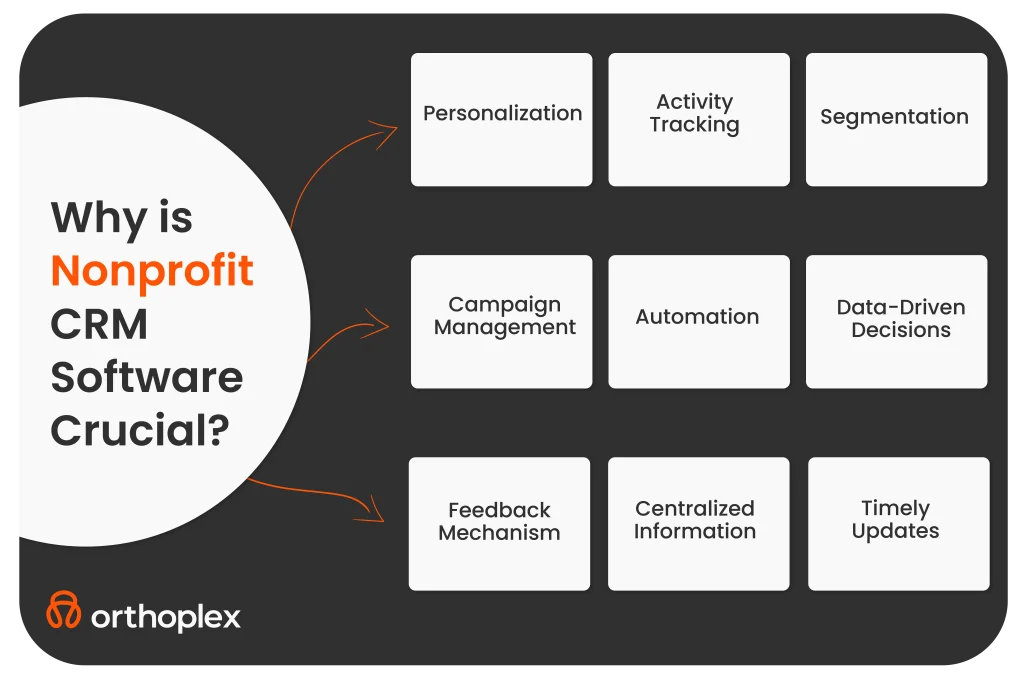
    1. Data Encryption and Security Measures

    Encryption

    Firstly, this means the application should use secure encryption techniques to protect patient information both at rest and in transit. You can do encryption by using HTTPS protocols while transmitting information via web pages. A good encryption-based application would use a modern algorithm to secure sensitive information.

    Authentication and Authorization

    The application should be a secure authentications app, including MFA. It should facilitate role-based access to users so that they get only the quantum and type of data relevant to their job/duties.

    Device Security:

    Determine how the application secures data stored on the device itself. Wherever data is locally stored, you should make it secure against loss or theft of the device.

    Compliance with Privacy Regulations

    HIPAA Compliance

    The development of the application should consider HIPAA and other various provisions regarding privacy. Regardless of being directly covered under HIPAA as an app developer, if their applications handle PHI, they are termed Business Associates and thus must comply under HIPAA conditions.

    Data Ownership and Consent

    The application directly states data ownership and consent policies. Most importantly, expect that patients know about the use of data and consent. The app must observe legal and ethical requirements in using the data.

    Data Breach Response Plan

    Ensure that the application vendor has clearly stated a strategy responding to data breaches, communicating breaches, mitigating further harm, and the actions taken to avoid occurrences in the future.

    3. Vendor Reputation and Security Practices

    App Vendor Background Check

    Investigate the vendor history behind the app before introducing it. See if there are actual reviews, testimonials, or any history of security incidents regarding them. The vendor shall have an experience in handling healthcare organizations and shall have a good track record.

    Security Audits and Certifications

    Check whether the app has gone through security audits, and what recognized certifications it has, given that it proves it meets the threshold set by the industry for security.

    Update and Patch Management

    The application vendor shall update the software periodically to ensure the security of the application by timely patching of security vulnerabilities. By following the checklist above, you can make an informed decision in selecting a mobile health application to meet both your needs for security and compliance.

    Find out how Orthoplex ensures this for your health business:

    Orthoplex’s Approach to Ensuring Healthcare Data Security Apps

    At Orthoplex, we develop secure healthcare applications based on the regulatory needs of a particular region where our clients operate. Such was the case when we assisted Taptype.co in building a HIPAA compliance policy and strengthening backend and frontend security to comply with the laws and regulations in the United States.

    We support our clients for compliance attainment, but the maintenance of compliance itself rests solely upon the client. We ensure that the location of data storage and the security measures deployed therein are properly equipped to meet all the standards laid down by the provincial, state, and national jurisdictions.

    Furthermore, with powerful monitoring tools, we can keep track of application security and allow real-time alerts if there is some sort of issue, thus maintaining ongoing protection for the data.

    And here’s you why you should:

    Build a Customized Healthcare Software

    If the above considerations are beyond your business scope, or you require particular security measures not accorded under generic software, then it is the custom healthcare software that you may want. A few advantages exist to custom software development:

    Improved Patient Service

    It provides customized solutions that further enhance how you relate to and serve your patients.

    Effective Cost

    The cost will be more effective in the long run with custom software since it will be designed for the exact needs and processes of one company.

    Automation

    Most routine tasks and processes get automated, freeing up the extra manpower with fewer chances of errors.

    Sophisticated Data Analysis

    With a custom solution, much scope is there to analyze useful data

    Seamless Data Management

    With such a link between various data processes, each with special deliverables and compliance requirements, it is bound to be seamless.

    Minimized Vulnerabilities

    Reduce risks related to data leakage and loss using customized security measures.

    See how Orthoplex can help your business bring better patient care with advanced data security through a custom software solution. Let us show you how we can help. Contact us today. Our team is ready to partner with you to bring solutions to your unique needs and craft the perfect fit for your operational needs.

  • How to Use Telehealth in Psychotherapy Business?

    How to Use Telehealth in Psychotherapy Business?

    When you search the web for “Telehealth,” you’ll find an astounding 155 million results. This sheer volume underscores the growing significance of telehealth in psychotherapy business. It is rapidly becoming a key player in mental health care, with more and more people turning to digital platforms for support.

    The reason behind this is its accessibility and convenience, which have turned it into an appealing option for those seeking mental health services, offering the flexibility to connect with therapists from the comfort of home.

    In this article, we will answer your questions about:

    • The role of telehealth in psychotherapy business, exploring its potential benefits and the challenges it presents. 
    • Is it truly improving the quality of mental health care, or does it introduce new risks?
    • How is it influencing the therapeutic process and the relationships between therapists and clients?
    • What strategies can psychotherapy providers use to enhance the integration of online services?
    • The overall effectiveness of remote treatment.


    Let’s dive into the potential and intricacies of remote psychotherapy.

    What Is Telehealth In Psychotherapy and Why Is It Becoming Popular?

    It is an online communication between a patient and his care provider using digital platforms. Over the years online services have been going up, especially in the psychotherapy field. And their popularity has risen much more than it ever used to. Some key factors turned virtual therapy into an inevitable solution for both psychotherapy providers and patients, including:

    Growth in Technology

    Every week, new smartphones, quicker internet, and video conferencing transform many parts of life, especially mental healthcare.
    Thanks to better digital platforms, all psychotherapy providers now offer online services. This new communication approach has made therapy more practical and effective. Digital platforms simplify consultations between therapists and patients.

    COVID-19 Pandemic

    No pride in that, but also no denying that the global COVID-19 pandemic played a significant role in accelerating the adoption of online services. 
    With lockdowns, social distancing measures, and minimized in-person contact, online therapy has proven to be a timely and essential alternative for psychotherapy providers, offering a safe option for client sessions during the lockdown.

    This adaptation not only ensured continuous access to mental health care throughout the pandemic but also demonstrated the long-term viability of telehealth in psychotherapy.

    Growing Demand for Psychotherapy

    Awareness of mental health issues has eventually led to a higher demand for psychotherapy and therefore online counselors too. A lot of patients find online tools as a less intimidating solution when it comes to seeking help. While some patients prefer traditional face-to-face sessions, others go for online therapy and find it more convenient, particularly for those who are facing barriers to in-person therapy, such as stigma, geographical limitations, and time constraints.

    Insurance Covering

    New insurance policies have made online therapy easier to access and cheaper for patients. This is a motive for a lot of businesses to integrate virtual conferences in psychotherapy services because they know it will help them have long-term relationships with their clients. As regulation refinancing has allowed healthcare providers to offer virtual therapy services and get reimbursed for them easily. 

    Enhance Your Business Services with Telehealth in Psychotherapy

    When online therapy was first introduced to patients, it was met with many positive reactions, such as the fact that it was more comfortable, and patients would still receive treatment without interruptions.

    On the other hand, a lot of providers have found telehealth to be an effective way of delivering care and some even added more online services to their practice, producing higher ranks in maintaining old clients and attracting new ones.

    Generally, telehealth in psychotherapy users, including both the patients and therapy providers, have been sharing their positive views regarding remote therapy of high satisfaction with it. 

    Considering these factors, it has become a key part of psychotherapy providers’ systems worldwide. Over time, this has led to online services playing a larger role in psychotherapy.

    Do you think psychotherapists truly benefit from telehealth?

    Let’s find out…

    Benefits of Telehealth in Psychotherapy

    When discussing the role of telehealth in psychotherapy, it’s clear that its impact extends far beyond just a few areas. In the next few minutes, we will focus on the most significant roles that every psychotherapy provider agrees on and how you can leverage them to elevate your therapy practice.

    1. Reach your client from the comfort of their couch

    In recent years, it has transformed the landscape of psychotherapy, turning the traditional in-office session into a digital experience. This digital aspect made the clients much more reachable to their therapy providers making the whole therapeutic process much easier.

    Easier Access to Therapy Sessions

    The most important advantage is the increased convenience and accessibility that online services provide. Distance therapy means that no more travel to a doctor’s office is required, making it especially useful for people with mobility problems or hectic schedules.

    Through video conferencing, psychotherapists have a wider opportunity for clients. No more waiting in the office for clients to arrive because clients are one click away from meeting them. Thus maximizing the capacity of each therapist which ends up with a higher profit for the business all in all.

    Easier Access to Therapy Sessions

    According to The American Psychological Association, psychiatrists who adopted telehealth in psychotherapy programs proved higher success rates with their clients. And therefore maintained clients for longer periods. For a lot of people, regular therapy sessions are the type of therapy that helps them cope with their mental health problems.

    With that digital shift, therapy can continue seamlessly even during travel or other life changes again maximizing the revenue for businesses and making the best use for clients. This consistency can be vital for patients who rely on regular sessions to manage anxiety, depression, or other mental health challenges.

    Maintaining Therapeutic Relationship

    Virtual therapy remains effective despite the absence of a therapist’s physical presence. As therapists can still establish and maintain strong relationships with their clients online. By utilizing video conferencing tools, therapists can interact with clients in real-time, ensuring that communication remains effective. Many therapists believe that the digital format opens up new ways of connecting with clients, and they can adapt their methods to suit the virtual environment.

    2. Expanding Telehealth in Psychotherapy for Emergency Mental Health Care

    Immediate Access to Support

    Online therapy services offer a swift response in emergencies, allowing for immediate online consultations with mental health professionals and eliminating the wait for in-person sessions.

    This rapid support is crucial for calming crises, from anxiety attacks to severe depression, with help just a call or click away. Additionally, many psychotherapy platforms collaborate with local emergency services, ensuring therapists can direct patients to necessary resources or emergency personnel when needed.

    This integration not only provides comprehensive crisis care but also enhances patient outcomes, contributing to the business success of these services.

    3. Telehealth modernizes mental health businesses

    Online services in psychotherapy are changing how patients experience mental health care and boosting profits for psychotherapy businesses in Canada and in the USA. It overcomes distance barriers, making mental health services available worldwide, especially in areas with few resources. This leads to more success stories and achievements for the business.

    Improved access to psychotherapy in rural regions

    Online psychiatrists are breaking down location barriers, making mental health services more available globally. They’re enhancing their website’s visibility, increasing mental health awareness, gaining more clients, and having a greater impact.

    International Psychiatrists Appointments

    To elaborate, international cooperation is essential as it allows therapists from various countries to partner and leverage each other’s expertise. This collaborative approach:

    • Ensures a higher standard of care by combining diverse knowledge and techniques.
    • Increases the online presence of their services, making them more accessible.
    • Builds greater confidence among clients due to a wider endorsement of practices.
    • Provides tailored treatment options that respect cultural nuances and needs.


    By partnering, psychiatrists expand their client base, enhancing global awareness of their practices and the range of services they provide. This synergy not only enriches the therapeutic landscape but also fosters innovation in psychiatric care.

    Breaking the Stigma Around Mental Health Issues

    Online psychiatrists who actively work to break the stigma around mental health issues often become the preferred choice for clients. They appreciate the flexibility and responsive approach that these professionals offer, which helps them feel understood and supported.

    4. Reaching Underserved Groups with Telehealth in Psychotherapy

    It has, therefore, proved to be a very powerful tool in reaching unserved populations who would otherwise be excluded from traditional mental health services. This offers some new opportunities to engage persons who face barriers to accessing care through the use of technology. This also gives the impression that the psychiatry business is more inclusive than it is solely for profit generation.

    Overcoming Poor Logistics to Access

    Whether it is lack of transportation, low finances, or social stigma, teletherapy resolves this in many ways, from access to care remotely, reducing the travel burden, and offering services at lower costs, yet increasing the overall profit of the business. This approach opens mental health support to people who otherwise wouldn’t receive it.

    Overcoming Linguistic and Cultural Barriers

    Many of the online platforms are translated into different languages. This means some people live in cities or regions where physically present therapists do not speak the same language or do not completely understand their cultural background and that’s when the online therapy sessions appear as a great solution.

    Empowering Individuals

    Easy access is directly related to empowerment. Online sessions give more people the opportunity to seek help and pursue therapy, hence achieving better mental health outcomes for both service providers and patients. This becomes especially important for marginalized groups who sometimes have to bear additional challenges while accessing traditional mental health services.

    In conclusion, telehealth in psychotherapy is redefining the therapeutic experience. It offers unprecedented greater results for businesses including higher profit, wider reach, and increased website awareness. As well as easier access, and global reach to mental healthcare.

    Now, it’s time to get practical.

    This is your chance to learn how to make your digital system work in favor of your psychotherapy business. Yes, online therapy has many benefits, but understanding the behind-the-scenes aspects gives you a clear view of its potential.

    Did you think about how you reach the right potential client and match them with a suitable online therapist?

    Orthoplex will walk you through this and will share its expertise in developing secure and scalable virtual therapy sessions to bring out the best in this virtual experience. With proper knowledge and tools, you will be confident enough to step into the world of digital therapy.

    Top 5 tools Orthoplex recommends and implements with for psychotherapy clientele

    1. Twilio

    Secure Communication through End-to-End Encrypted Messaging

    Orthoplex prioritizes client confidentiality and data security, that’s why we recommend Twilio’s end-to-end encrypted messaging.

    It is a critical tool for the virtual therapy frameworks, offering not only robust communication APIs, but also combining it with protection of messages exchanged between therapists and clients to be 100% secured and private.

    This is designed to:

    • Prevent unauthorized access to sensitive information.
    • Support a safe environment where clients can freely share their thoughts and concerns.


    And according to the sensitive nature of the psychotherapy field, with Twilio it is non negotiable that communication remains confidential which makes this tool an irreplaceable tool on your psychotherapy website.

    2. Zoho CRM

    Streamlined Client Management with HIPAA and PHIPA Compliance

    One main feature of Zoho CRM is its alignment with HIPAA and PHIPA which are considered the highlight of Zoho.

    Therefore, it makes it the perfect solution for psychotherapy businesses that are looking to manage client information effectively and securely.

    That’s why Orthoplex adapts it to build online psychotherapy platforms, maximizing the protection of sensitive patient data in the United States and Canada.

    Another great feature of Zoho CRM is that it allows therapists to spend more time focusing on their patients and less time managing client records, appointment schedules, and therapy notes, all while respecting HIPAA and PHIPA Compliance.

    Moreover, it has a user-friendly interface and powerful automation, which improves overall service efficiency.

    3. OpenAI

    Enhancing Therapy through AI-Driven Insights

    Orthoplex is modernizing therapy by harnessing the power of AI. When you analyze anonymous client data, their AI models can uncover hidden patterns and insights that human therapists might miss.

    This cutting-edge approach allows for more personalized therapy sessions, leading to better outcomes and more responsive care. Imagine AI suggesting conversation paths, identifying potential concerns based on client language, or even predicting client needs – all to enhance the therapeutic process.

    Orthoplex is at the forefront of innovative web development solutions for psychotherapy, using technology to transform the way we approach mental health and well-being.

    4. ReactJS

    Custom Frontend UI Development for a Personalized Experience

    A simple and intuitive user experience is critical to engaging clients in a virtual therapy setting.

    Orthoplex uses ReactJS to create customized front-end interfaces that specifically address the needs of their clients and physicians.

    ReactJS provides the full flexibility to create responsive and dynamic user interfaces. This means Orthoplex can design layouts and page layouts that are not only aesthetically pleasing but highly functional.

    That flexibility ensures ease of adoption platform, increases user satisfaction and the virtual therapy process makes it more flexible and comfortable for customers.

    5. AWS

    Scalable and Secure Data Hosting

    Virtual Therapy has a vast amount of database, and to ensure a great organization, Orthoplex relies on Amazon Web Services (AWS) for its cloud infrastructure.

    AWS delivers scalable solutions that can grow to include the business’ needs, ensuring that data storage and processing capabilities remain robust as the psychotherapy company expands.

    Additionally, AWS’s services are HIPAA and PHIPA compliant as well, which is critical to maintaining the confidentiality and integrity of Protected Health Information (PHI).

    By hosting data in geographically different locations such as Canada or the United States, Orthoplex can also meet specific regulatory requirements, giving customers peace of mind about data security.

    How to leverage telehealth in psychotherapy for your business to get more clients?

    Creating the right online search system is key to successfully adding online therapy to your psychotherapy practice.

    There are many online therapy platforms out there, so your business will have a lot of competition. This guide will tell you what to concentrate on when creating your telemedicine platform.

    1. Build a Platform with a Strong Filtering and Search System

    The most critical feature that clients would expect to use when looking for a remote platform is the one that would make the search for the right therapist much easier and faster. In essence, it would be desirable to have a robust filtering and search system inside the platform to slim down the options to what exactly serves their needs.

    For example, Orthoplex has implemented a very sophisticated filtering system through which a user can filter a therapist by:

    • Specialization.
    • Kind of treatment.
    • Language spoken.
    • Availability.
    • Previous patients’ reviews.


    This functionality ensures that the client is not overwhelmed with too many choices and can focus on finding the therapist that best aligns with their needs.

    Read on the below Advanced Search Features:

    Specialization

    The platform should allow narrowing down the options by areas of specialization, such as a person searching for a therapist in anxiety, depression, trauma, or relationships.

    Therapy modalities

    Some therapists work in such methods:

    • Cognitive-behavioral
    • Psychodynamic
    • Mindfulness-based therapy


    Or other types.

    Filtering criteria would allow the patient to weed out, for example, only people working in certain modes that might appeal to him.

    Availability

    A good platform should allow search based on a therapist’s availability, including time slots fitting your schedule.

    Language Spoken and Cultural Background

    If the client prefers a therapist who speaks in his native tongue or understands his culture, this system should be able to help the consumer pick those professionals out easily.

    The platform was developed by Orthoplex in a bid to make this process easier.

    They provide an intuitive interface in which one could input one’s preferences and get matched with therapists fitting those criteria.

    Check out the screenshot below taken from the website Cornerstone Counselling built by Orthoplex.

    2. Opt for a Platform with Secure and Scalable Infrastructure

    Security is crucial in virtual areas, especially in psychotherapy where private information is shared.

    A psychotherapy business must develop a platform with strong data security that meets industry standards like HIPAA in the US and PHIPA in Canada.

    Here are the key security pillars we follow at Orthoplex Solutions to ensure every online platform we build for our clients is secure and scalable:

    End-to-end Encryption

    Orthoplex’s servers use end-to-end encryption to keep data safe and prevent leaks while it’s being sent. Only the remote therapist and his client can access the information shared during line sessions, thus protecting its confidentiality.

    Scalability solutions

    The information is kept in a form that complies with relevant regulations; upon completion of this document, all the client’s personal and therapy-related information will be treated with extreme care.

    Data Storage Compliance

    When the patients’ demand for online services increases, so should their platforms focus on scalability to increase users without affecting performance.

    Orthoplex designs platforms that can scale out with more users seamlessly, so there is higher trust from clients in your online psychotherapy practice.

    3. For freelance psychotherapy providers, invest in your scalable filtering website

    To maintain and attract clientele in such an aggressive online market, as a freelance internet psychotherapy provider, you have to keep your digital experience top-quality, secure, and personalized.

    Make it easier for clients to find you and greatly improve your services while making therapy seamless in the long term.

    Here is what Orthoplex advises with:

    Make Your Website Friendly to Search and Intuitive

    When you are a freelancer, regardless of the field, you require double the effort to gain the client’s trust. The primary methods of improving client acquisition are search friendliness and making a website intuitive.

    A search-optimized, well-designed website with intuitive filtering options ensures that potential clients can find you quickly and efficiently.

    Orthoplex can help optimize your website’s search functionality, enabling prospective clients to filter therapists by criteria like specialization, treatment approach, availability, and language.

    By streamlining the search process, you will be able to:

    • Improve the user experience.
    • Enhance the visibility of search results.
    • Gain higher clients’ reach and trust.

    Such optimization is going to be very instrumental in making your offering stand out in the overcrowded marketplace and finding those in need.

    Leverage Intelligent, Customized Matching Algorithms

    You will create a customized client experience by integrating matching algorithms on your website.

    Orthoplex’s advanced matching algorithms ensure that clients are matched with you as a psychotherapist with a prior understanding of your background.

    The algorithms consider compatibility factors, treatment history, and other specified preferences for the sake of a successful therapeutic result with higher client satisfaction.

    However, the greatest advantage of personalized matching is that it increases the quality of care in your practice while you boost your reputation for long-term relationships with clients and increasing referrals.

    User-Friendly Interface for Customer Engagement

    A user-friendly interface is paramount to engaging and holding on to clients, as well as to client satisfaction. 

    What Orthoplex excels at is developing platforms that are user-intuitive and navigable for both the client and the therapist.

    In that sense, whether a client is familiar with technology or not, an accessible, streamlined platform reduces barriers to care and brings so much more into the therapy experience.

    Build in patient reviews and feedback mechanisms.

    Transparency engenders trust. Adding review and feedback features to your platform can increase manifold trust in your services for potential clients.

    Orthoplex’s platforms provide features through which clients can review and give feedback on their therapy sessions. 

    The technology of telehealth in psychotherapy does not only makes it possible to tune in to the voice of clients to help you refine services, but it may also show off your good experiences and outcomes as a powerful marketing tool.

    Scalable Solutions for Growing Practices

    With your online practice growing, this should mean you will be able to scale your platform without a hitch. 

    Orthoplex personalizes solutions for growth with your business so that as you scale up on more therapists or further extend your client base, your platform will be able to continue performing efficiently. Scalability is critical in sustaining the quality of service amidst increasing demand.

    Prioritize Security and Data Protection

    Such secure and confidential therapy sessions form the bedrock of any client’s trust. More than keeping your clients’ most private information safe, good security boosts your reputation as a trusted online therapy provider.

    Empowering Your Telehealth In Psychotherapy Practice

    A secure, scalable, and client-centered platform is the foundation for any successful remote psychotherapy provider.

    Working in cooperation with a professional web and app development company like Orthoplex Solutions, you will enhance your search potential on the website.

    Not only this, you can also extend the functionality of the platform with advanced matching algorithms, and ensure the security measures are tight.

    Providing you with more clients will help in rendering exceptional care and growing your practice within today’s digital mental health environment.

    New Standards By The Telehealth in Psychotherapy 

    Summing up, online therapy is establishing new standards for accessibility, convenience, and personalized care, significantly impacting the future of mental health treatment through the points below:

    • Increased Accessibility.
    • Higher Business Reach & Visibility.
    • Profit Generation and Success Stories.
    • Scalable and Secure Platforms Resulting in Better Business Reputation.


    Conclusion

    Virtual Therapy is no longer a stopgap measure. It transforms the delivery of mental health care and sets a new standard for your psychotherapy business growth.

    Telehealth in psychotherapy is transforming the practice and experience, being at the core of changing fundamental mental health care.

    Stay ahead in the telehealth revolution for psychotherapy and grow your client base while boosting profits.

    Investing in secure, scalable platforms that are optimized for search and user experience is a key step forward. With the right tools, providers can maintain excellent care that meets the increasing demands of online life.

  • The Best Nonprofit CRM Software in 2024

    The Best Nonprofit CRM Software in 2024

    Nothing is more important for nonprofit organizations than getting consistent support from donors. That’s the fuel that keeps their efforts alive and pushes them forward to impact more lives in our community. However, running fundraising campaigns and getting donors to donate is the first step. Therefore, nonprofits need to maintain a good and deep relationship with their donors so they stay supportive for a very long time. Here comes CRM [Customer relationship management] software to establish and strengthen this relationship. So in this article, you will discover how to choose, implement, and leverage the full potential of the best nonprofit CRM software in the market.

    Let’s Start…

    Why Nonprofit CRM Software is Crucial: Discover how CRM software can transform your donor relationships and streamline your operations

    After getting donations from your organization’s supporters, it’s important to build and nurture your relationship with those donors. But forgetting to follow-up, late follow-up, or non-personalized follow-up can hinder your effort to build that relationship. 
    So, having a CRM will help you with two basic functions to streamline your follow up while increasing its efficiency:

    Personalization

    Your CRM software helps your nonprofit personalize communication with donors, which makes them feel appreciated and valued in response to their support.

    Activity Tracking

    Nonprofit CRM will maintain a comprehensive history of all your interactions with donors, allowing you to tailor your future messages based on their interactions to get the highest engagement possible. Also, it continues updating your data.

    Segmentation

    CRM software can help nonprofit organizations segment their donors on various criteria like donation history, location, and engagement level, which help with analyzing and deep understanding of their audience and enable targeted campaigns for them.

    Campaign Management

    CRM solutions provides built-in tools that help nonprofits design, manage, and track their fundraising campaigns, making it much more effective to monitor the performance and results of the campaigns all in one place.

    Automation

    You can save countless hours of manual work of routine tasks for example sending thank you emails, receipts, and events’ reminders. This can free up a lot of time for the nonprofit staff to focus on core activities. In short, your CRM can automate these tasks for you.

    Data-Driven Decisions

    By analyzing donor data, nonprofits can make informed decisions about when, where, and how to focus their fundraising efforts and resources to get the best results.

    Centralized Information

    CRM makes it much easier to access and manage all the contact data all in one place.

    Timely Updates

    A CRM system can help nonprofits send automated updates and newsletters to their audience to keep them informed and engaged.

    Feedback Mechanism

    CRM software provides different channels to collect feedback from supporters, which can significantly improve the organization’s services and engagement strategies.


    As a result of all these benefits, CRM is a must-have for any nonprofit organization.

    But before we delve deeply into how to choose the best CRM software for your nonprofit organization, we need to address two important questions:

    The Difference Between Nonprofit CRM and Donation Management Systems: Clarify the often-confusing distinctions

    While there is some overlap, CRM and donor management software are not exactly the same for nonprofits.

    CRM (Customer Relationship Management):

    It’s focused on managing relationships with ALL stakeholders, including donors, volunteers, board members, employees, and other constituents.
    Also, it offers a broader range of features and tools for managing interactions, communications, and data.
    So it can be used by various types of organizations, not only nonprofits.

    Donor Management Software (DMS)

    On the other hand, a DMS is a software that’s designed specifically for nonprofits to help them manage their donor relationships, donations, and fundraising efforts.
    It comes with specialized features like gift processing, pledge tracking, donor segmentation, and fundraising analytics.
    This provides a deeper focus on the donor’s lifecycle management and cultivation.

    Secondly, the other confusing question:

    What is the difference between nonprofit CRM and regular CRM?

    Nonprofit CRM Software

    They are tailored software with specific features to serve the needs of nonprofits, with a focus on donor and volunteer management, fundraising, and campaigns engagement.
    In addition, they provide specialized reports on donations, campaigns, volunteer activities, and event outcomes.
    More over, they include tools for managing donor communications, fundraising appeals, and event invitations.

    Regular CRM Software

    Typically designed to streamline the sales and customer service processes, with a focus on lead generation, sales tracking, and customer support.
    They focus on specific tasks such as; sales pipelines, leads follow-up processes, customer acquisition costs, and sales performance metrics.
    In addition, they come with features and tools that emphasize marketing automation, sales outreach, and customer service interactions.

    Key Features to Look for in Nonprofit CRM Software: Learn what essential features to prioritize when selecting CRM software for your organization

    Firstly, when choosing CRM software for nonprofit organizations, it’s key to look for features and tools that will support your organization’s goals and help you streamline your processes.
    Here are some of the key features to consider in any CRM software before investing any money in it:

    Donor Management

    The ability to store and manage donors’ profiles with many details, including basic contact information, donation history, and engagement behaviors data.

    Segmentation

    Tools to help you segment your donors based on various criteria, such as specific fundraising campaign, donation frequency, amounts donated, geographical location, and engagement level.

    Campaign Management

    Features to create, manage, and track fundraising campaigns, including on-time tracking, and performance analytics.

    Automation

    Automation of repetitive and routine tasks such as managing auto-responder emails with receipts, reminders, and follow-up emails to save time of manual setup and ensure workflow consistency.

    Reporting and Analytics

    Comprehensive reporting and analytics tools to help you understand donor behavior, measure campaign effectiveness, and make data-driven decisions.

    Integration

    Integration is one of the core elements now at every successful system. So your CRM should show the ability to integrate with other tools and platforms, such as email marketing software, accounting systems, and social media platforms.

    Volunteer Management

    Volunteers are the main force behind any nonprofit organization’s activity. That’s why you need your CRM to help you manage volunteer information, track volunteer hours, and communicate with those volunteers efficiently.

    Event Management

    Events are an important resource for nonprofits to raise funds and connect with supporters. A good CRM should have features to plan, promote, and manage events, including events registration, ticketing, and attendee tracking.

    Security and Compliance

    Finally, your donors, volunteers, and financial data security is mandatory. So, choose a CRM that has robust security measures to protect donor data and ensure compliance with relevant regulations and standards.

    How to Choose the Best CRM for Your Nonprofit: Get step-by-step guidance on evaluating and selecting the right CRM solution for your needs

    There is literally hundreds of CRM software in the market with a wide range of features and pricing plans. However you need to know how to choose the right CRM for your nonprofit that fits your needs and helps you streamline your processes.
    Therefore, here are the basic steps you need to follow to be able to choose the best option available.

    A- Determine Your Needs

    It’s pointless to invest in an expensive CRM plan that comes with a ton of features that you would never use!
    Hence, the very first logical step is to identify your organization’s specific needs and objectives.
    Secondly, you will need to consider variable factors such as the size of your donor base, the complexity of your fundraising campaigns, and of course your budget.

    B- Research Options

    Research different CRM options that support nonprofits or have a dedicated version for nonprofits. Also, it’s crucial to look for reviews, testimonials, and case studies to understand how each CRM has helped other organizations and be sure about your selection.

    C- Evaluate Features

    Compare all the features of different CRMs to see which ones align best with your organization’s needs and objectives that you determined before.

    d- Consider Ease of Use

    Choose a CRM that has a user-friendly interface and is easy to navigate. This is to ensure your staff is able to use the CRM system without extensive training.

    e- Check for Integration

    Ensure that the CRM can integrate seamlessly with your existing tools and systems. This will help streamline your processes and avoid data silos and ensure all your systems work in harmony.

    f- Support and Training

    At first, when your team starts using the CRM they will face many challenges, that’s normal though, so look for a CRM that provides robust customer support and training resources. As a result, this will help you get the most out of the software and address any issues that arise as soon as possible.

    g- Evaluate Cost

    Consider the cost of the CRM, including any setup fees, subscription costs, and additional charges for features or support. Make sure the CRM fits within your budget.

    h- Request a Demo

    Many CRM providers offer demos with expert or free trials. Therefore, if you’re getting started with implementation a CRM for your nonprofit organization, take advantage of these opportunities to test the software and see if it meets your needs.

    After selecting one of the best CRM software for nonprofits, it’s time to discover how to;

    Implementing CRM Software in Your Nonprofit: Explore best practices for smoothly implementing CRM software and training your team

    At Orthoplex Solutions, we offer nonprofit organizations CRM implementation and training services. 
    So, here’s a quick overview of the steps we follow with our clients:

    Plan the Implementation

    Before moving forward with any technical stuff, we create a detailed implementation plan that outlines the steps, timeline, and resources needed to set up the CRM correctly.

    Assign a Project Team

    Don’t involve everyone in your organization in the CRM implementation process. Instead, assign a dedicated team to oversee the process. This team should include members from different departments to ensure a comprehensive approach and easily replicate their knowledge to the other team members.

    Clean and Migrate Data

    Another important point, it’s crucial to clean your existing data to remove duplicates and any errors. Then, you can migrate your data to the new CRM system following the template or structure that CRM follows.

    Customize the CRM

    Most CRM systems give you the flexibility to customize your CRM to match your organization’s needs, processes, and workflows. For example, setting up custom fields, creating segments, and configuring automation to streamline specific operations.

    Train Your Team

    Provide sufficient training to your staff to ensure everyone knows how to use the CRM effectively. You might also consider offering ongoing training every six months to keep everyone up-to-date with new features.

    Test the System

    Conduct thorough testing on multiple operations to ensure that the CRM is working perfectly with zero errors. So that all data has been accurately migrated and reflected from the other channels you integrated with your CRM.

    Launch and Monitor

    Launch the CRM and monitor its performance closely especially in the first few weeks after the implementation. Gather detailed feedback from your team and make the required adjustments to improve the usability and efficiency of the CRM for your nonprofit organization.

    Now, here are the best nonprofit CRM software that we recommend in 2024…

    Top CRM Software for Nonprofits in 2024: Our recommended CRM options tailored specifically for nonprofit organizations

    Here is some of the top CRM software options we recommend, and implement, for our nonprofit clients:

    Zoho CRM

    • Best For: Small to medium-sized nonprofits seeking affordability and flexibility.

      Strengths: 
    • Affordability: Budget-friendly, making it accessible for smaller organizations.
    • Customization: Highly customizable to fit specific nonprofit needs, with an intuitive interface.
    • Features: Includes donor management, email marketing, social media integration, and automation of routine tasks.
    • Integrations: Supports various third-party apps to enhance functionality.
    • Limitations: Reporting features are less robust compared to more advanced CRMs.
    • Recommendation: Ideal for organizations that need a comprehensive CRM without a steep price tag. As a certified Zoho partner, this is our top recommendation.

    Salesforce Nonprofit Cloud

    • Best For: Large nonprofits with complex needs and extensive databases.

      Strengths:
    • Comprehensive Tools: Tailored for nonprofits with tools for managing donors, volunteers, and grants.
    • AI-Driven Insights: Helps nonprofits make data-driven decisions through predictive analytics.
    • Scalability: Suitable for organizations of all sizes, with the ability to scale as the organization grows.
    • Customization: Extensive customization options to meet complex needs.
    • Limitations: Higher costs and a steep learning curve, but powerful for organizations with the resources to invest.
    • Recommendation: Best suited for organizations with large-scale operations that require advanced features and customization.

    HubSpot CRM

    • Best For: Small nonprofits or those just starting with CRM systems.

      Strengths:
    • Ease of Use: Intuitive and user-friendly, making it easy for nonprofits to adopt.
    • Free Tier: Offers a robust free version, which is great for smaller nonprofits with limited budgets.
    • Features: Includes contact management, email marketing, and task automation, with strong marketing tools.
    • Integration: Integrates well with other HubSpot tools for marketing, sales, and service.
    • Limitations: Lacks advanced features like grant management and is less customizable compared to other options.
    • Recommendation: A great entry-level option for nonprofits looking for ease of use and basic CRM functionalities.

    Microsoft Dynamics 365

    • Best For: Larger nonprofits needing deep integration with Microsoft products and advanced analytics.

      Strengths:
    • Comprehensive Solution: Offers a wide range of features for donor management, volunteer tracking, and event management.
    • Integration: Seamlessly integrates with other Microsoft products like Office 365 and Azure.
    • Customization: Highly customizable to meet the specific needs of larger nonprofits.
    • AI and Analytics: Provides advanced analytics and AI-driven insights to improve decision-making.
    • Limitations: More complex to implement and use, with a steeper learning curve.
    • Recommendation: Ideal for organizations already using Microsoft’s ecosystem and requiring robust data management and analytics.

    Custom CRM Software

    • Best For: Nonprofits with unique, specific needs that can’t be met by off-the-shelf solutions.

    Strengths:

    • Tailored Solutions: Custom-built to meet the unique needs of your nonprofit, ensuring all features and functionalities are aligned with your goals.
    • Flexibility: Offers maximum flexibility in terms of design, features, and integration with existing systems.
    • Scalability: Can be scaled as your organization grows, with the ability to add or modify features as needed.
    • Ownership: You own the software, avoiding recurring subscription fees, and having full control over updates and enhancements.
    • Limitations: Higher upfront costs and longer development time compared to off-the-shelf CRMs.
    • Recommendation: Best for organizations with specific requirements that standard CRMs cannot fulfill, offering long-term benefits with a custom-fit solution.
    • Check out how Orthoplex Solutions can help you develop your custom CRM software.

    Best Practices for Building and Managing Your CRM Database: Ensure your CRM database is accurate, up-to-date, and effectively segmented for targeted outreach

    Accurate and consistent data entry is a crucial element for maintaining a reliable CRM database. So here are some of the best practices to follow:

    Data Entry and Maintenance

    Right from day one, establish clear guidelines for data entry that everyone in your team should follow these universal standards. Regularly review and update the database to remove outdated information and correct any errors. 

    Ensure Data Accuracy and Integrity

    To ensure data accuracy and integrity, implement some validation rules and automated checks within your nonprofit CRM system. And audit your database regularly to identify and correct any errors. In addition, encourage your team members to verify donor information during interactions and update your CRM accordingly. 

    Importing and Migrating Existing Data

    If you’re transitioning to a new CRM system, importing and migrating existing data can be a difficult and complex process. To avoid these challenges, start by cleaning your current database. In particular, removing duplicates and standardizing data formats. Then use your CRM’s import tools to transfer the data properly, and verify the accuracy of the migrated information.

    Segmentation and Targeting

    To keep your donors and supporters engaged you have to tailor your message to them. In short, your CRM can help you with this by leveraging its segmentation to different donor groups. You can use your CRM to create segments based on donor behavior, preferences, donation history, and engagement levels.

    Leveraging Automation in Nonprofit CRM Software: Discover how to automate routine tasks to save time and enhance donor communication

    Unquestionably time is crucial when it comes to raising funds, so you need to leverage automation to significantly reduce the time spent on routine tasks. 

    For example, set up automated thank-you emails, follow-up emails, event reminders and tickets, and donation receipts to ensure timely and proper communication with donors. This would not only save you time but also enhance the donor experience by providing prompt and personalized responses.

    Automate workflows to streamline donation processes. Use your CRM to set up specific triggers and actions based on donor interactions, such as sending follow-up emails after a donation or scheduling a call for a major donor. 

    Furthermore, you can also automate your reports and analytics and provide valuable insights into your fundraising campaigns. So, configure your CRM to generate regular reports on donor activity, campaign performance, and overall fundraising metrics. Generating these regular reports will significantly help you monitor your progress, identify patterns, and make data-driven decisions to optimize your marketing strategies.

    Integrating CRM with Other Nonprofit Tools: Learn the benefits of integrating your CRM with email marketing, social media, event management, and financial tools

    Integrating your nonprofit CRM software with your existing systems is essential for consolidating your efforts into a single platform. Moreover, this integration simplifies the management, monitoring, and optimization of your activities across various aspects, all within one centralized location.

    Now, what do you need to integrate?

    Email Marketing Integration

    Integrate your CRM with your email marketing tools to craft targeted and personalized email campaigns. This integration enhances your ability to reach and engage your donors effectively.

    Social Media and Event Management Tool Integration

    Your social media platforms and event management tools can also be integrated with your nonprofit CRM software to streamline online communication and event planning. This provides a top view of donor engagement. And helps you manage and promote events more efficiently.  

    Accounting and Financial Software Integration

    Connect your CRM with your accounting and financial software to ensure accurate and seamless financial management. This integration would simplify financial processes and ensure transparency in your fundraising efforts.

    By this time, you’ve selected, implemented, and integrated your nonprofit CRM software. But still not all your team members can use it directly. As a result, they need to be trained first. This leads us to discover how to train and onboard your team.

    Measuring Success: Key Metrics to Track in Nonprofit CRM: Understand the metrics that matter most for evaluating your CRM’s impact on donor engagement and fundraising success

    To make sure your chosen CRM is efficient you need to measure its performance and results so you can optimize it as well.

    Donor Retention Rates

    Donor retention rates indicate the effectiveness of your engagement strategies. Track the percentage of donors who continue to support your organization over time. High retention rates signify strong relationships and successful donor stewardship.

    Donation Growth and Trends

    Monitor donation growth and trends to evaluate the impact of your fundraising efforts. Analyze changes in donation amounts, frequency, and donor demographics. Understanding these trends helps you refine your strategies and identify opportunities for growth.

    Engagement and Interaction Metrics

    Track engagement and interaction metrics to assess donor involvement. Measure metrics such as email open rates, event attendance, and social media interactions. High engagement levels indicate successful outreach and strong donor connections.

    Campaign Effectiveness and ROI

    Evaluate the effectiveness of your fundraising campaigns by analyzing key performance indicators (KPIs) such as response rates, conversion rates, and return on investment (ROI). Understanding campaign performance helps you optimize future initiatives and allocate resources effectively.

    Conclusion

    In conclusion, choosing and implementing the best CRM software for your nonprofit is crucial for building and maintaining strong relationships with your donors. By understanding the differences between donation management systems and CRM software, recognizing the unique needs of nonprofits, and following a structured approach to selection and implementation, you can leverage CRM software to achieve maximum impact. Finally, with the right CRM in place, your nonprofit can streamline its processes, engage more effectively with donors, and ultimately achieve its mission more efficiently.

  • Best Practices For Nonprofit Email Marketing Mastery in 2024

    Best Practices For Nonprofit Email Marketing Mastery in 2024

    Every nonprofit organization (NPO) has a great mission. But without an effective marketing plan, achieving that mission becomes a daunting journey. This is why having multiple online marketing channels to help nonprofit organizations achieve their goals is crucial. One of the most effective marketing channels for nonprofit organizations is email. Nonprofit email marketing is sending compelling marketing emails to their target audience of donors, supporters, and fans that can significantly keep their audience engaged and secure a consistent stream flow of donations.

    Isn’t having a website, social media accounts, and ads enough?

    Sure, all of these channels are great. But over the years email marketing, if it’s done right, has proven itself as the most effective and lucrative marketing channel for marketers. According to LusiaZhuo, 89% of marketers use email as the primary channel to generate leads.

    That’s because emails have the highest ROI among all the online marketing channels [anywhere between 32:1 to 43:1 according to Litmus. So, for each dollar you spend, you can get at least 32 dollars back!
    By the end of reading this article, you’ll get almost everything you need to know about email marketing for nonprofits so you can get started and reap its magnificent results.

    Why is email marketing crucial for your nonprofit organization’s success?

    One of the most overlooked concepts about email marketing is that it’s the most stable marketing channel.

    Let’s think about social media for a moment, imagine that you’ve built a huge followers base, you share your organization’s news and updates regularly, you run ads to get donations, and all of a sudden, Facebook or Instagram decided to take your account down, for no good reason! Or your accounts got hacked. Now, you’ve lost ALL your marketing efforts overnight.

    Not only this, social media algorithms change their policies, guidelines, and compliance every few weeks. This puts you at risk of unintentionally violating one of their policies and the price will be losing your account!

    See?

    In emails, it’s a whole different story. No platform can take your email list from you. As long as you don’t spam your list, no one can shut down your email marketing campaigns. So, for most businesses, their email marketing is the backbone of their marketing to land new leads. For nonprofits like yours, you can rely on it to engage with your fans, supporters, and sponsors whenever you want. Also, to empower your donation efforts.

    In the next few sections, we will help you build robust email marketing campaigns.

    Let’s start off with:

    How do you build a healthy email list for your nonprofit?

    First, there is something you should avoid at any cost: Cold emailing.

    One of the most common mistakes people make when starting to build their email lists is buying an email list, adding them to their email campaigns, and cold emailing these people.

    This practice is unethical and harmful to your organization. Not only will people report you as spam, but Google and online safety regulatory firms will also mark your website domain as unsecured. This will ruin all your domain authority.

    So, how do you build a healthy email list ethically?

    Keep this in mind: People tend to share their email list with businesses in exchange for any valuable resource. And you need to get their consent to start sending them marketing emails.

    To collect new emails, you can offer your audience a free valuable resource that they would love to receive on their emails.

    You can make this in many simple ways:

    1- Create an infographic or a beautifully designed report about your organization’s latest news, impact, or milestone and get people’s emails to send to them.

    2- Add an email subscription button to your website’s most strategic pages, allowing people to submit their email address and receive the latest updates from you.

    3- Collect emails whenever you organize an offline event for your nonprofit. Have a compelling reason for people to share their emails with you.

    4- Leverage your social media platforms to gain new subscribers. For example through publishing your new volunteering opportunities.

    5- Cross-promoting your partners and sponsors’ email lists. This is one of the fastest and most ethical ways to build your email list.

    By being consistent with these approaches, you can build a healthy and solid email list for your nonprofit organization of subscribers who would love to hear from you, engage with your emails, and support your cause.

    Now you have your email list, the question is:

    How do you manage and segment your list?

    If you have built a big, healthy email list, it’s a very good start.
    But, that’s not all that you need.

    You’ll need to manage the list effectively so you can get the most benefits out of it.
    But what does “managing” your list mean in the first place?

    It means you need to segment your subscribers so you can send tailored, time and content-personalized email campaigns to your audience. This is the most effective approach for maximum ROI on your email marketing.

    So, how do you segment your list?

    There are many ways:

    1- Using lists:

    You can sort out your subscribers according to their demographics, interests, the campaign they engaged with, events, donation behaviors… etc.

    A list can be used to send a specific email campaign to a group of people on the list who have common characters.

    2- Using tags:

    The emails are labels that you can attach to any subscriber no matter which list he belongs to.
    Every email marketing platform has a “tag” function where you can attach a tag to one or a group of subscribers.

    For example: If you held an offline event, let’s call it, “Fund My Cause” and you have 48 new subscribers from that particular event. You can log in to your email marketing tool and create a new tag called “Fund my cause.” Then go to your lists or specific subscribers and add the tag to them.

    So, with the tags, you have more flexibility to message people with common characters among different lists.

    Of course, you’ll still have the option to email one or multiple lists, or even all your contacts.
    After segmenting your email list and creating the proper tags, you need to know:

    What are the best campaign types that every nonprofit email marketing should include?

    There are different types of email campaigns that you can send over to your audience according to your specific needs. So, let’s cover some of the essentials.

    1- Auto-responder emails:

    These emails are sent “automatically” right after a subscriber takes a specific action. For example, when someone on your website subscribes to your email list, you can craft an email, add it to your email marketing tool, and set it to be sent to anyone who subscribes after 5 minutes.

    You can do the same for your donors, so after someone donates to your organization, you can send him an auto-responder email to thank him and appreciate his support.

    These auto-responder emails ensure you engage with your audience on time, increase your credibility and build deep trust with your audience.

    2- Newsletters:

    For your audience to stay engaged and keep trusting and supporting your cause, you have to keep them updated with many things like your milestones, impact, volunteering opportunities, financial reports, goals, new partnerships, and offline and online events. Or even you can just send them some educational materials and industry news.

    Sharing these details consistently with your audience will build impeccable trust in your organization and will always earn their support.

    Also, train your audience to wait for your upcoming newsletter to get them to read it and engage with it.
    You can send your newsletter independently to any other campaign. You can do this by sending the newsletter on a specific day of each month like the first Thursday or the 10th of each month.

    One of the things that will help your newsletter stand out is its branding. You can have a specific logo for your newsletter and a specific design and format that’s different from your regular marketing emails.

    3- Nurturing Sequences:

    These nurturing emails are meant to educate your audience about your organization. Here you can share emotional stories and case studies that help your audience get a behind-the-science view of your effort. These stories and educational content are the easiest way to own the heart of your audience and keep them engaged.

    4- Events Promotions:

    Holding online or offline events empowers your nonprofit organization with wide exposure and refreshes your audience base. Leveraging your email marketing to promote your events will ensure you illustrate the value, the benefits, and the fun aspects of your event.

    This makes your audience more excited to attend. You will ensure all your audience gets accurate info about the event’s date, time, and agenda.

    Also, you can follow up with people who reserve their seats and send them their tickets and promotional codes… etc.

    5- Direct marketing emails:

    At some point, your nonprofit organization will need a certain amount of funds to support an urgent need. There is no better way to collect donations than sending an email campaign to your loyal followers and supporters who will be eager to support you. The key is to explain the motive behind asking them for support and show them how these funds are going to be spent.

    6- Re-engagement Campaigns:

    If you have a certain group of people who don’t open or engage with your emails. You can dedicate an email campaign to reach out to them and try to revive your relationship with them. Maybe they just forgot about your organization for a while.

    Or they just need a personalized message that immediately creates a spark of passion about your cause. Don’t be afraid to reach out to them and ask them about the reason why they don’t love your emails.

    This leads us to the next type of email campaign…

    7- Feedback Campaigns:

    This is the most overlooked campaign type, yet it’s one of the most important campaigns any organization can send to its audience. The feedback you can get may help you improve your message or have a new viewpoint on one of the issues you never knew existed. You can check out these great feedback email examples from Hiver to guide you.

    Whatever the campaign type you’re going to send to your contacts, you need to have a clear objective for the campaign so you can measure and evaluate its success.

    After you’ve categorized your list and chosen the campaign you’re going to send to your audience. Now, how can you craft and send the emails? This leads us to the next part:

    What are the core elements of every successful nonprofit email marketing campaign?

    An email campaign can consist of one email to an email sequence of many emails. So, let’s check the core of the building blocks of a successful email.

    A- Copy:

    The content or the message of the email is the most important element to get the results you need. Without a clear, relevant, and compelling copy, your audience will feel like your emails are templatized and sent randomly to anyone. But a compelling copy makes each one of your audience feel you’re talking directly to them as if you sent that email specifically to him to tell them a specific message at that particular time!

    B- Design:

    You can craft a compelling message but the format and design of the email make it very hard for your audience to get your message clearly. So, always aim in your design to have clear and short paragraphs. Don’t make your emails look like a textbook. Also, don’t use fancy designs that don’t align with your brand. Just make it simple, eye-friendly, and clear.

    C- The Campaign Setting:

    It’s very important to have a clear plan for your email campaigns. So, you can set the sequence of emails, the best sending time for each email, decide the contact journey, and decide when to take him out of an email campaign or move him to another campaign.

    If you have the email copies and designs ready, alongside the plan, you can set up the full email campaign to hit home with everyone in your audience.

    But, these settings can be daunting if you manage to send the emails in real-time, label your audience with a specific tag, or add your contacts to a specific list manually.

    Here come the automation functions to take care of the hard work for you…

    What is email automation? And how to use it for your nonprofit organization’s email marketing?

    Email automation is a set of features in any email marketing tool that allows you to automatically:

    – Send emails at a specific time and date.
    – Add subscribers to specific lists.
    – Remove subscribers from specific lists.
    – Tag your subscribers according to their source, behavior, and interests.
    – Control each step of the journey of any contact in a specific campaign.

    With these pre-set automations you can save a ton of time on manual work. Also, you can guarantee to respond to your audience at the proper time, build trust, and never miss an opportunity to engage with your audience effectively.

    Example of using automation in nonprofit email marketing:

    When someone subscribes to your email list through a landing page form. You can set up the automation to add that contact to the “landing page” list. And tag them with “new subscriber” and send them a thank you email.

    This automation should help you achieve:

    The Best Practices of Nonprofits Email Marketing

    1- Timing:

    This is a two-pronged aspect.

    Firstly is the time to respond and interact to a specific action or request submitted by any contact or new subscribers.

    For auto-responders where people are expecting you to reply to them, you should reply to your audience within 24 hours maximum otherwise you can cause them frustration and leave a bad first impression about your organization. That’s why you need to leverage your automation functions.

    Secondly is the best time to send out your campaigns.

    Here you need to select the best time to send your emails with the highest probability for your audience to open, read, and engage with your emails.

    There are some general concepts that you need to consider and other aspects that you need to notice.
    According to Omnisend, generally, weekdays have the highest engagement and outcome than weekends, holidays, and long weekends.

    Also, the highest interaction comes from 8 am to 8 pm.

    But these are observations from other businesses and websites, you need to monitor and track your own best time of engagement.

    2- Copy tone:

    Unfortunately, a lot of nonprofit organizations treat their email subscribers the same way they send formal, B2B emails.

    Solid corporate-style templates can cause your subscribers to feel disconnected and probably you won’t get as much support from them as expected.

    Your email subscribers are emotional humans who choose to support your cause and be on your email list.

    That’s why your email copy should be friendly, emotional, natural, yet professional. Like you’re sending an email to your friend that you respect and care about.

    3- Personalization:

    Using friendly copy in your emails is great. But to take your emails to the next level, personalize them.
    Personalization means you tailor the message to match your contact-specific situation.

    For example; If someone has donated many times to your nonprofit organization, he’d be offended to receive an email campaign asking him to make his first donation!

    So make sure to use tags and email lists properly to make sure you send the correct message to the correct people.

    After that, you can also refine the email even more, by using their first name in the subject line or in different parts of the email.

    Here’s a quick test, which email subject line would you feel more urge to open:

    One: Michael, did you see this?
    Two: Did you see this?


    I bit number one would grab your attention more, and urge you to open and read it.

    4- Frequency:

    It’s important to send consistent email campaigns to your audience to keep them engaged and supportive of your mission.

    According to HubSpot, there is no specific frequency to send email campaigns. Instead, you need to observe your engagement and the un-subscription rate with different sending frequencies.

    The key is don’t send emails too often that annoy your subscribers. Also, don’t make it rare! Just be moderate then measure the results.

    You can start by once a week or twice a month and watch your metrics then you can go from there.

    5- Business and sender names:

    Make sure you use a domain email that matches your business. Also, consider using a human name in the Sender Name field that encourages people to engage with you.

    Imagine you receive an email from [email protected] or [email protected], will you engage with it the same way you are receiving an email from [email protected]?

    I think you’ll have different feelings and responses.

    6- Compliance:

    Almost every country has some regulation to control online spam. And email marketing for nonprofits is no different. You need to stick to these regulations to stay away from any legal troubles.
    For example; In the United States, The main law governing commercial email is the CAN-SPAM Act.

    Here are some of its rules as seen on Campaign Refinery:

    • Subject line: Must accurately reflect the content of the message.
    • Location information: Must include the sender’s valid physical postal address.
    • Opt-out instructions: Must provide a clear way for recipients to opt out of future emails.
    • Third-party compliance: The original sender is responsible for emails sent on their behalf.

    7- List Cleanup:

    If you have many subscribers that are not engaging with your emails for such a long time, you can try to re-engage with them, if nothing changes, you have to remove them from your email list. Because their existence will hurt your email reputation.

    So, you need to regularly check your subscribers’ activity and clean it up.

    8- Loading time:

    To ensure a seamless experience for your subscribers, the emails you send them need to load very quickly otherwise you’ll lose them.

    Not only this, if you use HTML email, Gmail can clip your email if its size is more than 102 KB.

    Also, if you use too many images or GIFs in your email, this too can cause your emails to bounce.

    So, make sure to compress your images and optimize your HTML emails before sending them out.

    9- CTA:

    Confusion is the number one enemy of conversion.

    So, if you want your subscribers to engage with your emails, don’t overwhelm them with multiple call to action. It’s better to have only one CTA that leads them to one destination where they can take a specific action.

    You can add the CTA link more than once in the email as long as they all lead to the same destination.

    10- Split Test:

    If you’re not certain if the email campaign you’re sending will hit home with your audience, or if you want to test a new campaign style or strategy, it’s time for split testing. You can run two parallel campaigns to certain groups of your contacts with one variable at once, and then you measure the results and decide the winner. Then you add the winner metric to your strategy in the future.

    Now, let’s discover…

    What are the best free tools for nonprofit email marketing?

    There are plenty of amazing email marketing tools in the market, but as a nonprofit organization, you may benefit from some free, yet robust tools to save a couple hundred dollars a month from your budget.
    Here are our top three tools that you can leverage right away:

    1- Mailchimp:

    It’s one of the most popular email marketing platforms because of its seamless features. You can use it to send up to 2,500 emails per month for 500 contacts.

    Also, it comes with a dozen of automation features.

    2- ZohoCampaigns:

    It offers you a free plan that enables you to send up to 5000 emails per month to 1000 contacts. Also, it supports you with creative email and automation templates.

    3- MailerLite:

    It’s one of the most popular email marketing tools. Also, its free plan comes with 12,000 emails to 2000 contacts per month. Also, it offers you great automation tools.

    Now you know how to send compelling emails to your list while applying the best practices through an easy-to-use and powerful email marketing tool.

    Nonprofit Email Marketing Integration Tools

    You can integrate your email marketing tool with reporting tools, CRM, and donation platforms.
    Most email marketing tools come with integration capabilities that are simple and easy to do with no need for deep technical knowledge.

    But in some cases, you’ll need help from your web developing team to set up the native integrations or use a third-party tool like Zapier to integrate your systems with your email marketing tool.

    So, how do you make sure you’re on the right track?

    You have to measure your campaign’s performance.
    But:

    9. What metrics do you need to track in your nonprofit email marketing?

    For nonprofit email marketing to be successful, it needs to be measured frequently so you can tweak it to get the best results possible. So, what metrics should you measure?

    1- Open Rates:

    This metric shows you the percentage of recipients who open your email. It’s a good first indicator about your subject line, was it relevant and catchy or not?

    2- Click-Through Rates (CTR):

    This metric shows the percentage of people who already opened the emails and clicked a link in the email. This tells you how your message was. Was it compelling and clear enough to encourage them to take action or not.

    3- Conversion rates:

    This metric goes one deeper level beyond CTR, as it shows you the percentage of people who actually completed the desired action after clicking the link and visiting the destination, for example, a landing page with a donation form, that you directed them to.

    4- Bounce Rate:

    This metric shows you the percentage of emails that couldn’t be delivered to a recipient’s inbox.
    There are two types of bouncing:

    A- Soft bounces: which can happen due to server errors, temporary network issues, or full inboxes.

    B- Hard Bounces: that occur because of invalid email addresses, domain issues, or inactive email accounts.

    Most email marketing tools won’t differentiate between the two groups. However, a very high hard bounce rate can be a red flag for email providers and potentially hurt your sender domain reputation.

    5- Engagement Metrics:

    This also goes beyond basic metrics but these can really get you to understand your audience on a much deeper level. These are metrics like email forwards, social shares, and replies to your emails. Such metrics show you how much your content resonates with your audience.

    6- Unsubscribe Rate:

    This metric measures the percentage of people who unsubscribed from your email list. This metric shows you if your campaigns are relevant or not to your audience. This may be an indicator to whether or not your strategy is working effectively.

    Conclusion

    Email marketing is an effective and crucial marketing channel for every nonprofit organization. It helps with maintaining consistent contact with supporters and donors through compelling messages that encourage them to take action and ultimately support and donate more to the organizations.

    Subscriber segmentation and tailoring and personalizing the emails to each segment are the two keys to getting high conversion rates.

    By implementing the best practices, nonprofits can maximize the benefits of email marketing and leverage its tools and features.

    Finally, measuring the results through key metrics can help nonprofit organizations tweak and improve their email campaigns for maximum results.

  • The Best Donation Platforms for Nonprofit Organizations in 2024

    The Best Donation Platforms for Nonprofit Organizations in 2024

    Introduction: How to Get a Consistent Flow of Donations

    Whatever the mission and history of your nonprofit organization, your impact often relies on the donations you get to support your cause. One of the best practices to help you have a consistent flow of donations is having a solid, secure, and user-friendly donation solution. In this article we will help you achieve your goals and have more impact by analyzing the features and benefits of the best donation platforms for nonprofit organizations to help you choose the one that fits your needs and boost your success.

    A donation platform is an online service with a wide range of features and tools that aim to simplify the donation process for both your organization and your donors.

    By the end of reading this article you will get detailed answers to the following questions:

    1. What exactly is a donation platform?
    2. Why do nonprofits need it?
    3. The Differences between donation platforms and the regular payment gateways.
    4. How to choose the best donation platforms for nonprofit organizations?
    5. What are the best donation platforms for nonprofit organizations in 2024?
    6. How to implement your software into your nonprofit website?
    7. What systems can integrate with donation platforms for nonprofit organizations?
    8. How to strategically use your donation software to encourage supporters to donate and leverage them in your marketing campaigns?


    Now, let’s start:

    What’s a Donation Platform?

    It is an online service which includes various tools that facilitate the process of collecting and managing the donations. These software are built and designed specifically for nonprofits.

    There are plenty of donation solutions in the market. Each comes with some unique features and tools. But most of them have the essential features and functionalities you need.

    But before starting comparison between different options and how to select the best one, it’s essential to dive deeper into the benefits that you’ll reap by leveraging the power of donation platforms.

    Why Do Nonprofits Need a Donation Platform?

    There are many reasons why your nonprofit organization should consider implementing a donation platform:

    a. Convenience and Accessibility:

    These software come with various donation options and payment methods. This makes it so convenient for almost everyone in your audience to select the best way for him to complete the donation process with ease at any time, from their mobile device or laptop, from anywhere in the world.

    b. Seamless Donation Experience:

    Imagine that an interested donor reaches your website trying to make a donation, but because of the complexity or unclarity of the process, they just leave! You don’t want this to happen to your organization. That is why a smooth and simple donation process is crucial.

    c. Automated Processes:

    One of the most important steps of the donation process are issuing tax receipts and tracking donations. If you would go through these steps manually, you would need to invest a lot of time and effort in them while being prone to making mistakes.

    The automation features do most of the repetitive and administrative work for you by issuing the receipts and tracking the donations on auto-pilot.

    d. Data Collection and Analysis:

    One of the best practices you can follow to maximize your impact and the donations your nonprofit receives is collecting the donations data and analyzing them.

    This will enable you to generate valuable insights about your campaigns, what’s working and what’s not, your audience’s behavior, what channel drives the majority of your donations… etc.

    e. Recurring Donations:

    A valuable feature of donation platforms is enabling donors to create a recurring donation. This feature ensures you have a consistent donation flow. Also, for the donors, they would feel much better not to put the same amount of effort needed for the first donation every time they want to donate.

    e. Integration with Other Systems:

    They can easily be integrated with most nonprofit organization systems like CRMs, emails, marketing tools, and social media. This is a very convenient way to leverage the power of the platform and receive donations from multiple channels while tracking every donation through your CRM or ERP.

    g. Security and Compliance:

    They have robust security technology that keeps your donations and your donors’ data safe. Also, their procedures of security are compliant with all the required regulations.

    h. Brand Building and Trust:

    Without proper branding and people perceiving your nonprofit organization as trustworthy, you won’t find as much success when collecting donations.

    One of the key features of donation software is the customization that keeps everything aligned with your brand theme and identity. This helps you be seen as a credible organization that your audience can trust.

    i. Global Reach:

    If you have a global audience, not just local supporters, your platform allows you to receive payments from anywhere. You can even manage different currencies if your organization is multinational.

    j. Cost-Effectiveness:

    Investing in a donation solution can dramatically reduce overhead costs while increasing the fundraising efficiency. Making it such a great cost-effective solution that accelerates your organization’s success.

    The best donation platforms for nonprofit organizations infographic

    The question that may pop to your head now is:

    Why doesn’t your nonprofit organization just use any other payment gateway to receive donations?

    That’s a great question. To answer it, let’s discuss the:

    Differences Between Donation Platforms and Regular Payment Gateways:

    a. Tailored Features:

    Donation platforms are built and designed especially for nonprofit organizations with their needs in mind. That’s why they offer features that regular payment gateways may lack such as recurring donations, donor management, and campaign tools.

    b. Donor Management and CRM Integration:

    This allows your nonprofit organization to track donors information, their donation history and engagement. Plus you can store and recall this data in your CRM through a seamless integration.

    c. Fundraising Campaign Tools:

    These platforms come with many tools to help you create and manage fundraising campaigns, events, peer-to-peer fundraising, and crowdfunding.

    d. Customizable Donation Forms:

    Donation platforms offer highly customizable and branded donation forms that you can embed on your nonprofit website and share them to your social media pages and email campaigns. These forms help you get much better donor engagement.

    e. Communication and Engagement Tools:

    Many donation platforms have built-in tools that you can leverage for thanking donors after their donation. Also, you can keep them updated with your latest news and updates.

    f. Reporting & Analytics:

    Donation solutions provide you with detailed reports and analytics on donor demographics, donation trends, and your campaign performance. These tools allow your nonprofit to gain valuable insights and optimize your fundraising strategies and scale what works best for you.

    In summary, using a donation platform for nonprofit organizations is a much better solution than a typical payment gateway. Due to all the features and tools that are built specially to help the nonprofits maximize their donations while providing a seamless experience for their donors and receive their support for a long time.

    So, among all the available options in the market, the question is:

    How to choose one of the best donation platforms for nonprofit organizations?

    You need to take into consideration many factors that will help you decide. Let’s talk about the most important ones:

    a. Security:

    Security is the most important element for your donors to trust you and to complete their donation process. So, ensure your choice is PCI-compliant and has SSL encryption for secure transactions. This practice helps you stay aligned with the required regulations.

    Best donation platforms 2024 for nonprofits pro tip

    b. Flexibility:

    It’s essential for you to provide various payment methods to your donors so you can get support from a wide range of your audiences from anywhere in the world. So, when it comes to choosing the best donation platform for your nonprofit, select a software that provides such flexibility to provide a seamless donation experience to your donors and ensure they can always return to support you.

    c. User Experience:

    A user-friendly, clear, and easy-to-navigate solution is a must if you want your donation processes to be simple and straightforward. So make sure to select a one with a simple interface that encourages your donors to donate.

    d. Integration Capabilities:

    To leverage the full power of your donation process, you need to choose software that’s compatible with your systems like CRM, email marketing tool, ERB, or accounting system. This compatibility will ensure you save time of tracking the donations, managing the process, and gaining deep insights.

    e. Cost-effectiveness:

    Investing in a donation solution is crucial for you to have all the benefits of its features. However, you need to select a software with transparent pricing plans and implementation costs that align with your budget.

    f. Support and Training:

    No matter how simple the platform you choose is, it must have robust support services. Don’t expect to figure out how every feature and tool works, and definitely do not expect to face no issues with your new software. Every piece of tech is prone to some sort of issues. So, having an available and well trained support team will be a great advantage.

    g. Mobile Optimization:

    According to Statista, mobile devices drive approximately half of web traffic worldwide. You can expect more than 50% of your online donors to be using their mobile devices to make a donation. Ensure your donation page is responsive to various mobile devices and sizes and supports mobile payments.

    h. Follow-Up and Engagement tools:

    Choose a software that enables you to automate your engagement messages to your audience. Whether it’s a thank-you email, a message with your impact updates, or offering recurring donation options. This would increase your engagement, save you a ton of time of manual follow up or even managing this process directly from your marketing tools.

    Now let’s discover…

    The Best donation platforms for nonprofits in 2024:

    a. Classy:

    SecurityPCI-DSS compliant, data encryption
    Payment MethodsCredit cards, ACH transfers, Apple Pay, Google Pay
    User ExperienceUser-friendly interface, drag-and-drop editing
    Integration CapabilitiesIntegrates with CRM, email marketing tools
    Cost-effectivenessStarts at $299/month
    Support and Training24/7 live chat and phone support, comprehensive training materials
    Mobile OptimizationResponsive design for mobile devices, mobile donation app
    Follow-Up & EngagementEmail marketing tools, donor segmentation
    What’s unique about Classy?Classy is known for its versatility and broad range of payment methods. Ideal for nonprofits looking for a robust, all-in-one platform.

    b. Tithley:

    SecurityPCI-DSS compliant, SSL encryption
    Payment MethodsCredit cards, ACH transfers, text giving
    User ExperienceUser-friendly interface, mobile app
    Integration CapabilitiesIntegrates with CRMs, accounting software, and email marketing tools
    Cost-effectivenessStarts at $19/month
    Support and TrainingLive chat support, training materials, webinars
    Mobile OptimizationFully optimized for mobile devices, mobile app
    Follow-Up & EngagementAutomated thank-you emails, donor segmentation, engagement tracking
    What’s unique about DonorPerfect?It has a strong focus on mobile giving and text donations

    c. GiveDirectly:

    SecurityPCI-DSS compliant
    Payment MethodsCredit cards, debit cards, mobile wallets
    User ExperienceStreamlined donation process
    Integration CapabilitiesLimited integrations
    Cost-effectivenessFree, relies on platform fees (10%)
    Support and TrainingLimited support options
    Mobile OptimizationMobile-optimized donation process
    Follow-Up & EngagementLimited follow-up tools
    What’s unique about GiveDirectly?Focuses on direct impact donations with a streamlined process, making it unique for direct donation models.

    d. PayPal Giving Fund:

    SecurityPCI-DSS compliant
    Payment MethodsCredit cards, bank transfers (limited)
    User ExperienceSimple and familiar for donors
    Integration CapabilitiesIntegrates with popular fundraising platforms
    Cost-effectivenessFree, platform retains a small percentage (0.5-1.5%)
    Support and TrainingReliant on PayPal’s support resource
    Mobile OptimizationOptimized for mobile giving
    Follow-Up & EngagementBasic email marketing tools
    What’s unique about PayPal Giving Fund?Familiar and simple for donors, leveraging PayPal’s widespread recognition and ease of use.

    e. Bloomerang:

    SecurityPCI-DSS compliant, SSL encryption
    Payment MethodsCredit cards, ACH transfers, recurring donations
    User ExperienceStreamlined for in-kind donations, parent-focused
    Integration CapabilitiesIntegrates with popular CRMs, email marketing tools, accounting software, and social media platforms
    Cost-effectivenessStarts at $99/month
    Support and TrainingExtensive knowledge base, webinars, live chat support, phone support during business hours
    Mobile OptimizationFully responsive design for mobile devices, mobile-friendly donation forms
    Follow-Up & EngagementAutomated thank-you emails, donor segmentation, engagement scoring, comprehensive reporting and analytics
    What’s unique about Bloomerang?Perfect in donor engagement with features like engagement scoring and comprehensive reporting.

    f. Donorbox:

    SecurityPCI-DSS compliant
    Payment MethodsCredit cards, ACH transfers, recurring donations, cryptocurrencies
    User ExperienceUser-friendly interface, easy setup
    Integration CapabilitiesIntegrates with popular CRMs and marketing tools
    Cost-effectivenessFreemium, paid plans start at $10/month
    Support and TrainingLive chat, email support, knowledge base
    Mobile OptimizationResponsive design, mobile-optimized donation forms
    Follow-Up & EngagementEmail marketing tools, donor segmentation
    What’s unique about DonorBox?Offers easy setup and user-friendly forms, making it ideal for small to mid-sized nonprofits looking for simplicity and functionality

    g. GiveWP:

    SecurityPCI-DSS compliant, SSL encryption
    Payment MethodsCredit cards, PayPal, bank transfers
    User ExperienceUser-friendly, designed for WordPress websites
    Integration CapabilitiesIntegrates with WordPress plugins, CRMs, and email marketing tools
    Cost-effectivenessFree with paid add-ons starting at $15/month
    Support and TrainingExtensive documentation, community support, priority support for paid users
    Mobile OptimizationFully responsive design for mobile devices
    Follow-Up & EngagementAutomated thank-you emails, donor management, reporting tools
    What’s unique about GiveWP?Designed specifically for WordPress, highly customizable

    In summary, choosing any of the best donation platforms for nonprofit organizations depends mainly on your needs:

    Broad and variable needs: Classy and Donorbox will be the optimal choice for you, thanks to their extensive features and strong integration capabilities.

    Mobile and text giving focus: Tithely is an excellent choice due to its focus on both mobile giving and text donations.

    Simple and familiar experiences: PayPal Giving Fund is simple and integrates easily with your systems and it’s very familiar for both donors and nonprofits.

    Direct impact-focused donations: GiveDirectly is your go to, however it offers limited customization and integration options.

    Powerful donor engagement: Bloomerang is the best choice by far due to its features like engagement scoring and comprehensive reporting, making it a strong tool for donor management.

    WordPress users: GiveWP is a tool designed specifically for WordPress that offers highly customizable donation forms and integrations with a lot of WordPress plugins.

    Overall, your choice depends on your nonprofit organization’s specific needs, such as the type of donation you expect, your fundraising campaigns’ complexity, and your integration requirements.

    The best donation platforms for nonprofit organizations software logos

    After choosing the best donation platform for your nonprofit. It’s time to implement it into your website.

    How to Implement Your Solution into Your Nonprofit Website?

    a. Create your organization account:

    Start off by signing up and creating an account for your organization. Make sure to feed all the required contact information to ensure proper future communication with the platform support team and yours.

    b. Set Up Donation Forms:

    The very first thing you need to do after your account verification is setting up your donation forms. Leverage the customization features to apply your brand theme, suggest donation amounts, and select the donor information fields.

    c. Generate Embed Codes:

    Most donation platforms provide embed codes for your donation forms after customization. So, you will need to generate the code to be able to embed the form in your website.

    d. Add the Code to your website:

    Now, you or your web development team need to go ahead and paste the generated code into the HTML section of the page where you want your donation to appear on your website. You can embed the code in multiple locations on your website. [In the next section, we will discuss where and how to place your donation forms on your website for maximum engagement]

    e. Set up Payment processing

    After you embed the code correctly, you’ll need to configure the payment processing settings and link your organization’s bank account to be able to receive the donations.

    f. Testing:

    After embedding your donation forms and placing it strategically on your website, you’ll need to test the functionality, responsiveness and quality of the forms.

    Now, let’s leverage the full power of your donation software…

    What systems can you integrate with your donation platforms?

    Before launching any fundraising campaigns, you need to set up all the essential integrations so you can make the best use of all its features.

    Investing time and effort to integrate your software will save you a lot of time and effort in the future.

    Let’s discover what systems to integrate and how you can integrate them.

    a. Integration with your CRM:

    • Check compatibility: ensure that your donation software is compatible with your CRM for example; Salesforce or Hubspot.
    • API Keys and Authentication: You must obtain API keys from both your donation platform and CRM. Then follow the authentication procedures to link the two systems together.
    • Mapping Fields: Properly map the fields between the software and your CRM to ensure data flows correctly to your CRM for example: donor name, email, country, donation amount.
    • Automated Sync: Set up an automated synchronization to ensure that new donations are reflected in your CRM and automatically update your donors’ profile information in real-time.

    b. Integration with your email marketing software:

    Same way as CRM, you can connect your software with your email marketing tool (e.g., Mailchimp, Constant Contact) so you can automatically add donors to your mailing lists, categorize them and add tags to them.

    Also, you can create automated email workflows to send immediate thank-you emails to you donors, update them with your impact status and activities, and future milestones based on their interests, demographics, and donation behaviors.

    c. Integration with Accounting Software:

    Integration with accounting software (e.g: QuickBooks) is as important as the integration with your CRM so you can automatically, and accurately, record the donations and reflect them to your financial reporting.

    d. Integration with Analytics Tools and Social Media

    To shorten and simplify your marketing funnels, you can integrate the donation software’s built-in tools to share campaigns directly on social media and track the engagement.

    Not only this, you can also integrate your donation solution with Google Analytics to track traffic and conversions on each one of your donation pages.

    Finally, after selecting the best donation platform for your nonprofit organization, embedding it in your website, and integrating it with all your systems, let’s strategically use it in our marketing campaigns:

    How to Leverage Your Donation Software in Your Marketing Campaigns to Maximize Your Donations?

    There are many ways to leverage the donation platforms for nonprofit organizations in your marketing campaigns but we are going to focus on only three ways that you can easily and immediately use:

    a. Email Marketing and Automations:

    Emails are the best way for marketers to communicate effectively with their audience. Donation platforms make it even easier for you to collect donations through emails and empower your relationship with your donors.

    The easiest way to start collecting donations is by adding your donation form’s link directly into any text or image in your emails and direct your audience to click it so they can donate in a few simple steps.

    Furthermore, you can set up an autoresponder email to thank your donors automatically after they donate.

    The best donation platforms for nonprofit organizations pro tip 2

    b. Social Media:

    Many solutions enable you to embed a donation widget directly to your social media accounts like Facebook, X, and Instagram using an integration tool. These widgets give you high exposure to potential donors on these social media channels.

    c. Partnerships Campaigns:

    One of the best and most commonly used ways to gain new donors and supporters is to leverage another business’s audience. If you have partnered with any organization or secured a sponsor for your cause, you can organize a co-branding campaign that puts your nonprofit’s story in front of that business’s audience. By sharing your donation forms in these campaigns, you will likely gain many new donors and recurring supporters.

    Conclusion: Now, You Know What to Do!

    In summary, your success and impact as a nonprofit organization are deeply relevant to your ability to get consistent donations. Choosing a proper solution is crucial to support your fundraising efforts in an efficient, secure, and user-friendly way. In this article we provided a comprehensive analysis of the best donation platforms for nonprofit organizations that we recommend at Orthoplex Solutions for our clients for 2024, with a focus on their unique features and benefits to help you make a decision.

    By understanding what a donation platform is, its importance for your nonprofit organization, and how it is different from the regular payment gateways, you are able to choose an ideal option that fits your nonprofit organization’s specific needs.

    Moreover, you have discovered how to implement the software into your website and integrate it with your systems to streamline and simplify your operations. And finally, how to strategically leverage your donation solution in your fundraising campaigns through emails, social media, and partnerships.

    Ultimately, choosing the right donation platform will simplify the donation process for your donors, increase your engagement, and empower your organization to make a greater impact in the world all while ensuring a steady flow of support.