
Let's Talk

Author: Orthoplex Solutions

  • How to Set Your Business for Success with Those 10 Most Essential WordPress Plugins?

    How to Set Your Business for Success with Those 10 Most Essential WordPress Plugins?

    WordPress powers over 40% of the web, thanks to its plugin ecosystem. That flexibility is a game-changer, but it’s also a trap. At Orthoplex Solutions, we’ve seen businesses pile on plugins, only to face slow load times, compatibility issues, and dashboards so cluttered they’re unusable. The fear of a single update breaking everything is real. This article isn’t just about picking the “best” tools. It’s about building a cohesive ecosystem of essential WordPress plugins for performance, scalability, and security.

    After deploying hundreds of WordPress sites, we know a top-performing site relies on a solid foundation and plugins that work together seamlessly. These aren’t just plugins we like, they’ve proven themselves in real-world stress tests, scaling with growing businesses, and integrating without hiccups. Each earns its spot through measurable performance, client feedback, and the ability to handle whatever web development challenges are thrown at them.

    Let’s start with the foundation of modern WordPress site-building.

    Elementor – Visual Builder & Theme Engine

    Overview & Market Position

    Elementor, launched in 2016, powers over 10 million websites, making it the most-installed WordPress plugin. It drives 5.07% of the top 1 million websites, outpacing other page builders. At Orthoplex, we’ve used it for everything from small business websites to huge enterprise platforms. Unlike Divi or Beaver Builder, Elementor isn’t just a page builder, it’s a full site-building ecosystem, which reduces plugin conflicts and delivers consistent performance.

    Free-Tier Power

    The free version packs 40+ widgets, including headings, galleries, and responsive controls. This is enough to build complete sites for small businesses like law firms or restaurants without code. Its powerful features, like global colors, fonts, and spacing controls, help keep all the pages’ designs consistent, saving hours of development.

    When to Upgrade

    Elementor Pro ($59/year) adds Theme Builder, WooCommerce templates, and a form builder. We recommend you upgrade to it if you need dynamic content, custom headers and footers, or replacing third-party form plugins. At this price point, it’s a no-brainer for sites needing advanced layouts without theme constraints.

    Performance Impact

    Elementor has made major improvements in speed, especially in the latest version (3.30, July 2025), which significantly reduced page weight and load times. When paired with tools like WP Rocket, we’ve consistently hit top performance scores on mobile using Elementor with the Astra theme. This helped us build faster sites that rank better on Google, load smoothly on smartphones, and keep users engaged, without the need for custom-coded themes.

    Why We Recommend It

    We use Elementor to build fast, flexible websites that our clients can easily manage on their own. It helps us launch fully custom designs quickly, while giving clients control to edit content, publish new pages, and run campaigns without needing a developer each time. That means fewer delays, lower costs, and a site that can grow with your business.

    With your site’s structure set, let’s ensure it gets found by search engines.
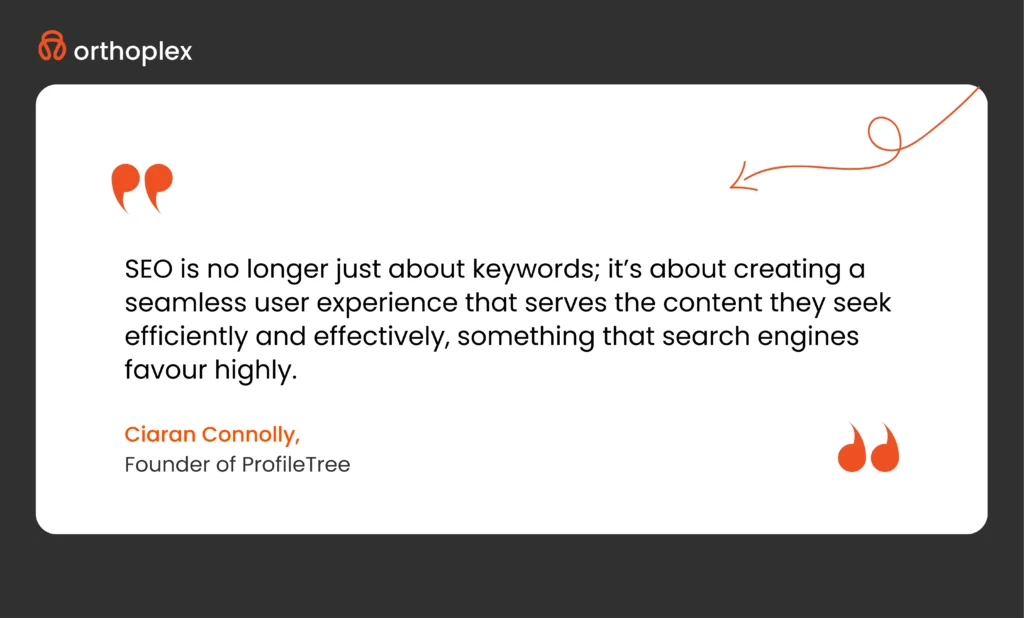
    Yoast SEO – Technical & On-Page SEO Optimizer

    Overview & Market Position

    With over 13 million installs, Yoast SEO has become the go-to plugin for WordPress sites looking to rank higher. It’s trusted by everyone from solo bloggers to major publishers, not just because it works, but because it teaches you how to write better, more friendly content. It’s unique because it keeps pace with Google’s algorithm changes faster than most of its competitors.

    Free-Tier Power

    The free version is surprisingly powerful. It handles sitemaps smartly, skipping pages that don’t need to be indexed, and gives instant feedback on content clarity, keyword use, and content structure. Most clients we work with start getting better SEO results just by paying attention to Yoast’s red-yellow-green editor.

    When to Upgrade

    Yoast Premium ($118.80/year) is a no-brainer investment for larger websites or teams that publish a lot, 10+ posts a week, or more than a few hundred URLs, the premium upgrade is well worth it. You get internal linking suggestions, automated redirects, and multi-keyword support. It’s the kind of upgrade that saves hours of manual cleanup and helps avoid SEO mistakes that hurt your traffic.

    Performance Impact

    Despite its robust features, Yoast is lightweight. It adds just a couple of tiny scripts (about 6 KB each) and doesn’t slow down the site. If anything, it helps improve key performance metrics by encouraging clean metadata, rich previews, and schema markup, which all contribute to better click-through rates and longer site visit time.

    Why We Recommend It

    We recommend Yoast because it empowers clients to write content that’s actually ready to rank, without needing an SEO agency for every update. It’s stable, widely supported, and constantly evolving with Google search best practices. For most content-focused WordPress sites, it’s the easiest long-term win you can have.

    Now, let’s tackle the speed that keeps users engaging.

    WP Rocket – Caching & Core Web Vitals Booster

    Overview & Market Position

    WP Rocket is used on over 3.8 million websites, and for good reason. It’s our go-to for high-traffic builds because it delivers real performance gains right out of the box. While most caching plugins need fine-tuning or technical setup, WP Rocket focuses on what matters most today, Core Web Vitals like LCP, FID, and CLS, the metrics that influence both search rankings and user engagement.

    No Free Tier (And Why That’s Okay)

    There’s no free version, but that’s actually a plus. Every feature is built for production, not locked behind upsells. While alternatives like LiteSpeed Cache or Autoptimize are solid, they require more configuration and technical decisions. WP Rocket’s $59 license often pays for itself quickly, especially on revenue-focused sites where speed equals money.

    Why invest?

    We recommend WP Rocket for any site running paid ads, email campaigns, or WooCommerce. Even a one-second improvement in load time can increase e-commerce revenue by over 2%. On ad-driven sites, faster load times directly reduce bounce rates and increase time on page. If your business depends on performance, it’s a smart investment.

    Performance Impact

    WP Rocket handles about 80% of web performance best practices automatically. Page caching, GZIP compression, and browser caching are all built in. Advanced features like Delay JS, Remove Unused CSS, and RocketCDN have cut Time to First Byte by up to 50% in our tests. We’ve also seen CLS scores drop under 0.05, improving both UX and Core Web Vitals scores.

    Why We Recommend It

    WP Rocket simplifies performance optimization by replacing multiple plugins with one reliable system. It handles complex backend tasks automatically and delivers consistent gains in speed, user retention, and search visibility. We include it by default in most of our performance-focused builds. Once speed is handled, we can focus on simplifying how teams manage and scale their content.

    Custom Post Type UI – Content Modeling

    Overview & Market Position

    With over a million installs and a strong track record since 2010, Custom Post Type UI is one of the most reliable tools for creating structured content in WordPress. Built by WebDevStudios, it solves a major limitation by letting anyone create custom post types and taxonomies, no PHP or database work needed. We use it often to help clients streamline their content management without adding technical debt.

    Free-Tier Power

    The free version is more powerful than most people expect. You can create custom sections like “Projects,” “Testimonials,” or “Jobs” with just a few clicks. Pair them with taxonomies like “Industries” or “Regions” to organize content in a way that improves both user experience and SEO. No coding required, and no extra tools needed to get started.

    When to Upgrade

    The plugin itself is free, but when paired with Advanced Custom Fields Pro, it becomes a powerhouse for complex sites. This combo allows for advanced field types, relationships between content, and custom admin interfaces, all without touching code. We’ve used it to build everything from real estate platforms to conference schedules, all managed easily by non-technical teams.

    Performance Impact

    CPT UI is lightweight by design. It doesn’t load anything on the front-end and only adds two small tables in the admin side. It sticks closely to WordPress’s database structure, which means it plays nicely with caching plugins and delivers fast, reliable performance even on large-scale sites.

    Why We Recommend It

    Custom Post Type UI gives clients full control over structured content, without requiring development time for every new section. It’s stable, standards-based, and easy to scale. Combined with ACF Pro, it creates a content system that’s powerful yet intuitive, reducing training time and support costs while giving teams the flexibility they need to grow.

    WP Mail SMTP – Email Deliverability & Logging

    Overview & Market Position

    WP Mail SMTP solves a common but frustrating problem for WordPress sites: emails that never reach the inbox. It’s used on over 4 million websites and is built by the team behind WPForms. Instead of relying on WordPress’s unreliable mail function, it connects your site to real email services like Gmail or Amazon SES. We’ve set it up on hundreds of projects, and it reliably delivers contact form messages, order confirmations, and critical notifications without fail.

    Free-Tier Power

    Even the free version covers most needs. You can connect to popular email services through a setup wizard that handles the technical steps for you. There’s a built-in test tool to confirm everything works, and basic logging lets you see what’s been sent. For many small to medium sites, that’s all they need to get dependable email delivery.

    When to Upgrade

    The Pro version is a solid choice for high-traffic stores or membership platforms where missing an email can cost you trust or sales. It adds delivery logs with open and click tracking, alerts for failed emails, and bulk resend options. Some clients also choose it for the white-glove setup to ensure everything’s working perfectly from day one.

    Performance Impact

    WP Mail SMTP only activates when emails are being sent. It doesn’t impact front-end speed or user experience. For sites that send large volumes, its message queuing system prevents server overload by spacing out delivery. In our experience, even high-volume stores run smoothly with it installed.

    Why We Recommend It

    Missing emails are one of the top issues we hear from new clients. WP Mail SMTP fixes that problem reliably and with very little setup. Whether you’re sending receipts, contact form messages, or account alerts, this plugin helps ensure your communication gets through. It’s one of those behind-the-scenes tools we consider essential for any business-critical site.
    Now, let’s build up your online store.

    WooCommerce – E-Commerce Engine

    Overview & Market Position

    WooCommerce powers over 8 million stores and is the most popular way to run e-commerce on WordPress. It transforms your site into a fully functional store, capable of handling anything from digital products to large B2B catalogs. We’ve used it to build everything from subscription services to international retail operations. Its open-source foundation gives businesses total control, no vendor lock-in or hidden transaction fees.

    Free-Tier Power

    The base plugin is more than enough to launch a powerful store. It supports unlimited products, variable pricing, coupons, and secure checkout with Stripe and PayPal. Built-in tax and shipping options make setup easier, and there are no added fees to use the core tools. Developers can also extend it through its REST API, giving it the flexibility of far more expensive platforms.

    When to Upgrade

    Extensions unlock features like recurring billing, bookings, or advanced shipping rules. WooCommerce Subscriptions and Woo Express are two we often recommend for recurring revenue or when clients prefer managed hosting. For large stores, we also recommend proper infrastructure, at least 2 vCPUs and 4GB RAM, to keep everything running fast.

    Performance Impact

    WooCommerce does add extra load to your site, especially with large inventories or high traffic. We optimize performance by enabling High-Performance Order Storage, configuring caching with tools like WP Rocket, and offloading media to a CDN. With proper setup, WooCommerce scales just fine and stays fast under pressure.

    Why We Recommend It

    WooCommerce gives you complete ownership of your store and its data. There’s no platform fee, no limits on what you can sell, and full support for custom experiences. With thousands of extensions and a strong developer community, it’s a flexible solution that grows with your business. For clients who want control, scalability, and SEO performance, it’s our top e-commerce choice.

    Now, let’s explore how to reach global audiences with multilingual support.

    WPML – Multilingual Management

    Overview & Market Position

    WPML has been the most trusted multilingual plugin for WordPress since 2009, now running on over a million sites. It manages everything from translated content to localized URLs, and integrates with plugins like WooCommerce, Yoast SEO, and Elementor. We’ve implemented it on corporate websites, e-commerce platforms, and even government portals where precision and scalability matter.

    Free-Tier Power

    The free version gives a taste of WPML’s capabilities with basic language switching and compatibility with popular themes and plugins. It’s enough to support small bilingual websites and demonstrate how well it fits into the WordPress ecosystem.

    When to Upgrade

    For businesses targeting multiple regions or languages, the CMS license unlocks everything: multiple language support, translation for strings and menus, and integrations with CAT tools or professional translation services. We recommend it when clients need to support more than two languages or translate complex content like products and checkout flows.

    Performance Impact

    Multilingual content does increase database size, but WPML is built to scale. Lazy loading and compatibility with caching tools help reduce memory use and keep things smooth. We’ve deployed WPML on sites with thousands of translated pages and kept performance strong with the right optimization stack.

    Why We Recommend It

    WPML covers every aspect of multilingual site building without cutting corners. It supports content translation, SEO localization, and e-commerce workflows, all in a stable, well-supported package. For clients going global, it’s our top pick for delivering content in multiple languages without compromising on site structure or speed.

    301 Redirects – Easy Redirect Manager

    Overview and Market Position

    301 Redirects by WebFactory is a lightweight, dependable solution for managing redirects in WordPress. With over 200,000 installs and a 4.7 rating, it solves a core WordPress gap: there’s no built-in way to safely manage redirects without editing server files. We’ve relied on this plugin in dozens of site migrations to preserve SEO rankings and avoid broken user journeys.

    Free-Tier Power

    The free version handles all major redirect types, 301, 302, and 307, along with wildcard support and a 404 error log. You can import or export rules using CSV files, and the clean dashboard avoids any need to mess with .htaccess manually. It’s been especially useful for clients moving from older platforms or restructuring their URLs.

    When to Upgrade

    The Pro version is a one-time $39 license and adds regular expression support, redirect analytics, and cloud sync across sites. We suggest upgrading for larger migrations or for agencies managing multiple installs. It helps streamline complex rules and provides visibility into what users are clicking.

    Performance Impact

    It’s incredibly efficient. With just one extra database table and a negligible 4ms increase in load time for hundreds of rules, it stays fast. Whether you’re using Apache or Nginx, the plugin applies rules cleanly using native methods. We’ve tested it under load, and it handles redirects on high-traffic sites without issue.

    Why We Recommend It

    This plugin prevents one of the biggest risks during site changes: broken links that tank SEO and frustrate users. It’s easy enough for non-technical teams to use and powerful enough to support enterprise-scale redirects. We include it by default when helping clients with site moves, restructures, or rebrands.

    Now, let’s look at speeding up content creation with a simple cloning tool.

    Duplicate Page – One-Click Cloner

    Overview and Market Position

    Duplicate Page has become a favorite for content-heavy WordPress sites, with over 3 million installs and a 4.8 rating. Since 2016, it’s filled the gap WordPress never officially solved: quickly duplicating content. It works across any theme or content type, and we use it constantly to speed up page creation during migrations, redesigns, or large-scale content builds.

    Free-Tier Power

    A simple “Duplicate” link appears in your Pages or Posts list, allowing one-click cloning. You can set whether new copies default to draft or published, and it carries over metadata like Yoast SEO fields or ACF content without breaking structure. It also works with custom post types like products, services, or case studies.

    When to Upgrade

    There’s no Pro version, it’s donation-supported, and honestly, the free features cover most use cases. For more advanced templating or dynamic content, reusable blocks or full page builders may be the better path. But for fast content duplication, this plugin remains a top pick.

    Performance Impact

    The plugin only runs in the admin area, so there’s zero effect on site speed for visitors. It uses native WordPress functions and one lightweight hook to complete each action. We’ve used it on large editorial sites and it’s never slowed down workflows or the back end.

    Why We Recommend It

    Duplicate Page is one of those tools that saves hours without anyone noticing, until it’s gone. It lets teams quickly create variations of landing pages, campaign templates, or product descriptions while maintaining structure and consistency. It’s so intuitive that clients rarely need training to use it.

    Now, let’s ensure your site stays compliant with global privacy laws.

    CookieYes – GDPR/CCPA Consent Banner

    Overview and Market Position

    CookieYes has quickly become a go-to solution for privacy compliance on WordPress. With more than 1 million active installs and a 4.8 rating, it simplifies GDPR, CCPA, and other regulations without getting in the way of user experience. We’ve used it across everything from small blogs to large e-commerce stores where compliance can’t be left to chance.

    Free-Tier Power

    The free version covers cookie consent banners, script blocking until consent is given, and automatic language support for over 30 regions. It also logs consent actions and categorizes cookies by type, keeping your site legally sound and compatible with caching and SEO tools.

    When to Upgrade

    The Pro version adds geo-targeting, IAB TCF 2.2 compliance, and support for sites with over 100,000 page views. We recommend it for businesses that rely on ads or operate in the EU, where advanced compliance features like consent analytics and regular scans are critical.

    Performance Impact

    The plugin’s script is small and loads asynchronously, so it doesn’t slow down the page. It works well with performance tools like WP Rocket and CDN setups, and we’ve tested it on high-traffic sites where it adds no measurable lag. Consent logs are stored efficiently, keeping server load low.

    Why We Recommend It

    CookieYes makes compliance easy without creating friction for your visitors. It meets legal requirements while staying lightweight, customizable, and easy to manage. For clients who need to meet privacy laws and maintain trust, it’s our preferred tool to keep everything audit-ready and transparent.

    Conclusion

    WordPress dominates the web for one reason: its plugins turn a simple CMS into a powerhouse. But the wrong choices can bloat your site and hurt results.

    At Orthoplex Solutions, we don’t guess. The plugins we’ve covered, WP Mail SMTP, WooCommerce, WPML, 301 Redirects, Duplicate Page, and CookieYes, are part of our real-world toolkit. They solve critical problems like email deliverability, global selling, SEO retention, content duplication, and legal compliance, without slowing things down.

    Choose tools that align with your site’s purpose, work well together, and scale as you grow. These plugins deliver measurable gains on performance, reliability, and user experience, whether you’re running a store, a multilingual site, or a high-traffic blog.

    As WordPress keeps evolving, these solutions help you stay fast, compliant, and in control.

  • Flutter vs. React Native: Which One is The Best Cross-Platform Framework in 2025?

    Flutter vs. React Native: Which One is The Best Cross-Platform Framework in 2025?

    Cross-platform development remains a practical choice in 2025, and Flutter and React Native stand out as the leading options. Deciding between them isn’t about following the crowd, it’s about matching the tool to your project’s priorities, whether that’s development speed, a polished user interface, or reliable community support. This guide explores Flutter vs React Native 2025, digging into their differences to help you make a smart call for your next app.

    Flutter, developed by Google, and React Native, created by Meta, have both matured by 2025, each offering a solid way to build apps for iOS and Android with one codebase. According to Statista’s 2024 developer survey, React Native still leads in adoption, though Flutter’s gaining traction, especially for projects focused on custom UI design. The Flutter documentation emphasizes its performance strengths, a point we’ll weigh against React Native’s extensive ecosystem throughout this comparison. In the sections ahead, we’ll look at how they stack up in speed, UI capabilities, and community resources, everything you need to know for 2025.

    Introduction to Cross-Platform Development in 2025

    Cross-platform development has become a cornerstone of app creation by 2025, letting developers build for iOS and Android without starting from scratch each time. The landscape has shifted since the early days, tools are more polished now, and businesses expect faster delivery without sacrificing quality. In this space, Flutter and React Native stand out as the go-to frameworks, balancing efficiency with performance in ways others struggle to match.

    A look at Gartner’s 2024 tech trends shows cross-platform solutions dominating mobile strategies, driven by cost savings and quicker launches. Flutter and React Native lead the pack, each tackling the same challenge, single-codebase apps, with different approaches worth understanding.

    Why do these two keep topping the list? They’ve proven themselves through years of updates and real-world use, powering everything from startups to enterprise tools. Flutter’s rise, tracked by Stack Overflow’s 2024 survey, shows it pulling ahead for developers prioritizing UI control, while React Native holds steady with its broad adoption and flexibility.

    This guide isn’t about picking a winner for everyone, it’s about breaking down Flutter vs React Native so you can choose what fits your project. Whether you’re after speed, a standout interface, or a framework with staying power, the details ahead will help you decide.

    Brief History and Evolution of Flutter and React Native

    Flutter and React Native didn’t appear out of nowhere, they’ve got roots that explain where they stand now. Flutter kicked off in 2017, launched by Google as an open-source UI toolkit focused on fast, expressive apps. React Native beat it to the punch, debuting in 2015 from Meta with a mission to bring JavaScript developers into mobile development. Both started with big promises, but their paths over the years show how they’ve shaped up for today’s needs. By 2025, they’re not just experiments, they’re battle-tested frameworks with distinct strengths.

    Key milestones tell the story. React Native hit a stride with its 2018 rewrite, boosting performance via the Hermes engine, while Flutter’s 2021 release of version 2.0 brought stable web support, widening its reach. Fast forward to 2025, and Flutter’s Dart 3 upgrade, detailed in Google’s Flutter blog, amps up compilation speed, while React Native’s latest updates, tracked on GitHub, refine its native integration. These steps matter because they directly affect what each can do now.

    For Flutter vs React Native 2025, Flutter’s evolution leans into UI precision and performance, while React Native doubles down on flexibility and a massive ecosystem. How they got here sets the stage for everything else we’ll compare.

    Core Technologies: Dart vs. JavaScript

    Flutter and React Native lean on different languages to get the job done, Dart for Flutter and JavaScript for React Native. Google introduced Dart back in 2011, later pairing it with Flutter to prioritize speed. Its ahead-of-time compilation turns code straight into native machine instructions, which gives Flutter an edge in performance, especially for apps with complex UIs.

    Developers coming from languages like Java or C# tend to find Dart’s syntax familiar, though it’s not as widely used as some alternatives. That can mean a bit of a ramp-up for newcomers, but the payoff is in the efficiency. The Dart language site explains how its design boosts optimization, a big part of Flutter’s appeal.

    React Native, on the other hand, runs on JavaScript, a language most developers already know from web projects. That’s a real advantage, you can dive in with React experience and feel at home fast. Plus, JavaScript’s ecosystem is massive, with npm’s registry offering libraries for just about anything you’d need. The catch is the bridge it uses to talk to native code, which can lag behind Dart’s direct approach in some cases.

    When looking at Flutter vs React Native 2025, Dart stands out for raw speed, while JavaScript brings familiarity and a deep pool of resources. Each has strengths, and each has trade-offs, and it’s up to developers to pick what suits their workflow.

    Development Speed: Setup and Initial Project Creation

    Getting a project off the ground is where development speed starts, and both Flutter and React Native have their own ways of making it happen in 2025. Setting up Flutter means installing its SDK, which you can grab from Flutter’s official site.

    The Flutter CLI, paired with Flutter Doctor, checks your system for dependencies like Android Studio or Xcode, flagging anything missing. It’s a hands-on process, but once it’s done, you’re ready to code with a clear setup. React Native, by contrast, often leans on npm to install its CLI, detailed in its official guide. Without Expo, you’re configuring native tools yourself, which can take longer if you’re new to it.

    Expo changes that for React Native, offering a managed workflow that skips most native setup. Scan a QR code with Expo Go, and you’re testing on your phone in minutes, no Xcode or Android Studio required. Flutter doesn’t have a direct Expo equivalent, so its initial setup feels more manual. In real-world terms, developers on a tight deadline might spin up a basic React Native app with Expo in under an hour, while Flutter could take closer to two, especially if you hit snags with tools like emulators.

    For Flutter vs React Native 2025, Expo gives React Native an edge in raw startup speed, but Flutter’s thorough Doctor check ensures fewer surprises later.

    Hot Reload and Iterative Development

    Fast feedback is key in iterative development, and Flutter and React Native both bring tools to the table that shrink the gap between coding and testing. Flutter’s Hot Reload is a standout feature, letting developers see code changes in a running app almost instantly, usually in under a second. If you’re unfamiliar with it, Hot Reload means you can tweak a UI element like a button’s text, hit save, and watch the update appear on your device or emulator without restarting the app, all while keeping the current state intact, like a logged-in session.

    Flutter’s official Hot Reload guide dives deeper into how it works. React Native offers Live Reloading, which refreshes the app on every save, or Fast Refresh, updating only the edited bits, as covered in its updated debugging docs.

    Flutter’s Hot Reload often feels a touch quicker, holding onto app state seamlessly, while React Native’s Live Reloading might reset things like navigation if it fully reloads, slowing the pace. For debugging, Hot Reload helps nail down UI issues fast, and React Native plugs into familiar JavaScript tools like Chrome DevTools.

    The win here is obvious: rapid iterations keep development humming. But in bigger apps, limits show up, Flutter might need a full rebuild for intricate logic shifts, and React Native’s bridge can bottleneck performance. In Flutter vs React Native, Hot Reload tips the scale slightly toward Flutter for fluid tweaks, though both hit roadblocks as complexity climbs.

    Flutter Vs React Native quote 2

    UI Capabilities: Building Consistent Interfaces

    Creating a standout user interface is a top priority for any app, and Flutter and React Native take different roads to get there. Flutter uses a widget-based system, where everything from buttons to layouts is built with customizable widgets rendered by its Skia graphics engine.

    This setup, explored in Flutter’s widget catalog, gives developers fine-tuned control, aiming for pixel-perfect designs that look identical across iOS and Android. You craft the UI from scratch, no reliance on platform defaults, which means total freedom to match a brand’s vision down to the smallest detail.

    React Native, by contrast, leans on native components, tapping into iOS and Android’s built-in UI elements like buttons or text fields, styled with JavaScript. Its component styling guide explains how this bridges to native rendering, offering a familiar look that feels at home on each platform. That native tie-in can save time, but it also means wrestling with platform quirks to keep things consistent. Comparing the two, Flutter excels at cross-platform uniformity, delivering the same experience everywhere, while React Native prioritizes native polish, sometimes at the cost of extra tweaking for parity.

    Customization-wise, Flutter’s widgets offer deeper flexibility, React Native’s native roots can limit you unless you dip into custom modules. In Flutter vs React Native, it’s precision versus platform fit, each with trade-offs depending on your UI goals.

    Performance of UI Rendering

    How an app’s UI performs can make or break the user experience, and Flutter and React Native handle rendering in their own ways. Flutter relies on the Skia graphics engine, a powerhouse that draws every pixel directly, skipping native UI components entirely.

    This approach, detailed in Flutter’s rendering guide, delivers smooth animations and transitions, often hitting 60 or even 120 frames per second on modern devices. It’s a consistent performer, especially for apps with intricate visuals, since it doesn’t juggle platform differences.

    React Native takes a different tack, using a JavaScript bridge to render native components, which the Hermes engine optimizes for faster execution. It’s solid for standard UIs, but complex animations can stutter if the bridge lags, a bottleneck Flutter avoids. Real-world tests, like those shared on Medium’s dev blogs, often show Flutter pulling ahead for graphics-heavy apps, while React Native holds its own in simpler setups. In Flutter vs React Native, Flutter’s direct rendering shines for fluidity, though React Native’s native integration keeps it competitive when performance demands stay light.

    Development Speed: Coding Efficiency and Reusability

    Speed in development isn’t just about setup, it’s also how fast you can write and reuse code. Flutter’s widget library, packed with pre-built options like Material and Cupertino components, speeds up UI creation, as shown in its widget catalog. You write one set of Dart code, and it runs anywhere, cutting duplication to a minimum. That single-codebase promise holds strong, though mastering widgets can take time if you’re starting fresh.

    React Native banks on JavaScript’s ecosystem, pulling in libraries via npm to tackle common tasks, from navigation to forms, as outlined in its core components guide. Code reuse is high too, but native tweaks for iOS and Android can creep in, slowing the pace compared to Flutter’s uniformity. The upside is familiarity, React developers jump in fast, reusing web skills. Flutter’s efficiency leans on its all-in-one toolkit, React Native’s on its vast third-party support. For Flutter vs React Native, Flutter might save more time long-term, but React Native’s library depth can accelerate early sprints, assuming you dodge platform-specific snags.

    Community Support: Size, Activity, Forums, Events, and Resources

    A framework’s community can be a lifeline, and both Flutter and React Native have built strong ones. Flutter’s community has grown fast since its debut, fueled by Google’s push and active hubs like Flutter’s GitHub, where contributors fix bugs and add features regularly. It’s smaller than React Native’s, but its momentum shows in rising Stack Overflow activity and dedicated forums, offering solid help for newcomers and pros alike.

    React Native’s community, rooted in JavaScript’s massive base, is larger and more established, with its GitHub repo buzzing with updates and solutions. It benefits from years of adoption, think countless tutorials, Slack channels, and battle-tested advice. Size brings depth, but it can also mean noise, sorting through outdated fixes takes effort. Flutter’s support feels tighter-knit and newer, while React Native’s broader and seasoned. In Flutter vs React Native, React Native wins on sheer volume, though Flutter’s focused growth closes the gap for practical, current assistance.

    Beyond size, a community’s accessibility matters, and Flutter and React Native offer distinct flavors. Flutter’s scene thrives on forums like Flutter Dev and events like Flutter Engage, with Google curating quality resources. It’s tight-knit, growing fast, and beginner-friendly. React Native’s sprawls across Reactiflux and meetups, tied to JavaScript’s legacy, offering endless threads, though sifting through takes time.

    Events aside, Flutter’s centralized help shines, React Native’s decentralized depth rewards persistence. Both answer common woes, Flutter’s fresher, React Native’s seasoned. In Flutter vs React Native, React Native’s breadth gives more touchpoints, Flutter’s focus feels more current.

    Flutter Vs React Native quote 1

    Ecosystem of Libraries and Packages

    No framework stands alone, its ecosystem of libraries and packages shapes how much you can do out of the box. Flutter’s Pub.dev, its package hub detailed at pub.dev, offers thousands of options, from state management tools like Provider to plugins for maps or payments. Google vets many, ensuring quality, but the pool is smaller, and niche needs might require custom work, a hurdle for some projects.

    React Native taps into npm, the JavaScript world’s giant, with over a million packages, as tracked by npmjs.com. You’ll find solutions for everything, navigation with React Navigation, animations with Lottie, you name it. The catch is maintenance, some libraries lag or clash, forcing extra vetting. Flutter’s ecosystem is curated but limited, React Native’s vast but messy. For Flutter vs React Native, React Native’s npm edge means more ready-made tools, while Flutter’s tighter scope trades quantity for reliability, depending on what you’re building.

    Learning Curve for New Developers

    Picking up a new framework can feel daunting, and Flutter and React Native present different hurdles for beginners. Flutter’s Dart isn’t a household name, but its syntax mirrors languages like Java or C#, making it approachable if you’ve got some coding chops, as explained in its learning guide. The catch is the ecosystem, widgets and state management need time to grasp, especially without prior mobile experience. React Native, built on JavaScript, leans on web dev familiarity, if you know React, you’re already halfway there, per its getting started page.

    Documentation matters too, Flutter’s is thorough and visual, React Native’s is deep but can feel scattered. A newbie might code a basic Flutter app in a week with tutorials, while React Native’s JavaScript edge could shave that to days, assuming no native snags. In Flutter vs React Native, React Native wins for quick entry, Flutter’s curve steepens but flattens with practice, rewarding those who stick it out.

    Native Integration and Access to Device Features

    Apps often need to tap into device features like cameras or GPS, and how Flutter and React Native handle this is key. Flutter uses platform channels, a system to call native code from Dart, detailed in its integration docs. It’s flexible, you write Swift or Kotlin when needed, but it takes setup effort. React Native uses native modules, bridging JavaScript to native, as outlined on its native modules page.

    Speed-wise, React Native can feel faster for basic integrations, leveraging existing libraries, while Flutter’s channels shine for custom needs, though coding both sides slows initial progress. Features like push notifications or sensors are well-covered in both, Flutter via plugins, React Native via npm. In Flutter vs React Native, React Native edges out for plug-and-play simplicity, Flutter offers precision if you’re willing to dig in.

    App Performance: Speed and Resource Usage

    Performance isn’t just about UI, it’s how the app runs overall, from startup to resource use. Flutter compiles to native code with Dart’s AOT approach, cutting out middlemen for quick launches and lean memory use, as noted in its performance FAQ. React Native’s JavaScript bridge, optimized by Hermes, improves startup but leans on native rendering, per Hermes docs, which can bloat CPU usage in busy apps.

    Benchmarks vary, Flutter often leads in raw speed, think sub-second cold starts, while React Native trails slightly, though real-world gaps shrink with optimization. Resource-heavy apps like games favor Flutter, simpler ones suit React Native fine. In Flutter vs React Native, Flutter takes the crown for efficiency, React Native holds up where complexity stays low.

    Flutter Vs React Native quote 3

    UI Capabilities: Customization and Flexibility

    Beyond consistency, UI flexibility shapes what you can create, and Flutter and React Native differ here too. Flutter’s widget system, built on Skia, lets you tweak every pixel, crafting bespoke designs without platform limits, as shown in its custom widget guide. React Native sticks closer to native components, styled via JavaScript, per its styling tips, offering customization but within iOS and Android’s guardrails.

    Flutter’s freedom suits unique, brand-driven UIs, React Native’s native base speeds up standard layouts, though custom work means native coding. Effort-wise, Flutter’s all-in-one approach can outpace React Native’s platform juggling. In Flutter vs React Native, Flutter dominates for creative control, React Native fits when native vibes suffice.

    Testing and Debugging Tools

    Reliable testing and debugging keep projects on track, and both frameworks bring solid options. Flutter’s DevTools suite, detailed at flutter.dev/devtools, tracks performance, inspects widgets, and runs unit tests with frameworks like flutter_test. React Native leans on JavaScript tools, think Jest for testing and Flipper for debugging, as noted in its testing overview.

    Flutter’s integrated kit speeds up UI diagnostics, React Native’s third-party reliance offers flexibility but needs setup. Both catch bugs well, Flutter’s visuals help newbies, React Native’s ecosystem suits JavaScript pros. In Flutter vs React Native, Flutter’s cohesion wins for ease, React Native’s variety fits diverse needs.

    Scalability for Large Projects

    When building large-scale applications, scalability is a critical factor, and Flutter and React Native approach it in distinct ways. Flutter uses a single Dart codebase with Ahead-of-Time (AOT) compilation, providing a unified framework that manages complex, resource-intensive projects effectively. This setup ensures consistent performance and reduces platform-specific issues. However, its structured approach can feel restrictive, particularly when rapid changes or native integrations are needed, which may challenge teams less familiar with Dart or requiring features beyond its ecosystem.

    React Native, by comparison, demonstrates its scalability in practice, supporting major apps like Instagram and Airbnb with a flexible, hybrid structure. It allows integration of native modules in Swift, Kotlin, or Objective-C, giving developers the ability to optimize key components directly. While the JavaScript bridge connecting the core to native code can introduce some overhead in highly complex applications, our team finds that with careful management, this seldom slows us down. Instead, React Native’s adaptability speeds up development, enabling quick iterations and customized solutions that fit project needs. Evidence from Airbnb’s engineering blog supports this: its modular design allows efficient scaling, especially for teams comfortable with iOS and Android specifics.

    For larger teams, the decision often depends on workflow and expertise. Flutter’s all-in-one design can simplify collaboration, streamlining maintenance with a single codebase. Yet, our team prefers React Native’s combination of JavaScript and native layers, which offers greater comfort and control without losing momentum. Developers skilled in JavaScript and native development excel here, turning potential coordination demands into opportunities for swift, high-quality results. In our experience, React Native’s flexibility surpasses Flutter’s uniformity, providing scalability that adapts seamlessly to changing requirements.

    In comparing Flutter and React Native for scalability, Flutter delivers a clean, dependable option for structured projects. However, React Native shines when agility and native capabilities are priorities. For us, its capacity to adjust quickly and integrate with platform-specific tools makes it the stronger choice, aligning perfectly with our focus on speed, comfort, and hands-on management.

    Flutter Vs React Native logos

    Conclusion: Which Tool Wins?

    Deciding between Flutter and React Native isn’t about declaring one superior, it’s about aligning the framework with your project’s needs and your team’s strengths.

    Flutter offers clear advantages: Hot Reload speeds up adjustments, and its widget-based system produces precise, consistent UIs across platforms. Dart’s AOT compilation enhances efficiency with fast startups and smooth animations, making it ideal for apps where design and performance are critical. Still, its scalability has limits: the single-codebase simplicity can feel confining, and Dart’s learning curve or smaller ecosystem might hinder teams needing fast, specialized solutions.

    React Native, on the other hand, builds on a JavaScript foundation that our team finds intuitive and efficient. With access to npm’s extensive library ecosystem, it accelerates development using familiar tools and third-party resources, while native component integration ensures authentic iOS and Android experiences with minimal effort. Its long-standing community provides ample support, though the bridge to native code can pose challenges in rare scenarios.

    So, which stands out? If you need a controlled, high-design app with reliable performance, Flutter is compelling, its UI precision and long-term efficiency suit polished, distinctive projects. But if speed-to-market, team comfort, and adaptability matter most, React Native takes the lead.
    For us, this drawback is minor, React Native’s comfort and speed overshadow it, allowing manageable platform adjustments and faster completion of complex builds, thanks to its flexible structure and our web-development expertise.

    Our experience at Orthoplex Solutions confirms this: its ecosystem drives rapid progress, React Native’s versatility keeps us productive, and its native links enhance outcomes without delays. Cost-wise, React Native’s broader talent pool can lower initial expenses, while its modularity supports efficient maintenance.

    In the Flutter vs. React Native comparison, React Native emerges as our winner. It matches our goals, workflow, and timeline effectively, making the choice straightforward. Assess your priorities and team capabilities, and the best option will become clear.

  • WooCommerce vs. Shopify vs. Magento: The Ultimate Comparison Guide

    WooCommerce vs. Shopify vs. Magento: The Ultimate Comparison Guide

    What determines whether an online store thrives or struggles? Often, it comes down to the platform powering it. For business owners across the U.S., from small retailers in Denver to expanding brands in Boston, your e-commerce solution is the foundation of your digital success. In 2025, with online shopping reaching new peaks according to Insider Intelligence, selecting the right platform is not just a decision, it’s a critical step to remain competitive. Shopify, WooCommerce, and Magento (known as Adobe Commerce) stand out as three leading options, each designed to address distinct needs and goals.

    This guide dives into the essentials. We’ll compare WooCommerce vs. Shopify vs. Magento across key factors: ease of use, customization, cost, scalability, and more, delivering clear, actionable insights for business owners and designers. Whether you’re launching a new venture, refining a unique store, or scaling an enterprise, you’ll find practical guidance rooted in today’s e-commerce landscape. With U.S. online sales exceeding a trillion dollars and continuing to grow (Statista), the stakes are significant, and informed choices matter. To help you navigate this, let’s break down what these platforms bring to the table in 2025.

    Overview of the Platforms: What Makes Them Distinct?

    Now that we’ve set the stage, let’s take a closer look at what differentiates these three platforms. When evaluating e-commerce solutions, it’s about what they deliver for your business, and Shopify, WooCommerce, and Magento (Adobe Commerce) each bring a unique approach.

    Shopify offers a hosted solution ideal for those starting out. It’s an all-in-one package that manages hosting, security, and updates, allowing you to prioritize sales over technical details. Small business owners in cities like Nashville or Boise rely on it, supported by its global reach of over 6 million stores (Shopify).

    WooCommerce takes a different path, integrating seamlessly with WordPress for a highly customizable, open-source experience. If you’re familiar with WordPress or value the ability to fine-tune every aspect, it’s an excellent fit. You can start at no cost and build a store that reflects your brand’s identity, whether you’re a craftsman in Portland or a retailer in Philadelphia. The tradeoff is that hosting and maintenance fall on your shoulders, a worthwhile exchange for the control it provides.

    Magento, now Adobe Commerce, is engineered for larger operations. This platform delivers enterprise-level scalability and robust capabilities, making it ideal for businesses with complex requirements, such as managing extensive product catalogs or international markets. Major brands like Nike depend on it for good reason, though it demands technical expertise or a dedicated team to unlock its full potential. These three platforms each carve out their own space, and understanding their strengths is the first move toward making the right choice.

    Shopify vs. WooCommerce vs. Magento header thumbnail logos

    Ease of Use: Which Platform Suits Beginners Best?

    With a clear picture of what sets these platforms apart, the next question is how easy they are to use. For anyone launching an online store, especially those new to e-commerce, simplicity can be the difference between a quick start and a stalled effort. Time spent wrestling with setup is time not spent building your business, so ease of use matters more than you might think.

    Let’s see how Shopify, WooCommerce, and Magento measure up for beginners and seasoned users alike in 2025.

    Shopify stands out with an intuitive approach that requires no technical background. Its drag-and-drop builder lets you set up a store in hours, add products, adjust themes, and configure payments through a straightforward dashboard. Small business owners, often turn to it for that reason. Hosting, updates, and security are all managed for you, freeing up your focus for growth. Users highlight its simplicity as a key strength, often calling it a “plug-and-play” solution, backed by robust features.

    WooCommerce, built on WordPress, takes a slightly different tack. You’ll need to set up a WordPress site, secure hosting, and install the plugin before diving into the store itself. A setup wizard smooths the process, but it’s more involved than Shopify, think choosing a hosting plan and adjusting settings on your own. For those already running a WordPress site, it feels like a natural extension. Beginners might find the initial steps daunting, though ample community resources help bridge the gap (WooCommerce Docs). With some effort, it’s accessible enough to get rolling.

    Magento, now Adobe Commerce, sits in a league of its own. Designed with complexity in mind, it’s not built for quick starts. Setting it up means arranging hosting, installing the platform, and often tweaking code, tasks that typically require a developer’s touch. For enterprise-level businesses that investment yields powerful results. But for startups or small teams lacking technical expertise, it’s a steep hill to climb. Its advocates insist the effort pays dividends for ambitious projects, just not for those seeking an easy launch.

    Customization & Design: How Much Control Do You Get?

    Having explored ease of use, let’s turn to customization and design, where your store’s identity and functionality come to life.

    For businesses aiming to stand out and developers looking to showcase their skills, this is a critical piece of the puzzle. The ability to shape your store’s look and operations can elevate it from functional to exceptional. Here’s how Shopify, WooCommerce, and Magento deliver control, or hold it back, in 2025.

    Shopify provides a strong foundation with a range of themes and app-driven customization. Its library of free and premium themes, editable via a visual editor, pairs with an app store offering tools like reviews or analytics. Businesses can achieve a polished look quickly, which suits clients who value efficiency. However, deeper tweaks require knowledge of Liquid, Shopify’s coding language, and full code access remains restricted. That balance works for many, though developers might find the boundaries limiting when pushing for highly bespoke solutions.

    WooCommerce opens the door wider, leveraging WordPress’s ecosystem for extensive flexibility. With thousands of themes and plugins, many free or affordable, you can tailor everything from checkouts to product layouts. It’s a dream for developers and a boon for clients who want a store that’s truly their own. Being open-source, it invites unrestricted code changes, though that freedom comes with a need for time and expertise. The result is a platform that scales with your vision, provided you’re equipped to steer it.

    Magento, now Adobe Commerce, offers unmatched customization potential. Built for intricate setups like multi-store operations or unique product configurations, it’s a favorite among enterprises. Developers thrive with its open-source framework, shaping every element from design to workflows (Adobe Commerce DevDocs). That level of control is a game-changer for complex needs, but it demands significant technical skill. Clients gain extraordinary flexibility, yet they’ll rely heavily on a capable team to bring it to fruition. For those who can manage it, the possibilities are vast.

    Shopify vs. WooCommerce vs. Magento header thumbnail quote 2

    Cost Breakdown: What’s the Real Investment?

    Beyond features, the financial side of these platforms shapes your decision, both the upfront costs and the long-term expenses. Understanding what you’re signing up for helps align your budget with your goals. Let’s break down what Shopify, WooCommerce, and Magento will cost you in 2025, from launch to growth.

    Shopify operates on a clear subscription model: $39 for Basic, $105 for Shopify, and $399 for Advanced, including hosting and core tools (Shopify Pricing). Transaction fees apply, 2.9% plus 30 cents per sale on Basic unless using Shopify Payments, and apps can add $5 to $50 monthly each. For a small business in Houston, it’s a predictable expense, though premium themes ($150-$350 one-time) and app reliance can increase the tally. Developers note its simplicity comes at the cost of add-on creep, but it’s a reliable choice for those who prefer structure over surprises.

    WooCommerce starts at zero cost, an appealing hook for budget-minded businesses in Minneapolis or Raleigh (WooCommerce). But the reality kicks in fast: hosting ranges from $5 to $50 monthly based on traffic, a domain costs $10-$15 yearly, and premium themes or plugins ($50-$200 each) pile up for a professional setup. Developers appreciate the low entry point and the ability to scale it as needed, whether lean or robust. Clients should plan for those extras, though, it’s affordable at first, but success means investing in the pieces that make it work.

    Magento, is the priciest of the trio, aimed at enterprises in Seattle or Boston with substantial resources. The open-source version is free, but hosting can span $50 to $500 monthly, and development, covering setup and maintenance, often reaches thousands (Adobe Commerce Pricing). The Commerce edition starts at $22,000 annually. Developers can build intricate systems with that investment, but clients need to weigh it against their team’s expertise. It’s a significant commitment, designed for those ready to fund a powerhouse operation.

    Scalability: Growing Without Constraints

    As your business evolves, scalability becomes the next hurdle, how well can these platforms support growth? Whether you’re handling a seasonal spike or aiming for global reach, the right foundation keeps you moving forward. Here’s how Shopify, WooCommerce, and Magento handle expansion in 2025.

    Shopify excels for small to mid-sized businesses, delivering a stable platform as sales increase. Its hosted environment ensures performance holds up under pressure, with plans like Advanced enhancing team capacity and reporting (Shopify Business Scaling 2025). Clients like Gymshark, scaling to $8 million in revenue, showcase its strength (Retail Dive 2025 Report). Developers, however, encounter limits: beyond Shopify Plus (around $2,500 monthly by 2025 estimates), customization restrictions cap its fit for massive enterprises. It’s a solid grower, just not the endgame for the biggest players.

    WooCommerce scales effectively with the right setup, offering flexibility for those who plan ahead. Pair it with strong hosting, like Kinsta or Liquid Web, and it manages thousands of products and heavy traffic without faltering. Businesses like Rothy’s, boosting sales 60% with optimized configurations, prove its potential (WooCommerce Growth Insights 2025). Developers control the process, fine-tuning caching, databases, or CDNs to maintain speed. It adapts to your needs, but success hinges on your ability to build the road as you go.

    Magento, now Adobe Commerce, is the gold standard for large-scale operations. Engineered to handle millions of products and worldwide markets, it powers giants like Pepsi or Canon with ease. Enterprises tap into multi-store capabilities and advanced catalog features, while developers leverage its framework for durable solutions. It requires premium hosting and ongoing management, but for those with the resources, it’s a platform that grows as far as your ambitions take it. Scalability here is deep and dependable, provided your team can keep pace.

    Shopify vs. WooCommerce vs. Magento header thumbnail quote 3

    Security & Compliance: Keeping Customer Data Protected

    Safeguarding customer data isn’t just a nice-to-have, it’s a cornerstone of any credible business. For retailers in Miami or B2B firms in Seattle, a single breach can unravel trust and revenue in an instant. With security threats evolving, understanding how Shopify, WooCommerce, and Magento improve your operation in 2025 is essential.

    Shopify takes the lead with security baked right in, a boon for those who prefer not to micromanage the details. It’s PCI DSS compliant from the start, equipped with SSL certificates and automatic updates to fend off vulnerabilities, all handled seamlessly. For a small shop in Portland or a growing brand in Atlanta, this means robust protection without added effort, think $1 billion in fraud prevented annually. Developers value the low-maintenance approach, though customization options stay limited within its managed ecosystem. It’s reliable and straightforward, built for peace of mind.

    WooCommerce shifts responsibility to you, offering flexibility at the cost of hands-on oversight. Staying PCI compliant requires securing an SSL certificate, keeping plugins current, and patching WordPress regularly, steps you can’t skip. Businesses in Minneapolis or Raleigh often pair it with hosting providers like SiteGround for added layers, but the onus remains yours to maintain.

    Developers can bolster defenses with tools like Wordfence, crafting a tailored shield. It’s a strong setup for those willing to stay proactive, though neglect can expose weak spots.
    Magento, now Adobe Commerce, brings enterprise-grade security to the table, designed for operations with intricate demands. Certified PCI Level 1, it offers two-factor authentication and advanced encryption, ideal for managing sensitive global data. Clients enjoy top-tier safeguards, but developers play a critical role, overseeing patches, hosting, and compliance checks to keep it airtight.

    Mobile Optimization: Delivering a Seamless Shopping Experience

    With mobile shopping driving over half of U.S. traffic in 2025 (Statista Mobile Traffic 2025), a smooth experience on phones isn’t optional, it’s the lifeblood of e-commerce.

    For businesses chasing every sale and developers refining user journeys, mobile optimization can make or break customer loyalty. Let’s explore how Shopify, WooCommerce, and Magento perform for mobile shoppers this year.

    Shopify excels with responsive themes that adapt effortlessly to any screen size. Whether free or premium, every design ensures a clean, functional storefront, perfect for clients in Phoenix or Boston who need it ready out of the box. A retailer in Orlando might see 30% faster checkouts lift conversions, a tangible edge. Developers appreciate the built-in polish, though deeper adjustments rely on apps or Liquid code. It’s a streamlined win for mobile-first priorities.

    WooCommerce delivers solid mobile performance, but it hinges on your choices. Opt for a responsive WordPress theme, and clients get a sharp, navigable store, pick poorly, and the experience falters. Developers have room to refine it with CSS or plugins like WPtouch, tailoring it to fit. For a craft shop, it shines with the right setup, think Rothy’s boosting mobile sales through careful tuning. Clients need to test and tweak, but the flexibility pays off.

    Magento supports mobile commerce with power, though it requires effort to get there. Its framework adjusts to devices, serving enterprise clients with complex needs, like multi-store apps for brands like Target. Developers dive into layouts and speed optimizations, often with custom code or extensions to perfect it (Magento Mobile Guide 2025). Clients rely on that expertise for a seamless result. It’s a heavyweight option that delivers when precision is applied.

    Social Media & Marketing Integration

    In 2025, tying social media and marketing automation together is key to turning scattered customer touchpoints into a unified sales engine. Picture a shopper clicking a TikTok ad, landing on your store, and getting a follow-up email, all linked effortlessly. For businesses, this blend of social reach and strategic tools can lift revenue significantly when done right. Here’s how Shopify, WooCommerce, and Magento bridge these capabilities to strengthen marketing efforts.

    Shopify integrates social platforms like Facebook, Instagram, and TikTok directly into its dashboard. Clients can sync product catalogs, run ads, and track results without leaving the interface, no technical skills are needed. A retailer might see a 25% uptick in clicks from Instagram Stories, a clear win (Social Commerce Insights 2025). Developers find it efficient, though complex campaigns may call for extras like Hootsuite. It’s a practical, user-friendly choice.

    WooCommerce leans on plugins to connect with social channels, requiring a bit more setup. Tools like WooSocial or StoreYa link Instagram or Pinterest, giving clients the freedom to customize their approach. Developers can integrate APIs or tweak code to match specific goals, say, expanding a Boise craft seller’s reach. It’s versatile, but clients should factor in time and potential plugin costs. The payoff comes with investment.

    Magento offers powerful marketing features, though social integration often ties to third-party extensions. Built for enterprise clients, it aligns with Adobe’s analytics suite for advanced campaign tracking. Developers can weave in tools like Sprout Social to enhance it, but clients need technical support to unlock its full scope. It’s a sophisticated system, ideal for those with the bandwidth to leverage it.

    Payment Gateways & Transaction Fees

    For businesses aiming to maximize profits and developers ensuring smooth operations, payment processing needs to be flexible and cost-effective. With U.S. e-commerce sales topping a trillion dollars yearly (U.S. E-Commerce Forecast 2025), the right setup builds trust and protects margins. Here’s how Shopify, WooCommerce, and Magento handle payments in 2025.

    Shopify centers on Shopify Payments, backed by over 100 gateways like PayPal and Stripe. Clients enjoy a cohesive checkout, though third-party options add fees, 0.5% to 2% per transaction atop standard rates. For a retailer, 90% of sales via Shopify Payments dodge extra costs, a streamlined perk. Developers like the ready integrations, but customization beyond defaults means app reliance. It’s efficient and balanced.

    WooCommerce supports gateways like Stripe or Square with no platform fees, a plus for cost-savvy clients. Plugins drive the setup, offering flexibility to fit unique needs without overhead. Developers can configure or code custom flows, keeping it lean for small businesses aiming to preserve profits. Gateway fees still apply, but the control is hard to beat.

    Magento delivers advanced payment options for enterprise-scale needs. It integrates with global players like Adyen or Braintree, handling multi-currency setups effortlessly. Clients gain sophistication, but developers manage the heavy lifting, implementation often requires custom work. It’s a premium choice for those equipped to run it.

    Shipping, Taxes, and Multilingual Support

    For businesses eyeing global markets or refining local logistics, shipping, taxes, and multilingual features are vital to efficiency and customer satisfaction. With cross-border e-commerce nearing $2 trillion by 2025, these elements shape your ability to reach customers from Seattle to Seoul. Let’s see how Shopify, WooCommerce, and Magento tackle these in 2025.

    Shopify streamlines shipping and taxes with built-in tools that calculate rates and duties by location, linking to carriers like USPS or DHL. Clients can offer real-time rates, while support for 135+ currencies simplifies global sales. Multilingual options cover up to five languages (20 on Shopify Plus), a natural fit for a Montreal retailer serving English and French markets. Developers value the ease, though advanced needs tap third-party apps.

    WooCommerce relies on plugins like WPML or WooCommerce Shipping & Tax for multilingual and logistical support. Shipping and tax rules adapt via add-ons, giving startups full control at a lower cost. Developers tailor it to exact specs, but setup takes effort compared to Shopify’s plug-and-play. It’s a flexible, budget-friendly path for those willing to build it out.

    Magento excels with native tax engines, multi-currency tools, and scalable multilingual support, perfect for enterprises. It handles complex VAT rules and powers multiple storefronts in various languages. Clients benefit from this depth, but developers often need custom coding to optimize it. It’s a robust solution for global ambitions, backed by the right resources.

    Customer Support: Where to Turn for Help?

    When issues pop up, technical or strategic, reliable support can prevent costly delays and timely assistance is a must for businesses and developers. Here’s how Shopify, WooCommerce, and Magento stack up in 2025.

    Shopify offers 24/7 live support via chat, email, or phone, plus a rich knowledge base for quick fixes or growth advice. Retailers or developers get fast, human help, crucial during busy seasons. Extensive guides and videos round out a system that’s both accessible and responsive.

    WooCommerce thrives on community support, with forums connecting users for shared solutions. Direct help often ties to hosting plans from providers like SiteGround, keeping costs down for those who dig into self-service options. It suits independent users, though it lacks Shopify’s immediacy.

    Magento provides premium support for enterprise clients with dedicated managers and 24/7 ticketing. Community editions lean on forums, but paid tiers shine for critical operations. It’s a high-value service for those with the budget to match.

    Who Should Choose Which Platform?

    Picking the right e-commerce platform isn’t just a technical choice, it’s a strategic one that can steer your business’s profitability and growth. With global online sales expected to surpass $7 trillion by 2025 (Global E-Commerce Trends 2025), the stakes are high. Shopify, WooCommerce, and Magento each serve distinct profiles in 2025, aligning with specific business sizes, skill sets, and ambitions, from startups to established enterprises.

    Shopify is a natural fit for small-to-medium businesses, direct-to-consumer brands, and newcomers eager to hit the ground running. A startup can leverage its straightforward setup and intuitive tools, with no coding needed. With scalable plans and a rich app ecosystem, it supports steady growth without overwhelming those new to the game. It’s the top choice for anyone who values speed, simplicity, and dependable support over deep customization.

    WooCommerce stands out for WordPress users who prioritize flexibility and cost savings. Picture an artisanal seller or a developer crafting a unique site, its open-source nature lets them shape every detail through plugins and code. This platform suits those with some technical comfort who want to avoid platform fees and maintain full control. The initial effort pays off with a bespoke solution tailored to niche needs.
    Magento, now Adobe Commerce, is the go-to for large enterprises with demanding operations. A retailer managing multiple brands or a firm handling thousands of orders daily can harness its advanced capabilities, like multi-store setups and global scalability. It’s designed for teams with developers and budgets to support it, offering unparalleled depth. For businesses where complexity and performance trump simplicity, Magento is the standout option.

    Conclusion: Which Platform Is Best for You?

    Deciding between Shopify, WooCommerce, and Magento isn’t a universal answer, it’s a choice that hinges on your business’s unique needs in a market poised to hit $7 trillion globally by 2025.

    Each platform offers distinct advantages, and the best one for you ties directly to your scale, technical resources, and future plans. To make it clear, consider a few critical questions alongside recommendations tailored to different scenarios.

    Ask yourself: What’s my budget, and how much control do I want? How fast do I need to launch, and what skills does my team bring? Am I planning for global reach or high transaction volumes?

    For a small business or DTC brand looking for a quick, low-hassle start, Shopify’s all-in-one design and 24/7 support shine. It’s built to get you live and selling without a steep learning curve or big upfront costs.

    If you love customization, WooCommerce delivers flexibility on a budget. It’s perfect for those ready to invest time in setup for a store that’s entirely their own, great for niche sellers or small teams who prize independence. You’ll trade some ease for full ownership and no recurring platform fees.

    For enterprise leaders managing complex needs, high volumes, multiple storefronts, or international markets, Magento’s powerful, scalable framework is unmatched. It’s the pick for those with robust resources and technical expertise, offering premium features for intricate operations. The investment is significant, but it’s justified for businesses where customization and scale are critical.

    In the end, Shopify fits beginners and growing brands, WooCommerce suits customizers watching costs, and Magento powers enterprise heavyweights.

    Assess your priorities, speed, control, or scalability, and choose the platform that matches where your business is now and where you aim to take it.

  • How to Dominate Web App UI/UX in 2025? Best Practices and Trends

    How to Dominate Web App UI/UX in 2025? Best Practices and Trends

    Imagine losing 11% of your revenue because your web app, the tool your customers use in their browsers, loads too slowly or confuses them. That’s not a hypothetical; it’s a reality backed by Forrester research. For businesses across North America, from banks in LA to retailers in Toronto, a web app’s user interface (UI) and user experience (UX) can build or break customer trust and your bottom line. Designers, meanwhile, know that a clunky web app isn’t just a headache, it’s a missed opportunity to create something users love.

    In 2025, web apps aren’t just nice-to-have tools, they’re how your business runs online, whether it’s a banking portal, a DTC e-commerce store, a b2b e-commerce, or a supply chain dashboard. Get the UI/UX right, and you keep customers clicking. Get it wrong, and they’re gone in seconds, Adobe says every extra second of load time increases bounce rates by 10%.

    This guide is your roadmap. Business leaders, you’ll see why investing in web app design pays off. Designers, you’ll get practical steps, tools, and examples to build web apps that amaze your clients and actually work for them. So, expect a deep dive into best practices, common mistakes, top software, frameworks, and more, all tailored to web apps in 2025.

    To understand where web app UI/UX is headed in 2025 and beyond, let’s start by looking back at how it all began, and how far it’s come.

    The Evolution of Web App UI/UX

    Back in the early 2000s, web apps were a rough ride, think MySpace’s cluttered pages or Yahoo Mail’s slow, frustrating load times that tested everyone’s patience. Users put up with it because there wasn’t much choice, but that changed fast. Apple’s sleek iPhone debut in 2007, Google’s clean search interface, and Amazon’s smooth web checkout raised the bar, showing how design and usability could win over users.

    Web app UI/UX isn’t just about looking good, it’s a core driver of business growth, keeping customers engaged and revenue flowing. That’s why this guide digs into everything you need. Let’s start…

    Why Web App UI/UX Is More Critical Than Ever in 2025

    In the last few years, web app UI/UX has become a crucial factor for businesses across the globe. And companies investing in UX see customer retention jump significantly, keeping users coming back instead of clicking over to a competitor.

    Take Amazon as an example; its web app’s lightning-fast checkout keeps millions shopping, shaving seconds off every transaction. Capital One went all in on its web banking portal, revamping it for clarity and speed, and saw engagement soar as customers stuck around. 

    Contrast that with MySpace, its chaotic, outdated UX couldn’t keep up, letting Facebook take over the market by 2010.

    Even in manufacturing, a company like John Deere relies on real-time web dashboards to keep supply chains moving; a glitchy interface could cost deals. For business leaders and designers, this isn’t just about pretty interfaces, it’s about staying competitive and protecting your bottom line in a world where every click counts.

    Understanding Web App UI/UX

    To build a web app that works, you need a solid grasp of what UI and UX mean in the browser, and why they matter. These aren’t buzzwords, they’re the backbone of how users interact with your business online. Let’s break it down with the principles that make web apps shine, whether you’re a designer tweaking layouts or a business leader seeking customer satisfaction.

    UI (User Interface) in Web Apps

    UI is everything users see and touch in your web app, the visual and interactive pieces that live in their browser. Think buttons, forms, menus, and layouts. It’s the face of your app, deciding whether someone sticks around or bounces.

    A standout example? Google’s search interface.

    Open Google.com, and you’ll see a clean, minimalist design: a single search bar, two buttons, and no distractions. It’s been that way for years because it works, users know exactly what to do the second they land there. Good web UI isn’t about flashy graphics; it’s about making actions obvious and easy, whether someone’s logging into a bank portal or browsing a retail site.

    The UI is the “visual bridge” between user and system, and for web apps, that bridge has to load fast and look sharp across Chrome, Safari, or Edge.

    UX (User Experience) in Web Apps

    UX is the bigger picture, it’s the full journey a user takes through your web app, from landing on the page to finishing their journey. It’s about how smooth, fast, and frustration-free that flow feels in a browser.

    Amazon’s 1-click checkout is the gold standard here. On Amazon.com, you can buy something in seconds, no digging through forms or re-entering details. That’s UX at work: cutting friction so users get what they want without a hassle.

    The Atlassian Design Guide puts it well: if UI is the dashboard, UX is the drive, smooth or not, it’s what users remember. For a web app, UX covers load times, navigation logic, and even error messages, everything that keeps someone from bouncing back to Google to find your competitor.

    Core Web App UI/UX Principles

    Great web apps don’t happen by accident, they follow rules that keep users happy and businesses growing. Here’s what matters most in 2025:

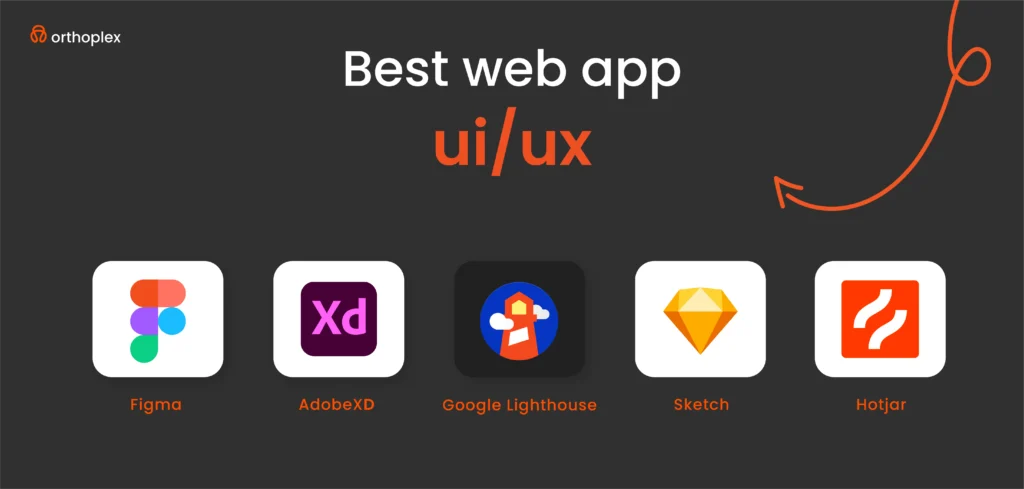
    Simplicity: Clutter kills web apps. A simple design with easy navigation gets users where they need to go, fast. Apple’s website (apple.com) nails this: clean lines, big images, and a menu that doesn’t overwhelm. Designers can lean on tools like Figma to strip away extras, while businesses see the payoff, fewer confused customers mean more completed actions.

    Consistency: Your web app should feel the same on every page, no matter the browser. Airbnb’s dashboard (airbnb.com) is a perfect case: fonts, colors, and button styles stay uniform, so users don’t have to relearn the layout when they switch from browsing to booking. The Material Design guidelines from Google push this hard, consistency builds trust and speeds up use.

    Performance: Speed is non-negotiable. A Google study found pages loading under 2 seconds keep users engaged, every second past that spikes bounce rates. Tools like Google Lighthouse help optimize this, and it’s why Amazon’s web app loads in a blink. For businesses, slow performance isn’t just annoying, it’s lost revenue.

    Mobile-First Design: Over 60% of web traffic comes from mobile browsers, according to Statista. That means your web app has to work flawlessly on a phone screen first, then scale up. Think thumb-friendly buttons and responsive layouts, Bootstrap grids make this easier. 

    Accessibility: Web apps have to work for everyone, and that’s not just good practice, it’s the law. WCAG 2.1 standards demand things like 4.5:1 color contrast and screen reader support because 15% of people have disabilities, per the CDC. Slack’s web app gets this right, clear text and keyboard navigation keep it usable for all. Skip this, and you’re not just risking lawsuits you’re losing customers.

    UI and UX together shape how your business shows up online, and these principles are the foundation for everything that follows, from tools to workflows. Whether you’re designing a checkout page or running a complex SaaS platform, start here.

    Web App UI/UX Best Practices in 2025

    Building a web app that stands out in 2025 means getting the details right, both what users see (UI) and how they move through it (UX). These best practices aren’t just tips; they’re proven ways to keep customers engaged and your business growing. Whether you’re designing a banking portal or an e-commerce site, here’s how to nail web app UI/UX this year, backed by real-world examples and solid data.

    A. UI Design Best Practices

    Your web app’s user interface is the first thing people notice in their browser, it’s got to look good and work intuitively. Here’s how to make it happen:

    Navigation & Information Hierarchy: Keep menus simple and structured so users find what they need without thinking twice. Slack’s web app (slack.com) is a masterclass, its sidebar puts channels, messages, and settings in a clear, vertical stack. No hunting around, no clutter. The Nielsen Norman Group says good navigation cuts task time by 25%, and for businesses like SaaS providers or retailers, that means more completed actions, whether it’s sending a message or adding to a cart. Use breadcrumbs or a top bar for deeper pages, and test it across browsers to keep it smooth.

    Typography & Readability: Text has to be easy on the eyes, legible fonts, strong contrast, and proper spacing are non-negotiable. Google’s web apps, like Gmail (gmail.com), stick to sans-serif fonts like Roboto at 16px or higher, with black-on-white contrast hitting WCAG’s 4.5:1 ratio. Why? The WebAIM Million report found 85% of sites fail basic readability, don’t be one of them. Space lines at 1.5x the font size, and avoid tiny text on mobile browsers. For designers, tools like Figma help nail this; for businesses, readable text keeps users from bouncing off a confusing banking form or product page.

    Color Psychology: Colors aren’t just decoration, they shape how users feel. Blue signals trust (think Capital One’s web banking at capitalone.com), red grabs attention for urgency (like sale banners on Walmart’s site), and green pushes action (Amazon’s “Buy Now” button). A Forbes study shows 85% of users say color influences their choices, pick a palette that fits your brand and guides clicks. Keep it simple: 2-3 main colors, plus neutrals, and test contrast with tools like Coolors to stay accessible.

    Microinteractions & Animations: Small, functional animations, like a button glowing when clicked or a loading spinner, tell users the app’s alive. Dropbox’s web app (dropbox.com) uses a subtle checkmark when a file saves, cutting confusion. The Smashing Magazine guide says microinteractions boost engagement by 20% when done right, but overdo it, and you’ll slow the site down. Keep them under 300ms, tied to actions like form submits or page transitions, and skip the flashy stuff. For businesses, this builds trust; for designers, it’s a chance to add polish without clutter.

    B. UX Design Best Practices

    UX is about the journey, making sure users get from point A to point B in your web app without frustration. Here’s what works in 2025:

    User Flow Optimization: The Baymard Institute found 69% of carts get abandoned due to complex flows; streamline yours with clear paths, like a “Next” button instead of a maze of links. Map flows in tools like Miro, and for businesses, this means higher conversions, whether it’s a sale or a support ticket closed. Then test with real users to spot any hiccups.

    Web Performance Optimization: Speed is king, pages need to load in under 2 seconds. A Google study ties every extra second to a 20% drop in engagement. Run Google Lighthouse to compress images (use WebP format), cut JavaScript bloat, and leverage CDNs. Also, consider testing on slow networks to mimic real-world use.

    Error Prevention & Handling: Stop mistakes before they happen, and fix them clearly when they do. Inline validation, like Gmail highlighting a mistyped email as you go, cuts form errors by 22%, according to Nielsen Norman. When errors pop up, ditch vague “Something went wrong” messages for specifics: “Password must be 8+ characters.”

    User Feedback & Testing: You can’t guess what users need, ask them. Heatmaps (via Hotjar and Microsoft Clarity) show where they click or stall, A/B testing (with Optimizely) reveals what layout wins, and session replays catch pain points, like users abandoning a slow retail checkout. 

    These practices are how web apps survive in 2025. Tools like Lighthouse or Hotjar make it doable, and the payoff, engagement, trust, revenue, is worth every effort.

    quote 1: Web app UI/UX design best practices and trends for 2025.

    Top 10 Common Web App UI/UX Mistakes and How to Fix Them

    Even the best intentions can trip up a web app if you fall into common UI/UX mistakes. These mistakes frustrate users, drive them away, and cost businesses real money, whether it’s lost sales or abandoned logins.

    Here’s a rundown of the top 10 culprits in 2025, with straightforward fixes backed by examples and tools, so designers can polish their craft and companies can keep customers clicking in their browsers.

    Overcomplicated UI

    Problem: A web app stuffed with too many buttons, options, or visuals overwhelms users. More choices mean slower decisions, and users bounce. 

    Fix: Go minimalist and functional. Clean layouts, a few key actions, and plenty of white space guide users without clutter. Designers can use Figma to strip down wireframes while businesses see higher completion rates.

    Ignoring Mobile Users

    Problem: Designing for desktop first flops when 60% of web traffic is mobile! A cramped, unresponsive UI on a phone screen, loses customers fast.

    Fix: Start with mobile-first design using responsive frameworks like Bootstrap, adjust the app seamlessly, with thumb-friendly buttons. Designers, test on real devices, and businesses, keep mobile shoppers in the game.

    Slow Load Times

    Problem: Pages dragging past 2 seconds bleed users, Google says bounce rates jump 32% from 1 to 3 seconds. So, if your app is sluggish on a high traffic season? Sales gone, that easy.

    Fix: Optimize images (use WebP), add lazy loading, and run Google Lighthouse. Amazon’s web app (amazon.com) loads in a blink, keeping carts full. Designers can compress assets and check performance on slow 4G to mimic real life. 

    Inconsistent Design

    Problem: Mixed fonts, colors, or button styles across pages, like Equifax’s post-2017 mess, confuse users and erode trust. The Forbes Tech Council says consistency cuts learning time by 20%.

    Fix: Use a design system like Material UI (material-ui.com) or Tailwind CSS (tailwindcss.com) to build a style guide and keep users comfortable as familiarity drives repeat visits.

    Confusing Navigation

    Problem: Buried menus or unclear paths. The Baymard Institute found 40% of e-commerce sites lose sales to bad navigation.

    Fix: Use clear menus and breadcrumbs. Add a search bar for deep sites. Map navigation and watch task completion soar and users find products or support without frustration.

    Lack of User Testing

    Problem: Guessing what users want misses the mark, Nielsen says 85% of UX issues come from skipping tests. A bank portal launched untested? Logins fail, trust fades.

    Fix: Use tools like heatmaps or Crazy Egg for click tracking. So, designers can run five-user tests to catch problems before they cost you customers. And tweak your web app based on real user data. 

    Inaccessible UI

    Problem: Low contrast or no keyboard support locks out users with disabilities. The WebAIM Million flags 98% of sites failing WCAG 2.1, so, legal and revenue risks pile up.

    Fix: Follow WCAG 2.1 (w3.org), 4.5:1 contrast, keyboard navigation.

    Annoying Pop-ups

    Problem: HubSpot says pop-ups that block content, like aggressive ads, irritate users, with 73% leaving sites over them. So avoid pushing sign-ups too hard to get customers to love your web app!.

    Fix: Use them sparingly, gentle nudges, time pop-ups after 10 seconds, keep users focused on their task.

    Top 5 Web App UI/UX Tools in 2025

    The right tools can make or break your web app’s UI/UX, helping designers craft browser-friendly interfaces and businesses launch apps that keep users coming back.

    These five stand out for their power, ease, and focus on web-specific needs, from prototyping to performance.

    Here’s why these tools lead the pack, with real-world proof of their impact.

    Figma

    What It Does: Figma is a cloud-based design tool that’s taken over web app UI creation, letting teams build, prototype, and collaborate in real time, all in the browser.

    Why It’s Great: Its flexibility shines for web apps, think responsive layouts that adjust from desktop to mobile with a click. The 2023 Design Census found 70% of designers rely on it, thanks to its unique features like auto-layout and dev handoff.

    For You: Designers can save hours with shared libraries, update a button style once, and it syncs everywhere. Figma’s real-time collaboration cuts feedback loops, speeding up the process from concept to live.

    Adobe XD

    What It Does: Adobe XD is a powerhouse for designing and prototyping interactive web app experiences, with tight integration into the Adobe ecosystem.

    Why It’s Great: It’s built for web-specific needs, drag-and-drop responsive grids, and test how a checkout flows across browsers. It helps to mock up fast-loading product pages, adding hover effects or transitions that mirror the live site. Adobe’s own data shows it cuts prototyping time by 30% with features like voice triggers, handy for future web trends.

    For You: Designers can turn static designs into clickable demos. Also, they can benefit from its Creative Cloud sync, pair it with Photoshop for assets, to ensure a sleek web app launch.

    Sketch

    What It Does: Sketch is a Mac-based tool focused on pixel-perfect web UI design, churning out high-fidelity mockups for browser interfaces.

    Why It’s Great: It’s lightweight and laser-focused on web visuals. Plugins like Craft let you test responsiveness across Chrome or Safari, and its vector tools nail typography and spacing. UX Design Institute notes Sketch still holds a loyal 25% of the design market for its speed.

    For You: Designers get clean, export-ready files, perfect for solo pros or small teams. They can design polished UIs that translate straight to code, cutting development time.

    Hotjar

    What It Does: Hotjar tracks how users interact with your live web app, heatmaps, click tracking, and session replays, all in one.

    Why It’s Great: It’s the eyes on your web app post-launch to see where users click, scroll, or drop off so tweaking can be based on real data.

    For You: Post-launch, businesses can catch issues before they tank conversions, keeping their conversion flowing.

    Google Lighthouse

    What It Does: Lighthouse is a free, open-source tool from Google that audits your web app’s performance, accessibility, and SEO, right in Chrome.

    Why It’s Great: It’s the gold standard for web optimization. Run it, and you’ll get scores on load time, plus fixes like image compression or lazy loading. It also flags WCAG gaps, keeping you compliant.

    For You: Tweak assets for speed and improve bounce rates. It’s built into Chrome DevTools, businesses can run it weekly to keep their web app sharp and user-friendly.

    Top 5 apps: Web app UI/UX design best practices and trends for 2025.

    Best Web App UI/UX Frameworks in 2025

    Frameworks are the backbone of a great web app. They speed up development, ensuring smooth UX, and keeping UI sharp in the browser.

    In 2025, these five stand out for building web apps that users love. They’re not just code libraries. they’re proven solutions used by top companies to deliver in a competitive online world.

    Here’s why they’re the best, with practical details for designers and businesses.

    React.js [Best for Dynamic Web Apps]

    What It Is: React.js is a JavaScript library from Facebook that builds fast, interactive web app UIs with reusable components.

    Why It’s Great: It’s perfect for dynamic web apps where content updates without reloading. Developers use React for its speed and flexibility, the virtual DOM keeps things snappy, even with heavy data. You can pair it with libraries like Material-UI for polished looks.

    For You: Designers love the component system, build a button once, reuse it everywhere. Businesses get fast, engaging web apps that keep users hooked. It’s got a learning curve, but React’s docs make it doable, and the payoff is worth it.

    Vue.js [Lightweight, Flexible]

    What It Is: Vue.js is a progressive JavaScript framework that’s easy to pick up and scales from small features to full web apps.

    Why It’s Great: It’s lightweight, less code bloat means faster loads, and flexible enough for GitLab’s clean, functional web app (gitlab.com). Stack Overflow’s 2023 survey ranks it among the top five frameworks, loved by 19% of developers for its simplicity and two-way data binding. It’s great for web apps needing quick updates, like project dashboards or forums.

    For You: Designers tweak UI fast with Vue’s clear structure and can launch lean web apps without heavy overhead.

    Tailwind CSS [Fast, Responsive Design with Utility Classes]

    What It Is: Tailwind CSS is a utility-first CSS framework that lets you style web apps right in your HTML, no custom CSS needed.

    Why It’s Great: It’s built for speed and responsiveness. It’s outpacing rivals, with devs praising its “write less, do more” approach. Forbes notes it cuts styling time by 40%.

    For You: Designers prototype web UIs in hours, not days. It’s less opinionated than Bootstrap, so you control the look, just keep an eye on HTML clutter.

    Bootstrap [Pre-Built UI Components, Great for Fast Development]

    What It Is: Bootstrap is a CSS framework with ready-made components—buttons, forms, grids—for quick web app builds.

    Why It’s Great: It’s a time-saver, for example, for responsive product pages that work across browsers out of the box. W3Schools calls it the most popular framework, with a massive community and docs. Its a 12-column grid ensures mobile-first UX, and pre-styled elements cut dev time. 

    For You: Designers tweak components fast and can launch web apps on tight deadlines. It’s less flexible than Tailwind but perfect when speed trumps customization.

    Angular [Enterprise-Level Web Apps]

    What It Is: Angular is a full-fledged framework from Google, built for complex, scalable web apps with TypeScript.

    Why It’s Great: It’s the choice for enterprise heavyweights for robust, data-heavy UIs. Stack Overflow 2023 ranks it in the top 10, with 17% of devs using it for its structure, two-way binding, and dependency injection, which keep big apps manageable. It’s overkill for small sites but shines for intricate web apps like financial and b2b portals.

    For You: Designers align with devs on structured UI to design reliable, large-scale web apps, like a manufacturer’s dashboard, that handle thousands of users. 

    These frameworks power the web apps you use every day. React and Vue bring flexibility, Tailwind and Bootstrap speed things up, and Angular tackles the big stuff. Designers, pick what fits your flow. And businesses, lean on these to deliver web apps that perform, scale, and keep users clicking.

    Top 5 frameworks: Web app UI/UX design best practices and trends for 2025.

    The Web App UI/UX Work Funnel

    Turning a web app idea into a live, user-friendly reality isn’t guesswork, it’s a process. This work funnel takes you from scratch to launch, ensuring your web app’s UI looks great and its UX keeps users in the browser. Each step builds on the last, blending design and strategy to deliver results.

    Here’s how it works in 2025, with tools, examples, and real-world proof to guide designers and businesses alike.

    Research & User Personas [Define Your Audience]

    What It Is: Start by figuring out who’s using your web app and what they need.

    How It Works: Dig into analytics, run surveys, and interview stakeholders to build user personas. Knowing your audience stops you from building blind.

    Wireframing & Prototyping [Create Rough UI Drafts]

    What It Is: Sketch the web app’s layout and flow, low-fidelity drafts to test ideas fast.

    How It Works: Tools like Figma let you draw basic UI without polish. Wireframes focus on structure, while prototypes add clicks. Issues get caught early this way are cheaper than fixing later!

    Design Phase [Develop High-Fidelity UI]

    What It Is: Turn rough drafts into pixel-perfect web UI, colors, fonts, buttons, ready for browsers.

    How It Works: Use Adobe XD for interactive polish or Sketch for precision. Add hover effects, responsive grids, and WCAG-compliant contrast (4.5:1).

    Development & Integration [Implement UI in React, Vue, Angular]

    What It Is: Code the UI into a working web app, hooking it to back-end systems.

    How It Works: Pick a framework like React, Vue, or Angular. Ensuring buttons and layouts match the design. Test APIs early.

    User Testing & Iteration [A/B Testing, Usability Studies]

    What It Is: Test the live web app with real users, tweak based on what breaks.

    How It Works: Run A/B tests. Does button A or B get more clicks? And run replays sessions to see where users stall on a checkout.

    Launch & Optimization [Monitor User Behavior, Refine UX]

    What It Is: Go live, then keep improving based on real-world use.

    How It Works: Launch with monitoring. Refine based on data to keep users happy. Plan monthly updates to stay sharp.

    This funnel isn’t rigid. It’s a cycle. Research shapes wireframes, testing refines design, and optimization keeps your web app alive.

    Web App Accessibility & Compliance

    Accessibility isn’t a checkbox for web apps, it’s a must-do that keeps your business safe, your users included, and your reputation strong. In 2025, a web app that ignores compliance risks, legal trouble, and shuts out potential customers. Here’s why accessibility matters for your web app, with clear reasons and fixes to get it right.

    Legal Risks

    Target, in 2019, it paid $6 million to settle a lawsuit because its web app (target.com) wasn’t accessible! Screen readers couldn’t navigate, leaving blind users locked out. For businesses this isn’t optional. A clunky web app could mean fines, legal fees, and a PR mess.

    Inclusivity Wins

    Accessibility isn’t just about avoiding trouble, it’s about reaching everyone. The CDC estimates 15% of people have disabilities. That’s millions of potential users who need features like screen reader support or high-contrast text. This is revenue on the table, it’s your chance to make a web app that works for everyone.

    Practical Fixes

    Getting accessibility right doesn’t have to be hard. Here are three key fixes that make a big difference:

    Text Contrast 4.5:1 for Readability: Low contrast, like gray text on a light background, hides content from users with vision issues. WCAG 2.1 demands a 4.5:1 contrast ratio for readable text. Use tools like Contrast Checker to test. Aim for 16px fonts or higher, too. Keep forms and menus visible.

    Alt Text for Images: Images without alt text, like a product photo or logo, are invisible to screen readers, leaving blind users lost. WCAG requires descriptive alt text. Write it short and clear (under 125 characters).

    Keyboard Navigability: Some users can’t use a mouse so your web app needs to work with a keyboard. Hit “Tab” to move, “Enter” to click. Smashing Magazine found 10% of users rely on keyboards, and WCAG demands it. 

    These fixes are essential. Legal risks push you to act. However, 15% of your audience isn’t a niche.

    quote 2: Web app UI/UX design best practices and trends for 2025.

    Future Trends in Web App UI/UX (2025 and Beyond)

    The web app landscape is shifting fast, and by 2025, UI/UX won’t just be about buttons and layouts. It’ll be smarter, more interactive, and built for how users live online. These trends are driven by tech advances and changing expectations.

    Here’s what’s coming, with examples and proof of why it matters for web apps in North America and beyond.

    AI-Powered Personalization

    Personalization keeps users engaged. AI tailors web app experiences to each user, like recommendations or layouts that shift based on behavior, all in real time, making web apps feel custom-built.

    Voice UI & Conversational Interfaces

    Voice commands let users navigate web apps hands-free, powered by natural language processing. Smashing Magazine predicts 20% of web interactions will be voice-driven by 2025. NPR reports 40% of U.S. adults use voice daily. It’s hands-free UX in your browser. Designers, can test voice with Dialogflow to pair voice with clear UI cues for hybrid use.

    Augmented Reality (AR) Integration

    AR overlays digital visuals on the real world via web browsers, no app download needed. Designers can prototype with Three.js to design virtual tours.

    Dark Mode Adoption

    Adjustable UI themes, like dark mode, let users switch to low-light, high-contrast designs. Web.dev notes 70% of users prefer dark mode for comfort and battery savings on OLED screens. Designers can use CSS media queries (prefers-color-scheme) to build it.

    Zero UI (Invisible Interfaces)

    Interfaces fade away, replaced by gestures or voice! It’s the next step. Forbes says 25% of web apps will test zero UI by 2027, starting in 2025. Gesture swipes or voice commands cut screen clutter. Designers, experiment with WebXR for gestures. It’s niche now, but watch it grow aggressively.

    These trends are here already, adopt them to stay ahead.

    Measuring Web App UI/UX Success

    You need to measure how your web app is working to know if it’s hitting the mark. Success isn’t just about launching, it’s about tracking what users do in your browser and tweaking based on data.

    Here’s how to measure UI/UX success, with clear KPIs and proven tools to back it up.

    Bounce Rate [Should Be Under 40%]

    Bounce rate is the percentage of users who land on your web app and leave without clicking anything. A high rate like 60% means bad UI or slow UX.

    Time on Page

    How long users linger shows if your web app holds attention. For a SaaS tool like Slack, 2-3 minutes per page means they’re collaborating. Low time means your UI might confuse the users. So streamline flows to keep users active and engaged.

    Task Success Rate

    This measures if users finish what they came for, like buying, logging in, submitting a form. Nielsen says aim for 85% success rate.

    User Feedback

    Run surveys to get real users’ feedback. Use questions like: “How likely are you to recommend this web app?” on a 0-10 scale. Run it via SurveyMonkey post-task.

    Best Tools for UX Analytics

    Google Analytics 4 (GA4)

    GA4 tracks how users move through your web app, bounce rates, time on page, conversions, all in real time.

    Hotjar

    Hotjar shows where users click, scroll, or stall with heatmaps and replays. It’s visual proof of UX flaws.

    Crazy Egg

    Crazy Egg runs A/B tests (e.g., red vs. green “Buy” button) and maps how far users scroll. Did they miss your call-to-action? 

    Tracking these KPIs with these tools turns guesswork into action.

    Conclusion

    Web app UI/UX isn’t a trend to watch, it’s the pulse of your online presence in 2025. Great UI/UX drives engagement, boosts conversions, and keeps users coming back. This isn’t optional, web apps with great UI/UX win markets; ones that lag, fade away. Designers, you’ve got the tools and process to lead. Businesses, prioritize UI/UX now, audit it, build it, refine it, and your web app will turn clicks into customers.

  • How Does CI/CD and Complete SDLC Actually Work? Best Practices and Trends

    How Does CI/CD and Complete SDLC Actually Work? Best Practices and Trends

    Software development has come a long way over the past few decades. Gone are the days of rigid, linear methodologies that left little room for flexibility. Back then, the Waterfall model ruled the roost, a structured, step-by-step approach where planning, design, implementation, and testing were strictly separated. While it worked well for predictable, long-term projects, it often stumbled when faced with mid-cycle changes, leading to inefficiencies and missed opportunities in fast-moving markets.

    Enter Agile and, later, DevOps game-changers that brought flexibility, collaboration, and automation to the software development lifecycle (SDLC). Agile introduced iterative development, stakeholder engagement, and rapid adaptation, while DevOps took it a step further by bridging the gap between development and operations teams.

    Today, businesses are under more pressure than ever to deliver high-quality software quickly and reliably. It’s not just about technology; it’s a cultural shift. Businesses now understand that agility, speed, and innovation are critical to staying competitive. With CI/CD pipelines and a solid grasp of the SDLC, enterprises are better equipped to meet these demands head-on.

    Why Do Enterprises Need Faster, Reliable Software Delivery?

    The pace of technological change is relentless, and consumer expectations are higher than ever. Companies are racing to deliver software faster and more reliably, knowing that time-to-market can make or break their competitive edge. Whether launching new products, rolling out updates, or patching critical vulnerabilities, businesses must ensure their software is both high-performing and delivered at lightning speed.

    This demand is fueled by several factors:

    • Increased digitization: Almost every industry is going digital, and software is at the heart of this transformation.
    • Microservices: Breaking down applications into smaller, independent components allows for incremental updates and faster iterations.

    In sectors like finance, healthcare, and e-commerce, where downtime can cost millions and damage reputations, reliability isn’t just a goal, it’s a necessity. This is where Continuous Integration and Continuous Deployment (CI/CD) pipelines shine. By automating build, test, and release processes, CI/CD reduces human error, ensures consistent quality, and makes rapid, dependable software delivery the new normal.

    As enterprises scale, these capabilities will remain critical for sustaining growth and meeting the ever-evolving expectations of their stakeholders.

    So,

    What exactly are CI/CD and SDLC?

    Let’s break it down:

    Continuous Integration (CI)

    This is all about merging code changes into a shared repository frequently, often multiple times a day. Each merge triggers automated builds and tests, catching issues early and making collaboration smoother. It’s like having a safety net that ensures every piece of code fits seamlessly into the bigger picture.

    Continuous Delivery (CD)

    CD takes CI a step further by automating the preparation of code for deployment. The goal? To keep the code in a releasable state at all times. This means teams can push out features, updates, or fixes quickly and confidently, without last-minute scrambles.

    Continuous Deployment

    This is the full automation of the release process. Code changes that pass all tests are deployed directly to production without manual intervention. It’s the ultimate expression of efficiency and trust in your pipeline.

    Together, CI/CD pipelines streamline workflows, reduce risks, and accelerate the delivery of high-quality software. For enterprises in competitive markets, they’re not just helpful, they’re essential.

    Quote 1: The Ultimate Guide to CI/CD and Complete SDLC: Best Practices, Compliance Strategies, and Future Trends.

    Introduction to the Software Development Life Cycle (SDLC) and Its Stages

    Requirements Gathering: What does the software need to do? This phase is all about understanding the goals and constraints.

    Design: How will it work? This stage outlines the architecture, features, and user experience.

    Development: This is where the code comes to life.

    Testing: Does it work as intended? Testing ensures the software meets quality standards.

    Deployment: Time to go live!

    Maintenance: Post-launch, the software needs updates, fixes, and improvements.

    When paired with CI/CD, the SDLC becomes even more powerful. Automation and agility are woven into every stage, enabling enterprises to deliver scalable, secure, and innovative software solutions with confidence.

    Importance of CI/CD and SDLC for Businesses

    For large businesses, CI/CD and the SDLC are more than just tools, they’re the foundation of productivity, collaboration, and quality at scale.

    CI/CD pipelines automate repetitive tasks, freeing up teams to focus on innovation and strategic priorities. This is especially important for enterprises managing massive codebases and distributed teams across different time zones. CI/CD also fosters a culture of continuous improvement, with rapid feedback loops ensuring every code change is validated before integration or release.

    The SDLC, on the other hand, provides the structure needed to manage complex projects. In enterprise settings, where compliance, security, and stakeholder expectations are top priorities, this structure is invaluable. Together, CI/CD and the SDLC break down silos between development, operations, and quality assurance teams, promoting collaboration and a shared commitment to delivering value.

    The result?

    Software that not only meets business objectives but also excels in reliability, scalability, and security. In today’s digital economy, these frameworks aren’t optional, they’re essential for enterprise success.

    The Complete Software Development Lifecycle (SDLC)

    1. Planning and Requirements Gathering

    The planning phase sets the foundation for the entire Software Development Lifecycle (SDLC). It aligns development goals with business objectives, identifies risks, and defines a clear execution roadmap. For large-scale projects, strategic planning minimizes inefficiencies and ensures all stakeholders share a unified vision.

    Agile has revolutionized enterprise planning with its focus on flexibility, collaboration, and user-centric design. Techniques like user story mapping visualize the customer journey, while prioritization tools like MoSCoW (Must-Have, Should-Have, Could-Have, Won’t-Have) ensure resources are allocated effectively. Backlog grooming keeps priorities aligned with shifting business needs, fostering transparency and cross-functional collaboration. Early stakeholder involvement reduces the risk of misaligned expectations, driving projects toward shared goals.

    2. Design and Architecture

    This phase translates requirements into a development blueprint, ensuring scalability, security, and maintainability, critical factors in enterprise environments.

    Secure and Compliant Architectural Patterns:

    Architectural choices like microservices, event-driven systems, or serverless models enhance scalability and resilience. Security is layered through a “defense in depth” approach, incorporating token-based authentication, data encryption, and secure API gateways. Compliance frameworks like NIST guide regulatory integration, while continuous threat modeling and audits ensure robust defenses.

    Design Principles and Documentation Tools:

    Principles like SOLID and DRY promote code clarity, reusability, and robustness. Documentation tools like UML diagrams visually map system components, fostering alignment among developers, stakeholders, and operations teams. Strong design minimizes technical debt and facilitates future enhancements.

    3. Development and Coding

    This is where ideas become functional software. High-quality code demands precision, consistency, and adherence to best practices.

    Coding Standards and Secure Practices:

    Enterprises enforce coding standards (e.g., Google’s or Microsoft’s guidelines) to ensure consistency. Secure coding practices, like input validation and error handling, mitigate vulnerabilities. Version control systems like Git, with branching strategies such as GitFlow, streamline collaboration while maintaining code integrity.

    4. Testing

    Testing isn’t just about functionality, it ensures performance, security, and compliance under real-world conditions.

    5. Deployment and Release

    Deployment isn’t just about launching new features, it’s about stability, security, and compliance in production environments.

    Strategic Deployment with Compliance Safeguards:

    Techniques like blue/green deployments and canary releases minimize risks. Blue/green setups ensure quick rollbacks if issues arise, while Canary releases test changes with small user groups before full rollout. Embedding compliance checks ensures data handling aligns with regulations like GDPR.

    Infrastructure as Code (IaC):

    IaC tools (Terraform, AWS CloudFormation) automate environment setup, reducing manual errors and enhancing security. By coding compliance requirements (e.g., encryption, access controls), enterprises ensure every environment, development, testing, production, meets regulatory standards.

    6. Monitoring and Maintenance

    Post-deployment, continuous monitoring ensures software remains secure, performant, and compliant.

    Proactive Maintenance and Evolution:

    Monitoring goes beyond detection, it informs system improvements. Regular audits, performance reviews, and feedback loops help enterprises adapt to evolving business needs and regulatory changes, ensuring long-term software resilience.

    Quote 2: The Ultimate Guide to CI/CD and Complete SDLC: Best Practices, Compliance Strategies, and Future Trends.

    Continuous Integration (CI)

    a. Definition and Purpose

    Continuous Integration (CI) is a development practice where code changes are frequently merged into a shared repository, often multiple times a day. Each integration triggers automated builds and tests, helping teams detect bugs, security vulnerabilities, or conflicts early. This rapid feedback loop ensures code remains stable and maintainable, reducing integration issues common in large, complex projects. For enterprises, CI accelerates delivery cycles, fosters team collaboration, and minimizes costly late-stage rework, crucial for maintaining a competitive edge.

    Why CI Matters?

    For businesses, CI isn’t just about faster code delivery. It’s about building secure, compliant, and high-quality software, efficiently. By adopting CI best practices, leveraging powerful tools, and integrating automated compliance checks, organizations can deliver software that meets both technical and regulatory demands while accelerating innovation.

    b. Merging Code Changes with Automated Builds and Tests

    Frequent code commits prevent the “integration hell” that arises when developers work in isolation. CI pipelines automatically trigger builds and tests for every commit, validating functionality, security, and compliance. This approach not only catches issues early but also supports incremental feature releases, faster bug fixes, and smoother project scaling. By continuously verifying code quality, CI maintains development momentum without sacrificing stability.

    c. Best Practices for Effective CI

    To maximize CI’s benefits, enterprises should:

    Commit Early and Often: Small, frequent commits reduce merge conflicts and make debugging easier.

    Maintain a Single Source Repository: Centralized version control (e.g., Git) ensures transparency, minimizes version drift, and streamlines collaboration.

    Automate Everything: Automating builds, tests, security scans, and compliance checks reduces human error and speeds up feedback loops. This allows developers to focus on innovation rather than manual verification.

    Embedding these practices into the development culture ensures consistency, resilience, and efficiency at scale.

    d. Automation: The Core of CI

    The concept of “commit early, commit often” thrives on automation. Each commit triggers a chain reaction, automated builds, code quality checks, unit tests, and security scans, all executed without manual intervention. This automation enforces coding standards, identifies vulnerabilities, and ensures compliance with internal and regulatory requirements. A centralized repository keeps everyone aligned, while automation provides real-time insights, driving continuous improvement.

    e. Tools and Technologies for CI

    Popular CI tools streamline workflows and integrate seamlessly with modern development environments:

    Jenkins: A flexible, open-source CI tool with extensive plugin support, suitable for complex enterprise environments.

    GitLab CI: Integrated with GitLab repositories, offering built-in version control and CI/CD automation.

    CircleCI: Optimized for speed, with cloud-based pipelines that scale effortlessly for fast deployments.

    These platforms automate repetitive tasks, manage workflows, and enhance collaboration across distributed teams.

    Ensuring Security and Compliance in CI/CD Pipelines

    As enterprises navigate the complexities of modern software development, security, and compliance are no longer optional add-ons, they are foundational requirements. Integrating these principles into every phase of the CI/CD pipeline and Software Development Life Cycle (SDLC) ensures that applications are not just fast to market but also secure, resilient, and compliant with regulatory frameworks. This section explores how DevSecOps, automated compliance checks, and robust access control mechanisms can fortify the security and compliance posture of enterprise software development.

    a. Integrating DevSecOps for Secure Development

    DevSecOps, short for Development, Security, and Operations, extends the DevOps philosophy by embedding security practices directly into the CI/CD pipeline. Rather than treating security as an isolated function handled after development, DevSecOps ensures that security is integrated from the very start of the development process. This “shift-left” approach brings security considerations into earlier stages, enabling faster identification and mitigation of vulnerabilities.

    b. Automating Compliance Checks

    Regulatory compliance is critical, especially for industries dealing with sensitive data, such as finance, healthcare, and government. Manual compliance processes are often time-consuming, error-prone, and reactive. To address these challenges, enterprises can implement automated compliance checks within CI/CD pipelines.

    c. Implementing Access Control and Monitoring

    Strong access control and continuous monitoring are critical for securing CI/CD pipelines. Without proper safeguards, pipelines can become vulnerable entry points for malicious actors.

    d. Risk Mitigation Strategies

    Even with robust security measures, risks can never be fully eliminated. Therefore, proactive risk mitigation strategies are essential to minimize the impact of potential security incidents.

    e. Regulatory Compliance Frameworks

    To meet global regulatory requirements, enterprises must align their CI/CD pipelines with relevant compliance frameworks, such as:

    GDPR: Governs data privacy and protection for EU citizens.

    HIPAA: Sets standards for protecting sensitive health information in the U.S.

    PCI-DSS: Defines security requirements for processing credit card transactions.

    SOX: Enforces financial transparency and security controls for publicly traded companies.

    Each framework imposes specific requirements regarding data handling, security controls, and auditability. By integrating compliance checks into CI/CD pipelines, organizations can ensure continuous adherence to these frameworks, reducing the risk of legal penalties and reputational damage.

    Quote 3: The Ultimate Guide to CI/CD and Complete SDLC: Best Practices, Compliance Strategies, and Future Trends.

    Advanced CI/CD Concepts

    Microservices and CI/CD

    Microservices, where applications are divided into smaller, independent services, are now foundational in software development. However, managing CI/CD pipelines for microservices comes with challenges, especially around ensuring compliance across multiple distributed services. Each microservice might have its own pipeline with different technology stacks and compliance requirements, making centralized policy management essential. To streamline this, enterprises should automate compliance checks, vulnerability scanning, and security testing at the service level.

    Additionally, tools like Kubernetes ensure consistency across environments, and API management helps secure interactions between services.

    Serverless Computing and CI/CD

    Serverless computing has become popular for its efficiency, as developers focus on writing functions instead of managing infrastructure. However, this creates challenges in maintaining security and compliance, since the cloud provider controls the underlying infrastructure. Serverless CI/CD pipelines must integrate monitoring, logging, and auditing to ensure secure deployments and compliance with regulations. Tools like AWS Lambda, Azure Functions, and Serverless Framework help automate deployments and ensure compliance, even in an ephemeral environment.

    AI/ML in CI/CD

    Artificial Intelligence (AI) and Machine Learning (ML) are revolutionizing CI/CD by enabling predictive capabilities, automation, and optimization. AI can analyze CI/CD data to identify patterns and predict issues before they arise, improving testing efficiency. Additionally, AI can optimize pipeline operations, predict the best testing times, and even automate repetitive tasks. With AI/ML, enterprises can also enhance security by detecting vulnerabilities and compliance violations across the pipeline, ensuring a continuous flow of high-quality, secure software.

    Best CI/CD and Complete SDLC Frameworks, Strategies, and Practices for 2025

    As software development continues to evolve, frameworks like GitOps, FinOps, and DevSecOps are transforming how enterprises approach CI/CD and SDLC. GitOps simplifies infrastructure management by automating deployments through Git repositories, offering enhanced visibility, and ensuring compliance. FinOps optimizes cloud costs within CI/CD pipelines, balancing resource usage with budget constraints, and aiding scalability. DevSecOps integrates security into every stage of development, automating security checks and vulnerability assessments to maintain compliance continuously.

    For successful CI/CD practices, businesses should focus on Infrastructure as Code (IaC), observability, and a compliance-first approach. IaC automates infrastructure management, minimizing human error and ensuring compliance from the start. Observability tools, like Prometheus and Datadog, provide real-time insights into application health, optimizing performance and ensuring compliance. A compliance-first approach embeds regulatory checks directly into CI/CD pipelines, reducing manual effort and maintaining audit readiness.

    By integrating frameworks and practices, businesses can enhance their CI/CD processes, balancing performance and compliance efficiently. Continuous improvement and alignment with standards will ensure long-term success in the ever-changing software landscape.

    Future of CI/CD and SDLC

    The future of CI/CD and SDLC is driven by emerging trends like AI-powered pipelines, edge computing, and low-code/no-code platforms. AI will enable predictive automation and intelligent decision-making, enhancing testing, deployment, and security. Edge computing will reshape CI/CD pipelines to support decentralized systems, demanding more frequent updates while maintaining regulatory compliance. Low-code/no-code platforms democratize development, but ensuring compliance will remain a challenge that requires integrated automated pipelines.

    As regulatory standards become more stringent, enterprises must prepare for evolving compliance requirements by embedding automated checks into CI/CD processes. This proactive approach will safeguard customer trust and ensure adherence to evolving regulations like GDPR and HIPAA.

    Cultural shifts, including the rise of DevOps maturity and cross-functional teams, will further shape the future of CI/CD. Leaders will be pivotal in driving innovation, fostering collaboration, and ensuring that teams are equipped to navigate the evolving software development landscape. The integration of security, compliance, and development functions will become essential for enterprises to stay competitive and compliant in the years ahead.

    Best CI/CD Software in 2025

    When it comes to CI/CD and SDLC in businesses, some software stand out as the most efficient and widely used tools, each excelling in different aspects of the software development lifecycle.

    1. Jenkins

    It’s an open-source automation server known for its flexibility and extensive plugin ecosystem. It’s ideal for organizations that require deep customization, integration with a wide range of tools, and support for legacy systems. Because of its self-hosted nature, Jenkins is best suited for companies that need complete control over their CI/CD pipelines.

    2. GitLab CI/CD

    It’s built directly into GitLab, offers a seamless end-to-end DevOps experience. It provides source code management, CI/CD pipelines, and security scanning in a single platform, making it a great choice for teams that want an integrated solution without relying on third-party tools. Its native Git support and built-in automation make it particularly beneficial for cloud-native organizations.

    3. GitHub Actions

    It is a powerful event-driven CI/CD tool that integrates natively with GitHub repositories. It’s perfect for teams already using GitHub, as it allows developers to automate workflows, build, test, and deploy applications without leaving the platform. Its ease of use and cloud-based nature make it an excellent choice for startups and businesses looking for simple yet effective automation.

    4. Azure DevOps

    It’s a comprehensive DevOps suite from Microsoft, offering project management, version control, CI/CD pipelines, and testing capabilities. It’s the best choice for enterprises operating in a Microsoft ecosystem or those needing hybrid cloud and on-premises support. With strong integration into Azure services, it’s the go-to platform for teams that rely on Microsoft technologies.

    5. Atlassian Bamboo

    It’s a robust CI/CD tool designed for companies already using the Atlassian suite (Jira, Bitbucket, Confluence). Its deep integration with these tools makes it ideal for enterprise teams that prioritize traceability, collaboration, and automated testing. Bamboo is best suited for large-scale development teams that need a structured, highly integrated CI/CD environment.

    Top Software: The Ultimate Guide to CI/CD and Complete SDLC: Best Practices, Compliance Strategies, and Future Trends.

    Choosing the right tool depends on business needs and existing infrastructure. Jenkins offers unmatched flexibility, GitLab CI/CD provides an all-in-one DevOps workflow, GitHub Actions is great for GitHub-native automation, Azure DevOps is perfect for Microsoft-centric enterprises, and Bamboo is the best choice for Atlassian-integrated software development.

    Conclusion

    The landscape of software development is rapidly transforming, and the integration of Continuous Integration/Continuous Deployment (CI/CD) with Software Development Life Cycle (SDLC) practices is at the heart of this change. As we move toward 2025, enterprises are increasingly recognizing the need to accelerate software delivery while maintaining a strong focus on security, compliance, and scalability. In this blog, we’ve explored how the evolution of CI/CD and SDLC is reshaping the way companies develop, deploy, and manage software.

    By adopting the best frameworks, strategies, and practices for 2025, organizations can not only keep up with the pace of change but lead the charge in delivering innovative, compliant, and secure software solutions. The path forward is clear: automation, security, and compliance are not just buzzwords but the pillars on which the next generation of software development will be built.

  • How to Incorporate Server and Application Monitoring into your Security?

    How to Incorporate Server and Application Monitoring into your Security?

    In today’s fast-paced digital landscape, every aspect of the security system is crucial for enterprises to protect and maintain their sensitive data and infrastructure. That’s why server and application monitoring for enterprises isn’t just a technical necessity, it’s a strategic imperative.

    Application and server monitoring refers to the practice of continuously observing, analyzing, and managing the performance, availability, and health of IT infrastructure and applications. For enterprises and large companies, these processes are vital to ensuring smooth operations, robust security, and seamless user experiences. In this article, we will delve deeply into why monitoring matters, the core concepts involved, challenges faced by enterprises, tools and technologies available, best practices to implement, compliance, and much more.

    The cost of not implementing application and server monitoring

    The cost of not implementing application and server monitoring in enterprises can be enormous, both in terms of financial losses and long-term brand reputational damage. When monitoring is neglected, critical issues such as server downtime, slow application performance, or security breaches can go undetected, leading to prolonged disruptions and significant service outages.

    A prime example of this is the 2017 incident with BT, the UK’s telecommunications giant, which suffered a widespread outage due to a failure in its core systems. The outage, which lasted for several days, left thousands of customers without phone and internet service, and the company faced substantial financial penalties and customer dissatisfaction.

    The lack of real-time monitoring meant that BT couldn’t identify the root cause of the problem quickly, which amplified the negative impact. Beyond the immediate costs of service disruption, BT also had to deal with the long-term consequences of lost customer trust, a tarnished brand reputation, and the financial burden of compensating affected customers.

    This incident is a powerful reminder of the high stakes for enterprises that fail to invest in robust monitoring solutions. The key takeaway is that proactive application and server monitoring can not only prevent such costly disruptions but also ensure better system performance, security, and an enhanced customer experience.

    Let’s start by understanding the value of effective monitoring.

    Why are application and server monitoring crucial for Enterprises?

    Uptime and Reliability

    Continuous monitoring is the backbone of enterprise IT operations, to ensure that critical systems remain operational and downtime is minimized. Modern monitoring systems utilize predictive analytics and machine learning algorithms to identify anomalies and forecast potential failures before they disrupt operations.

    This proactive approach allows IT teams to implement preemptive solutions, reducing Mean Time to Resolution (MTTR) and enhancing overall system reliability. For enterprises managing globally distributed systems, even a minor disruption can ripple through interconnected networks, causing significant delays and financial losses.

    Security and Compliance

    Advanced monitoring tools serve as an essential defense mechanism against security breaches and compliance risks. These systems are capable of real-time threat detection, identifying vulnerabilities, tracking unauthorized access attempts, and ensuring data integrity. In regulated industries like finance and healthcare, maintaining an auditable trail of logs is not just a best practice but a legal requirement.

    Monitoring systems equipped with AI-driven security analytics can detect sophisticated attack patterns and provide actionable insights, allowing enterprises to stay ahead of evolving cyber threats. This capability not only safeguards sensitive information but also ensures adherence to regulatory standards such as GDPR, HIPAA, or SOC 2.

    Scalability

    For enterprises, scalability is synonymous with growth. Effective monitoring enables organizations to manage their IT resources dynamically, ensuring optimal performance during traffic surges or seasonal peaks. By tracking resource utilization metrics such as CPU, memory, and storage, monitoring tools provide insights into infrastructure capacity.

    This data allows decision-makers to allocate resources efficiently, automate scaling processes, and prevent over-provisioning, which can inflate costs. Enterprises utilizing hybrid or multi-cloud architectures particularly benefit from monitoring solutions that unify visibility across diverse environments, ensuring seamless scalability without operational bottlenecks.

    Customer Experience

    Customer satisfaction is the lifeblood of any enterprise, and application performance plays a critical role in shaping user perceptions. Performance issues like slow load times, transaction failures, or unresponsive features directly affect user engagement, conversion rates, and brand loyalty.

    Monitoring tools designed with end-user experience in mind employ Real User Monitoring (RUM) and synthetic testing to assess performance from the customer’s perspective. By identifying latency issues, pinpointing error-prone workflows, and optimizing load-balancing mechanisms, enterprises can deliver a frictionless digital experience that enhances customer trust and retention.

    Supporting Statistics

    The financial implications of inadequate monitoring are staggering. According to Gartner, 98% of organizations report that an hour of downtime costs over $100,000. In North America alone, enterprises collectively lose billions of dollars annually due to IT disruptions that could have been mitigated through effective monitoring. Furthermore, a study by IDC highlights that organizations leveraging advanced monitoring solutions experience a 45% reduction in downtime and a 32% improvement in operational efficiency, underscoring the tangible benefits of investment in monitoring technology.

    Now that we’ve established the importance of monitoring, let’s explore the foundational concepts that underpin this critical aspect of enterprise IT management.

    Server and application for enterprises quote 3

    Core Concepts of Application and Server Monitoring

    To create a reliable and efficient monitoring strategy, you first need to understand its key components and methodologies, these are the building blocks for achieving full visibility and control over an enterprise IT ecosystem.

    A. Key Components

    Applications

    Applications as the operational heart of enterprise business. If they don’t perform as expected, everything, from workflows to customer interactions, can collapse. Monitoring applications means not just measuring their performance but understanding how they handle workloads, manage integrations, and interact with users in real time.

    Servers

    Whether the business is working with physical servers, virtual machines, or cloud-based systems, these are the backbone of the IT infrastructure. Monitoring servers isn’t just about uptime, it’s about ensuring consistent performance under varying loads, tracking resource usage, and maintaining redundancy to avoid single points of failure.

    Databases

    Databases are like the nervous system in the human body. So, poorly performing databases can lead to slow application response times, query bottlenecks, or even data loss. Monitoring focuses on query efficiency, deadlock prevention, and capacity planning to ensure seamless operations.

    Networks

    A robust network ties everything together. Monitoring network performance goes beyond bandwidth usage and latency. It’s about understanding traffic patterns, pinpointing bottlenecks, and ensuring that your enterprise systems can communicate without interruption, whether on-premises or across cloud environments.

    End-User Experience

    User-focused monitoring evaluates interactions in real time and captures data on load times, error rates, and overall satisfaction. These insights are invaluable for optimizing both IT operations and the user journey.

    B. Types of Monitoring

    Infrastructure Monitoring

    This form of monitoring focuses on your hardware and virtual systems, ensuring that servers, storage devices, and network equipment operate at peak efficiency. Infrastructure monitoring tools often provide real-time dashboards and automated alerts, helping IT teams address issues before they escalate.

    Application Performance Monitoring (APM)

    APM dives deeper into the application layer, tracking metrics like transaction times, error rates, and resource consumption. By understanding how each component of an application interacts, APM tools help you pinpoint performance bottlenecks and optimize end-to-end workflows.

    Log Monitoring

    Logs are the digital breadcrumbs left behind by your systems. Log monitoring tools aggregate, analyze, and visualize these logs to uncover patterns, identify errors, and even detect security threats. Centralized log management is critical for enterprises that need a comprehensive view of their IT operations.

    Security Monitoring

    With the increasing sophistication of cyber threats, security monitoring has become non-negotiable. This involves real-time intrusion detection, vulnerability scanning, and compliance auditing. Advanced tools can also integrate with your broader monitoring stack, providing unified insights into performance and security.

    Each of these components and methodologies plays a unique role. Together, they create a comprehensive monitoring ecosystem that empowers enterprises to maintain operational excellence, enhance security, and drive continuous improvement.

    Now that we’ve broken down the core concepts of application and server monitoring for enterprises, it’s time to delve into the challenges enterprises face when implementing and managing monitoring systems.

    Common Application and Server Monitoring Challenges

    Handling Large Data Volumes

    Enterprises generate terabytes of data daily, encompassing everything from user interactions to system logs. Processing this immense volume of data in real time is a technical and logistical challenge. Without robust analytics and storage solutions, organizations risk missing critical insights or experiencing delays in issue detection. Modern monitoring tools often integrate big data technologies like Hadoop or Spark to handle these demands efficiently, enabling faster and more accurate analyses.

    Integration Issues

    Many enterprises still rely on legacy systems that were never designed to interact with modern monitoring tools. This creates silos of data, complicating efforts to gain a unified view of IT operations. Custom APIs, middleware solutions, or platform-agnostic monitoring tools can help bridge the gap, but they often require significant time and resources to implement. Moreover, constant updates and patches are needed to ensure these integrations remain functional as technology evolves.

    Real-Time Analysis

    The faster an issue is identified, the quicker it can be resolved. However real-time analysis demands significant computational power and highly optimized algorithms. Enterprises must invest in low-latency data pipelines and edge-computing solutions to enable instantaneous processing.

    Multi-Cloud and Hybrid Environments

    As enterprises adopt diverse infrastructure models, monitoring becomes exponentially more complex. Each environment, on-premises, public cloud, private cloud, or hybrid, has its own set of tools, metrics, and challenges.

    Achieving consistent visibility across these varied ecosystems requires multi-cloud monitoring solutions capable of aggregating and normalizing data from disparate sources. Additionally, security policies and compliance requirements often differ across environments, adding another layer of complexity.

    Balancing Costs and Efficiency

    Advanced monitoring tools offer unparalleled capabilities, but they come at a cost. Enterprises must strike a balance between the financial investment required for cutting-edge tools and the performance benefits they deliver.

    This often involves conducting detailed cost-benefit analyses, leveraging open-source tools where feasible, and adopting a phased implementation approach to spread out expenses. Additionally, tools that offer AI-driven optimization can help reduce operational costs by automating routine tasks and minimizing resource wastage.

    Addressing these challenges often requires leveraging the right tools, developing a tailored monitoring strategy, and fostering collaboration across IT, DevOps, and business teams. Let’s explore the technologies and best practices that can help enterprises overcome these hurdles effectively.

    Tools and Technologies of Application and Server Monitoring for Enterprises

    Selecting the right monitoring tools is critical for managing enterprise IT environments effectively. The right combination of tools can provide end-to-end visibility, ensure scalability, and improve operational efficiency.

    Key Features to Consider

    Scalability

    The ability to scale seamlessly is a critical feature for monitoring tools, especially for enterprises that experience dynamic growth or fluctuating traffic. Tools with auto-scaling capabilities ensure uninterrupted performance during high-demand periods, preventing bottlenecks.

    Integration Capabilities

    Enterprises often rely on a diverse array of systems, including CRMs, ERPs, and third-party applications. Monitoring tools with robust integration capabilities help in having all the insights under an automated and streamlined top-view umbrella.

    The Top 5 Monitoring Tools for Enterprises in 2025

    Selecting the right monitoring tool is pivotal for enterprises to maintain system reliability, enhance performance, and support growth. Below, we compare five widely used monitoring solutions based on their features, advantages, and drawbacks.

    1. Datadog

    Overview

    A comprehensive monitoring platform for cloud-scale applications, offering real-time monitoring and analytics for servers, databases, and applications.

    Pros

    • Unified dashboard for full-stack visibility.
    • Seamless integration with over 500 tools, including AWS, Azure, and Kubernetes.
    • AI-powered alerts to identify anomalies proactively.

    Cons

    • Pricing can escalate for large-scale implementations.
    • Advanced customization requires technical expertise.

    Why Choose Datadog

    Enterprises seeking an all-in-one monitoring solution with robust integrations and real-time insights will find Datadog ideal, particularly in dynamic cloud environments.

    2. New Relic

    Overview

    A powerful Application Performance Monitoring (APM) tool that provides detailed metrics for application performance and end-user experiences.

    Pros

    • Deep-dive application diagnostics.
    • User-friendly interface with intuitive visualizations.
    • Strong support for DevOps and CI/CD pipelines.

    Cons

    • Costly for organizations to monitor a large number of applications.
    • Limited log management features compared to competitors.

    Why Choose New Relic

    Best suited for enterprises focusing on optimizing application performance and enhancing user experiences.

    3. Prometheus + Grafana

    Overview

    An open-source duo where Prometheus collects metrics and Grafana visualizes them through customizable dashboards.

    Pros

    • Cost-effective and open-source.
    • Highly flexible and extensible with plugins and integrations.
    • Large community support for troubleshooting and enhancements.

    Cons

    • The steep learning curve for initial setup and configuration.
    • Limited built-in alerting capabilities compared to enterprise-grade tools.

    Why Choose Prometheus + Grafana

    Ideal for enterprises with in-house technical expertise looking for a budget-friendly and customizable monitoring stack.

    4. Splunk

    Overview

    A data analytics powerhouse that excels in log management, security monitoring, and operational insights.

    Pros

    • Exceptional log aggregation and search capabilities.
    • Scalable architecture that’s suitable for large enterprises.
    • Advanced AI-driven analytics for security and operations.

    Cons

    • High cost, especially for extensive log ingestion.
    • Resource-intensive, requiring robust hardware for optimal performance.

    Why Choose Splunk

    A go-to solution for enterprises prioritizing security monitoring and comprehensive log analysis.

    5. Zabbix

    Overview

    A free, open-source monitoring solution for networks, servers, and applications.

    Pros

    • Zero licensing costs.
    • Comprehensive monitoring features out of the box.
    • Strong support for legacy systems.

    Cons

    • Limited scalability for very large environments.
    • Complex configuration for advanced use cases.

    Why Choose New Relic

    Suitable for cost-conscious enterprises managing smaller IT environments or those needing extensive support for legacy infrastructure.

    Server and application monitoring for enterprises top 5 software

    Conclusion

    he choice of a monitoring tool depends on the specific needs of the enterprise, including budget, technical expertise, and infrastructure complexity. Datadog and New Relic cater to enterprises seeking cutting-edge features and seamless integration. Prometheus + Grafana and Zabbix are excellent for cost-effective, customizable solutions, while Splunk stands out for security and log management. By aligning the tool’s capabilities with organizational goals, enterprises can enhance IT operations, improve user experiences, and support scalable growth.

    Data Privacy and Ethical Considerations in Monitoring

    As businesses increasingly rely on application and server monitoring to ensure performance and security, data privacy and ethical concerns have become crucial, especially in industries that handle sensitive information, such as healthcare, finance, and government. Enterprises must strike a balance between the need for comprehensive monitoring and their responsibility to protect the privacy of individuals’ data.

    Given the vast amounts of data being collected, businesses need to understand how to implement ethical monitoring practices that align with legal and regulatory standards.

    a. Privacy Concerns in Compliance-Heavy Industries

    Industries like healthcare, finance, and legal services are governed by stringent regulations, such as HIPAA in healthcare or GDPR in Europe, that dictate how personal and sensitive data must be collected, stored, and protected. In these industries, improper handling of monitoring data can lead to significant legal consequences, financial penalties, and damage to reputation.

    For example, monitoring user behavior in a healthcare application could inadvertently expose confidential patient data, leading to privacy breaches. Therefore, enterprises must ensure that their monitoring systems comply with relevant regulations, ensuring that data is encrypted, anonymized, and only accessible by authorized personnel.

    b. Ethical Data Handling and Best Practices for Enterprises

    Ethical data handling requires enterprises to ensure that all data collection and monitoring activities are done transparently and with the informed consent of users. Clear, accessible privacy policies should outline what data is being collected, why it’s being collected, and how it will be used.

    Businesses should also provide users with the ability to opt out of certain types of tracking, ensuring that their monitoring practices respect user preferences. Furthermore, it is essential to minimize the collection of unnecessary data and to retain data only for as long as necessary to achieve the intended purpose. By adopting these best practices, enterprises can not only comply with regulations but also foster trust with their users.

    c. Protecting User Data Through Encryption and Anonymization

    As enterprises collect large volumes of data through monitoring systems, ensuring that sensitive data is protected from unauthorized access becomes paramount. Implementing encryption at rest and in transit ensures that even if data is intercepted, it cannot be read by unauthorized parties.

    Anonymization and pseudonymization techniques can be employed to ensure that personally identifiable information (PII) is stripped from data sets, making it harder for hackers to compromise individual identities. Additionally, enterprises should implement robust access controls, ensuring that only authorized personnel can access monitoring data.

    d. Tracking User Behavior

    Tracking user behavior through application and server monitoring offers valuable insights into performance, security vulnerabilities, and user experience improvements. However, it raises ethical concerns, particularly when it comes to user consent and the potential for over-surveillance. Monitoring systems should be designed to respect users’ rights by limiting data collection to what is necessary for performance improvements and security.

    Enterprises must disclose their tracking practices and allow users to easily opt-in or opt out of behavior tracking. By prioritizing transparency, businesses can ensure they are not infringing on users’ privacy while still benefiting from valuable insights into user behavior.

    e. Regular Audits and Compliance Checks

    To ensure ongoing compliance and ethical data handling, enterprises should conduct regular audits of their monitoring systems. These audits help identify any gaps in data security, non-compliance with regulations, or unethical data practices.

    Compliance checks can help detect issues before they become critical, reducing the risk of legal repercussions and reputation damage. By fostering a culture of accountability, enterprises can demonstrate their commitment to protecting user data and maintaining ethical standards in their monitoring processes.

    f. Building Trust and Accountability

    Ultimately, maintaining data privacy and ethical monitoring practices isn’t just about avoiding legal risks, it’s about building trust with users. Enterprises that prioritize the ethical collection and handling of data are more likely to foster long-term customer loyalty.

    By being transparent about data collection practices, allowing users to control their data, and ensuring that monitoring is done responsibly, businesses can enhance their reputation and establish themselves as leaders in ethical data practices. This trust is not only beneficial for user relationships but can also improve compliance with industry regulations, reducing the likelihood of costly fines or penalties.

    In conclusion, data privacy and ethical considerations in monitoring are essential in today’s digital landscape. By adopting best practices, ensuring compliance with regulations, and prioritizing transparency, enterprises can protect user data while still benefiting from the critical insights that monitoring provides.

    Balancing these needs will enable businesses to build trust with their users, reduce risk, and maintain high standards of security and privacy across their operations.

    Server and application for enterprises quote 1

    Best Practices in Server and Application Monitoring

    To ensure a successful monitoring strategy, enterprises should focus on the following best practices:


    1. Set Clear KPIs and Metrics: Define and measure key performance indicators such as uptime, response times, resource utilization, and error rates to align monitoring efforts with business goals.

    2. Proactive Monitoring: Deploy monitoring systems that identify and address potential issues before they impact operations.

    3. Regular Audits and Reviews: Continuously evaluate tools and strategies to adapt to changing business needs and technologies.

    4. Root Cause Analysis: Focus on identifying and resolving the underlying causes of issues to prevent recurrence.

    5. Training and Collaboration: Ensure IT teams understand the tools and foster cross-department collaboration to address issues holistically.

    6. Embrace Automation: Implement automated alerting and remediation to streamline workflows and reduce manual effort.

    7. Invest in Scalability: Select tools that grow with your business, ensuring monitoring capabilities keep pace with IT complexity and organizational growth.

    8. Adopt Cloud-Native Monitoring: As enterprises increasingly transition to cloud environments, leveraging monitoring solutions designed specifically for cloud infrastructure becomes essential.

    9. Incorporate User Behavior Analytics: Monitor end-user interactions to pinpoint areas where performance improvements will most impact satisfaction.

    10. Prioritize Security Monitoring: Integrate security into monitoring efforts to detect vulnerabilities and maintain compliance across the board.

    By adhering to these practices, enterprises can not only prevent downtime but also optimize operations and enhance the end-user experience. The integration of advanced technologies, regular process evaluations, and a focus on scalability will ensure monitoring strategies remain robust in the face of evolving challenges.

    By adhering to these practices, enterprises can not only prevent downtime but also optimize operations and enhance the end-user experience. The integration of advanced technologies, regular process evaluations, and a focus on scalability will ensure monitoring strategies remain robust in the face of evolving challenges.

    The future of server and application monitoring for enterprises


    As enterprises continue to embrace digital transformation, the landscape of server and application monitoring is evolving rapidly. With the increasing complexity of IT environments and the growing reliance on cloud and hybrid infrastructures, advanced monitoring solutions will become more essential to ensure performance, security, and reliability across the enterprise ecosystem.

    AI and Machine Learning for Predictive Monitoring


    The integration of AI and machine learning in server and application monitoring will allow for predictive analytics, enabling systems to detect anomalies and potential issues before they occur. This proactive approach will minimize downtime, enhance operational efficiency, and reduce the need for reactive troubleshooting.

    Automation to Streamline Monitoring Processes

    Automation will simplify and accelerate routine monitoring tasks, freeing up IT teams to focus on more complex challenges. By automating common monitoring processes, enterprises can achieve faster response times and better resource allocation.

    Scaling for Increasing Data Volumes


    As enterprises generate and store more data than ever, monitoring solutions will need to scale effectively. Future systems will manage large volumes of data while providing deep insights into performance, security, and user experience without burdening administrators with excessive data overload.

    Advanced Analytics and Integrated Observability


    The future will see the rise of integrated observability platforms, which will offer a comprehensive view across servers, applications, and networks. These advanced analytics tools will allow IT teams to gain actionable insights, speed up issue resolution, and ensure seamless performance across the entire tech ecosystem.

    Proactive Security and Compliance Monitoring

    With cyber threats becoming more sophisticated, future monitoring solutions will prioritize proactive security measures, including vulnerability detection and compliance tracking. This will help enterprises mitigate risks and ensure their systems meet industry standards and regulations.

    Intelligent, Scalable, and High-Performance Solutions

    Ultimately, the future of server and application monitoring will be defined by intelligent, automated, and scalable solutions. These systems will ensure high availability, optimal performance, and security while supporting the evolving needs of modern enterprises.

    Server and application for enterprises quote 2

    Conclusion


    In an era where digital transformation is synonymous with success, server and application monitoring for enterprises is no longer optional. It is a critical enabler of operational excellence, security, and customer satisfaction. By understanding its core concepts, overcoming challenges, leveraging cutting-edge tools, and adopting best practices, enterprises can ensure their IT ecosystems remain resilient and competitive.

  • The Ultimate 2025 Guide to Malware Detection for Enterprises

    The Ultimate 2025 Guide to Malware Detection for Enterprises

    Malware is no longer an occasional incident. It’s a persistent threat that targets businesses of all sizes, especially enterprises with vast networks and valuable data. From ransomware locking critical systems to spyware silently stealing sensitive information, the consequences of a successful attack can be devastating. In April 2023, a ransomware attack against Western Digital, the storage giant, disrupted their services for weeks, exposed critical customer data and cost the company millions in remediation efforts and reputational damage. That’s why malware detection for enterprises is not a complementary aspect, it’s a core part of any enterprise security system.

    What is Malware?

    At its core, malware, short for “malicious software”, includes programs designed to harm, exploit, or disrupt systems and data. This broad category includes viruses, worms, trojans, ransomware, spyware, and adware, each with a unique method of attack.

    While early malware was often created for experimentation or minor disruption modern threats are far more sophisticated, leveraging techniques like polymorphic coding and fileless execution to evade detection.

    The Growing Threat of Malware

    In 2025, cybercriminals are more advanced and organized than ever, deploying malware that targets specific enterprise vulnerabilities. This results in data breaches that expose sensitive information, financial losses that bleed millions from budgets, operational downtime that disrupts supply chains, and reputational damage that hurt trust among customers and stakeholders. For large companies, this is not just a cybersecurity issue, it’s a business existence risk!

    Here comes proactive malware detection for enterprises as a must to minimize these risks. By applying advanced detection mechanisms, companies can protect critical assets, ensure compliance with regulations, and build resilience against future attacks. 

    In this article, Orthoplex Solution will provide a comprehensive guide to malware detection, sharing advanced strategies and best practices to help safeguard your business from evolving threats.

    The Many Types of Malware

    Understanding the various types of malware is essential for enterprises to build effective detection and prevention strategies. Each type poses unique risks and employs different techniques to infiltrate and harm systems. Below, we discuss the key categories of malware and their harm for enterprise security.

    1. Viruses

    Viruses are among the oldest forms of malware, designed to attach themselves to legitimate files and execute malicious actions when those files are accessed. They often spread through shared media or infected downloads, targeting vulnerabilities in software or operating systems.

    Common types include macro viruses, which exploit productivity tools like Microsoft Office, boot sector viruses, which attack storage devices’ boot records, and file viruses, which directly infect executable files. 

    Without robust enterprise malware detection, viruses can cause data loss, system crashes, and operational downtime, compromising business continuity.

    2. Worms

    Unlike viruses, worms don’t require a host file to spread. These self-replicating programs exploit network vulnerabilities, propagating rapidly and autonomously across systems. Famous examples include the Morris Worm, which demonstrated the destructive potential of early malware, and the ILOVEYOU Worm, which caused billions in damages by spreading via email. Worms can overwhelm enterprise networks, leading to significant downtime and data corruption.

    3. Trojans

    Trojans disguise themselves as legitimate software, tricking users into downloading and executing them. Once inside, they provide unauthorized access to attackers, enabling activities like data theft or system control. Examples include Remote Access Trojans (RATs), which allow attackers to manipulate systems remotely, and Banking Trojans, designed to steal financial credentials. 

    4. Ransomware

    Ransomware encrypts critical data, demanding payment in exchange for decryption keys. Two primary types include crypto-ransomware, which locks specific files, and locker ransomware, which restricts access to entire systems. Ransomware attacks are sophisticated and use advanced encryption techniques.

    5. Spyware

    Spyware infiltrates systems to monitor activity and steal sensitive information, such as login credentials or intellectual property. Common examples are Keyloggers, which record keystrokes, and screen recorders. Spyware’s stealthy nature makes it very dangerous, requiring enterprises to employ real-time monitoring tools to detect and remove these threats.

    6. Adware

    Adware can hijack browsers, display intrusive advertisements, and even track user data without consent. Without checking, it can degrade system performance and compromise user privacy.

    Recognizing these malware types is only the first step. Enterprises need to pair this knowledge with proactive strategies for malware detection for enterprises, to ensure systems remain secure against sophisticated threats.

    Malware Detection Techniques

    In the battle against cyber threats, malware detection for enterprises demands a proactive and multi-layered approach. While traditional methods remain foundational, their limitations highlight the necessity of advanced technologies to counter evolving attack tactics.

    The following discusses how enterprises can harness both traditional and modern techniques to stay ahead of attackers.

    Traditional Approaches

    1. Signature-Based Detection: The First Line of Defense

    Signature-based detection has long been the backbone of malware identification. By matching files against a database of known malware signatures, this approach offers straightforward and effective protection, so long as threats are already documented. However, enterprises need to go beyond signatures.

    2. Heuristic Analysis: Finding Suspicious Patterns

    Building on signature-based detection, heuristic analysis attempts to predict threats by identifying behaviors or code patterns linked to malware. This makes it a valuable tool for spotting unknown threats. However, enterprises need to combine this approach with more advanced solutions to ensure accuracy and efficiency.

    Advanced Approaches

    1. Behavioral Analysis

    Behavioral analysis shifts the focus from identifying malware signatures to understanding how it behaves. By monitoring system activity and isolating suspicious files in sandboxes, this approach allows enterprises to neutralize threats before they spread. 

    2. Anomaly Detection

    Complementing behavioral analysis, anomaly detection uses machine learning to flag unusual activities. This approach is especially effective in detecting zero-day exploits, which can bypass signature-based systems. For enterprises, incorporating anomaly detection ensures they can adapt quickly to unforeseen risks.

    3. Threat Intelligence Integration

    No detection strategy is complete without leveraging real-time threat intelligence. Platforms like the MITRE ATT&CK framework allow enterprises to align their defenses with current attack trends, creating a more informed and proactive security strategy.

    4. Cloud-Based Detection

    Finally, cloud-based systems provide enterprises with a scalable, centralized approach to malware detection. By combining real-time updates with broad network coverage, cloud solutions ensure enterprises are always equipped with the latest defenses.

    By integrating traditional and advanced techniques, enterprises can create a robust security framework that evolves alongside the threat landscape.

    Orthoplex Solutions - Malware Detection for enterprises quote 2

    Malware Detection Tools and Technologies

    Now that we’ve explored the different types of malware and the techniques used to detect them, it’s time to discuss the tools and technologies that enterprises rely on to put these strategies into action. 

    a. Antivirus and Antimalware Software

    Antivirus and antimalware tools are often the first layer of protection for enterprises. They provide real-time monitoring, on-demand scanning, and behavioral analysis to identify and eliminate malicious files.

    Leading enterprise solutions like Bitdefender and McAfee offer features tailored for large organizations, including centralized management and integration with broader security ecosystems.

    While they are effective against known threats, these software require frequent updates to remain effective.

    B. Endpoint Detection and Response (EDR)

    EDR solutions go beyond traditional antivirus by providing real-time analytics, advanced threat hunting, and automated responses. Tools like CrowdStrike Falcon and Microsoft Defender for Endpoint allow enterprises to detect, investigate, and remediate threats across endpoints.

    By leveraging behavioral analysis and machine learning, EDR helps identify sophisticated threats like ransomware and zero-day exploits, ensuring a rapid response to minimize damage.

    C. Intrusion Detection and Prevention Systems (IDS/IPS)

    IDS and IPS operate at the network layer to monitor and control traffic flow. Signature-based IDS detects known threats, while anomaly-based IDS identifies unusual patterns that may indicate malicious activity. IPS takes a step further by automatically blocking detected threats.

    Solutions such as Snort and Palo Alto Networks provide robust network-level security, essential for enterprises managing vast and complex infrastructures.

    D. Security Information and Event Management (SIEM)

    SIEM systems, like Splunk and IBM QRadar, aggregate and analyze security logs from across an enterprise’s environment. By correlating events in real-time, SIEM enables teams to detect threats and respond swiftly.
    These tools are critical for meeting compliance requirements and ensuring a comprehensive approach to incident management.

    E. Next-Generation Firewalls (NGFWs)

    NGFWs combine traditional firewall features with advanced capabilities such as deep packet inspection and application-level threat detection.

    Check Point NGFW are effective tools that help enterprises enhance their perimeter security by identifying and mitigating threats before they infiltrate internal systems.

    F. Extended Detection and Response (XDR)

    XDR represents the evolution of detection and response by integrating insights from endpoints, networks, and cloud environments. XDR tools provide enterprises with a holistic view of threats, cross-layer detection, and faster remediation. 

    To combat modern threats effectively, enterprises must build an integrated security ecosystem and deploy a combination of these tools, ensuring that no malware goes unaddressed. 

    In the next section, we’ll explore how these technologies can be deployed strategically for optimal impact.

    Challenges in Malware Detection

    As enterprises adopt advanced tools and technologies for malware detection, they face a series of challenges that can undermine even the most sophisticated defenses. 

    That’s why understanding these challenges is critical to building a resilient and adaptive security system.

    The Complexity of Large Enterprises

    Large organizations often operate within highly distributed infrastructures that can include; hybrid cloud environments, remote workforces, and shadow IT—unauthorized applications and devices—. These factors create blind spots that can be exploited by cybercriminals.

    For example, remote employees accessing enterprise systems through unsecured devices introduce vulnerabilities that are difficult to monitor and control.
    Additionally, shadow IT complicates visibility and can leave potential attack vectors unprotected. 

    Evasion Techniques Used by Malware

    These days, modern malware are no longer easy to detect, they are designed to bypass traditional detection methods. Cyberattackers use techniques such as encryption and polymorphism to make malware signatures unrecognizable by conventional tools. 

    Also, fileless malware, which operates directly in memory, complicates detection even more as it leaves no trace on storage devices.

    Attackers often pair these techniques with tactics like living-off-the-land (LotL), where traditional security tools are manipulated for malicious purposes. 

    False Positives and Negatives

    Creating the right balance between sensitivity and accuracy is a key challenge where overly sensitive systems generate false positives, this overwhelms the security teams with unnecessary alerts and divert their attention from real harmful threats.

    On the other hand, lax detection criteria can lead to false negatives, causing malware to evade detection entirely!
    So, both scenarios can result in operational inefficiencies and high vulnerability risk of the enterprise’s systems. 

    Resource Constraints

    The demand for skilled personnel far exceeds supply, making it difficult for enterprises to maintain a robust security posture. Also, budget constraints often limit the adoption of cutting-edge technologies. Overwhelmed security teams face alert fatigue due to the massive volume of incidents requiring attention. 

    While these challenges are significant, they are not invincible. By implementing advanced malware detection technologies, leveraging automation, and investing in skilled personnel, enterprises can enhance their malware detection capabilities and protect their systems.

    Orthoplex Solutions - Malware Detection for enterprises quote 1

    Top 5 Software for Malware Detection for Enterprises in 2025

    As enterprises strive to bolster their defenses against malware, choosing the right malware detection software is essential. The market is filled with various solutions, each offering unique features designed to address the complex challenges faced by organizations. Here, we explore five of the top software for malware detection for enterprises in 2025, along with their pros and cons, to help organizations make informed decisions.

    1. Bitdefender GravityZone

    Pros

    • Comprehensive Protection: Offers advanced anti-malware, anti-ransomware, and anti-exploit technologies.
    • Centralized Management: Enables centralized control for administrators, making it easier to manage endpoints and security policies across large enterprises.
    • AI-Powered Detection: Leverages machine learning and AI to detect emerging threats.

    Cons

    • Resource Intensive: Can be somewhat heavy on system resources, especially when conducting deep scans on larger networks.
    • Steep Learning Curve: The interface can be complex for new users, requiring time to learn the full functionality.

    Why Enterprises Can Select It

    Enterprises with a need for comprehensive protection and advanced features like ransomware detection and anti-exploit capabilities would benefit from Bitdefender. However, those with resource constraints or less experienced teams may need to invest time in training and managing the system.

    2. CrowdStrike Falcon

    Pros

    • Cloud-Native: As a cloud-based solution, CrowdStrike Falcon provides seamless scalability and real-time threat intelligence.
    • Next-Gen EDR: Combines Endpoint Detection and Response (EDR) with AI-powered behavioral analysis.
    • Rapid Detection: Known for its ability to identify threats in real-time with minimal impact on system performance.

    Cons

    • Cost: CrowdStrike can be on the pricier side, making it a more suitable option for large enterprises with significant budgets.
    • Limited Offline Capabilities: The software’s reliance on the cloud can be a drawback for organizations that need to operate in isolated, offline environments.

    Why Enterprises Can Select It

    CrowdStrike is ideal for enterprises looking for a scalable, cloud-based solution with next-gen EDR and real-time threat intelligence. However, organizations with limited budgets or those needing offline protection should explore other alternatives.

    3. McAfee

    Pros

    • Comprehensive Coverage: Offers cloud-based and on-premise endpoint protection, including malware detection, web protection, and data loss prevention.
    • Easy Integration: Works well with existing enterprise systems, making it a good option for organizations with legacy infrastructure.
    • Advanced Threat Protection: Uses machine learning to detect zero-day attacks and ransomware.

    Cons

    • Management Complexity: The platform may be difficult to configure for non-technical staff.
    • High False Positive Rate: While the detection is robust, the system can occasionally flag benign activities as threats, leading to potential alert fatigue.

    Why Enterprises Can Select It

    Enterprises looking for a versatile solution that offers both cloud and on-premise protection should consider McAfee. However, those without dedicated IT teams may find its complexity a challenge and should factor in the need for training.

    4. Sophos Intercept X

    Pros

    • Deep Learning AI: Uses deep learning AI to detect malware, even those that use advanced evasion techniques.
    • Ransomware Protection: Sophos Intercept X includes CryptoGuard, which specifically prevents ransomware attacks by monitoring files for suspicious behavior.
    • Integrated Threat Intelligence: Leverages SophosLabs to provide up-to-date intelligence and global insights on emerging threats.

    Cons

    • Heavy on Resources: Similar to other enterprise-level software, it can consume considerable system resources, particularly during deep scans.
    • Limited Customization: Some users may find the interface and reporting less customizable than other software.

    Why Enterprises Can Select It

    Sophos is a strong contender for enterprises looking for a robust, AI-driven malware detection solution with built-in ransomware protection. However, it may not be suitable for enterprises with limited hardware resources or those requiring highly customizable reporting.

    5. Trend Micro Apex One

    Pros

    • Unified Endpoint Protection: Offers a single platform that combines behavioral analysis, exploit detection, and advanced machine learning.
    • Vulnerability Protection: Includes a vulnerability protection module that helps protect against known exploits in the system.
    • Real-Time Monitoring: Provides real-time monitoring with detailed reports and analysis, ensuring quick identification of threats.

    Cons

    • Steep Pricing: Trend Micro can be more expensive compared to other solutions on the market.
    • Limited Cross-Platform Support: While it supports major operating systems, it may not be ideal for organizations using less common platforms or devices.

    Why Enterprises Can Select It

    Trend Micro Apex One is best for enterprises that need a unified, all-in-one endpoint protection solution, particularly those with high demands for real-time monitoring and vulnerability protection. However, the high price tag and limited support for niche platforms may be drawbacks for some.

    Orthoplex Solutions - Malware Detection for enterprises top software 2025

    Now, let’s discuss one of the most critical security aspects for enterprises, regulatory and compliance.

    Regulatory and Compliance Considerations in Malware Detection

    As enterprises focus on improving their cybersecurity it’s crucial to stay compliant with data protection and privacy regulations, especially when it comes to malware detection. 

    So, let’s delve deeper into the legal frameworks that affect how enterprises must handle sensitive data and protect it from cyber threats.

    Data Protection and Privacy Laws

    Data protection laws like GDPR, CCPA, PHIPA, and HIPAA are central to how companies manage customer data and ensure it’s protected from threats like malware.

    Enterprises must ensure that malware detection tools comply with these laws while effectively protecting data because non-compliance can result in penalties and damage to a company’s reputation.

    Industry Standards

    There are many industry standards that go beyond legal requirements, like ISO 27001, the NIST Cybersecurity Framework, and PCI DSS that are key for organizations that want to stay ahead of threats. By aligning with these standards, enterprises can enhance their malware detection capabilities and build solid customer trust.

    Compliance Challenges in Malware Detection

    One of the main challenges companies face is balancing the need for robust malware detection with compliance requirements. Many laws and standards demand that organizations protect data in very specific ways, which can require more advanced tools. However, these tools can be complex and costly, making it harder to maintain operational efficiency. That’s why enterprises must find a way to balance the need for strong malware detection with the demands of compliance. 

    The Future of Malware Detection for Enterprises

    With the rapid advancement of malware, cybersecurity technology is evolving rapidly too. Also, with the revolution of cutting-edge technologies like AI, machine learning, blockchain, and quantum computing, it looks like these innovations will transform the landscape.

    AI and Machine Learning

    Artificial Intelligence (AI) and machine learning are already playing a significant role in malware detection, and this is expected to intensify in the future. AI can analyze vast datasets to predict and identify potential threats before they even manifest. It can also detect deviations in normal system activities and flag suspicious behavior in real-time. Also, AI can quickly neutralize threats through AI-powered automated responses that reduce the time between detection and remediation.

    Blockchain in Cybersecurity

    Blockchain technology has the ability to share threat data in a secure, transparent, and immutable way. Blockchain’s decentralized ledger makes it nearly impossible to tamper with shared information, offering a trustworthy mechanism for organizations to collaborate on threat intelligence without risking the integrity of the data.

    Quantum Computing

    The potential of quantum computing to disrupt malware detection is both exciting and concerning. Quantum computers can process vast amounts of data at super speed and they could significantly enhance malware analysis and the detection of complex threats. 

    However, with their ability to break traditional encryption methods, they can empower cybersecurity with totally new and advanced encryption technologies that would provide higher levels of data protection that can secure sensitive data for enterprises. 

    Zero-Trust Architecture

    The concept of Zero-Trust Architecture (ZTA) is rapidly gaining traction in the cybersecurity community and it has significant implications for malware detection. Zero-trust approaches assume that no user or device, inside or outside the organization, should automatically be trusted. Instead, users, devices, and applications must be continuously authenticated and validated. This approach elevates malware detection by integrating it into a broader security model that highlights real-time monitoring and strict access controls.

    In the next section, we’ll explore malware detection for enterprises best practices that enterprises should follow to defend against the evolving and advanced malware attacks.

    Orthoplex Solutions - Malware Detection for enterprises quote 3

    Malware Detection for Enterprises Best Practices

    1. Building a Robust Malware Detection for Enterprises Strategy

    Having a robust strategy is always the first step of any successful project. Same goes for building a strong cybersecurity system for enterprises. The key is that strategy can provide comprehensive and proactive protection. Also, it must integrate advanced tools, follow seamless processes, and ensure scalability to ensure that security is not just reactive but proactive and continuously evolving.

    2. Conduct a Comprehensive Security Assessment

    Before implementing any malware detection solution, it’s important to first evaluate your current cybersecurity situation. This includes identifying potential vulnerabilities, understanding the structure of your IT environment, and reviewing existing security measures. This allows you to prioritize areas that need strengthening and ensures that your malware detection systems align with the specific needs of your enterprise. 

    3. Choose the Right Malware Detection Tools

    Selecting the right malware detection tool that includes a combination of traditional and advanced techniques, such as signature-based detection, behavioral analysis, and anomaly detection. Also, it should integrate seamlessly with your existing security infrastructure for maximum effectiveness.

    4. Implement Layered Security (Defense in Depth)

    Combine multiple security tools and technologies, such as firewalls, EDR, and Next-Generation Firewalls, to create multiple lines of defense. Each layer should work in tandem to detect and prevent malware at different stages of the attack lifecycle.

    5. Regularly Update Malware Detection Systems

    Regular updates to your detection software, threat intelligence feeds, and signatures are crucial to keeping pace with new and emerging threats. Automating these updates can help ensure that your systems remain up-to-date without requiring manual intervention.

    6. Employees Training on Cybersecurity Best Practices

    Despite implementing advanced technologies, human error remains one of the top vectors for malware attacks. Untrained employees can unintentionally click on phishing emails or fall victim to social engineering tactics. To overcome this, enterprises must invest in employee training programs that cover phishing awareness, safe browsing practices, and password management. 

    7. Develop an Incident Response Plan

    Despite the best efforts in malware detection, some attacks may still succeed. Having an incident response plan in place ensures your organization can respond quickly and effectively to a malware attack. Your response plan should include procedures for isolating infected systems, analyzing the nature of the malware, and communicating with relevant stakeholders.

    8. Monitor in Real-Time and Leverage Threat Intelligence

    Real-time monitoring is essential for identifying and responding to malware as soon as it enters your network. Integrating threat intelligence feeds into your malware detection system can provide valuable insights into emerging threats and indicators of compromise.

    9. Conduct Regular Audits and Compliance Checks

    Compliance checks help identify areas where security measures may be lacking and allow you to adjust your systems accordingly to meet the latest legal and regulatory standards.

    10. Ensure Scalable and Cloud-Compatible Solutions

    Ensure that your malware detection solutions are scalable to accommodate an increasing number of endpoints, devices, and cloud-based resources. Cloud-based malware detection solutions offer the flexibility to manage security at scale, with the added benefit of real-time updates and centralized management.

    11. Staying Ahead of Threats

    Cyber threats are constantly evolving, which means enterprises must continually improve their defenses by subscribing to threat intelligence feeds, attending cybersecurity conferences, and continuous tool upgrades to ensure that their malware detection systems can identify the most current threats.

    12. Collaborate with Third-Party Experts

    Partnering with third-party cybersecurity experts can provide your enterprise with additional insights and specialized knowledge. Cybersecurity consultants can help you refine your malware detection strategy, ensure that your systems are robust and up to date, and offer valuable support during a security incident. Check out how Orthoplex Solutions malware detection technologies can help you safeguard your enterprise systems.

    Conclusion

    In today’s rapidly evolving digital landscape, malware detection for enterprises has become more crucial than ever. As cyber threats continue to grow in sophistication, proactive defense strategies are essential to safeguarding critical assets, maintaining compliance, and preserving organizational reputation. From understanding the different types of malware to adopting advanced detection techniques and leveraging cutting-edge tools, enterprises must stay ahead of the curve.

    Implementing a robust malware detection strategy involves a combination of traditional and innovative approaches, including real-time monitoring, employee education, and layered security measures. Regular system updates, vulnerability assessments, and integration with threat intelligence are pivotal in maintaining a strong defense posture.

    While the challenges in malware detection are significant, the rewards of mitigating potential risks and minimizing damage to business operations are substantial. By following the best practices outlined in this guide, enterprises can build a resilient and adaptive security environment that’s prepared to handle both current and emerging threats.

    As cybersecurity continues to evolve, staying informed about new developments, from AI-powered detection systems to the future of quantum computing, is crucial. By investing in the right tools and technologies, enterprises can ensure their malware detection systems remain effective, adaptive, and ready for whatever comes next.

  • Advanced File Integrity Monitoring: Proven Best Practices

    Advanced File Integrity Monitoring: Proven Best Practices

    As the digital landscape continues to change almost daily, protecting critical data and systems becomes more important than ever. Cyber threats have increased in sophistication, and businesses need to be built upon strong measures to secure their digital assets. Among the most effective tools for achieving this is File Integrity Monitoring (FIM), a must-have for any comprehensive cybersecurity strategy.

    FIM ensures that an organization’s files remain unaltered and uncompromised, maintaining both operational integrity and compliance with regulatory standards.

    In this article, we will cover the basics of File Integrity Monitoring, why it is important, and how it can help strengthen your organization’s security posture.

    What is File Integrity Monitoring?

    FIM is a higher-order IT security process and technology designed to check, test, and verify the integrity of operating systems, databases, and application software files. It protects critical files from unauthorized changes, corruption, or other forms of tampering through constant monitoring, comparing their current state with a predefined, trusted “baseline.”.

    FIM works by checking changes made to files, such as updates, alterations, or unauthorized edits, and flags them. Where discrepancies are found, it sends alerts for further inquiry into the issue. This gives an organization the ability to take fast action on impending issues to avert any risks and possible major damages.

    Advanced File Integrity Monitoring Top Benefits and Proven Best Practices (7)

    Because FIM is a hybrid of both reactive and proactive approaches, it offers the forensic auditing necessary to find out the root cause of a breach, in addition to its doing active monitoring in real time to forestall such threats. This dual functionality makes FIM a cornerstone in modern cybersecurity frameworks.

    Organizations must take a proactive approach to cybersecurity to ensure the highest level of data protection. FIM is one of the key tools in this fight, helping a business protect its sensitive information from potential tampering or breaches. While FIM is essential in detecting unauthorized file changes and ensuring data integrity, it is equally important to consider best practices for effective monitoring and defense.

    By implementing FIM solutions and following set rules, organizations can minimize the danger of data loss, leakage, and unauthorized changes while keeping data compliant with industry regulations. Below are 10 best practices that will help you protect your data and maintain the integrity of your files.

    10 Best Practices to Safeguard Data Integrity

    Identify the critical assets that need to be monitored

    The most effective file monitoring begins by first identifying the most critical assets within your network. That way, monitoring of the right assets keeps logs to manageable levels that don’t hamper the performance of FIM. By choosing exactly what files, databases, and systems to monitor—say, Windows and Linux file systems or file servers—optimal system efficiency will be ensured while redundant alerts are kept to a minimum.

    Identify Sensitive Data That Needs to Be Secured

    After identifying the critical assets, the next step will be to identify the most sensitive data within those assets. System data, PII, and financial records are usually the most critical files. Also, depending on the industry, organizations need to focus on sector-specific compliance data, such as healthcare or financial records, to meet standards like HIPAA, PCI DSS, or SOX.

    Manage File Audit Permission Settings

    File audit permission settings determine what activities, such as creation, modification, or deletion, are monitored by your FIM tool. Auditing should be enabled for all critical files so that unauthorized changes or any other unauthorized activity can be tracked and detected. Disabling audit permissions will make sensitive files susceptible to manipulation without detection.
    Control File Access Controls

    File access controls refer to permissions attributed to various users to determine who shall have the right to access, modify, or delete particular files. It is very important to do permissions with a lot of care and evaluate the credibility of users before granting them high-level access. This would prevent insiders or malicious actors from bypassing the controls of the original owner to gain unauthorized access.

    Monitor User-Centric File Activities

    Since insider threats are so common—74% of organizations are vulnerable to one type of insider threat or another—it is very important to monitor user-driven file activities. Tracking changes can provide early warning signs of unauthorized access, tampering, and permission changes that may include potential threats. Integrating solutions such as UEBA with your FIM system further extends its threat detection and analysis capabilities.

    Ensure Proactive Threat Detection

    Threat detection should be proactive in nature to detect a breach before it becomes huge. FIM solutions should send real-time alerts on suspicious file activities. At the same time, it is equally important to minimize false positives in order to avoid alert fatigue. Predefined correlation rules and alert profiles will help in reducing the noise level to a minimum to focus on actual threats.

    Advanced File Integrity Monitoring Top Benefits and Proven Best Practices (2)

    Establish a Reactive Incident Response

    Along with proactive monitoring, it is very critical to have a clear incident response plan automated. In that way, clear, pre-defined workflows for investigation and remediation will be provided after the detection of file integrity issues. Automation of such processes enables quicker reactions and thus assists in preventing the spread of potential breaches.

    Choose a User-Friendly and Scalable FIM Tool

    Therefore, in regard to the aspect of scalability, choosing an FIM solution that will be easy to use is key for effective deployment and growth. Traditional FIM tools have been very complex and may be unable to scale with large, complex enterprise networks. Hence, choosing a lightweight yet scalable solution is paramount, capable of meeting next-generation networks’ needs and also quite easy to configure and manage.

    Integrate FIM with Other Security Solutions

    Some companies will be able to bring together a much deeper value with integrated FIM with security solutions like SIEM (Security Information and Event Management) and SOAR (Security Orchestration, Automation, and Response)for protection. Integrating information helps with better anomaly detection due to a better correlation of events, therefore driving automation processes efficiently and with less impact on actual or perceived security events or threat activities.

    Some companies will be able to bring together a much deeper value with integrated FIM alongside security solutions like SIEM and SOAR for protection. SIEM collects and analyzes security-related data from across an organization’s IT infrastructure, providing real-time monitoring, advanced threat detection, and compliance reporting. On the other hand, SOAR focuses on integrating security tools and automating incident response workflows, allowing for faster and more efficient handling of threats. Together with FIM, these solutions create a comprehensive security framework that enhances visibility, streamlines processes, and ensures rapid and effective protection against evolving cyber threats.

    Here’s a breakdown of each and their roles:

    SIEM (Security Information and Event Management):

    SIEM solutions collect and analyze security-related data from various sources across an organization’s IT infrastructure.

    • Functionality:
      • Aggregates log data and event information from servers, devices, and applications.
      • Provides real-time monitoring, analysis, and alerts for potential threats.
      • Offers advanced threat detection capabilities using machine learning and behavioral analysis.
      • Supports compliance requirements by storing logs and generating reports.
    • The Value it adds includes:
      • SIEM helps organizations gain a centralized view of their security posture, enabling quick identification and response to suspicious activities.

    SOAR (Security Orchestration, Automation, and Response):

    SOAR solutions focus on automating and streamlining security operations.

    • Functionality:
      • Integrates various security tools and systems into a unified workflow.
      • Automates routine tasks like alert triaging, incident response, and reporting.
      • Provides playbooks for structured, repeatable processes to handle threats.
    • The Value it adds includes:
      • SOAR improves efficiency by reducing the manual workload on security teams and accelerating response times to incidents.

    Integrated FIM with SIEM and SOAR:

    File Integrity Monitoring (FIM) ensures that critical files and configurations are not tampered with or altered maliciously. When integrated with SIEM and SOAR solutions:

    • FIM + SIEM: Alerts from FIM can be logged and correlated with broader security events, providing a comprehensive view of the incident.
    • FIM + SOAR: Automates responses to file integrity breaches, such as reverting unauthorized changes or isolating affected systems.

    By combining FIM with SIEM and SOAR, companies can enhance their overall security framework, gaining better visibility, faster response, and improved protection against evolving threats.

    Training and User Awareness

    One of the ways in which file integrity can be ensured is by keeping all employees informed about the importance of data security. Training in aspects like insider threats, phishing attacks, and social engineering reduces human error, and thereby security breaches can be evaded. Moreover, good practices for creating strong passwords and MFA, and developing safety habits in handling data, contribute to organizational data security. Coupling these best practices into one organizational security strategy will eventually minimize the overall chance of data breach and hence protect sensitive file integrity.

    File Integrity Monitoring is an integral part of any cybersecurity approach, and when coupled with proactive measures and strong user practices, it’s a tool that no organization can afford to overlook in its quest for safeguarding data. Now that we have established the primacy of FIM for strengthening cybersecurity, let us go ahead to outline in detail some specific benefits that this technology brings to an organization in securing their data and maintaining compliance.

    Top 5 Benefits of File Integrity Monitoring:

    Proactive Security

    The advantage of early threat detection is enormous in this world of cybersecurity. Thus, FIM tools function as proactive defenses in that they are designed for continuous monitoring of files and directories for unauthorized changes therein. This proactive monitoring makes sure that organizations can sniff out malicious activities, from malware infections and ransomware attacks to insider threats, before turning into full-blow security incidents. The FIM systems can notify security teams in the case of some suspicious activity occurring and take instant action. Early detection of a threat prevents widespread damage, loss of data, or downtime to allow your system to be protected and functional. This proactive stance with security is one thing essential for businesses of any scale, especially when the question involves sensitive or proprietary information that cyber criminals are hunting for.
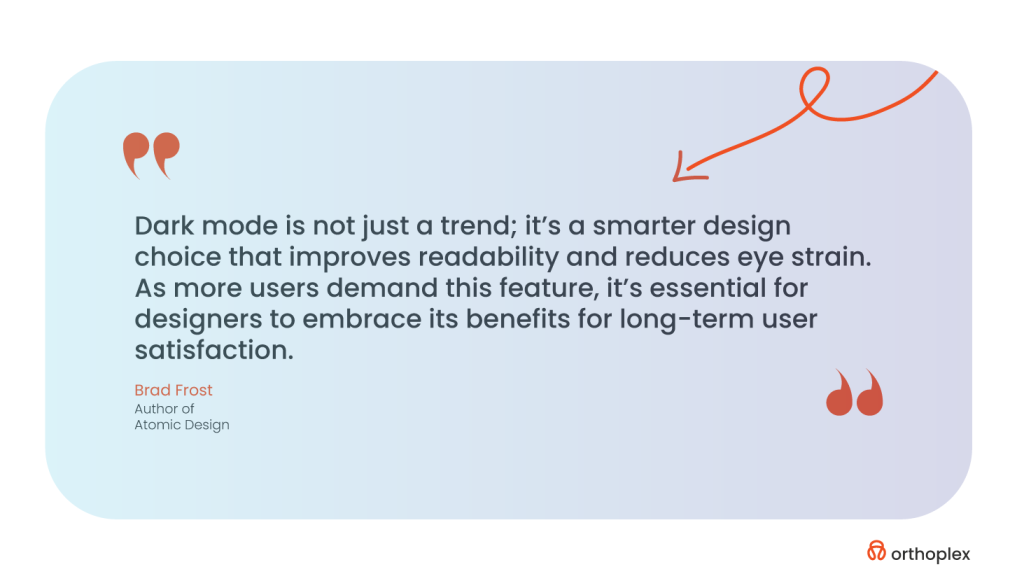
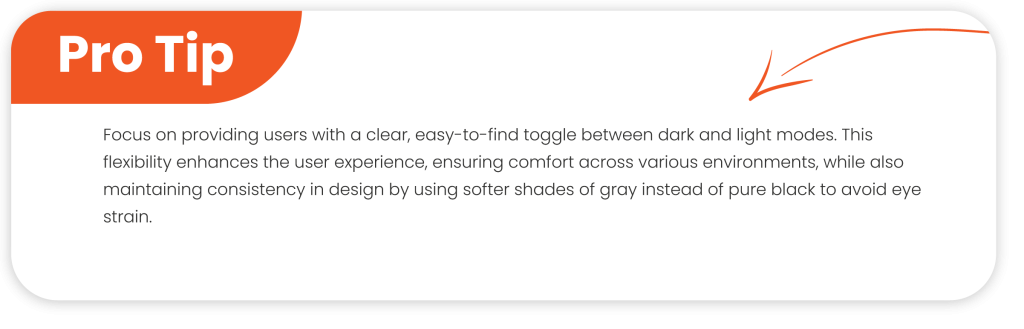
    Enhanced Compliance

    For many organizations, especially those in highly regulated industries such as healthcare, finance, and government, compliance with industry regulations is paramount. Regulations such as the Health Insurance Portability and Accountability Act (HIPAA) for healthcare and the Payment Card Industry Data Security Standard (PCI DSS) for financial institutions require organizations to implement strong security controls to protect sensitive data. In fact, under these standards, File Integrity Monitoring is often a requirement. With FIM in place, file systems are continually monitored for unauthorized changes; thus, the organization remains compliant with such regulations. Additionally, FIM will provide the required audit trail and evidence in compliance audits for an organization. The ability, in the case of audits, to show detailed reports about how proper monitoring controls protect critical data can avoid major fines or reputational loss.

    Automation

    In the rapid digital environment today, automation is one of the big keys to greater efficiency with fewer human errors. New-generation FIM solutions have tremendous capabilities for automation, thus allowing organizations to establish rules over monitoring and alerting rather than requiring continuous interference by hand. Once set up, FIM tools automatically detect and respond to file changes based on predefined criteria, such as suspicious modifications or unauthorized access attempts. This can dramatically lighten the workload for IT staff, who would otherwise need to manually monitor every single file and system change. Automated notifications can also immediately alert administrators to potential security threats, enabling the proper response to be triggered promptly. Through automation, an organization gains not just better security but also smoother operations, freeing IT staff to work on other more important areas of their security strategy.

    Advanced File Integrity Monitoring Top Benefits and Proven Best Practices (6)

    Better Visibility

    Visibility is a vital part of a healthy security posture. Without it, identification and response against security threats become so difficult. FIM solutions offer administrators a single, real-time view of the state of their system’s files and configurations. That constant monitoring facilitates the quick detection of unauthorized changes, access attempts, or even file deletions across systems, servers, and applications. These FIM tools can generate detailed reports about changes that have taken place in files, the type of change that has been made to them, and when. This increased visibility is invaluable to security teams, as it shows them where potential vulnerabilities may be identified and what steps they should take to protect the integrity of their data. Additionally, FIM provides insight into the general health of an organization’s file systems, enabling IT teams to find inefficiencies or potential problems well before they become major issues.

    Reduced False Positives

    Apart from these, most of the security systems share a common problem: the so-called ‘false positive’ alerts that may result from benign activities themselves, which are wasting time and resources. Though well-known, this is a problem in the security industry, and file integrity monitoring systems can be fine-tuned to reduce such a possibility. By carefully defining and placing parameters on what constitutes a valid file change, FIM tools can greatly reduce the occurrence of superfluous notifications. For instance, using this, administrators can describe the type of changes to critical files let’s say, altered security configurations that should rise to the level of notifications. The result is a system more finely tuned to legitimate threats and less prone to generating noise from harmless file modifications. This helps to enhance overall efficiency and effectiveness within an organization’s cybersecurity infrastructure, reducing false positives.

    Now that we have discussed the myriad benefits of FIM, and how it can be a game-changer for your organization’s security posture, it is equally important to talk about the challenges you may face with traditional FIM solutions. Let’s talk about some of the more common pitfalls organizations experience while implementing these systems, and how they can affect overall effectiveness.

    While the above benefits of File Integrity Monitoring are considered great, one has to understand that some issues persist in traditional FIM solutions. Such common problems will most definitely affect your cybersecurity strategy’s effectiveness and the protection it guarantees to your organization. It is these shared business operation barriers that have helped shape our strategy at Orthoplex Solutions in ensuring that those certain weak points don’t cede an advantage to possible bad actors. Following are some of the most frequent mistakes an organization makes in using traditional FIM systems:

    The Challenges of Traditional File Integrity Monitoring

    1. False Positives

    One of the most frustrating things when it comes to traditional FIM is dealing with false positives. These are instances where a change to a file that is quite legitimate is flagged as some sort of threat. Be it through a software update, maintenance of the system, or other authorized user activities, false positives are a complete waste of time and resources as IT investigates phantom security threats. Tuning FIM systems not to raise many false positives without compromising security is an act of great delicate balance. It’s all about setting clear-cut parameters, and while this can guarantee that legitimate changes are not classified as harmful activity, expertise is needed, coupled with adjustments.

    Advanced File Integrity Monitoring Top Benefits and Proven Best Practices (5)

    2. Scalability

    As organizations grow bigger, so do data and files that become critical for monitoring. Traditional FIM solutions might not scale for ever-increasing business demands. This might mean that large enterprise environments will have delays in detection and response toward file integrity incidents, leaving critical data exposed to potential breaches. Scalability issues in traditional systems also lead to performance bottlenecks. Because organizations evolve with time, FIM systems should be able to scale up with your growth to be secure and ensure business continuity.

    3. Complex Environments

    Most modern IT infrastructures involve hybrid clouds and multi-platforms. Traditional FIM has a tough time in such complex system monitoring, especially when there is more than one operating system, file system, and configuration in place. For example, ensuring the integrity of files across on-prem servers and cloud infrastructures can lead to gaps in monitoring, hence making it hard to see your security posture comprehensively. At Orthoplex Solutions, we understand that for any FIM solution to be effective, it should integrate seamlessly across all platforms to avoid blind spots and ensure comprehensive protection.

    4. Performance Overhead

    Sometimes, traditional FIM implementations can lead to performance overhead, especially on systems with high traffic. This can be a problem in that constant file change monitoring is resource-intensive, and that takes away resources from more important applications. The trade-off between security and high-speed, efficient operations may become an issue. In places where resource-intensive applications are used or in high-demand environments, the added load might slow down business processes. FIM solutions must be optimized to have minimal system performance impact so that businesses can maintain operational efficiency without any compromise on security.

    5. Insider Threats

    Traditional FIM is generally better at detecting external threats and unauthorized access. It falls short when it comes to the identification of insider threats. The actions of malicious insiders or compromised employees are harder to detect using traditional FIM alone since they usually have legitimate access to the files. This could be a huge weakness for an organization since insider threats are usually the most destructive. Additional monitoring and security tools may be required to spot suspicious activities from trusted individuals, including user behavior analytics and advanced anomaly detection.

    6. Regulatory Compliance

    In regulated industries like healthcare, finance, and government, compliance with regulations such as HIPAA, PCI-DSS, or FFIEC is not optional; it is required. Traditional FIM helps organizations meet compliance policies by providing audit trails and proof of integrity for files. However, matching the configuration of FIM with specific regulatory standards is often complex and time-consuming. If it is not set right, FIM leads to compliance gaps, where the risk of penalties and litigation becomes pretty significant. Avoiding prohibitively expensive errors is generally needed to ensure that the solution of FIM is properly designed to meet the requirements according to each industry’s regime. 

    7. Noise Alerts

    A general problem dealing with traditional FIM relates to a large number of alerts. This is where, if IT and security teams are always bombarded by notifications, it can amass a form of desensitization toward the alerts: alert fatigue. In this state, an analyst might either miss the critical security incidents or misjudge the priorities of different alerts. Delays in reacting to real threats may hence happen, undermining the effectiveness of the FIM system in general. That means, that to avoid alert fatigue, organizations have to ensure that alerts are well-thought-out and only high-priority issues are flagged for immediate attention. This is another area where advanced solutions, such as machine learning, can make a difference by reducing the noise and highlighting only those pressing security concerns.

    8. Professional Services

    Designing, deploying, and managing a traditional FIM system usually requires specialized professional services. This often means that getting the system up and running is going to take substantial time and resources. Configuration to organizational needs, integration with other security solutions, and training of internal staff can be very time-consuming and costly. Furthermore, if your FIM solution requires professional services to keep it running, it may become increasingly hard to manage as your organization grows. Companies like Orthoplex Solutions realize that easy-to-use, smooth implementations, and on-the-job support are really what make FIM system implementations successful over the long run.

    Although traditional FIM systems offer the necessary protection, these challenges make it quite critical to select the right solution for the needs of your business. Orthoplex Solutions has experience guiding clients through these challenges, ensuring that FIM systems are effectively implemented, integrated across platforms, and fine-tuned to balance performance and security.

    Top Tools for File Integrity Monitoring

    1. Tripwire

    Tripwire is one of the most well-known FIM solutions, renowned for its robust monitoring capabilities and configuration management features. It provides deep visibility into changes across your file system, network, and configurations, ensuring that unauthorized changes are detected in real time. Tripwire is particularly valued for its ability to maintain a secure configuration baseline, making it an ideal choice for highly regulated industries where maintaining configuration integrity is critical. Tripwire’s scalability and detailed reporting capabilities further solidify its position as a top-tier FIM solution.

    2. Qualys

    Qualys is another highly effective tool in the FIM space, offering comprehensive monitoring for both on-premises and hybrid cloud environments. It excels in providing a cloud-based platform that integrates FIM with vulnerability management, giving organizations a holistic view of their security posture. Qualys’ ability to monitor a broad range of assets and its real-time detection capabilities make it particularly useful for large organizations operating across diverse environments. Its seamless scalability and ease of deployment allow businesses to expand their monitoring infrastructure as needed.

    3. SolarWinds

    SolarWinds brings a user-friendly approach to File Integrity Monitoring, offering real-time alerts and comprehensive reporting that it focuses on compliance requirements. Its FIM solution integrates with SolarWinds’ broader suite of IT management tools, making it a great choice for organizations that are already using SolarWinds for network monitoring or system management. SolarWinds provides detailed and customizable reports that align with common compliance standards, such as PCI-DSS and HIPAA. This makes it an excellent option for businesses looking to stay ahead of regulatory requirements while ensuring their file integrity is tightly safe and secure.

    4. ManageEngine Log360

    ManageEngine Log360 is a powerful tool that integrates File Integrity Monitoring with centralized log management, providing enhanced visibility across your IT infrastructure. By combining FIM with Security Information and Event Management (SIEM) capabilities, Log360 allows organizations to monitor file changes in the context of broader network activity, helping to identify potential security incidents more effectively. The tool also offers automated alerting, detailed reporting, and compliance management features, making it a great fit for organizations that require centralized security visibility. Log360’s integration with SIEM systems ensures a more cohesive and comprehensive approach to security.

    5. McAfee Integrity Control

    This tool is an endpoint-focused FIM solution that offers enhanced security for endpoints while ensuring compliance with industry regulations. McAfee provides real-time monitoring of file integrity at the endpoint level, allowing organizations to detect and respond to unauthorized file changes before they can escalate. It focuses heavily on ensuring regulatory compliance, with features designed to meet requirements such as HIPAA, PCI-DSS, and SOX. McAfee’s ability to integrate seamlessly with broader endpoint protection platforms makes it a valuable tool for organizations looking to maintain strong file integrity while keeping endpoints secure.

    Advanced File Integrity Monitoring Top Benefits and Proven Best Practices (4)

    Conclusion: Ensuring File Integrity with the Right Approach

    File Integrity Monitoring (FIM) is a critical component of any organization’s security strategy, ensuring that files remain untampered and systems operate with integrity. From detecting unauthorized changes to maintaining compliance, FIM helps safeguard sensitive data and defend against both external and internal threats. As we’ve explored, there are numerous benefits to implementing a FIM system, such as real-time monitoring, compliance assistance, and enhanced security posture. However, it’s equally important to be aware of the common pitfalls, such as false positives, scalability challenges, and alert fatigue, which can hinder the effectiveness of traditional FIM systems.

    By understanding these challenges, organizations can make more informed decisions when selecting FIM tools. Whether considering tools like Tripwire, Qualys, SolarWinds, ManageEngine Log360, or McAfee Integrity Control, it’s essential to choose a solution that aligns with your unique environment and security goals. Each of these solutions brings valuable features to the table, from real-time alerts to seamless integration with broader security frameworks, ensuring you can scale and manage your file integrity needs effectively.

    At Orthoplex Solutions, we understand the importance of choosing the right FIM system to align with your organization’s evolving security and compliance needs. While we don’t always recommend one-size-fits-all solutions, we are committed to providing your business with tailored insights that help you achieve a secure, efficient, and scalable file-monitoring strategy. Whether you’re looking to implement a traditional FIM system or exploring new, adaptive solutions, the right tools and mindset can make all the difference in safeguarding your digital environment.

  • Website Dark Mode: Transform The User Experience Now

    Website Dark Mode: Transform The User Experience Now

    Website Dark Mode has moved from a passing trend into mainstream demand in today’s digital user landscape. This mode flips the color scheme to darker shades, thus enabling a set of advantages that include increased user engagement and website performance. In this article, we are going to talk about the impact of Dark Mode on the user’s experience, why it is a must-have feature for modern websites, and how Orthoplex Solutions has successfully integrated it into recent projects for clients. But first, let’s take a closer look at what it is:

    What is Website Dark Mode?

    Dark mode refers to that setting of display, by which the color changes from bright and white backgrounds of the screen to dark. It is a very popular user interface preference since users find this dimmer setting more comfortable, especially in a low-lighted area. Here, the background goes dark; text and icons are in lighter colors, such as white or light gray.

    This switch not only relieves eye strain, particularly for those who spend extended amounts of time on a screen, but it is also quite visually more attractive for most people and easier to read. Secondly, this feature provides better battery life for screens using OLED and AMOLED technology, providing users with added value on a functional level also.

    In case you are unfamiliar with OLED, it is an organic Light Emitting Diode, while AMOLED is an Active Matrix Organic Light Emitting Diode. They are types of display technologies used in modern screens such as smartphones, televisions, and smartwatches.

    Either due to its aesthetic appeal or because of its functionality, dark mode is becoming a feature that no digital platform can overlook.

    The next thing we move to is why it is important; what is special is that the users are looking for it on each and every website. Here come all the answers to those questions.

    Why Dark Mode is Important for Modern Users

    Reduced Eye Strain

    Among the most sizable advantages of Dark Mode is its tendency to reduce eye strain. For those who work, browse, and game on the screen for hours, bright high-contrast displays in light mode can cause discomfort, especially when the environment is not very well-lit. The intense brightness of white backgrounds when working late or reading in the evening may cause eye fatigue or even headaches.

    On the contrary, Website Dark Mode uses softer tones and dimmed brightness levels; hence, such issues are avoided. It has been proven that a bright screen if used for an extended period of time, can lead to computer vision syndrome, which includes but is not limited to blurred vision, headaches, and dry eyes. Dark mode provides a darker background that will enhance user comfort and help reduce the possible negative impact on eye health in the long run. This surely will be the case for night owls, binge-watchers, and late-night readers.

    Extended Battery Life

    In today’s mobile world, one of the primary concerns of users is battery life. In all, the dark mode contributes a lot to saving the battery, especially for those devices with OLED and AMOLED screens. The OLED screen turns on every pixel differently than the traditional LCD, which always keeps the backlight on. This means that the dark pixels use less energy to display anything.

    If a big part of the screen is black, then the device consumes less power; hence, a more efficient way to use the battery. Whether professionals, travelers, or any person needing extra time from their batteries, dark mode can be a godsend. In fact, a recent study published by Poweringautos, has calculated that on some screens, the power consumption could be reduced as high as 60% with Dark Mode. This means a huge practical advantage of power-saving capability since most need to get their devices to last them throughout the day without needing to look for a charger now and then.

    Improved Focus and Aesthetics

    Website dark mode isn’t all about practicality; it is about aesthetics too. A well-implemented design for dark mode creates a sleek, calm, and modern environment. Many users reported that the darker theme minimizes visual distractions and really lets them focus on the content itself much more. This is most vital for content-heavy platforms, such as e-readers, messaging apps, and even coding environments, where readability and minimal distraction are critical. For example, dark backgrounds with light-colored text create a great contrast in which legibility improves for the easier reading of information.

    Website-Dark-Mode-Enhancing-User-Experience-and-Website-Performance (2)

    This is further emphasized by the fact that dark mode exudes a sophisticated look of modernity. In this case, it brings a sense of class and minimalism, which many users and brands in the modern world would easily relate to or be eager to be associated with in brand identity. Most brands use dark themes for better immersion, such as Netflix and Spotify. It gives more emphasis to the visual elements such as buttons, images, and typography.

    The use of website dark mode, therefore, can be integrated into the design to increase users’ interactions in general, reduce visual fatigue, and provide a better experience for its audience.

    Website dark mode is something more than a design trend; it’s a must-have feature, coming with considerable advantages for both users and performance. It saves everything from eye strain to battery life and improves focus. Dark mode is here to stay. We at Orthoplex Solutions believe in user-oriented design and have incorporated smooth toggling into dark mode into most of our recent works. This all adds up to a much more refined user experience, comfort-focused, and performance-oriented.

    So, if you’re ready to boost your user experience and improve your engagement, let’s discover the best practices of website dark mode for your online presence.

    10 Website Dark Mode UI Best Practices & Principles

    Dark mode is a night-friendly UI design style predominantly featuring dimmed, dark, and gray color themes for all UI elements. This design style is said to be “night-friendly”; in the case of darker colors, less light is reflected out. Less light means less glare off the screen. Sometimes, toggling on the ‘dark mode’ provides much-needed relief in low-light environments when your eyes ache from staring at bright screens. And that’s probably why “dark mode” has gone beyond just a design style. Dark mode has now become the default feature on many applications and websites which users can always switch whenever they feel tired of using the standard “light theme.”

    Twitter was one of the pioneers in the UI design trend that is known as dark mode; it released in 2016. The app still allows users to switch from light to dark mode at will.

    Following are some of the best practices that professional UI designers keep themselves engaged in, to avoid all the pitfalls mentioned above and seamlessly integrate dark mode into their app or web designs.

    Avoid Pure Black

    Use a dark gray like “Cod Gray” (#121212), instead of pure black (#000000). That softer color will reduce harsh contrast and eye strain for a more comfortable visual experience.

    Website-Dark-Mode-Enhancing-User-Experience-and-Website-Performance (3)

    Limit Saturation

    Bright, vivid, saturated colors can be overwhelmingly bright in Dark Mode. Less saturated hues should be used to retain the balance needed to make something easy to read in a design.

    Not Pure White

    Too much glare and bright white elements may hurt someone’s eyes in Dark Mode. An off-white shade keeps text and other elements more visually comfortable.

    Brand Custom Dark Mode

    Instead of using standard gray or black, apply a darker color from your brand for the background to increase originality and maintain brand identity.

    Inversion Doesn’t Work

    Just inverting all colors within a light-mode design simply doesn’t work. It needs to be treated differently in dark mode because different strategies and color palettes will be in play to ensure readability and visual attractiveness.

    Convey Depth, Not Shadows

    Many times, dark mode and shadows just don’t mix. Use lighter fills and borders to provide both hierarchy and a sense of depth instead.

    Use Saturated Text Colors

    Using pure white on black is something that should be avoided. It needs to be changed to an off-white or light color to enhance readability and reduce strain.

    Ensure Visible Focus Indicators

    Ensure that focus indicators present during keyboard navigation have a good contrast with the dark background.

    Use Dark Mode-specific Images

    Images should be changed according to the theme. Using CSS media queries, you will need to switch images while toggling between light and dark mode.

    Test in Various Lighting Environments

    You should always test the design of dark mode in low and high light to maintain consistency in comfort for the user.

    These practices help ensure that dark mode is a functional, user-centered part of your web design strategy and not a fad. It will go a long way in ensuring that designers provide better usability, user engagement, and satisfaction. Not only that, but it also makes sure that a certain set of advantages is assured for your users, which they cannot have on other websites sans dark mode.

    Benefits of Website Dark Mode for User Experience

    Dark mode reduces blue light, minimizes eye strain, and lets users maintain healthier sleep habits; it’s great, especially at night when the rate of usage falls.

    Rich color schemes to explore

    Dark mode allows designers to use subdued tones and deep hues, adding an extra layer of sophistication to the UI. Light themes generally use brighter colors, while dark mode interfaces allow for unique aesthetic entry.

    Both light and dark are supported

    While Dark Mode is currently at the top of its hype, it now becomes inclusive by giving users a toggle between light and dark themes; this creates an advantage for flexibility in the case of a lot of user preferences and needs and hence gives enhanced usability.

    Person-oriented personalization

    Say, that users can add options themselves for dark modes, like changing contrast and a wide range of color palettes- which allows users to create their own experience and, therefore, an improved UX.

    Pro-Tip: Website dark mode shall be provided in a balanced manner

    Consider the right balance of white space without over-providing the dark elements. This results in an increasingly awesome and user-friendly interface where there will be visual balance.

    Screen and Device Compatibility

    For continuity and the same experience, the effectiveness of Dark Mode will have to be cross-checked across various devices and operating systems. This needs to be tested across many different devices for seamless integration across multiple platforms.

    Better Accessibility

    Dark mode can go a step further toward better accessibility, making interfaces more comfortable for those sensitive to bright light. This will be paramount in testing with feedback from users to refine settings further for improvements in accessibility in every way.

    Thoughtfully integrating dark mode into UX design is therefore much more than a fad; it is about user health, the ramping up of design capability, and diverse usage contexts for many end users. By paying close attention to readability, customization, and accessibility, designers can deliver attractive user experiences that truly meet the evolving preferences of users.

    If you are concerned about the quality, then to keep your website professional in dark mode, you must avoid the following mistakes:

    Common Mistakes in Dark Mode Design and How to Avoid Them

    Most of the important points to remember in designing a good-quality dark mode involve evasion of certain pitfalls that might just bring down its usability, readability, and aesthetic appeal. Key aspects include the following:

    1. Graphics

    Transparent backgrounds

    Make sure all graphical stuff has a transparent background and most importantly for formats like PNG or SVG. The one with a white background might look alright in light mode; it looks quite awkward in dark mode.

    Icons and emojis

    Dark-colored icons/emojis disappear in the dark background. Testing of each and every element against light and dark themes for readability.

    2. Overlap Depth and Shadows

    Creating Depth

    Creating depth among elements that overlap one another would require subtle, light-colored shadows or layering effects, since traditional dark shadows simply wouldn’t work on dark-colored backgrounds. For example, the use of lighter shades of gray for the background of “floating” components helps create a hierarchy.

    Website-Dark-Mode-Enhancing-User-Experience-and-Website-Performance (5)

    Scrims

    Allow dark mode to provide opacity on top of transparent overlays, so text is always readable and read comfortably, such as on top of models.

    3. Readability

    Font Weight and Contrast

    Dark mode tends to swallow thin fonts, while bold fonts seem much thicker than they are. It is always better to stay with middleweight font sizes and test color contrast for better readability. When in doubt, use WCAG contrast ratios of 4.5:1 for text and 3:1 for large text.

    Logos adaptation

    Sometimes logos need to be only slightly adjusted. These include adding a light-colored outline, or using a dual-color version so that it can be seen in Dark Mode – specifically for the emails opened in either mode.

    4. Color Contrast

    Saturated Colors

    Overtly saturated colors might have merged into the dark backgrounds, hence causing visual fatigue to the viewer. Steer clear of the very intense shades instead and use somewhat less saturated colors to improve readability.

    Channel Consistency

    Web App Harmony: If your app has Dark Mode, it would be just great if when the user opens the web within an in-app web, that too goes into Dark Mode. Consistency is always key, and switching between native Dark Mode apps and Light Mode web pages is quite jarring.

    6. Page Structure and Dividers

    Dividers and Borders

    Placing them against a dark background, the gray dividers or outlines of medium to thin weight will disappear. A little more subtle color differentiation or thicker borders will facilitate clarity and separation between sections.

    Layered Components

    Subdivisional areas should have a contrast of colors. A gentle gradient change of background tone will make sections stand out from each other and will help organize information internally which makes it easier for the user to understand.

    7. Floating Elements

    Especially for floating elements, poor contrast may create an effect of floating buttons or modals bleeding into the background. Therefore, white or light-shaded components will work just fine.

    8. Scannable Codes

    Scannable codes will probably be inverted when in dark mode, making them unusable under some scanners. A setup should always include readability for both of these modes, such as black on white.

    Now, amplify each of these design details to the next level and create an engaging, professional dark mode that exudes a cohesive, very intentional feel. The thoughtful adjustments will make your design visually appealing, accessible, and functional across all platforms and modes.

    Because it is said easier than actually being so, Orthoplex Solutions gathered for you the five best tools to implement dark mode in web design.

    Top Necessary Tools for Dark Mode Designs: Supplies to make creating dark mode easier.

    Easy Theming with CSS Custom Properties (Variables)

    CSS Custom Properties, commonly referred to as CSS Variables, provide an amazing way to keep and use dark mode. If your color themes are defined in one place, using variables greatly simplifies the process of modifying the look of your whole website by changing only a few key values. 

    This approach is particularly good when implementing dark mode because it allows quick switching between light and dark themes. For example, this gives a user the ability to easily control themes and even darken the mode by allowing users to have one central point to change the background color, text color, and link colors through CSS Variables.

    Darkmode.js: Lightweight Dark Mode Library

    It provides an easy, intuitive way to turn dark mode on and off and can remember the user’s preference to automatically apply their theme on return visits. It is especially great for developers who seek a problem-free solution where they would not have to code much or do some difficult settings. With Darkmode.js, adding dark mode takes as little as adding one script on your website with literally a few lines of code.

    CSS Media Queries: for Automatic Theme Switching

    The CSS media queries can automatically change the look and feel of your website, depending on the system preferences such as light or dark theme. The prefers-color-scheme media query detects whether the user has set light or dark themes in his Operating System/browser and changes the styles respectively. This makes it even easier for users to browse a website in the mode with which they are more familiar without having to interfere with the process manually. This ensures that your site becomes easily adaptable to different environments for a better user experience and accessibility.

    Tailwind CSS: The utility-first framework for making it easier to customize dark mode

    It gives you a simple system where you can put classes onto elements and it will auto setup light and dark mode display settings. Utility classes within this framework mean control of the dark mode behavior of elements on your site is pretty efficient; just using dark:bg-black for backgrounds and dark:text-white for text makes the implementation of consistent dark mode designs right across a whole site easy to design. The above flexibility and speed make Tailwind a perfect suit for developers seeking customization without having to write custom CSS that’s extensive.

    WCAG Contrast Ratio Checker: for Accessibility Compliance

    WCAG Contrast Ratio Checker is an important tool in the field of keeping your website accessible, especially when you are about to implement dark mode. WCAG recommends that the contrast ratio should be at least 4.5:1 for normal text and 3:1 for large text so that people with visual disabilities can read them. This tool will help designers check the contrast ratio between text and background colors to see if they meet accessibility guidelines. This tool keeps you far from bad contrast issues. The website is not only friendly to its users but accessible to a wider audience including visual disabilities.

    Website-Dark-Mode-Enhancing-User-Experience-and-Website-Performance (6)

    Orthoplex Solutions’ Dark Mode Approach: How We Tailor Dark Mode Features to Meet Client Needs

    At Orthoplex Solutions, we cherish user experiences in today’s modern, fast-moving world of digitization. Dark mode has grown organically from a trend to a must-have need for many digital applications with the increasing awareness of user-centric design. We realize that every client’s needs are different and have therefore developed a customized approach toward incorporating dark mode into applications with optimal functionality and aesthetics.

    Significance of Dark Mode in Modern Applications

    Dark mode is no longer a question of taste; it has become one of the most important features promoting users’ comfort and customer engagement. According to some studies, dark mode may reduce eye strain, especially for users who spend hours in front of their screen. Besides, this feature prolongs battery life for OLED and AMOLED displays while offering a modern and sleek look that appeals broadly across demographics.

    Keeping this in mind, dark mode is a high-in-demand feature for clients to make their applications more accessible and user-friendly. A well-implemented dark mode often distinguishes an application from other competitors and raises user satisfaction, which is well-understood at Orthoplex Solutions.

    Custom Dark Mode Solutions by Orthoplex

    Our process involves an in-depth analysis of the application provided to our client and their user base. This would help in identifying certain needs and preferences, which drive our design for dark mode. Here at Orthoplex Solutions, we pride ourselves in building solutions that are appealing but speak to the functionality of the product.

    Customized Aesthetic and Usability

    Other basic features of dark mode are one-size-fits-all, while we make sure that the solutions we propose for dark mode take into account every peculiarity of our client’s brand guidelines and user preferences. We pay attention to contrast ratios, color palettes, and readability, so it all looks fine and makes a harmonious and accessible user experience. When we introduce our design team into the process, this close demarcation of key visual elements to be changed according to light and dark mode transition will ensure fluidity and consistency in the user experience.

    Website-Dark-Mode-Enhancing-User-Experience-and-Website-Performance (7)

    Smooth Integration with Already Existing Platforms

    Orthoplex Solutions’ dark mode solutions are engineered to seamlessly integrate with existing applications. Extensive compatibility testing is conducted to ensure dark mode works as expected across a wide array of devices and operating systems. The aim is to provide a sound feature that adds value without bringing in new challenges or asking for major revamps to the codebase.

    Performance Optimization

    Our dark mode solutions are created keeping performance in mind. Efficient coding practices are followed to ensure there is no extra load on load time and system resources, so the transition between light and dark mode transitions is smooth without affecting user responsiveness.

    Client-Centric Development Process

    The integration of dark mode is iterative and very client-oriented. We communicate openly with the clients right from the commencement of the work to the very end and take continuous feedback for refinement of the final product. With a blend of technical know-how, considered design, and dedication towards client satisfaction, Orthoplex Solutions has come up with dark mode features that lie in tune with modern user expectations and give a full digital experience to users.

    Final Thoughts on Website Dark Mode

    Thus, dark mode has become a must-have element in modern web design. It increases the comfort of users who can then be more active, and gives them a better experience when using the website. In this way, it diminishes eye strain for those users who need to spend extensive amounts of time in front of screens, especially under poor light conditions, and gives them an aesthetically pleasing and less tired-feeling browsing experience. Besides its aesthetic appearance, it keeps offering practical functions to extend the battery life of OLED and AMOLED displays, making it an addition to such a valuable gadget for an end-user who intends to use it effectively for a longer period.

    These benefits have been realized by Orthoplex Solutions, which has applied the Dark Mode solution for several clients, each tailored to a respective client’s brand and the needs of its users. Including options for customization and access thoughtfully ensures that dark mode meets and can even exceed user expectations.

    With such a fast-evolving user preference and increasing competitiveness in digital platforms, dark mode will also be one of the major reasons for user retention and satisfaction in the future. The developer or designer can create an inclusive and effective digital experience by focusing on the user-centered design principle to meet diverse user habits and preferences. It is much more than a design trend to incorporate dark mode thoughtfully and strategically; it represents a key area of modern web development, keeping functionality and user health in mind.

  • Master Mobile-First Design for Businesses, How to Transform The User Engagement: Now or Never!

    Master Mobile-First Design for Businesses, How to Transform The User Engagement: Now or Never!

    In a world where mobile screens are both the first and often only touch-point between brands. And their users, mobile-first design for businesses is about something much bigger than shrinking down a desktop experience. It’s about prioritizing what matters most to users on the go: creating interfaces that are intuitive, fast, and focused.

    Below is a summary of what the essentials are in this Mobile-First Design for Businesses Guide. What it is, why it is important, and how you can actually put it into practice. From best practices to common pitfalls. Practical tools, and tracking techniques. We cover all that you need to make a mobile-first experience that isn’t just functional but keeps users coming back.

    Let’s break it down into steps to help you make mobile-first designs shine and delight users. Forging meaningful connections across devices.

    What is Mobile First Design for Businesses?

    The phrase “mobile-first design” is pretty self-explanatory-it means that developers create for mobile users first. This technique starts by creating the mobile version of a product. And once perfected on small screens, builds out the features on bigger devices like tablets and desktops. Since space limits itself on mobile screens and operations are reduced. The approach makes designers work on what should form the core of the user experience; thus, a functional-intuitive product will arise straight from the very beginning.

    Before we proceed further, let’s consider in greater detail a few key terms that will add weight to our understanding:

    Responsive Web Design

    Responsive web design is an approach to building websites wherein it automatically adjusts to different screen sizes. Whether users are on a smartphone, tablet, or desktop. The underlying content will automatically fit to the particular screen size of the device. This reduces unnecessary scrolling, zooming, and panning. Websites created with responsive design behave naturally across devices.

    Graceful Degradation and Progressive Enhancement

    Progressive Enhancement

    This methodology begins with the most basic, enhanced version of the product for the lowest-end device. And focuses on the operational status of the most necessary functions. Refinements make progress to create versions for more advanced devices once the mobile experience has been realized. For example, they would have simple navigation on a mobile; when they proceed to the desktops, they might add hover effects or high-resolution images because that particular device supports that.

    Graded Degradation

    The opposite would be to start the design with the advanced version, usually for desktops, and then develop for mobile. In designing a website, one should start with a full-featured version on desktops. And take out elements that do not perform too well on smaller screens.
    One of the reasons progressive enhancement is great is because it meets the need for mobile-first design for businesses. And means that core functionality gets captured early in design. For example, when starting with a desktop-first mindset, designers can sometimes create incomplete or compromised mobile experiences. Given the need to strip down features and elements from the design to make it functional.

    If you’re still unsure why mobile-first design is crucial for your business, the following sections will help clarify its importance.

    Mobile-First Design for Businesses: Why It’s Essential in Today’s Digital Landscape?

    In today’s mobile-focused world, a mobile-first design approach isn’t a fad but rather a necessity. More than ever, individuals access the internet on mobile, and by designing for small screens, touch interactions, and unique constraints, mobile-first design shapes experiences that are clear, concise, and effective. Here are key reasons why mobile-first design became essential:

    Mobile Usage Soars

    With mobile internet usage constituting the bulk part of online traffic, making for a seamless mobile experience has become very critical to reach users of today. Predictions over previous years show that mobile access surpasses 70% of the total internet traffic, which consequently means brands have to adapt or risk alienating this great audience.

    Cater to Mobile Constraints

    Mobile devices have unique constraints: smaller screens, variable orientations, and lower processing powers compared to desktops. In mobile-first design, designers have to make very conscious choices as to what to display and allow the user to engage with other words, only the most important content and interactions are displayed, creating by default a leaner user experience.

    Mobile-First Design for Businesses Improves SEO

    Google and other search engines give a boost to mobile-friendly websites, watching their positions rise in search results. The mobile-first design for businesses will thus help to improve the SEO of a company, and visibility can increase accordingly, which may drive organic traffic.

    Improves User Experience

    As a rule, in mobile-first design for businesses, the developer provides for touch-based interactions, making the interface feel intuitive and easy to use on smaller screens. This also eliminates unnecessary steps and increases the completion rates of a task at hand, further improving the rates of user engagement and conversion.

    Cost-Efficiency

    It allows for scalability; thus, extending the design to bigger screens is pretty easy without rebuilding the entire UX. In this way, it saves time and reduces the cost of development, hence making the development process more efficient for longer periods.

    In other words, mobile-first design for businesses is not just a reaction to the increased use of mobile devices but an active means to ensure access, engagement, and efficiency in any digital experience. Since mobile usage is going to prevail further, embracing mobile-first design for businesses will be what enables companies to remain competitive, ensure better SEO, and facilitate higher user satisfaction.

    Sounds promising? Definitely—but now comes the real challenge: how to put the right strategies into action so that effective mobile-first design for businesses can be achieved.

    3 Best Practices in Mobile-First Design for Businesses

    With this, come some challenges. The following are the key practices that the development team needs to observe to ensure a website is meeting the requirements of mobile users. Here are some best practices to help you implement a mobile-first approach.

    Prioritize Content

    The “Content is King” mantra is true, now more than ever, with mobile-first design for businesses. Great content that’s pertinent to the user’s query will make your website found more often by a user, gain trust, and help your search ranking on such websites as Google or Bing. Make sure that on a mobile device, content is direct and to the point and provides what the user is looking for without clutter.

    Navigation Should Be Intuitive

    All of that clunky navigation confuses users and will definitely drive them away from mobile. Designing intuitive navigation, such as using navigation drawers or a simple sitemap, can make it much easier for users to interact with your website on a smaller screen smoothly. Clear and accessible navigation is key in moving users through your site.

    With limited screen space, mobile users get pretty frustrated when there are unnecessary pop-ups or intrusive ads. Avoid the use of too many pop-ups to ensure a clean, user-friendly experience that will lead to better engagement and satisfaction.

    Always Perform Beta Testing Before Launch

    Testing on devices beforehand will help in having a smooth launch of your website. Beta testing on devices will point out the various flaws in the design that are to be rectified for smooth functionality while viewing on mobile, tablet, and desktop. This is important to ensure responsiveness and consistency of experience as expected by the user.

    Mobile First leads to easy, engaging experiences across all devices and provides other extra advantages, listed below.

    Benefits of a Mobile-First Design for Businesses Experience

    Improved SEO

    A mobile-first design for businesses will improve your website’s search engine optimization. Google happens to have a slight bias for websites that are mobile-friendly; thus, having a mobile-friendly website will give you a better ranking in searches for wider reach and higher conversion.

    Easy Accessibility of All Mobile-First Design for Businesses

    A mobile-first approach to design makes sites more accessible to persons with disabilities because the clear, responsive layouts are well-suited for small screens. It’s like a double solution. Mobile-first design for businesses thus creates a seamless experience that is more user-friendly to people with low vision or with other accessibility needs.

    According to Statista, projecting 6.8 billion mobile users by 2023, mobile traffic growth is bound to rise. A mobile-friendly website will surely attract that audience and keep their attention with an experience they will always want to come back for.

    Better User Experience

    Emphasizing mobile, it goes without saying that your website will be designed keeping in consideration the input methods of touch, smaller screen sizes, and speed regarding page load. All this leads to an easy-to-operate experience across all devices; hence, assuring a better user experience.

    Apart from a fresh look, the mobile-first site has faster and more accessible user experiences compared to other competitors. Businesses will be in an effective position to attract and retain customers by standing out in an increasingly mobile-centric market through mobile-first design for businesses.

    Higher Conversion Rates As a Result to Mobile-First Design for Businesses

    Since most of the online traffic flow these days is from mobile, a mobile-friendly design makes many improvements to conversion rates. You make it pretty simple for the mobile user to be your customer by appealing to them with smoother navigation and streamlined content.

    A very important feature of such success is avoiding mistakes that could affect a responsive website design focusing on a mobile-first design for businesses approach. In developing websites to meet the mobile-first design level, we bring vast experience at Orthoplex Solutions by understanding the shifting currents in web design from a more desktop-focused approach, encompassing seamless experiences across devices.

    Following are five common mistakes made in responsive web design, along with practical insights into their rectification:

    Four Common Mistakes in Mobile-First Design for Businesses and How to Avoid Them

    1. Lack of essential content on mobile

    This could be an extremely tempting process just to have a clearer view on the mobile. However, it does run the risk of creating incoherence across the devices and can fragment a user experience. Alternatively, you can concentrate on priorities and structuring using responsive design methods, including accordions and content hierarchies. Important content is never shut out from what device is used according to Nielsen Norman Group, which is one of the key voices on user experience.

    2. Failure to Consider Touch Interactions

    Mobile users will use swiping and pinching gestures to navigate. If these are not considered, the site may appear unresponsive and annoy users. Mobile-first design for businesses should include touch-friendly buttons, swipe-able image galleries, and optimized spacing.

    3. Designing Without Audience Insights

    Designing without researching the needs of users creates generic solutions that usually fall flat. Audience research, device preference analysis, and usability testing will permit a design that truly resonates with your target demographic. Apply user analytics and build user personas to create design decisions via data as outlined in our past overview of user experience blog.

    4. Not Testing for Devices and Browsers

    Testing on different devices and browsers always results in performance that will degrade the user experience. Full testing will ensure every element of the design performs well across platforms. Utilizing real devices, emulators, and testing platforms like BrowserStack, compatibility issues will be found and addressed early on. For more, see BrowserStack’s guide to cross-browser testing.

    Mobile-first design for businesses is not just a technical adjustment; it is also an alignment of design to user needs in a dynamic, mobile-first world. Orthoplex Solutions will assure one of a mobile-first website that adapts to all screens, hence boosting accessibility and engagement. You can check-out our range of works from here.

    When you think of it, it can all sound amazing and helpful but there is nothing more helpful than the right set of tools for the right practical mobile-first design for businesses building.

    Top Tools to Build a Responsive Mobile First Design for Businesses

    The right set of tools is what one needs to get on with the job when designing a fantastic mobile-first responsive design. Orthoplex Solutions has compiled a few of the most powerful tools that will help in crafting exciting, easy-to-use, and responsive websites that stand up to today’s mobile-first requirements. All these tools can offer something different to each other-from designers’ solutions to the developers’ solutions in making their designing process easier and smooth.

    1. Figma

    Figma has quickly become a designer favorite, largely due to its team collaboration feature and frictionless browser-based workflow. This same real-time collaboration feature makes it one of the most wanted design tools for any design team, given that it can allow several designers and developers along with stakeholders to collaborate on the same project at the same time. This powerful prototyping capability was also included in this tool, which enables designers to build interactive mockups directly inside Figma.

    The UI is pretty intuitive, and different plugin integrations do their magic with the workflows. Since Figma is web-based, it can be approached from any device, which in itself makes it perfect for cross-platform and responsive design. With Figma, designers will be enabled to shift their focus towards a mobile-first approach and see varied design work in various device sizes concerning accessibility and usability.

    2. Adobe XD

    In the second position, Adobe XD is great for UI/UX design and prototyping across both mobile and desktop. XD is tightly coupled with other offerings in the Adobe Creative Cloud. The designers can jump between Illustrator, Photoshop, and After Effects. In XD, you are also capable of adding responsive design capability to resize the elements automatically by screen size changes for consistency in layout across various devices. Then comes flexible prototyping; hence, you can add animations, transitions, and other interactive elements.

    From a wide variety of plugins to integrations, the circle was completed with Adobe XD through collaborative tools that allow team members to share and give feedback in real-time on responsive projects.

    3. Sketch

    Sketch has for a long time been one of the favorite tools for UI and UX designers to make pixel-perfect designs, that translate smoothly into mobile and responsive layouts. Although it is a Mac-only tool, in Sketch you’ll find a rich library for keeping consistency between different screen sizes through symbols, styles, and libraries.

    What puts it a cut above is the plugins and integrations ecosystem-like Zeplin for handoff and Anima for animations that add so much more depth to the design process. One of the peculiar features is Artboards in Sketch, which lets the designer review how their design will look on different devices and processes very much in line with mobile-first approaches. While by default, it is not a collaborative tool; through integration with cloud services, this tool has the capability for version control and sharing, thus making it suitable to work on mobile-first design for businesses by teams.

    4. InVision Studio

    InVision Studio is built for frictionless interactive prototyping and is highly appreciated for its animation and motion design capabilities. It’s truly powerful prototyping, including micro-interactions and transitions that can help bring to life a mobile-first design for businesses. The tool smoothly integrates into the workflow with InVision Cloud, enabling teams to collaborate in real-time and give feedback during the ideation process.

    It also boasts a responsive layout feature through which designers can test and optimize their layouts across different device sizes. Freehand represents InVision’s digital whiteboard and is a great tool to help you brainstorm and share your ideas with your team. Therefore, it is worth trying out by those who take the mobile-first approach to design.

    5. Axure RP

    It is popular because it focuses on complex high-fidelity prototypes with conditional logic, dynamic content, and interactions. Axure RP provides a great platform in which to build deep, responsive designs that adapt to changing screen sizes and user interactions. Axure’s focus on form over function makes it a great fit for UXers who focus on the user journey and interaction with an app or website.

    Axure RP lets one create wireframes for a mobile and desktop user experience. Axure helps teams create mobile-first prototypes that test different user flows. While Axure is not as visually oriented as Figma or Adobe XD, if your goal is to build data-driven interactive prototypes, Axure is simply the best. Making it a robust tool for building feature-rich responsive designs.

    6. Framer

    Framer closes the gap between design and code, thus helping designers make interactive prototypes that feel and look like real products. It has a component-driven approach, similar to coding in React. Additionally, it is super flexible for both web and mobile designs. Advanced interactions and animations make Framer an ideal choice for mobile-first design for businesses projects that require interactivity at a high level.

    As an example

    It can allow making swipe gestures in different directions, transitioning between custom screens, and so on. Framer also integrates with Figma and Sketch for seamless imports, adding layers of interaction. As for responsive design, Framer’s flexible grid and layout give the designer the capability to easily create layouts that will adapt seamlessly across device sizes. Since Framer supports more complex designs and animations, it’s also a great option for teams wanting to bring in dynamic responsive elements that elevate their mobile-first designs.

    Each of the tools brings its strengths to responsive design. Figma and Adobe XD would be ideal in terms of collaboration, since both offer fantastic functionality for mobile-first design, while Sketch is good at maintaining consistent design, especially if one is on Mac. InVision Studio has advanced animations, though. Axure RP would suit high-fidelity prototypes with intricate interactions, while Framer allows one to add advanced interactions that could simulate a realistic final product experience.

    Mobile-First-Design-for-Businesses,-How-to-Transform-The-User-Engagement-Master-it-Now-or-Never!-Tools

    The developers and designers can be assured that the responsive designs, with the inclusion of such tools, will keep in consideration the needs of the huge variance in mobile users while developing adaptive, accessible, and usable experiences. Incorporating these specialized tools into a mobile-first design strategy will truly enable designers and developers to create responsive websites that not only meet today’s user expectations but also enhance overall usability across all devices.

    Are you in need of professional help?

    Let Orthoplex Solutions Help You Go Mobile-First Design for Businesses

    Mobile-first design for businesses is not a trend. But a real change that ensures users have seamless experiences on mobile, which has already taken over most web traffic. Orthoplex Solutions here comes to assist businesses in crafting intuitive, responsive websites for the usability of mobile-first. Be it optimization for faster load times, ensuring ease of navigation, or adapting visual elements to smaller screens. We know the peculiar challenges and requirements mobile-first brings about.

    It all starts with an understanding of your users and the creation of a design. That works seamlessly on mobile and scales onto bigger devices. Using Figma, Sketch, and Adobe XD allows us to create device-sensitive layouts. That work fluidly across multiple devices so that every user can have a similar experience. Moreover, our team is well-versed in best practices such as touch-friendly interactions, efficient content prioritization, and testing compatibility for devices.

    It all starts with an understanding of your users. And the creation of a design that works seamlessly on mobile and scales onto bigger devices. Using Figma, Sketch, and Adobe XD allows us to create device-sensitive layouts that work fluidly across multiple devices. So that every user can have a similar experience. Moreover, our team is well-versed in best practices such as touch-friendly interactions, efficient content prioritization, and testing compatibility for devices.

    Orthoplex Solutions provides services that involve designing and creating an infrastructure to make the functionality seamlessly work on each device. Ensuring that mobile experiences are fast, responsive, and meet business objectives. Since it is given to adopt the mobile-first approach for a successful online venture nowadays. Let us at Orthoplex help you stay ahead with a mobile-optimized experience that users would love.

    Final Thoughts

    In summary, a mobile-first design for businesses’ philosophy is an absolute must in this current digital paradigm. This means that with the trend of mobile dominance of the internet landscape. It surely would guarantee that at least the most critical features and functionalities of the user experience would be captured. Through designing first for these platforms. This philosophy in design translates into leaner interfaces. Targeting users’ needs on the go, translating into faster load times and easy-to-navigate interactions.